Build · Websites

Website design and development, from the first sitemap to a site your team can run

CountryDevs designs and builds websites for companies and professionals: one-page portfolios, multi-page company sites, service businesses with a page for every offer, and sites with their own admin panel. We plan the pages around what your buyers search for, design them to your brand, build them fast and readable by search engines, and hand over a site you can update without calling a developer.

The same team designs the pages, writes the code and puts the site live, so nothing is lost between a mock-up and the real thing. We have built everything from seventeen one-page portfolios to a construction firm's site with its own admin panel.

Updated

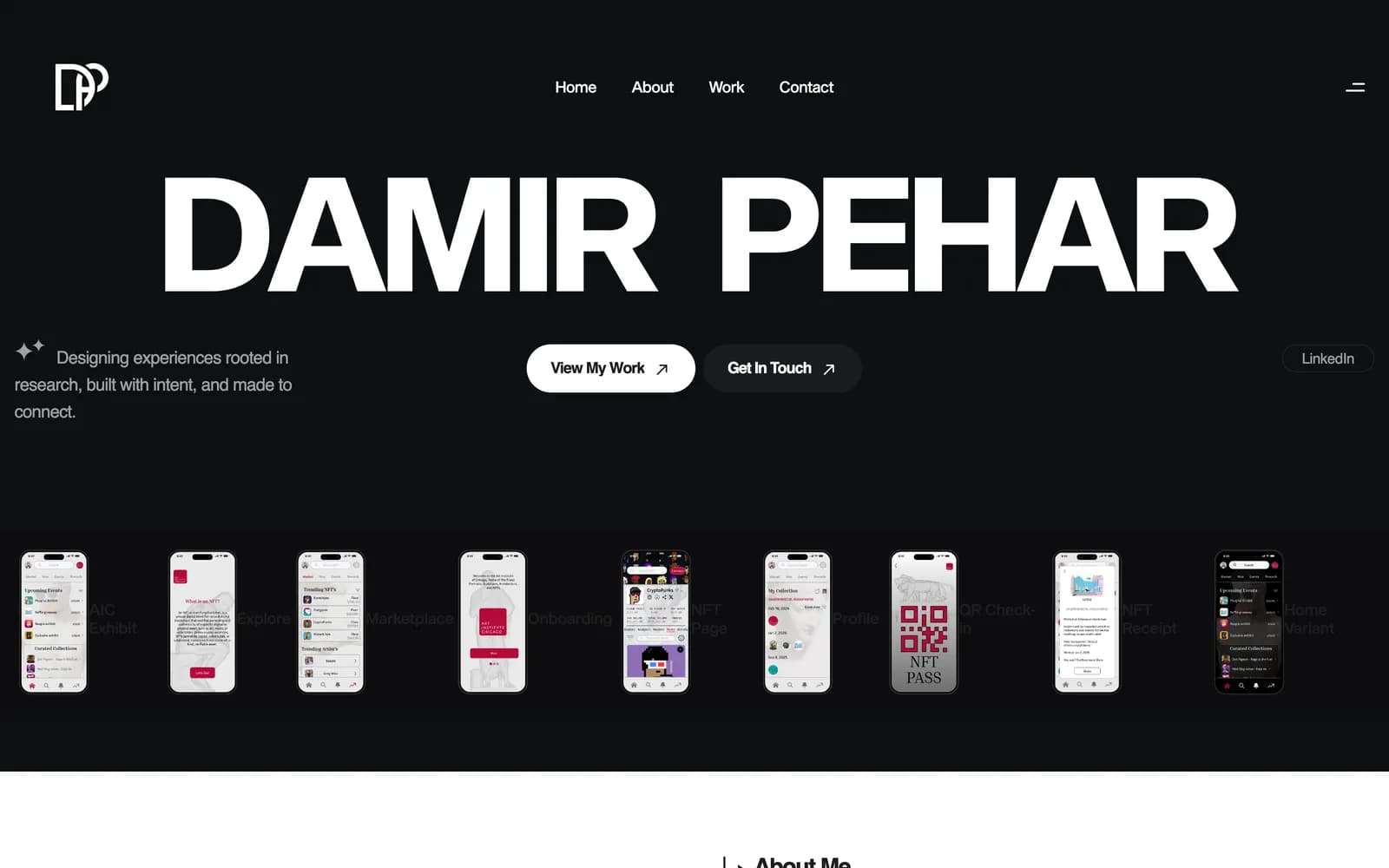
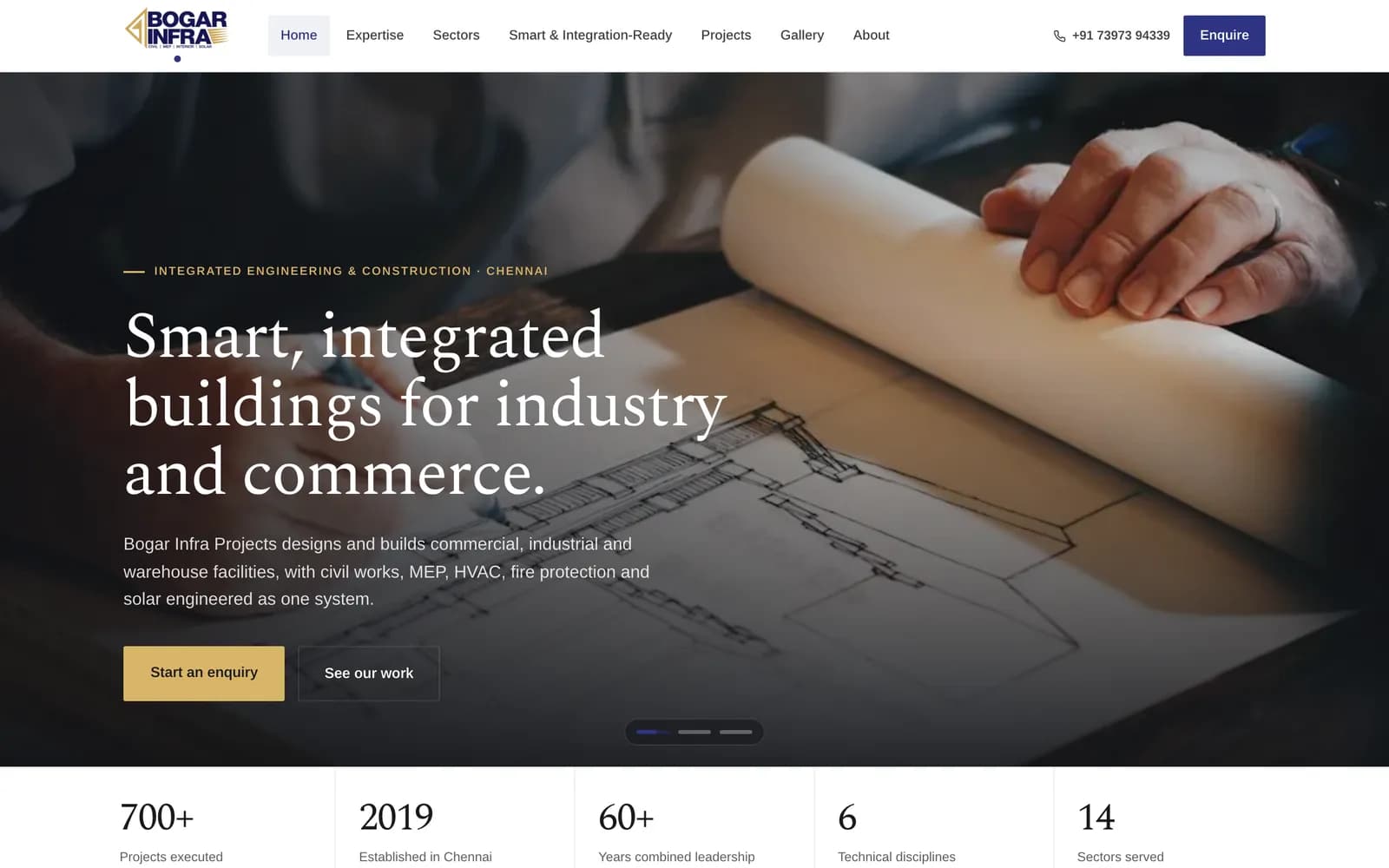
BogarInfra home page, a construction firm's site we rebuilt with its own admin panel
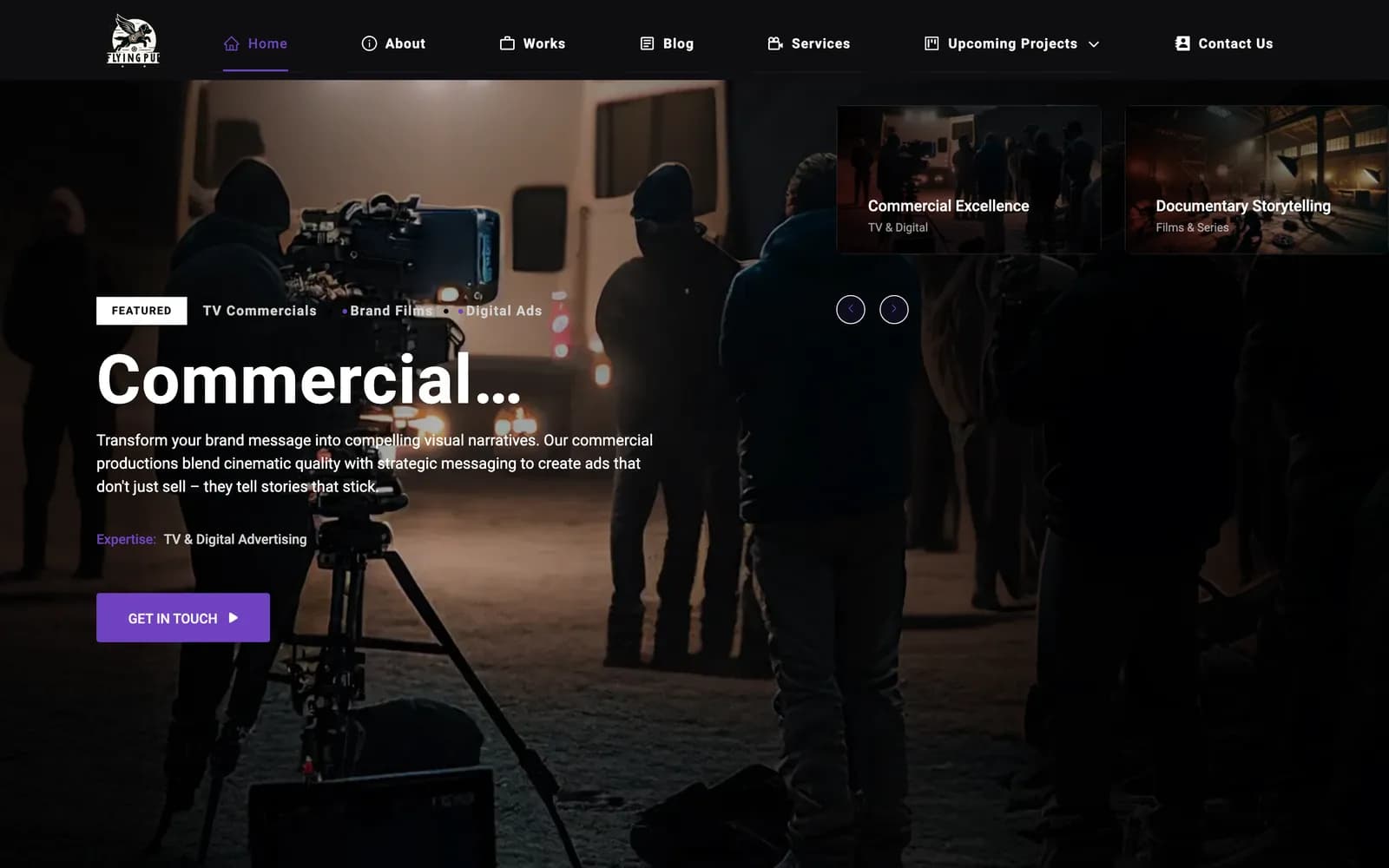
Flying Pup Films home page, a film studio's site run from its own content system
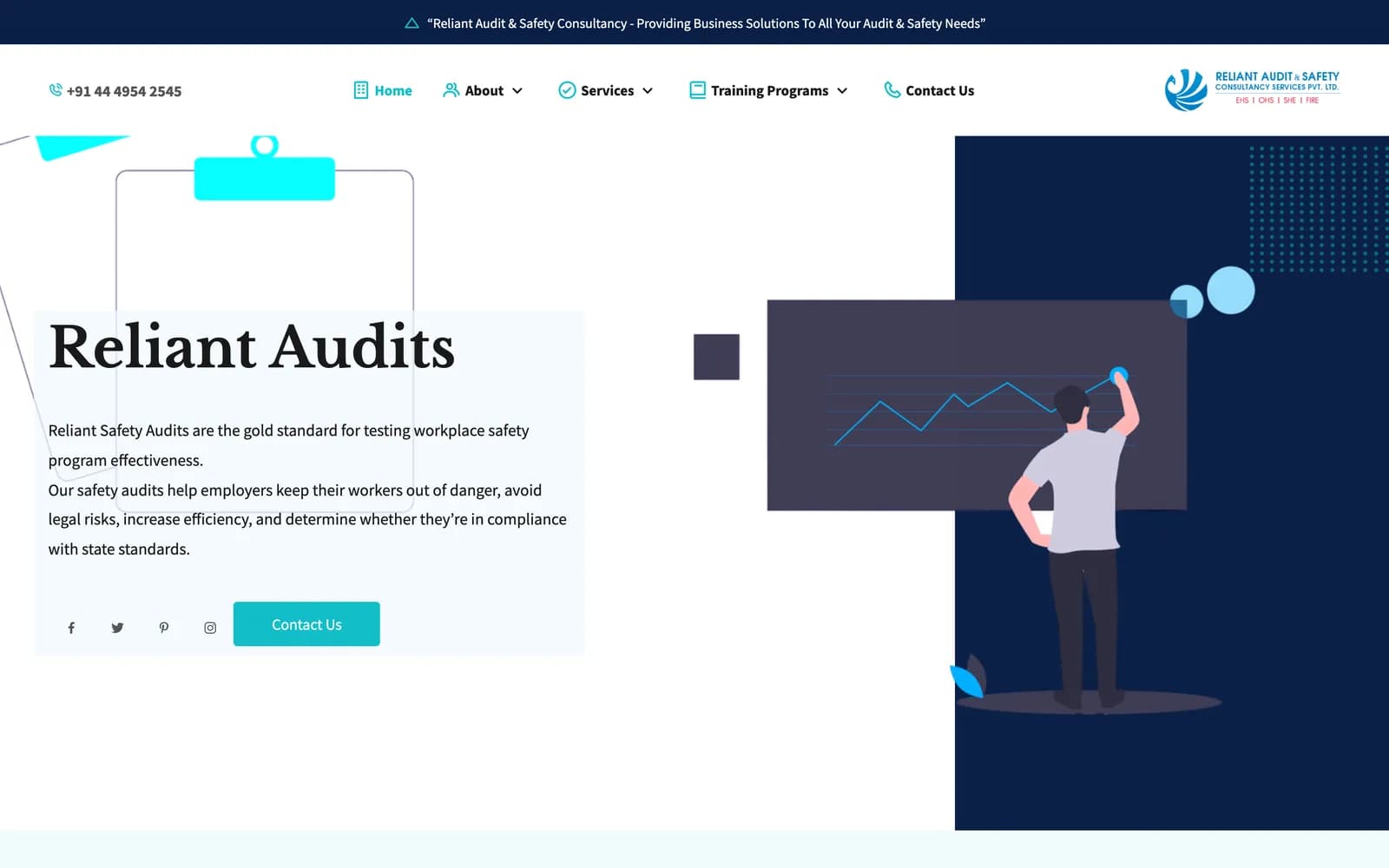
RACS safety consultancy site with a page for each audit service

Which kind of website does your business need?

Most website projects go wrong at the first decision: building a big site when a sharp one-page site would do, or a brochure when the business needed a working tool. Pick the description closest to yours to see the pages it usually needs, what you will be able to change yourself and how we would build it.

One-page site

For: Independent professionals, consultants, a new venture that needs to look real this month

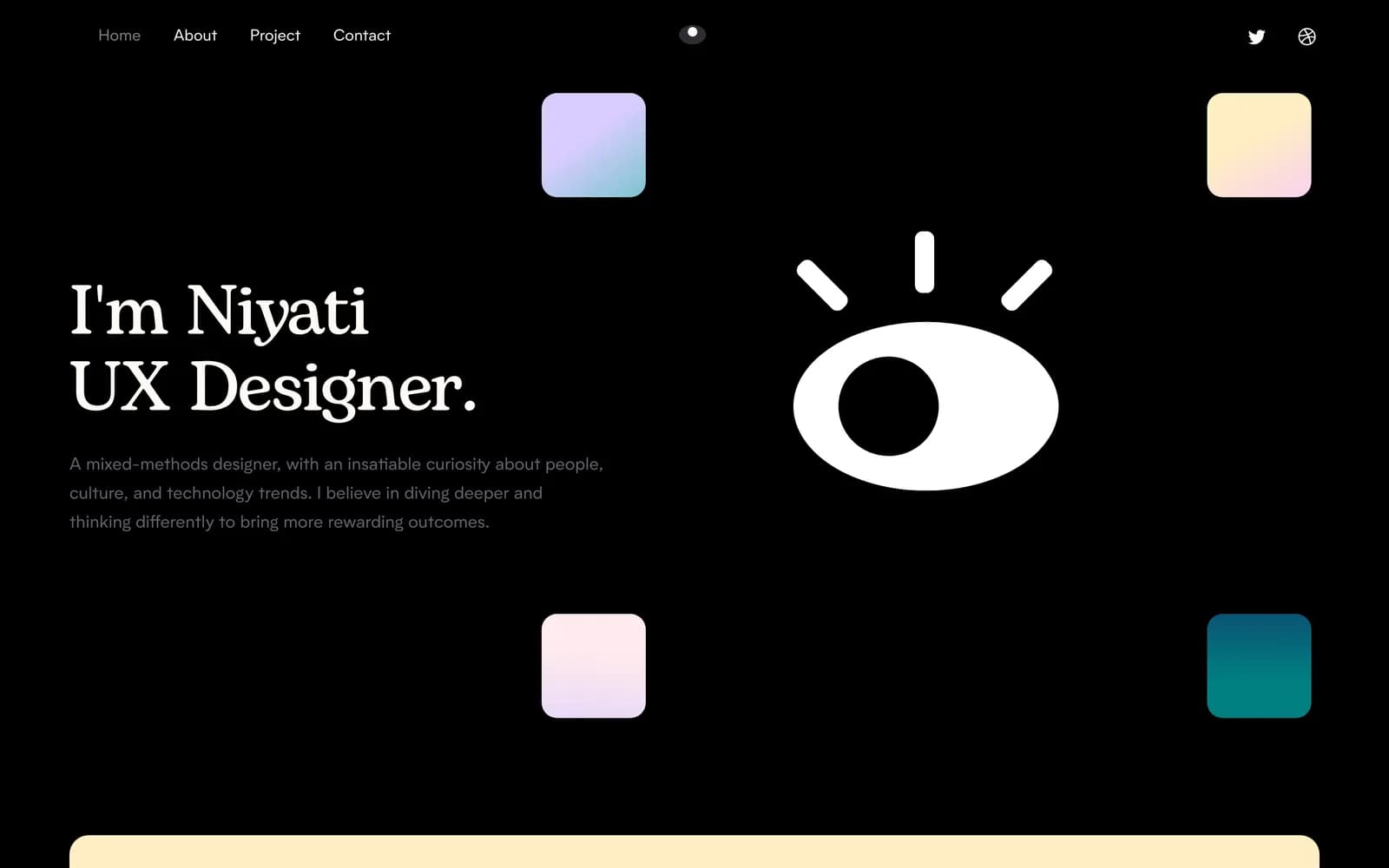
One scrolling page that says who you are, what you do and what to do next, built to work from the link in your CV, LinkedIn profile or Instagram bio. Visitors on a phone get the whole story in a few thumb-scrolls. There is no database and nothing to log in to, so it costs almost nothing to keep online and nothing breaks while you are busy.

You change yourself
Text and images in a simple file we set up for you, or a change request to us
How we build it
Static HTML, CSS and JavaScript, on a static host

Watch out: A one-page site cannot rank for many different searches, because it is one page. If you sell several distinct services and want each found on Google, you have outgrown it.

Typical sitemap

  • yourcompany.com
    • Hero: who and what
    • About
    • Services or skills
    • Work or projects
    • Testimonials
    • Contact

Company site

For: Firms whose buyers check them out before they call

Five to fifteen pages that explain the business properly: what you do, for whom, how you work, who is behind it and how to reach you. The job of a company site is trust. A buyer who arrives from a referral or a search should find specific answers, real photos and a clear next step, and should never hit a dead link or an empty section.

You change yourself
Pages, team profiles and project photos from an editor
How we build it
Next.js, with content from files or a light content system

Watch out: The usual failure is a site that describes what the company sold five years ago. Before design, we check every page against what you sell and want to sell now.

Typical sitemap

  • yourcompany.com
    • Home
    • About and team
    • Services overview
    • Projects
    • Careers
    • Contact

Service business

For: Businesses that sell several distinct services or programmes

A buyer looking for a fire adequacy audit does not want a page that also covers electrical audits and ISO training. When each service has its own page, with its own scope, process and questions answered, the buyer lands on exactly what they searched for and search engines have one clear page to rank for each offer. This is the structure we gave a Chennai safety consultancy: six service pages and six training-programme pages under two menus.

You change yourself
Service pages, FAQs and enquiries
How we build it
Next.js or static pages, with structured data on every service

Watch out: Thin service pages that repeat each other hurt more than they help. Each page needs its own scope, process and questions, which means real input from the people who deliver the service.

Typical sitemap

  • yourcompany.com
    • Home as a map of the firm
    • Service A
    • Service B
    • Service C
    • Training or programmes
    • Contact and enquiry

Content site with a CMS

For: Studios, publishers and firms whose work changes every month

When you add work, posts or listings often, every update cannot depend on a developer. We build the site and a content system behind it, so you publish a new project with its video, write a blog post with a draft and a schedule, and see enquiries arrive in one inbox. Flying Pup Films runs its portfolio of films, its services and its blog this way.

You change yourself
Works, categories, posts, services and enquiries from your own panel
How we build it
Next.js front end, Node.js and MongoDB content API, media in cloud storage

Watch out: A content system is software, so its dependencies need updating. Flying Pup's backend had 38 audit findings by the time we cleared them in June 2026; budget for that care from the start.

Typical sitemap

  • yourcompany.com
    • Home with featured work
    • Work by category
    • Work detail with video
    • Services
    • Blog
    • Contact into an inbox

Site with an admin panel

For: Companies that want the website to be a working tool, not just a brochure

Some businesses need the site to do work: collect enquiries into a pipeline, give clients a private progress page, let site staff post updates from a phone, or let the directors restyle the site themselves. That is a website and a small application in one. BogarInfra's site carries a panel with an enquiry board, the company mailboxes, project albums, staff accounts and the site's own colours and fonts.

You change yourself
Almost everything, with roles deciding who can change what
How we build it
Next.js app for site and panel, Express and MongoDB API

Watch out: Every panel feature is a small application with its own security questions: who can log in, what a client link reveals, where passwords for mailboxes are stored. We design those answers before building the feature.

Typical sitemap

  • yourcompany.com
    • Public site by discipline and sector
    • Enquiry board
    • Projects and albums
    • Client report links
    • Staff and roles
    • Theme settings

Delivery manifest

What you get when we build your website

Groups
5
Line items
21

A website project is more than its pages. These are the parts we deliver on every build, scaled to the size of the site. If an item does not apply to yours, we say so at the start rather than quietly leaving it out.

Pages

  • A sitemap agreed before design starts, one page per real question a buyer has
  • Page designs for desktop and phone, with every state: empty, loading, error
  • Copy edited for clarity, or written with you from your notes
  • A not-found page and a thank-you page that still sell

Search

  • One target search phrase per page, mapped so no two pages compete
  • Titles, descriptions and headings written for that phrase
  • Structured data for your organisation, services and FAQs
  • XML sitemap, robots rules and clean, permanent URLs
  • Redirects from every old URL that had visitors or links

Speed and access

  • Images resized and served as WebP or AVIF in the right sizes
  • Text readable before any script runs
  • Colour contrast and keyboard use checked
  • Light and dark themes where the brand allows

Editing

  • An editor or admin panel sized to how often you change things
  • Enquiry forms that land in an inbox you check
  • Roles, so a staff member can post without being able to break the site
  • A short written guide to doing the common updates

Launch

  • Domain, SSL and email records set up correctly
  • Analytics and Search Console connected to your accounts
  • A launch check across real phones and browsers
  • Logins, repositories and a handover note in your hands

How we design and build a website, step by step

The order matters more than the tools. Pages are agreed before they are designed, real content arrives before pages are called finished, and the move from your old site is planned before launch day, not on it. The weeks below are typical for a ten-to-twenty page company site; a one-page site moves faster and a site with an admin panel takes longer.

  1. Week 1

    Learn the business and the buyer

    We start with a call and a short questionnaire: what you sell, who buys it, what they ask before they buy, who your competitors are and which of their sites you envy. We read your current site and your analytics if you have them, list every page that gets visits or links, and note what must not be lost when the new site goes live. If you have brand files, we collect them now; if you do not, this is where a brand identity project starts.

    You approve A one-page brief: who the site is for, what it must do and what counts as success

  2. Week 1–2

    Agree the sitemap and the search map

    Before anything is drawn we agree the list of pages and what each one is for. Every page gets a job: the question it answers, the search phrase it should be found for and the action we want the visitor to take. Two pages never chase the same phrase. This is also where we decide whether you need a content system or an admin panel, because that changes the build, not just the design.

    You approve The sitemap, each page's purpose and search phrase, and the editing approach

  3. Week 2

    Gather the real content

    A design built on placeholder text looks finished and is not. We collect the real words, real photos and real numbers early, and where something is missing we say so instead of inventing it. When a client's design files carried sample figures and a sample testimonial next to real company names, none of it reached a public page: we kept every made-up value in one file behind a flag that the production build refuses.

    You approve The copy for each page, and a list of anything still missing with who will supply it

  4. Week 2–4

    Design the pages, phone first

    We design the home page and one page of each type first, on a phone and on a desktop, and agree them with you before the rest. Then the remaining pages follow the same system, so the site reads as one piece. Colours and fonts become tokens, named values the code reads from one place, which is what later lets you change the look without breaking a page.

    You approve The home page and one page of each type, on a phone and on a desktop

  5. Week 3–6

    Build, connect and fill

    We build the pages from the agreed designs, wire up forms and the editor, load the real content and set up the redirects from your old URLs. You get a private preview link early and see the site grow page by page rather than waiting for a reveal. Every page is checked at phone width, in both themes and with a slow connection.

    You approve The finished site on the preview link, page by page, before launch is booked

  6. Launch week

    Launch, verify and hand over

    We point the domain, confirm SSL and email still work, submit the sitemap to Google, and test every form end to end so the first real enquiry does not vanish. Then we walk you through the editor, hand over the logins and a written note of how the site is put together, and stay on for the fixes that only appear once real visitors arrive.

    You approve The go-live, and the handover note once you have tried the editor yourself

What makes a website page rank and load fast

Search visibility and speed are not a plugin added at the end. They come from how each page is planned and built. This is the anatomy we give every page we build, from a one-page portfolio to a sector page on a company site, with the reason for each part.

  1. One title, one phrase

    The page title and the main heading carry the phrase this page should be found for, front-loaded and short enough not to be cut off in search results.

  2. The answer comes first

    The first two or three sentences answer the visitor's question directly. Search engines and AI assistants quote that opening, and a busy buyer decides from it whether to read on.

  3. A hero image that does not block

    The largest image is sized for each screen, served in a modern format and never faded in from nothing, because that image decides how fast the page feels.

  4. Headings that ask real questions

    Section headings are the questions buyers type, which makes the page easy to skim and gives search engines a clear outline of what it covers.

  5. Proof with sources

    Numbers, client names and photos appear only when they are real and you are allowed to show them. A page with fewer claims that are all true outranks a page full of invented ones over time.

  6. Questions with structured data

    Each page answers its own frequently asked questions, marked up so search engines can read them. The same question never appears on two pages.

  7. One clear next step

    Each page ends with the one action that page exists for: an enquiry, a call, a download. The form remembers which page sent the visitor, so you know what is working.

  8. Links that hold the site together

    Every page links to the pages a reader needs next, and no page is left an orphan. Internal links are how search engines find and weigh your pages.

Website builder, static site, WordPress or a custom build?

The right way to build a website depends on how often it changes, who changes it and how much it has to do. More dots is better in every column: for running cost and upkeep, three dots means cheap and easy to keep going. We build static, WordPress and custom sites, we will tell you when a builder is all you need, and we recommend the simplest option that does the job. For the wider question of tools versus code, see no-code versus custom development.

Website build approaches rated from one to three on six criteria
ApproachSpeedEditingRunning costFlexibilitySearch controlUpkeep
Website builder (Wix, Squarespace and similar)Medium, 2 of 3High, 3 of 3Medium, 2 of 3Low, 1 of 3Medium, 2 of 3High, 3 of 3
Good for a small site you will edit yourself and never outgrow. You rent the platform, so moving away later means rebuilding, and fine control over speed and search is limited. We will tell you when this is the right answer and you do not need us.
Static siteHigh, 3 of 3Low, 1 of 3High, 3 of 3Medium, 2 of 3High, 3 of 3High, 3 of 3
The fastest and cheapest to keep online: plain files on a static host, nothing to hack and nothing to patch. Changes go through a developer or a simple file, so it suits sites that change a few times a year. All seventeen of the portfolio sites in our collection are built this way.
WordPressMedium, 2 of 3High, 3 of 3Medium, 2 of 3Medium, 2 of 3Medium, 2 of 3Low, 1 of 3
A familiar editor and a huge plugin catalogue, which is its strength and its risk: every plugin is code that needs updates, and an unpatched site is a common target. Right for teams that already know it and will keep it maintained, or for a WooCommerce store.
Next.js with a content system or admin panelHigh, 3 of 3High, 3 of 3Medium, 2 of 3High, 3 of 3High, 3 of 3Medium, 2 of 3
Our default when content changes often or the site has to do work: fast pages rendered on the server, an editor shaped around your content rather than a generic one, and room to add client portals or booking later. It needs hosting for the content API and someone to keep its dependencies current.

Websites we have designed and built

A cross-section of real sites, from one-page portfolios to a company site with its own admin panel. Each note says what exists today, including the ones that are finished but not public. We hold no traffic or enquiry figures for these sites, so we quote none.

How a website project connects to design and to life after launch

A website sits in the middle of our Design, Build, Ship journey. You can bring finished designs and only hire the build, or let one team carry the site from brand to hosting.

Design

What arrives from Design

  • Logo, colours and type, or a brand identity project first
  • The page designs and the component sheet
  • Copy and photography, real, not placeholder

Build

What Build adds

Pages built from the designs, the editor or admin panel, forms that reach you, search setup, redirects and speed work. When the site needs logins, dashboards or customer accounts it has become a web app, and the build is planned as one.

Questions about website design and development

How long does it take to design and build a company website?

A one-page site is usually a matter of a couple of weeks once the content is ready. A company or service site of ten to twenty pages typically runs four to eight weeks from the agreed sitemap to launch, and a site with its own admin panellonger, because the panel is a small application. The biggest variable is content: the build waits on real words and photos far more often than on code. You get a dated plan after the first week.

Should my business website be built on WordPress or Next.js?

Choose WordPress if your team already knows its editor, you need a plugin that does exactly your job, or you are running a WooCommerce store, and plan for the updates it needs. Choose Next.js with a content system when speed and search matter a lot, when content changes often, or when the site will grow into portals and accounts. A site that changes a few times a year can be static and cost almost nothing to run.

Can I update the website myself after launch?

Yes, and we decide how at the sitemap stage, not after launch. A content-heavy site gets an editor or admin panel shaped around what you actually change, such as projects, posts, services or team members, with roles so a staff member cannot break the layout. A static site gets a simple file or a change request to us. Either way you get a short written guide to the common updates.

Will my new website keep the Google rankings my old site has?

It can, if the move is planned. Before launch we list every old URL that has visits or links pointing to it and redirect each one permanently to the page that now answers the same question. We keep titles and content for pages that rank well, submit the new sitemap and watch Search Console for errors in the weeks after. Rankings wobble briefly after any move; lost redirects are what turn a wobble into a drop.

Do you write the website content or do we provide it?

Either works. Most clients give us notes, old brochures and a call, and we write and edit the copy with them, page by page, for clarity and search. Facts, numbers and client names always come from you, because we will not publish a claim the business cannot stand behind. Where a photo or figure is missing we leave it out or mark it as pending rather than filling the gap with stock claims.

What does a website need to rank in search beyond good design?

One clear purpose per page, a title and heading that match what people search for, an answer near the top, fast loading on phones, structured data, internal links between related pages and content that is specific and true. Design helps people trust what they find; structure and substance are what get them there. We build all of that in from the sitemap rather than adding it after launch.

What should a small business website include to bring in enquiries?

A clear first screen that says what you do, for whom and where; a page for each service a buyer might search for; real photos of your work and team; answers to the questions people ask before they call; and one obvious way to get in touch on every page, with a form that reaches an inbox someone checks. Reviews and project examples help when they are real and you have permission to show them. Most small sites that get no enquiries are missing the service pages or the clear next step, not a nicer design.

Can you redesign our existing website without starting from zero?

Often, yes. If the content and structure are sound and the problem is the look or the speed, we keep the URLs and the words that work and rebuild the design and front end around them. If the site is organised around what the business used to sell, as one construction firm's was, the structure has to change first, and we plan the redirects so nothing that ranks is lost.

Send us your current site, or the one you wish you had

Tell us what the business does, who the site is for and what it must do: get calls, explain services, show work, take enquiries. A designer or engineer who would work on it reads your note and replies, usually with a few questions and a first idea of the pages.

Start my website

Not sure yet? Read about our Discovery Sprint or how we hand over a finished project.