Ship · App Store & Google Play launch

App Store and Google Play launch service: from a finished build to an app people can install

App launch service for Google Play and the App Store: listings, privacy forms, test tracks, reviewer access and rejections handled until the app is live. We take an app that works on your test phones and carry it through everything that still stands between it and your users: developer accounts, signing, the data-safety and privacy answers, store screenshots, closed testing, TestFlight, reviewer notes and a staged release. When a reviewer says no, we read the reason, fix the cause rather than the symptom, and resubmit.

Updated

Google Play

  1. Staged rolloutA share of users first, then everyone
  2. Production reviewSome apps take up to 7 days
  3. Closed testingNamed testers; 14 days for new personal accounts
  4. Internal testingYour team installs the release build

App Store

  1. Phased releaseAutomatic updates spread over days
  2. App ReviewMost submissions answered within 48 hours
  3. TestFlight externalBeta App Review first
  4. TestFlight internalYour team, no review needed
4
Android apps we built, live on Google Play
10
places a submission usually fails, planned for
14
days of closed testing a new personal Play account must run

At a glance

Stores
Google Play and Apple's App Store
Apps
Apps we built, and apps another team built once we have read the code
Android record
Four apps we built are live on Google Play
iPhone record
Pakka's two apps in App Store review; Trainr's released by its own team after our handover
Accounts
Developer accounts in your company's name; we are invited as users
Store rules checked
October 2026, against Google's and Apple's own pages
Last verified
4 November 2026

Where are you stuck?

The store status on your screen, and what it actually means

Most teams come to us holding one of these lines from Play Console or App Store Connect. Each one has a usual cause and a usual fix. These are the eight we meet most, written the way the consoles show them.

  1. Google PlayRejected · Broken functionality

    What it meansThe reviewer could not use part of the app. Very often they never got past sign-in: a one-time code that never arrived, a rate limit, a test account that had expired or a field left empty in App access.

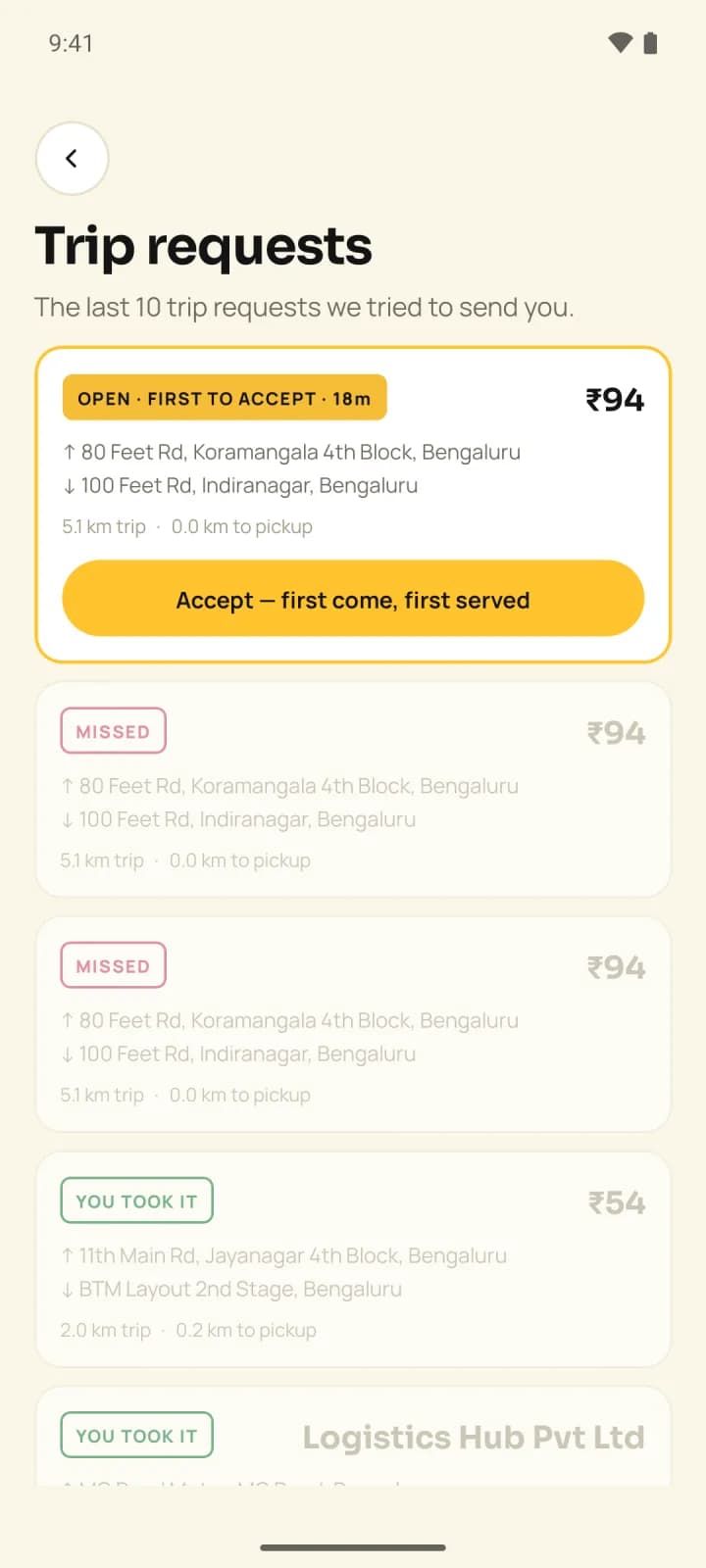
    What we doWe sign in exactly the way the reviewer does, fix the cause on the server or in the app, rewrite the access instructions so they fit Play's field, and resubmit. Pakka's driver app went through this in October 2026 and is now live.

  2. Google PlayProduction access · Complete closed testing

    What it meansA personal developer account created after 13 November 2023 must run a closed test with at least 12 testers opted in for 14 days in a row before it can apply for production. Google then reviews the application, usually within seven days.

    What we doWe set up the tester list and the opt-in link, keep a stable build on the closed track for the full 14 days, gather the feedback Google asks about, and file the production application with real answers.

  3. App Store ConnectUpload failed · Signing or bundle identifier

    What it meansThe build's bundle identifier, certificate or provisioning profile does not match the app record. It often looks like a permissions problem and is not.

    What we doWe compare the build with the record through App Store Connect itself. Trainr's iOS uploads had failed for weeks because a rename had changed the build's identifier; the record had never changed. Reverting it fixed the upload.

  4. App Store ConnectMissing purpose string

    What it meansThe app, or an SDK inside it, can touch the camera, photos, location, contacts or microphone, and the Info.plist does not say why in words a user understands.

    What we doWe list every permission the app and its SDKs can ask for and write a plain purpose string for each. Trainr needed six before its build reached TestFlight.

  5. TestFlightBeta App Review · Missing required data

    What it meansExternal testers need Apple's Beta App Review first, and Apple will not start it without contact details and a working demo sign-in.

    What we doWe fill the review details with a demo account that works without SMS, then submit. Pakka's two iPhone apps were approved for external testing on 3 November 2026 this way.

  6. Google PlayDeclaration needed · Photo and video permissions

    What it meansThe app asks for broad access to the photo library. For apps targeting Android 13 and above, Google allows that only when the system photo picker is not enough for the app's core purpose.

    What we doWe move the gallery to the system photo picker and remove the broad permission. In Pakka's apps this was done and checked on Android 16 before submission, so no declaration was needed.

  7. App StoreGuideline 2.1 · App Completeness

    What it meansA crash in review, placeholder text, a feature that does nothing, or no way for the reviewer to sign in. Apple says over 40% of unresolved review issues fall under this guideline.

    What we doWe break-test the exact build we submit on a current iOS version, remove anything unfinished, and put a demo account and the steps to reach every gated feature in the review notes.

  8. Google PlayData safety · Incomplete or inaccurate

    What it meansEvery app on a testing or production track needs the data safety form, even one that collects nothing, and the answers must include what third-party SDKs collect.

    What we doWe read the app's network calls and its SDK list, map each data type to Google's categories, and keep the answers in your launch record so the next update does not start from zero.

What you get

A complete submission for each store, and a record of every answer we gave

A store launch is a pile of small, separate jobs owned by nobody in particular. We own all of them, and at the end you hold a launch record: what was submitted, which answer went into which form and why, so the next update goes through without anyone guessing.

01 · Listing

Store listing

  • App name, short and full description written for search and for people
  • Icon, Play feature graphic and screenshots at each store's required sizes
  • Category, contact details and the privacy policy link
  • Screenshots taken from the real app, not mock-ups
02 · Privacy

Privacy and policy answers

  • Play data safety form and Apple's App Privacy details, SDKs included
  • Content rating and age rating questionnaires
  • Target audience, ads, financial features and health declarations
  • Account deletion inside the app, plus the web link Play asks for
  • Apple's privacy manifest with a reason for each required-reason API
03 · Builds

Builds and signing

  • An Android App Bundle that targets Android 16 (API level 36)
  • Play App Signing, with the upload key kept where your company controls it
  • An iOS archive built with Xcode 26 and the iOS 26 SDK
  • Export compliance answered once in the project
  • A release record: version, commit, checksum and the API address the build calls
04 · Access

Reviewer access

  • Demo accounts that work without SMS and without tripping rate limits
  • Seeded demo data, so every gated screen has something on it
  • Sign-in steps written to fit each console's fields
  • Review notes that name each new feature specifically
05 · Release

Test tracks and release

  • Internal and closed testing on Play; internal and external TestFlight groups
  • A staged rollout on Play and a phased release on the App Store
  • Crash reporting with readable stack traces from the release build
  • Store reviews and crash reports watched in the first days

The privacy answers depend on where your users live as much as on what the app does. We write them with the law in view: see our guides to India's DPDP Act for app builders, UK GDPR for app startups and the UAE's data protection law for apps.

How we run a launch

We plan the launch backwards from the date you want to be live

Store work has waits you cannot shorten: Google's 14-day closed test for new personal accounts, review queues and identity checks. So we count back from your date and start the slow parts first. A first Android launch on a new personal account needs at least three weeks for the closed test and Google's production review alone. This is a typical runway; yours is written for your app.

  1. Tminus 21 days from launch

    Accounts and access

    Developer accounts in your company's name. A company needs an organisation account, which needs a D-U-N-S number, and both stores verify identity before the first submission. We are invited as users with the right role. On Apple, the Developer role cannot create distribution certificates, so we ask for Admin while the launch runs.

    From you: Open or confirm both developer accounts, request the D-U-N-S number if you do not have one, and invite us. Identity checks need a director's documents, so this is the step only you can do.

  2. Tminus 18 days from launch

    Build audit against the rules

    Target API level, SDK version, minimum iOS version, every permission and its reason, how the app takes payment, account deletion and the privacy manifest. Each gap gets fixed in the code now, not found by a reviewer later.

    From you: Tell us what the app sells and how, which data it collects for which purpose, and whether anyone under 18 will use it. Those answers decide billing, the privacy forms and the age rating.

  3. Tminus 14 days from launch

    Closed testing and TestFlight

    A release build goes to real phones: Play's closed track with named testers, and TestFlight for iPhone. Crash reports come back readable. For a new personal Play account, this is where the 14 days start.

    From you: Give us the testers: at least 12 real people with Google accounts who will install the app and keep it for two weeks. Staff, friends and early customers all count.

  4. Tminus 10 days from launch

    Listing and answers

    Screenshots from the real app, descriptions, the data safety form, App Privacy, ratings and declarations. The answers are checked against what the app actually sends, SDKs included.

    From you: Approve the listing copy and the screenshots, and confirm the privacy policy URL is live on your website. We draft; you sign off, because the listing speaks for your company.

  5. Tminus 7 days from launch

    Release candidate break-test

    The exact build we will submit is pushed hard on a current Android and iOS version: back gestures, killing the app mid-flow, double taps, airplane mode and a stopped server. We record its version, commit and checksum.

    From you: Walk the main journey yourself on your own phone. You know the business better than any test plan, and this is the cheapest moment to change your mind.

  6. Tminus 3 days from launch

    Submit with reviewer access

    Both stores get the build, the review notes and a demo account that works. Apple says it answers at least half of submissions within 24 hours and 90% within 48. Google says some apps take up to seven days.

    From you: Keep the demo account and the support email working, and tell your support team the app is in review, in case a reviewer writes in.

  7. Tminus 0 days from launch

    Release in stages

    Approval and release are separate. We hold the release until your date, then roll out to a share of users on Play and use Apple's phased release, watching crashes and reviews before widening.

    From you: Press the button with us, or let us press it at an agreed time. Have whoever answers customers ready for the first reviews and questions.

  8. T+7 days from launch

    Widen, then hand over the record

    Full rollout, the first update planned, and the launch record handed to you or carried into maintenance, so the next release reuses every answer.

    From you: Decide who keeps the app current from here: your own developer, us, or nobody yet. If it is nobody, the next store deadline will decide for you.

Rejections we plan for

Ten rules that cause most rejections, checked before we submit

Apple reviewed 9.1 million submissions in 2025 and rejected 2.09 million. Most rejections come from a short list of rules. We check every one of these before submitting, rather than waiting for a reviewer to find it. For the full rule text and sources, see our guide to the most common App Store rejections. The store-by-store requirements are in our App Store rejections guide and the Google Play data safety guide.

Rules checked before every submission, and how each is met
Store and ruleWhat it catchesHow we prevent itStatus
Apple 2.1 · App CompletenessCrashes, placeholder content, broken links, and no demo account for the reviewer.Break-test the submitted build, remove unfinished screens, put a working account in the notes.Checked
Apple 5.1.1(v) · Account deletionApps that let people sign up but only let them deactivate, or hide deletion on a website.Deletion starts inside the app; Sign in with Apple tokens are revoked on deletion.Checked
Apple 3.1.1 · In-app purchaseDigital subscriptions or unlocks sold through a card form or a link out.Digital goods go through in-app purchase; physical goods and services use your own gateway.Checked
Apple 4.2 · Minimum functionalityAn app that is a website in a frame.Native screens for the core journey, with phone features where they help.Checked
Apple 4.8 · Login servicesSocial login offered without an equivalent private option.Add a login that collects only name and email and lets people hide their email.Checked
Apple 1.2 · User-generated contentChat, posts or comments without filtering, reporting, blocking and contact details.All four built and visible before the first submission.Checked
Play · Broken functionalityReviewers locked out by one-time codes, rate limits or expired test accounts.Reviewer accounts exempt from code limits, tested from outside your network before submitting.Checked
Play · User data and account deletionA data safety form that misses SDKs, or no web link for deleting an account.SDK-by-SDK data map; a deletion page that names the app and works without it.Checked
Play · Photo and video permissionsBroad photo library access where the system picker would do.System photo picker; broad access only with a filed declaration and a reason.Checked
Play · PaymentsDigital content sold through your own gateway, or store billing used for physical services.Play Billing for digital subscriptions; your gateway for fares, deliveries and goods.Checked

Launch log

What really happened on our launches, including the rejection

Four Android apps we built are live on Google Play: Pakka's customer and driver apps, Trainr and LetSlic. On iPhone, Pakka's two apps are in Apple's App Store review, and Trainr's team released its iPhone app after our handover. Here is the record, rejection included, because that is where a launch partner earns its keep.

  1. Oct 2026

    Pakka · both Android apps

    A pre-submission QA pass on 14–15 October found and fixed 28 defects, two of which would have blocked release.

    Fixed before submission
  2. Oct 2026

    Pakka · both Android apps

    Broad photo library permissions removed in favour of the system photo picker, checked on Android 16.

    No permissions declaration needed
  3. 23 Oct 2026

    Pakka · customer app

    Approved and published on Google Play on its first submission.

    Live
  4. 23–24 Oct 2026

    Pakka · driver app

    Rejected under Broken Functionality: the shared reviewer number hit the server's limit on one-time codes. Reviewer phones were exempted on the server, the sign-in instructions rewritten, and the same bundle resubmitted the next day.

    Live
  5. 2–3 Nov 2026

    Pakka · both iPhone apps

    Template iOS projects made release-ready, a launch crash under the iOS 27 SDK found on a real iPhone and fixed, then Beta App Review approved both apps and they went into App Store review.

    In App Store review
  6. 2026

    Trainr · Android

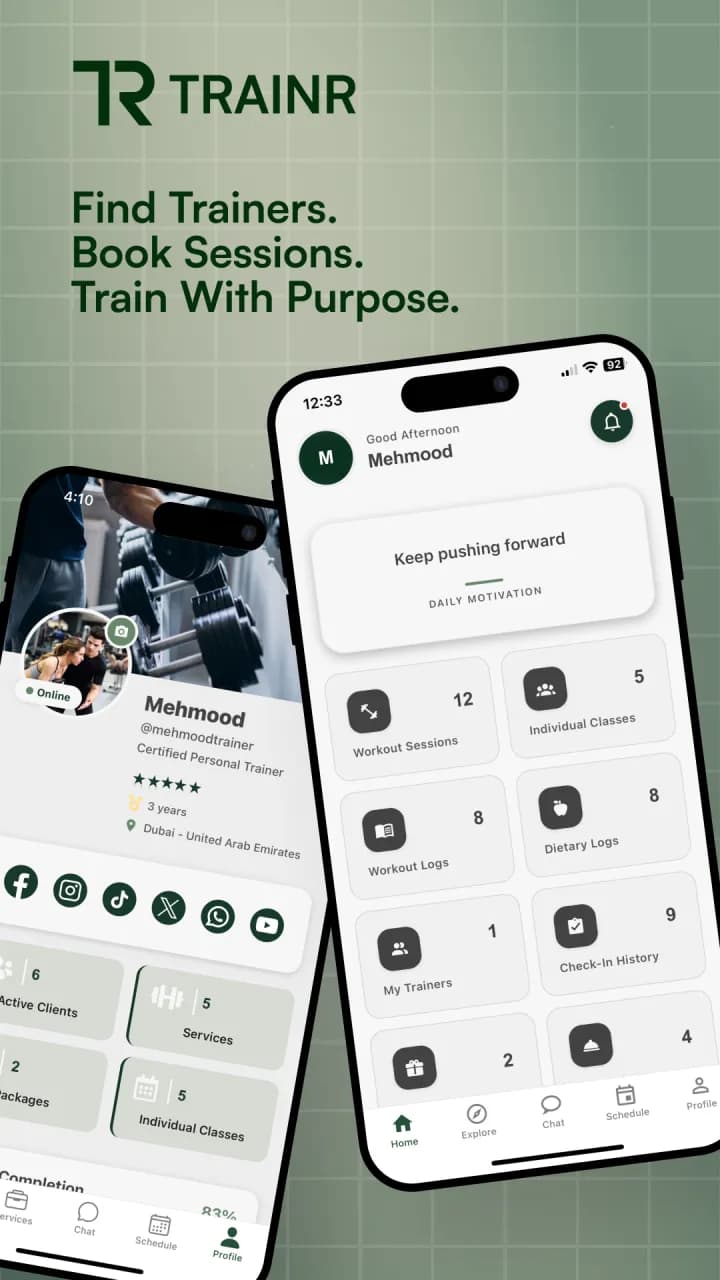
    Versions 1.0 to 1.0.2 ran on closed testing; 1.0.3 was the first production build, with live payments. Native libraries limited to two architectures and checked on the built bundle.

    Live
  7. 2026

    Trainr · iPhone

    Uploads had failed since 25 May with a signing error. The app record had never changed; a rename had. We reverted the identifier and added six purpose strings, and build 22 reached TestFlight. Trainr's own team released the iPhone app after our handover.

    In TestFlight at handover
  8. 2026

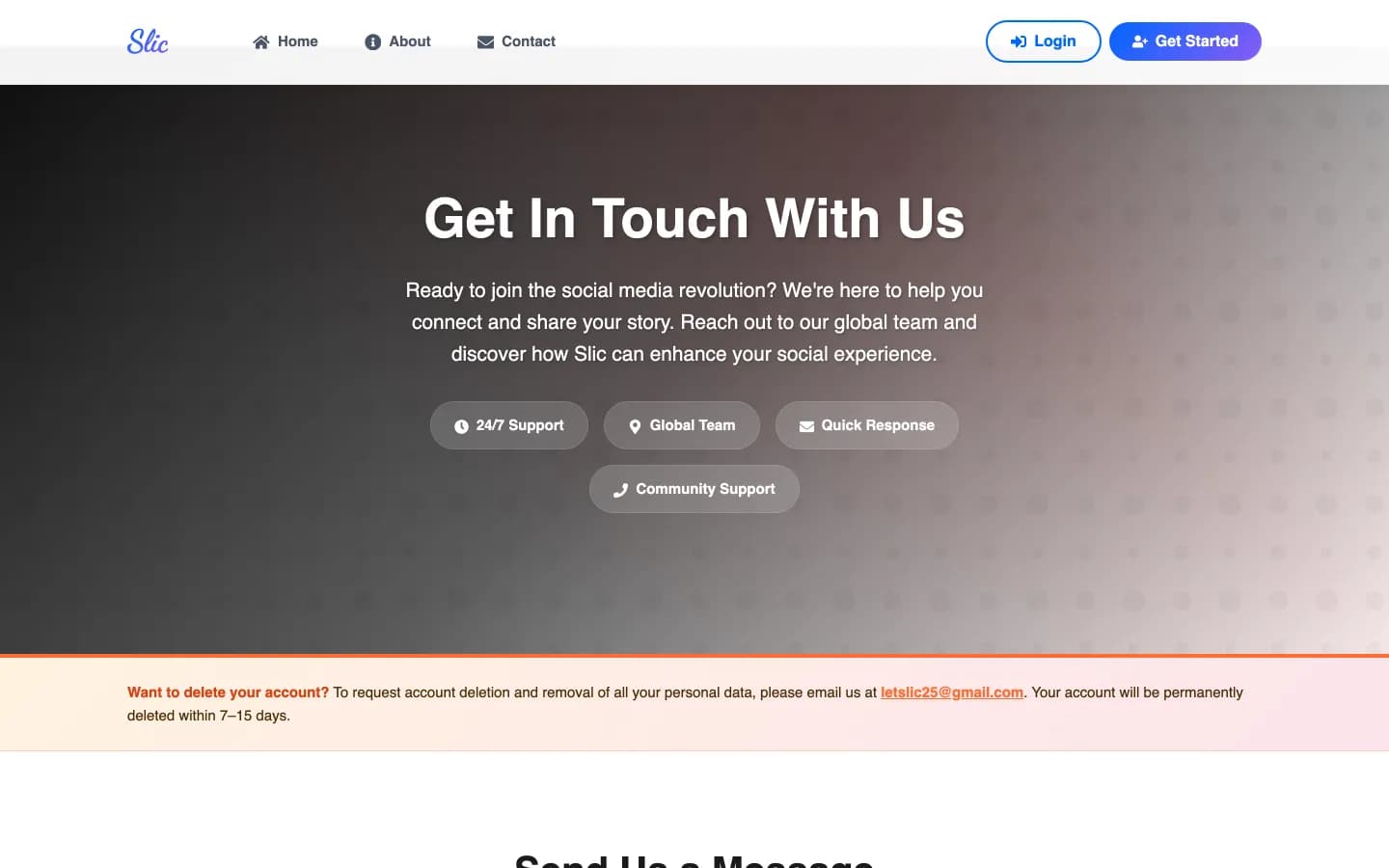
    LetSlic · Android

    Premium is a digital subscription, so on Google Play it is sold through Play's own billing rather than a payment gateway.

    Live

Read the full stories in the Pakka case study, the Trainr case study and the LetSlic case study.

Decisions you make with us

Five launch decisions, the options and the one we usually recommend

None of these is a technical detail you can leave to us. Each changes who owns what, when you can launch or how your app earns. We lay out both sides and say which we would pick for your situation.

  1. Personal or organisation developer account?

    Personal

    Quicker to open, but the listing shows a person's name, and new personal Play accounts must run the 14-day closed test before production.

    Organisation

    Needs a D-U-N-S number and identity checks for the company, and the listing shows your company. Google advises it for financial and health apps.

    We usually recommend: Organisation. If a company publishes the app, we recommend an organisation account from day one. Moving an app between accounts later is slower than waiting a few days for a D-U-N-S number.

  2. Android and iPhone together, or Android first?

    Together

    One launch moment, one marketing push, and nobody on either platform left waiting.

    Android first

    Fewer moving parts on day one, and in markets like India most of your users may be on Android anyway.

    It depends on your users. It depends on where your users are. We show you the extra review time and testing the second store adds, and you decide.

  3. Release to everyone, or in stages?

    Everyone at once

    Simple, and fine for a tiny audience or an internal app.

    Staged

    A share of users gets the release first; you widen it once crash reports and reviews look right.

    We usually recommend: Staged. Staged, almost always. A problem that reaches 10% of users is a bad afternoon; one that reaches everyone is a bad week of reviews.

  4. Store billing or your own payment gateway?

    Store billing

    Required for digital content: subscriptions, premium features, in-app currency.

    Your gateway

    Required for physical goods and services used outside the app: deliveries, rides, bookings, products.

    The store rules decide. The stores' rules decide this, not taste. We read both rule books against what you sell before a line of payment code is written.

  5. Go live on approval, or on a date you choose?

    On approval

    The app appears as soon as the reviewer passes it, which may be a Sunday night.

    On your date

    Approval and release are separated, so launch day matches your marketing, press and support plans.

    We usually recommend: On your date. We hold the release and publish on your date. Approval is not a launch plan.

Before and after launch

Where a store launch sits between the build and the years of updates after it

A launch is one leg of a longer run. It only goes smoothly if the build arriving at it was tested properly, and it only stays smooth if someone keeps the app current afterwards.

  1. A release build that already passed QA

    Launch starts from a build that has been walked screen by screen on real phones. If we built the app, that build comes from our own mobile app work. If someone else did, we read the code first.

  2. Accounts, answers, review, release

    Everything on this page: the stores' paperwork, reviewer access, rejections handled and a staged release on the date you choose.

  3. Updates before the stores force them

    Google raises the target API level every year and Apple the SDK version. Servers need watching. Maintenance keeps the app accepted by the stores long after launch day.

Earlier than launch? Start with a Discovery Sprint, read how a project runs with us or browse the apps we have built. We build apps in React Native and take on Flutter apps too, and every launch includes the pre-launch security checks.

Questions founders ask before a store launch

How long does it take to get a new app onto Google Play and the App Store?

Plan for about three weeks for a first Android app on a new personal developer account, because Google requires a 14-day closed test and then reviews the production application, usually within seven days. On an organisation account the closed-test rule is not stated, and a well-prepared submission can be live within days. Apple says it reviews at least half of submissions within 24 hours and 90% within 48. Account set-up and identity checks come before all of this, so we start them first.

Will you submit our app to the stores if someone else wrote it?

Yes. The store work is the same whoever wrote the app, but we read the code before we promise a date, because store rules often need code changes: permissions, account deletion, how payments are taken, the target API level. If the code needs more than launch fixes, we say so and point you to an audit first.

Whose developer account should our app be published under?

Yours, in your company's name. We are invited to the account as users with a role, do the work and hand everything back. An app published under an agency's account is hard to move later, and the listing shows the wrong name to your users.

What do you do when Google or Apple rejects the app?

We read the rejection (most are one of a few common causes) and the evidence the reviewer attached, reproduce it as the reviewer would, and fix the cause rather than arguing. Then we resubmit with a note that explains what changed. When Pakka's driver app was rejected because the reviewer was locked out by a one-time-code limit, the fix was on the server, the same bundle was resubmitted the next day, and the app is live.

Do you need the password to our developer accounts?

No. Both stores let you invite people with a role, and that is how we work. On Apple we ask for the Admin role while the launch runs, because the Developer role cannot create distribution certificates. You can remove us the day the launch is done.

Why is our Android app stuck before production access?

If the app is on a personal Play developer account created after 13 November 2023, Google will not open production until a closed test has run with at least 12 testers opted in for 14 days in a row. We set up the tester list, keep a stable build on the closed track and file the production application when the 14 days are done.

Can our app take payments through our own gateway instead of the store's billing?

It depends on what you sell. Physical goods and services used outside the app, such as deliveries, rides or bookings, must use your own gateway. Digital content and subscriptions must go through the store's billing on both Google Play and the App Store. LetSlic's Premium subscription uses Play's billing for exactly this reason.

Is your launch service only for React Native apps?

The store work is not tied to a framework. When the fix is in the code, we need to work in the app's stack: every app we have shipped is React Native, and we also take on Flutter. For anything else we tell you before we start rather than learn on your app.

Tell us the date you want to be live

Send the store links or test builds you have, which accounts already exist and the date you are aiming for. An engineer who has done these launches reads it and replies with what has to happen first.

Not ready to launch yet? Start with the Google Play checklist or see all our services.