Ship · Cloud migration

Cloud migration services: move servers, storage and data without losing a file

We move web apps, mobile backends, databases and file storage between servers and cloud providers, and upgrade the runtimes they run on, with a rollback ready at every step. Every file and record is copied and then verified, the switch happens in a planned window, and we compare the old and new systems URL by URL before anything old is switched off.

Most migrations fail in the details nobody listed: a webhook still pointing at the old server, a scheduled job running in both places, a phone app with the old address built into it. Our work is mostly the list, the rehearsal and the checks. The copy itself is the easy part.

Updated

Each piece crosses on its own schedule and is checked on arrival. The old side stays up until the new side has proved itself.

What are you moving?

Pick the move you are planning

"Cloud migration" covers very different jobs. The risks, the downtime and the order of work depend on what is actually moving.

Servers and runtimes

Upgrading what your apps run on, without moving them

An end-of-life runtime, an old operating system or an unpatched database version is a migration even though nothing changes address. We upgrade one app at a time, keep the old version installed for an instant per-app rollback, and check each app before moving to the next.

What we look at first

  1. List every app, its runtime and its native dependencies
  2. Rebuild and boot-test each app on the new version
  3. Switch one app, check it, then the next
  4. Keep the old runtime until a quiet week has passed

First step: Send us the list of apps and how they are started today.

Send it to us

Hosting provider

From one host or cloud to another

Leaving shared hosting, a costly cloud bill, or a provider you cannot reach. We rebuild the environment on the new host from a written inventory, rehearse on a copy, then move data and traffic in a planned window, with the old host kept warm until the new one has proved itself.

What we look at first

  1. Inventory: apps, domains, scheduled jobs, workers, mail, certificates
  2. The new environment built and tested on its own address
  3. A rehearsal with a recent copy of the data
  4. Cutover, comparison and a rollback window

First step: Send us the current provider and what runs there.

Send it to us

Files and object storage

Buckets and media between providers

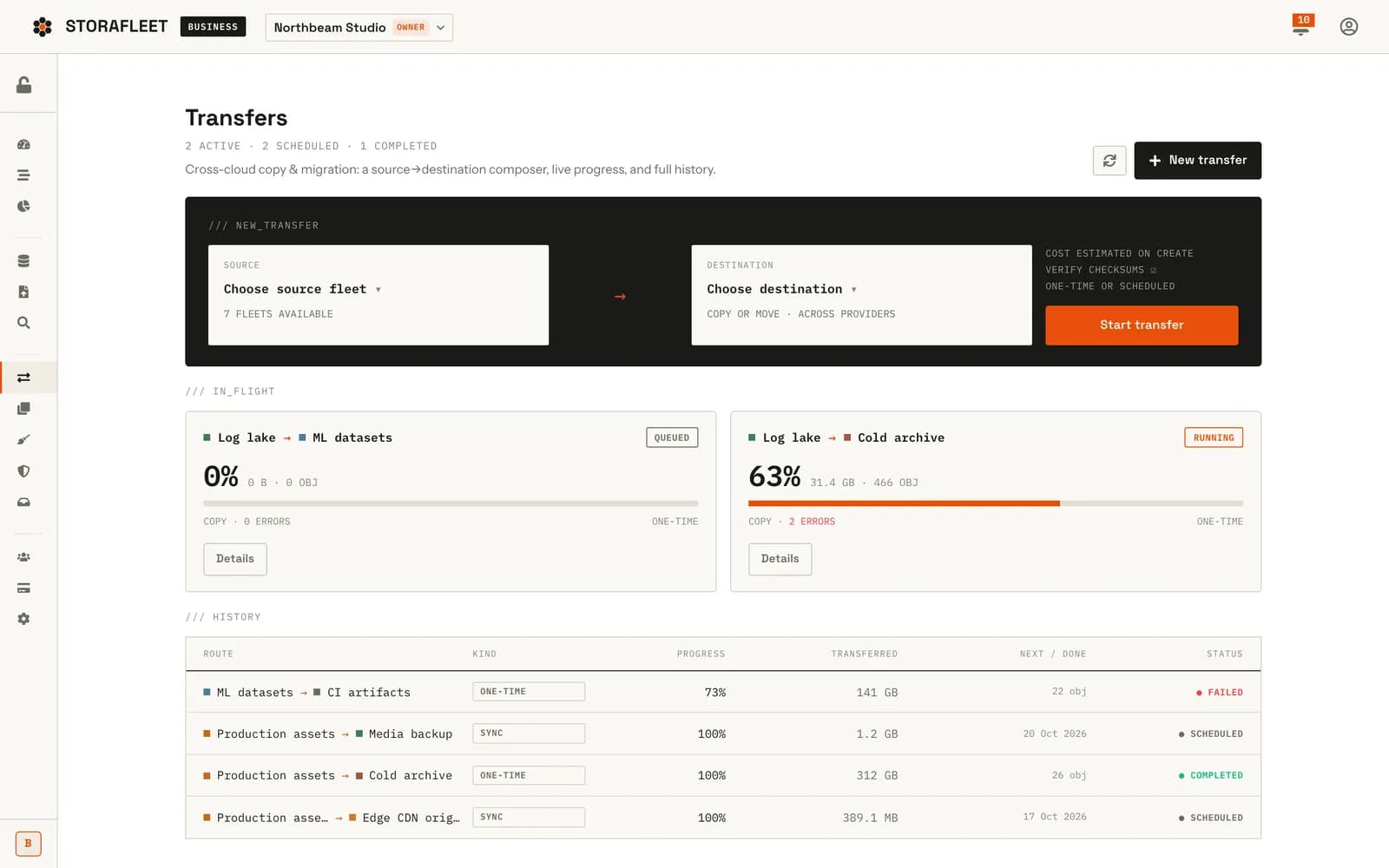
Moving uploads, images, video and backups between S3-compatible providers, for example to cut egress costs. Large copies take hours and servers restart, so the copy has to resume where it stopped and prove each file arrived intact. That is how the migration engine we built for Storafleet works.

What we look at first

  1. Size, object count and egress cost estimated first
  2. Copies that resume after a restart
  3. Each file verified with a SHA-256 checksum
  4. Old files deleted only after a verified copy, if at all

First step: Send us the providers, the bucket sizes and how the app reads its files.

Send it to us

A database

Moving or upgrading the data your app depends on

A new database host, a managed service, a version upgrade or a move between regions. Databases are where downtime and data loss actually happen, so we plan the write freeze or the replication, rehearse the restore, count records on both sides and check the indexes before the app is pointed at the new copy.

What we look at first

  1. Backup and a tested restore before anything else
  2. Record counts and spot checks on both sides
  3. Indexes and connection limits checked under load
  4. The app switched by configuration, with the old database kept read-only

First step: Send us the database type, its size and how much downtime the business can take.

Send it to us

Accounts and ownership

Bringing your product into your own accounts

When an agency or freelancer set everything up under their own accounts, the move is about ownership: cloud, store, domain, error monitoring, payment and mail accounts transferred to you, keys rotated and every deploy step written down. We did this for Trainr when we handed the platform over.

What we look at first

  1. A list of every account and who controls it
  2. Transfers or fresh accounts with you as owner
  3. Keys rotated after the move, and old access removed
  4. Deploy and rollback runbooks your next team can follow

First step: Send us the list of services the product uses, as far as you know it.

Send it to us

Staging and production

Separating what you test from what customers use

Many products start with one server doing everything: production, testing and the occasional experiment. Splitting them is a migration in its own right. We build a staging environment that matches production, move test data and test accounts there, and make sure test payments, emails and notifications can never reach real customers.

What we look at first

  1. What runs where today, including test accounts in production
  2. A staging setup that mirrors production's versions
  3. Separate keys, databases and storage for each environment
  4. A deploy path that goes through staging first

First step: Send us how you test changes today and where.

Send it to us

What you get

A migration runbook, then a migration that follows it

The runbook is written before any data moves and approved by you. During the cutover it is the script; afterwards it is the record of what changed and how to undo it.

  1. Section 1

    Everything that moves, and everything that points at it

    Every app and worker, every scheduled job, every domain and DNS record, certificates, storage buckets, databases, the names of the environment settings each app reads (not their values), inbound webhooks from payment and mail providers, IP allow-lists at third parties, and the API addresses built into your mobile apps.

  2. Section 2

    What moves first, and what waits

    Dependencies decide the order: storage before the apps that read it, databases before the APIs, APIs before the front ends. Each step has an owner, a duration from the rehearsal and a check that must pass before the next step starts.

  3. Section 3

    How to undo each step, written before it is taken

    For every step, the exact way back and how long it takes. Old servers, runtimes and databases stay available in read-only or standby mode until the agreed quiet period ends. A migration without a rollback is a bet.

  4. Section 4

    Proof that the new system matches the old

    Checksums for files, record counts and spot checks for data, and a comparison of every public URL and API response before and after. The verification report lists each check and its result, so "it seems fine" never has to stand in for evidence.

  5. Section 5

    When it happens, and who is watching

    A time chosen from your traffic, not ours: DNS lifetimes lowered a day ahead, any write freeze announced, the people on call named, and a go or no-go check before the switch.

  6. Section 6

    Who needs to know, and when

    Your team, your support staff and, where needed, your customers: what will happen, when, what they might notice and who to call. Payment and mail providers that need an updated address get the change on the day, from the list in the inventory.

  7. Section 7

    Watching, then switching off

    Error rates, logs and response times watched closely for the first days. The old environment is switched off only after the quiet period, with a final backup kept, and the runbook is updated to describe the new setup as it really is.

How a move runs

Seven phases, from inventory to switching off

The clock below is a typical order. Small moves finish in a day; a provider change with a large database takes weeks, most of it inventory and rehearsal.

  1. 01 Inventory

    We read the servers, configuration and code to list what exists and what depends on what. Surprises found here cost nothing. Surprises found during cutover cost a weekend.

  2. 02 Rehearse

    We build the target, move a recent copy of the data and run the product against it. We time every step, so the cutover window is planned from measurements rather than hope.

  3. 03 Copy and verify

    Files and data copied in bulk ahead of time, each file checked by checksum and each table or collection by count. Only the changes since the bulk copy are left for the window.

  4. 04 Prepare the switch

    DNS lifetimes lowered, webhooks and allow-lists listed for update, any write freeze announced and the rollback tested once more.

  5. 05 Cut over

    The final changes are copied, traffic is pointed at the new system and the go or no-go checks run. If one fails, we roll back by the runbook instead of debugging live.

  6. 06 Compare

    Every public URL and API response is compared with the old system. Error rates and logs are watched. Scheduled jobs are confirmed to run once, in the new place only.

  7. 07 Decommission

    After the quiet period: a final backup, the old environment switched off, old credentials revoked and the runbook updated to the new truth.

Migration engineering we built

The migration engine inside Storafleet

Storafleet is our own product: one console for object storage across more than 50 providers. Moving files between providers is one of its core features, so we built a migration engine for it. Every design decision below is one we bring to a client migration.

  1. A restart costs only time

    Moving terabytes takes hours, and servers restart. The worker claims a job with a 90-second lease and renews it every 30 seconds. If the process dies, the lease expires and the next worker resumes the job from its checkpoint.

  2. A checkpoint that is trivially correct

    Objects are copied in key order. The checkpoint is the last key that copied cleanly with no failure before it, and a resumed run starts listing right after that key. It is slower than copying in parallel, and it is impossible to get wrong.

  3. Every byte checked

    Each file streams through a SHA-256 hash on its way into the destination. We don't trust provider ETags across clouds, because multipart ETags are calculated differently by different providers.

  4. Nothing deleted on hope

    A move deletes the source only after the copy has verified. Egress is estimated first: above $10 the user has to acknowledge the estimate, and a running job pauses itself if it moves more than twice the bytes estimated.

Three levels of verification

ModeWhat it checksUse it for
LengthThe destination file's length matches the sourceQuick checks on low-value data
Digest (default)SHA-256 of the streamed bytes, plus the destination lengthMost migrations
DeepRe-reads the destination and compares SHA-256 againRecords you could never recreate

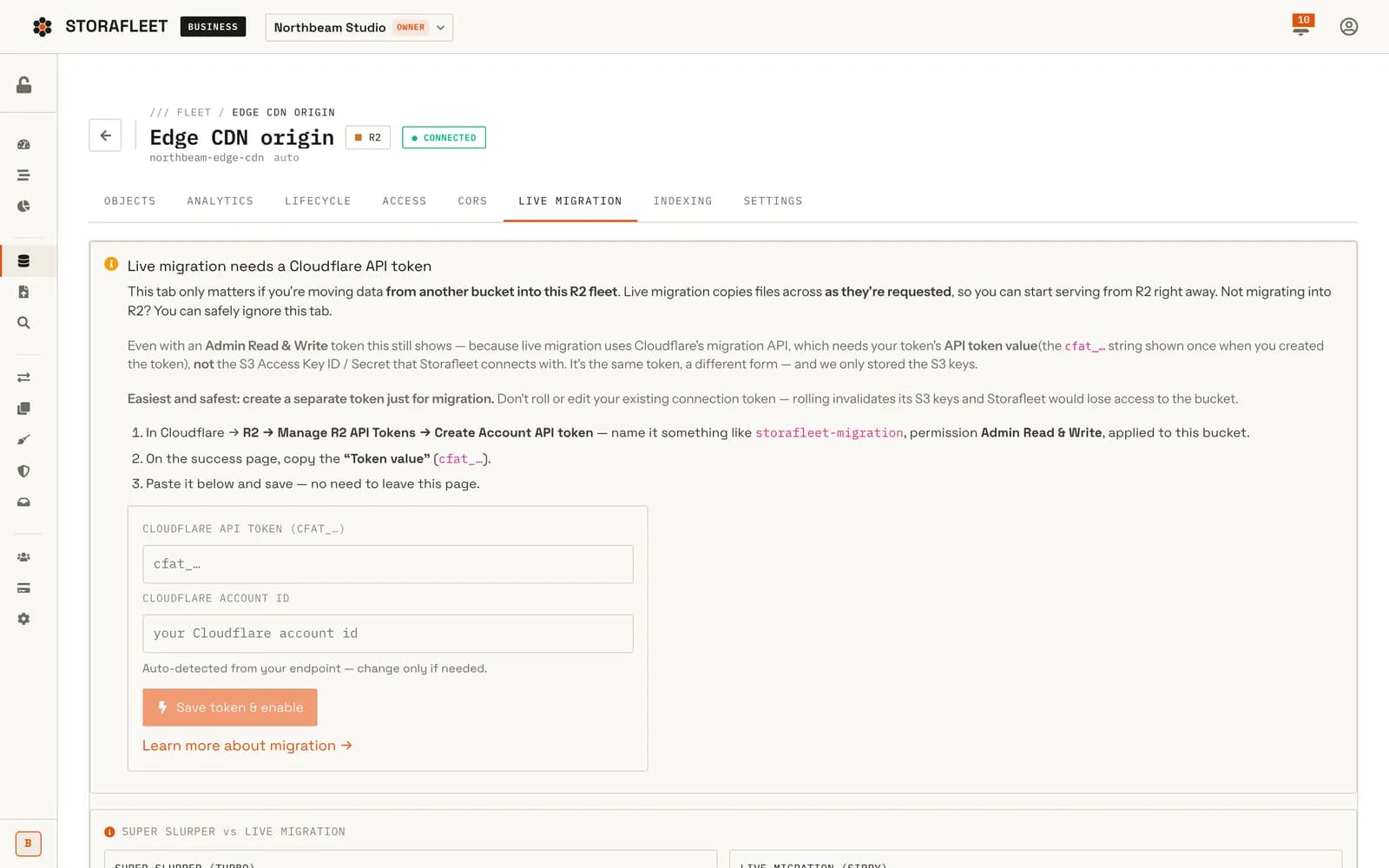
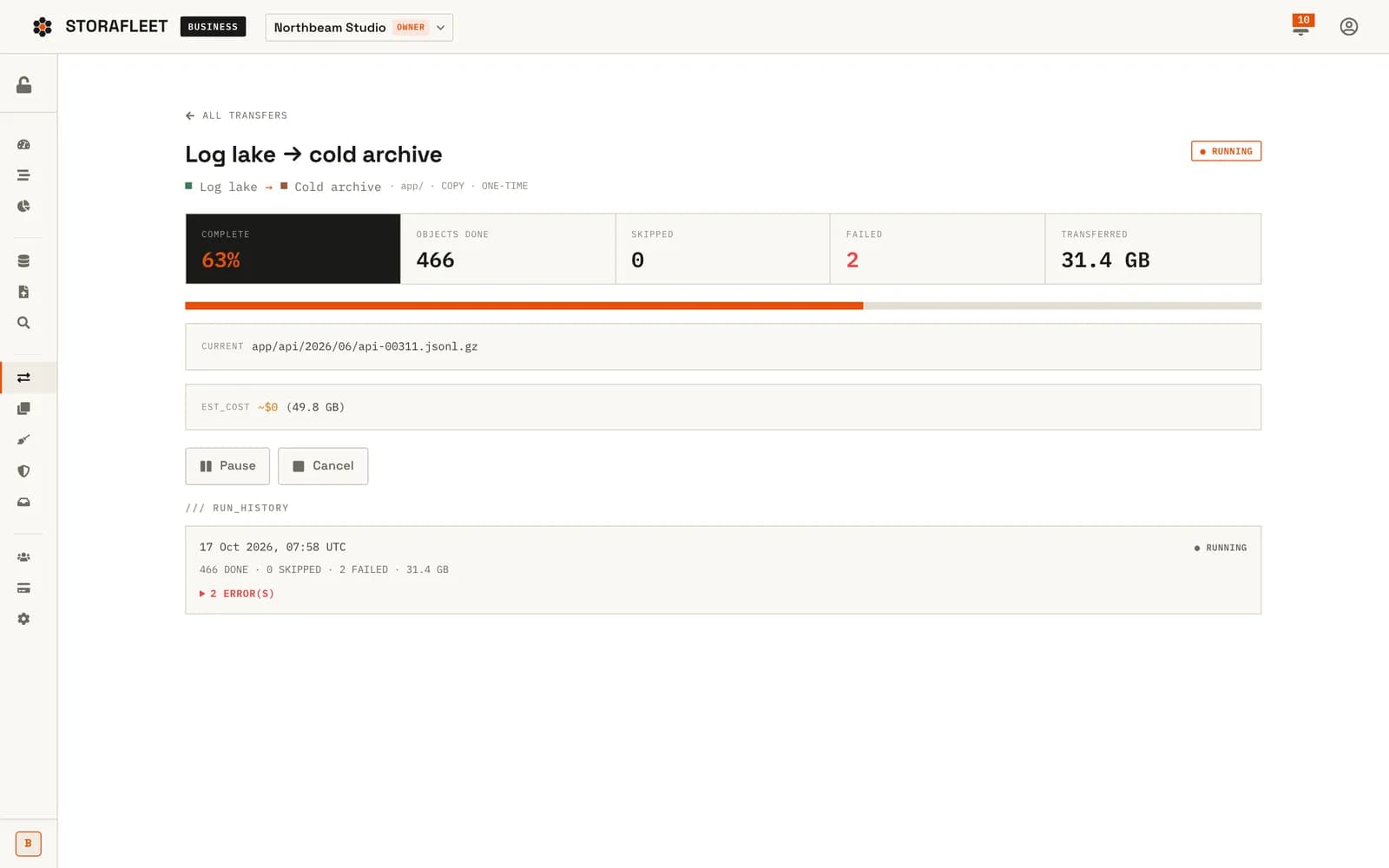
In August 2026 a test harness drove every migration route, from create and estimate to pause, resume and cancel, against a real Cloudflare R2 to Backblaze B2 copy. An optional hand-off to Cloudflare's own bulk-copy service is unit-tested but not yet verified on a live Cloudflare account, and the product says so.

Demo data from a local run of Storafleet. Read the Storafleet case study

Moves we have made

Two migrations, done the way we would do yours

Runtime upgrade

Moving every app on a production server to a new Node.js version

In November 2026 we moved every app on the production server we run to Node.js 24, because the version they ran on had reached end of life. Each app was given its own definition file, switched one at a time and checked before the next: online, no restarts, the same HTTP responses as before, and every public hostname answering exactly as it did. The old runtime stayed installed, so any single app could be switched back with one command.

  • One app at a time, never all at once
  • A per-app rollback, kept for weeks
  • Same responses and hostnames, checked app by app
  • The new setup written down for whoever comes next

Ownership move

Handing Trainr's platform into its own accounts

When Trainr's platform passed to its incoming developer in August 2026, error monitoring moved into Trainr's own organisation. We pulled the JavaScript bundle out of the built app and searched it: the new key appeared once, the old one nowhere. Trainr also received a full export of its media bucket, the accounts and signing material, deploy and rollback runbooks, and environment templates for all four repositories.

  • Monitoring moved, and verified inside the built app
  • A full media export
  • Accounts and signing material transferred
  • Runbooks for deploy and rollback
Read the Trainr case study

Decisions you will face

How should you migrate: lift, re-platform or rebuild?

Two choices shape every migration: how much changes on the way, and how traffic moves across. Our usual advice is below. The right answer depends on your downtime budget and on how much of the old setup you trust.

How much changes on the way
ApproachWhat it meansChoose it whenWatch out for
Lift and shiftSame apps, same versions, new homeThe goal is cost, ownership or leaving a provider, and the apps are healthyOld problems move with you; fix them after, not during
Re-platformSame apps on newer runtimes or managed servicesThe runtime or database is at end of life, or a managed service removes real workChange one thing at a time, so a failure has one cause
RebuildNew architecture, then move the dataThe old system cannot be run safely as it isThis is a build project with a migration at the end; plan it like one
RetireSwitch it off instead of moving itThe inventory finds jobs, sites or services nobody uses any moreConfirm with logs and with the people who might miss it before it goes
How traffic and data move across
ApproachHow it worksDowntimeBest for
Planned windowFreeze writes, copy the changes, switchMinutes to an hour, scheduledMost databases and small apps
TrickleBulk copy early, keep syncing, switch when in stepSecondsLarge data that changes slowly
Serve firstPoint the app at the new storage, which fetches missing files from the old one on demandNone for readsBig media libraries and object storage

What breaks in a migration

The things we check that usually get forgotten

Each of these has ended a migration weekend early for someone. All of them go on our inventory before the move.

  • DNS that won't let go

    Records with a day-long lifetime keep sending users to the old server. We lower lifetimes a day ahead and raise them again after the move.

  • Webhooks to the old address

    Payment, mail and store providers keep calling the URL you registered months ago. We list them and update them during the window.

  • Jobs running twice

    A scheduled job left on the old server sends every reminder twice, or charges twice. Old schedules are stopped before new ones start.

  • Uploads during the switch

    A file uploaded to the old storage one minute before cutover is the one that goes missing. We copy the final changes after writes freeze.

  • Apps with a fixed API address

    Phone apps already installed cannot be updated overnight. We keep the old API hostname answering, usually by pointing it at the new system.

  • Third-party allow-lists

    Banks, SMS gateways and partner APIs often allow calls only from known IPs. New servers mean new IPs, so the requests go in ahead of the move.

  • Mail records

    SPF, DKIM and return paths tied to the old host send your mail to spam. We check them before the switch and test a real send after.

  • Certificates

    Certificates must exist on the new host before traffic arrives, and renewal must work there, not just the first issue.

  • Hard-coded file links

    Image and document URLs saved inside database records still point at the old bucket. We find them, then rewrite them or keep the old address redirecting.

  • Sessions and caches

    Users signed in on the old system may be signed out, or see stale data from a cache that moved. We decide in advance whether sessions carry over, and warm the caches before traffic arrives.

  • Settings nobody wrote down

    Environment settings, file permissions, time zones and limits set by hand on the old server years ago. We compare them line by line, by name, without copying secrets into documents.

  • Limits on the new side

    Connection limits, request rate limits and file-size caps differ between providers. A setting that was generous on the old host can fail the first busy hour on the new one.

What changes on the bill

How do you know a migration will save money?

Many migrations are about cost, and the monthly price of the new server is only one line. Before a move we compare the whole bill, old against new, line by line, using your real usage. These are the lines we compare, and the ones that most often surprise people:

We give you the comparison as a table you can check against your current invoices. If a move does not pay for itself, the table says so, and we say so too.

  1. ComputeThe obvious line

    Servers, containers or functions. We size from what the apps actually use under load, not from what the old server happened to have, and include headroom for the busiest hour of the week.

  2. EgressThe usual surprise

    Data leaving a provider is often billed per gigabyte, and media-heavy apps and backups move a lot of it. Some providers charge nothing for egress. We estimate egress for the move itself and for normal months after it.

  3. Storage class and requestsEasy to miss

    Object storage is billed for space and for the number of requests, at prices that vary by storage class. Millions of small files can cost more in requests than in space. We read the request mix before choosing a class.

  4. Managed servicesTime against money

    A managed database or queue costs more than running your own, and saves backups, upgrades and 3 a.m. restarts. We price both, including the engineering time the cheaper option really takes.

  5. Backups and copiesOften forgotten

    Snapshots, backup retention and the second copy you keep during the migration all cost money. We set retention on purpose, and switch off the temporary copies when the quiet period ends.

  6. Monitoring and support toolsPer-seat creep

    Error monitoring, uptime checks, logs and alerting are often priced per host, per seat or per gigabyte of logs. A move is a good moment to check what you pay for and what anyone actually reads.

  7. The move itselfA one-off

    Running two environments side by side for the rehearsal and the quiet period, plus the egress of the bulk copy. It is temporary, but it belongs in the business case.

Where migration sits

Usually the first step of Ship, sometimes the last step of Build

A migration often comes before hosting changes hands or a maintenance plan starts, and sometimes at the end of a rebuild. It connects to the stages around it like this:

  1. From Build

    The apps and data as they are today. If a rebuild is part of the plan, the new system is built and tested first.

  2. Cloud migration

    Inventory, rehearsal, verified copies, a planned cutover, URL-by-URL comparison and a rollback until the quiet period ends.

  3. Into Ship

    A new home that is monitored, backed up and maintained, with a runbook that describes it as it really is.

Questions about cloud migration

How much downtime does a cloud migration need?

It depends on what moves. Files and object storage can move with no read downtime by serving from the new storage first. Apps can usually switch in seconds. Databases are where the downtime is: most need a short write freeze, from minutes to an hour, scheduled in your quietest window. The rehearsal tells us the real number before you commit to a date.

How do you make sure no data is lost when moving to a new server or cloud?

Every file is checked with a SHA-256 checksum after it is copied, every database table or collection is counted and spot-checked on both sides (the core of any data migration), and the source is never deleted until the copy has verified. A tested backup is taken before the move starts, and the old system stays available until the quiet period after the switch.

Can you migrate an app that another team built?

Yes. The inventory takes longer, because we learn the system from the servers, configuration and code rather than from memory, but that is also where most hidden dependencies are found. We will need admin access to the current hosting and the code repository.

What happens to our mobile apps when the backend moves?

Installed apps keep calling the address built into them, and not every user updates. We keep the old API hostname answering, normally by pointing it at the new system, so old app versions keep working while new versions roll out.

Which providers can you migrate between?

Any we can reach with standard tools: Linux servers and VPS hosts, the major clouds, managed databases, and S3-compatible object storage (as in Storafleet) such as AWS S3, Cloudflare R2, Backblaze B2, Wasabi and MinIO. Storafleet, our own product, connects to more than 50 storage providers, so storage quirks are familiar ground.

Is upgrading a server's runtime or database version a migration?

Yes, and it is planned the same way: inventory, rehearsal, one app at a time, checks after each switch, and the old version kept for rollback. End-of-life runtimes stop receiving security fixes, so these upgrades are worth doing before they become urgent.

How long does a cloud migration take from start to finish?

A runtime upgrade on one server can be done in a day. Moving a handful of apps to a new host usually takes one to three weeks, most of it inventory and rehearsal, with the cutover itself measured in minutes or hours. Large databases and storage libraries take longer, because the bulk copy runs ahead of time and only the final changes move in the window. The rehearsal gives the real timeline before you commit to a date.

Do you take over hosting after the migration?

If you want us to. You can run the new setup in your own accounts and keep us on a maintenance plan for updates and monitoring, or take the runbook and run it yourselves. Either way, you get the runbook and the access you need to run it.

Tell us what you are moving and where to.

The current provider, what runs there and how much downtime the business can take. We reply with the questions that matter and a plan for the inventory.