All projects
Saas
Live in production

Storafleet — Multi-Cloud Storage Control Plane

Storafleet is CountryDevs' own SaaS control plane for object storage. Teams connect buckets they already own on 50+ providers, including AWS S3, Cloudflare R2, Backblaze B2, Wasabi and MinIO, then browse, migrate, search, secure and cost-check them from one console.

For Storafleet2026
  • Web app (workspace)
  • Public marketing site and provider docs
  • Operator (superadmin) console
  • Node.js API and migration worker
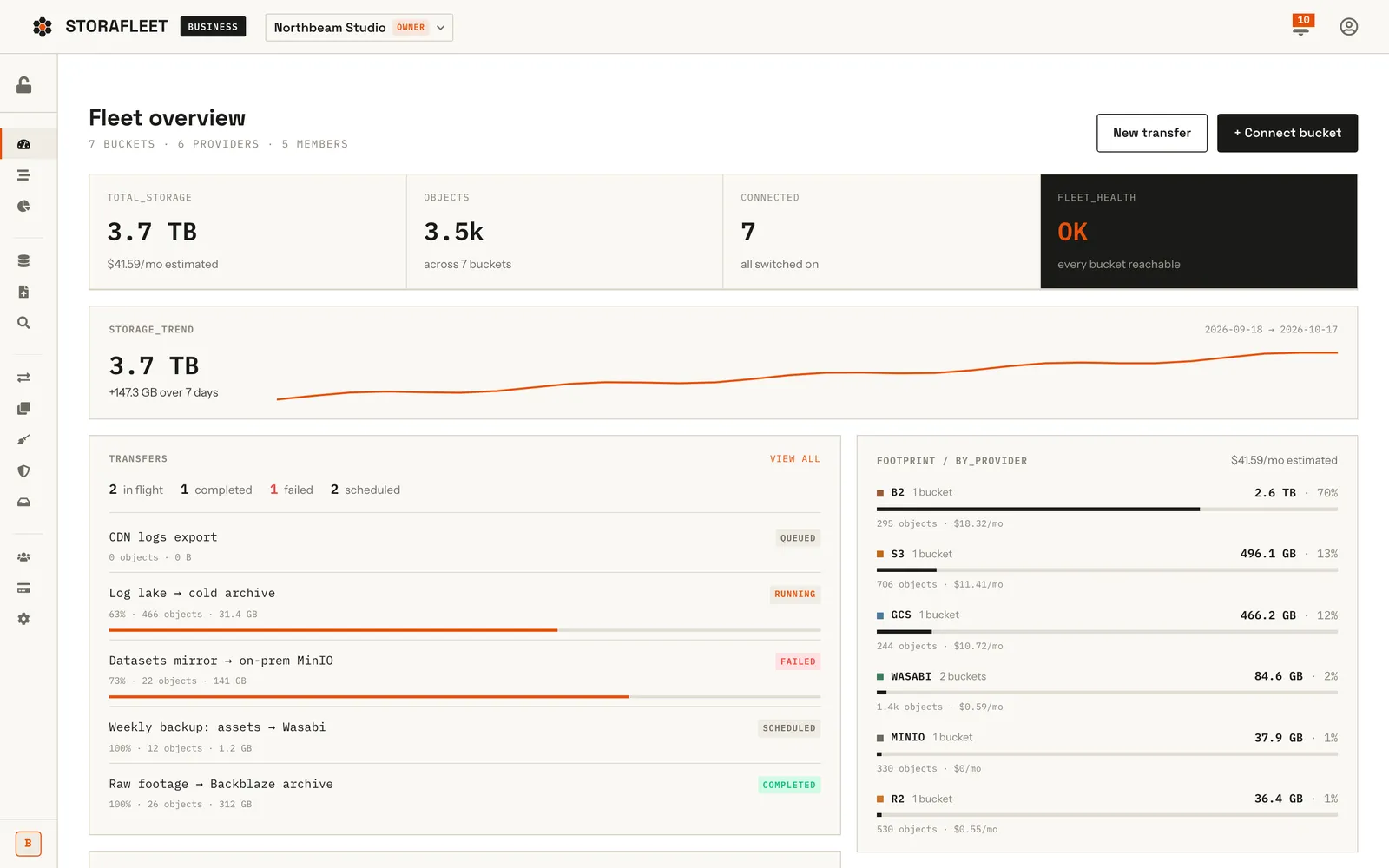
Storafleet fleet overview with storage totals, trend line, transfers list and per-provider footprint bars

Overview

Storafleet is a bring-your-own-storage control plane that CountryDevs designed, built and runs as its own product. A team connects the object-storage buckets it already pays for, on AWS S3, Cloudflare R2, Backblaze B2, Wasabi, Google Cloud Storage, Azure Blob, a self-hosted MinIO or any other S3-compatible endpoint, and manages all of them from one workspace. Files never move into Storafleet. It holds encrypted credentials, or an IAM role for AWS, and talks to each provider directly.

Inside the app, a fleet view lists every bucket with its size, object count and estimated monthly cost. From there a team can browse and upload files, run one-time migrations or scheduled syncs between providers, search every bucket at once, find duplicate files and abandoned multipart uploads, lock objects for compliance, scan for public exposure, and share files through expiring links served from their own buckets.

We built the whole stack. A Next.js 15 front end carries the marketing site, the public provider docs, the workspace app and an operator console. Behind it sits a Node.js and Express API on MongoDB with a background migration worker, and billing runs on Razorpay with GST invoices. The product is live at storafleet.com. This case study is about how it was built; it is too early for growth figures, so we do not quote any.

How does keyless AWS onboarding work in Storafleet?

The first objection a company raises about a storage console is simple: we are not pasting long-lived AWS keys into a third-party website. So for AWS we built a connection that needs no keys at all.

The handshake

  1. The connect wizard asks our API for a setup. The server mints a fresh UUIDv4 ExternalId for that one connection and keeps it in a short-lived RoleSetup record that expires after an hour.
  2. The server builds a CloudFormation quick-create link, so the customer's own AWS console opens with our template and the ExternalId filled in. The stack creates an IAM role that trusts one dedicated Storafleet role, only when the matching ExternalId is presented, with permissions scoped to a single bucket. It can also create the bucket, with versioning, default encryption and a full public-access block switched on.
  3. The customer pastes the role ARN back. Before anything is saved, the server runs two probes. Assuming the role without the ExternalId must fail; if it succeeds, the trust policy is too open and we refuse the connection. Assuming it with the ExternalId must succeed. Then the usual read, write and delete checks run.

Decisions worth noting

  • One ExternalId per connection, not per workspace. A workspace can connect buckets in many different AWS accounts, and each one is its own trust relationship.
  • Two-hop role chaining. Our caller identity assumes our own storafleet-sts role, which then assumes the customer's role. Customer stacks trust that role, not the caller, so we can rotate our credentials without asking anyone to re-run a stack.
  • No change to existing code paths. For role connections the bucket's getS3Config() returns an auto-refreshing temporary-credentials provider, so the roughly 30 places that build an S3 client did not change.
  • Failures have names: TRUST_POLICY_TOO_OPEN, EXTERNALID_MISMATCH, RCP_BLOCKED and ROLE_NOT_ASSUMABLE, each mapped to a specific fix in the UI.

A dated caveat: as of late September 2026 the first hop is proven from production, and a full run against a disposable test stack is the next check on our list.
How do you support 50+ storage providers from one codebase?

"S3-compatible" is a promise every provider keeps a little differently. We did not want 50 code paths, so every provider is a profile in one file, providers.js, and a probe corrects the profile for each real bucket.

The profile

Each profile records the endpoint template, regions, path-style addressing, the console steps for creating a key, and eight capability flags: versioning, lifecycle, storage-class transitions, CORS, bucket policy, public-access block, object tagging and object lock. Provider quirks live there too, as data rather than if statements:

  • Newer AWS SDK releases add CRC32 checksums by default, which many non-AWS services reject, so those profiles opt out.
  • Wasabi returns a duplicate XML declaration on some bucket settings reads, so its profile switches on a response fix.
  • R2 always uses the region auto; DigitalOcean puts the region in the endpoint.
  • A self-hosted MinIO behind a private certificate authority gets a per-bucket CA bundle. We never switch TLS verification off.

The probe

The profile is an optimistic baseline. When a bucket connects, we run five read-only requests in parallel (versioning, lifecycle, object lock, bucket policy and public-access block) and classify each answer as supported, unsupported or unknown. The probe can only demote a feature. A successful read does not prove a write will work, so the probe never unlocks something the profile says the provider lacks, and an unknown answer keeps the default. In practice, a Backblaze bucket without Object Lock enabled simply does not show an Object Lock tab.

Curating the roster

Providers were added in batches, each checked against the provider's own documentation and cross-checked with rclone's S3 provider list. Batch 5, in July 2026, added 12 providers and recorded their migration caveats, such as one service that only accepts multipart parts of exactly 8 MB and another with server-side copy disabled. When a customer's bucket is unreachable, the API answers with a 424 carrying a provider-specific code, message and next step, rather than a generic 500.

How does the migration engine survive restarts and verify every file?

Moving terabytes between clouds takes hours, and servers restart. We designed the engine so a restart costs only time.

MongoDB is the queue

The worker runs in the Node.js cluster's primary process. It claims a job with one atomic findOneAndUpdate that sets a 90-second lease, and renews the lease every 30 seconds. If the process dies, the lease expires and the next claim resumes the job. HTTP requests run in forked processes, so pause and cancel travel as a controlRequest field the worker checks between objects.

Checkpoints

Within a job, objects are copied in key order, one at a time. That was a deliberate v1 trade-off: it makes the checkpoint trivially correct. The checkpoint is the last key that copied cleanly with no failure before it, and a resumed run lists the source with StartAfter set to that key.

Streaming and verification

Each object streams from GetObject through a SHA-256 hashing transform into a multipart upload. Part size is the larger of 8 MiB or the object size divided by 9,000, which stays under every provider's 10,000-part ceiling and keeps parts equal-sized, as R2 requires. Verification has three levels:

Mode What it checks
etagLength Destination length only
digest (default) SHA-256 of the streamed bytes plus destination length
deep Re-reads the destination and compares SHA-256

We do not trust ETags across providers, because multipart ETags are computed differently. A move deletes the source only after the copy has verified.

Cost guard

Before a job starts we estimate egress. Above $10 the user has to acknowledge the estimate, and a running job pauses itself if it moves more than twice the estimated bytes.

In August 2026 a test harness drove every migration route, from create and estimate to pause, resume and cancel, against a real Cloudflare R2 to Backblaze B2 copy over HTTP. An opt-in hand-off to Cloudflare's Super Slurper for R2-bound jobs falls back to the streaming engine; it is unit-tested but not yet verified on a live Cloudflare account.

How did we bill in USD and INR with a gapless GST invoice series?

Storafleet is sold by a Bangalore LLP through Razorpay, but storage buyers think in dollars. Getting that right took two designs.

Version 1: show USD, collect INR

In June 2026 we priced plans in USD and collected the INR equivalent at a daily exchange rate, locked per invoice, with a 3% buffer and an admin override. It worked for one-off payments. It broke down when we built renewals: a Razorpay Subscription charges a fixed amount and a Razorpay Plan's amount cannot be edited, so a converted rupee price either drifts away from the dollar price or needs a new plan every day.

Version 2: native currency

Once international cards were enabled on the account in July 2026, we switched. Each plan version now carries an INR price and a USD price, both set by a person. Checkout picks the currency from the billing address (India pays in INR, everyone else in USD) and locks the subscription to the currency actually charged, because invoices, credits and refunds all have to be computed in that currency. The exchange rate survives only for reporting and as a suggestion in the price editor, and revenue dashboards show rupees and dollars side by side, never summed.

GST numbering

GST invoice numbers must be sequential with no gaps. Each financial year has one counter document, and numbers such as INV/FY26-27/00042 are reserved with an atomic $inc. An invoice is validated before a number is reserved, so a failed invoice cannot burn a number. The financial year is computed in UTC, so the April rollover is deterministic. Credit notes have their own series.

Auditing our own money path

Before switching payments on, we audited the whole path and logged 35 findings. By 16 July, 33 were closed, each with its own acceptance test and commit. One of them: the first invoice of every financial year was numbered 00000. Webhooks now verify the signature on the raw body, and the verify endpoint and the webhook compare-and-set the same order, so replaying an event still produces exactly one invoice.

Holding keys, not files: how are customer credentials protected?

Storafleet's promise is that your files stay in your buckets. For a while we also offered managed buckets, where we provisioned storage for the customer. In September 2026 we withdrew that tier, so the rule now has no exception: Storafleet holds the means to reach your storage, never the storage itself.

Encryption at rest

Every stored secret (S3 access keys, Azure account keys and client secrets, Google service-account JSON, Cloudflare and DigitalOcean API tokens, webhook secrets) is encrypted with AES-256-GCM:

  • A 256-bit key is derived for each account with HKDF-SHA256 from a master key that exists only in the server environment. The derived key is never stored.
  • Every encryption uses a fresh random 12-byte IV, and the 16-byte authentication tag makes any tampering fail loudly on decrypt.
  • Each payload carries a version number, so the algorithm can be rotated later without re-encrypting everything at once.
  • The server refuses to start if the master key is missing or the wrong length, rather than failing on the first write.

Small details matter here. Credentials are trimmed before encryption, because a stray newline from a paste silently breaks AWS request signing.

Keeping secrets off the wire

The bucket API returns a hasCredentials flag, never the encrypted fields. The ExternalId for an AWS role connection is returned once, during setup, and never again. Operator screens build their field lists from the schema instead of a hand-kept deny-list, and a checker script looks for any model that could return a secret path.

Keeping bytes off our servers

Browser uploads go straight to the customer's bucket through presigned multipart URLs. Share links do the same in reverse: each click mints a fresh 15-minute presigned URL, and link passwords are stored as bcrypt hashes. The only copy of the data is the one the customer already owns.

The challenge

Few companies keep their data in one cloud any more. Backups sit on Backblaze, public assets on R2 to avoid egress fees, production data on S3, and anything that must stay in the building on a self-hosted MinIO. Every provider has its own console, its own permission model and its own reading of what "S3-compatible" means. Simple questions (how much are we storing, what does it cost, is anything public, can we move this archive somewhere cheaper) take an afternoon of clicking.

A tool that answers those questions has to earn trust first. It needs access to the buckets, which usually means asking a security team to hand over long-lived keys. It has to move terabytes between providers without losing a file when a server restarts halfway through. And as a product sold from India to buyers everywhere, it has to price in dollars, bill legally in India and issue GST invoices that hold up to an audit.

The solution

We built Storafleet as a control plane, not a storage provider. Files stay in the customer's buckets and Storafleet stores only what it needs to reach them. For AWS, a CloudFormation stack creates an IAM role that Storafleet assumes with a per-connection ExternalId, so no keys leave the customer's account. For every other provider, credentials are encrypted with AES-256-GCM under keys derived with HKDF.

One provider layer describes every supported provider: endpoints, regions, quirks and eight capability flags. A read-only probe on each bucket then hides features that bucket cannot support. Migrations run on a MongoDB-backed job queue with leases, checkpoints and SHA-256 verification, so a crashed worker resumes where it stopped. Uploads go from the browser straight to the customer's bucket over presigned multipart URLs. Billing uses Razorpay Subscriptions in INR for Indian customers and USD for everyone else, with a gapless GST invoice series for each financial year.

The impact

Storafleet is live at storafleet.com with public pricing, 52 provider connection guides (51 providers plus a custom endpoint), an llms.txt file and a blog. The workspace app and the operator console run in production. Before calling it launch-ready we ran ten "operate everything" passes that exercised 237 of the API's 253 routes over HTTP against real buckets; the routes left over depended on AWS infrastructure that was not yet in place. We also audited our own payment path and closed 33 of its 35 findings by 16 July 2026, before building the renewal engine on top of it.

Commercially it is early, and we are not publishing user or revenue numbers because there is nothing meaningful to report yet. What the records do show is a working product, a documented provider roster and a test history for every risky path. Those are the same patterns we bring to client SaaS builds.

Features

What we built into Storafleet

One fleet across 50+ providers

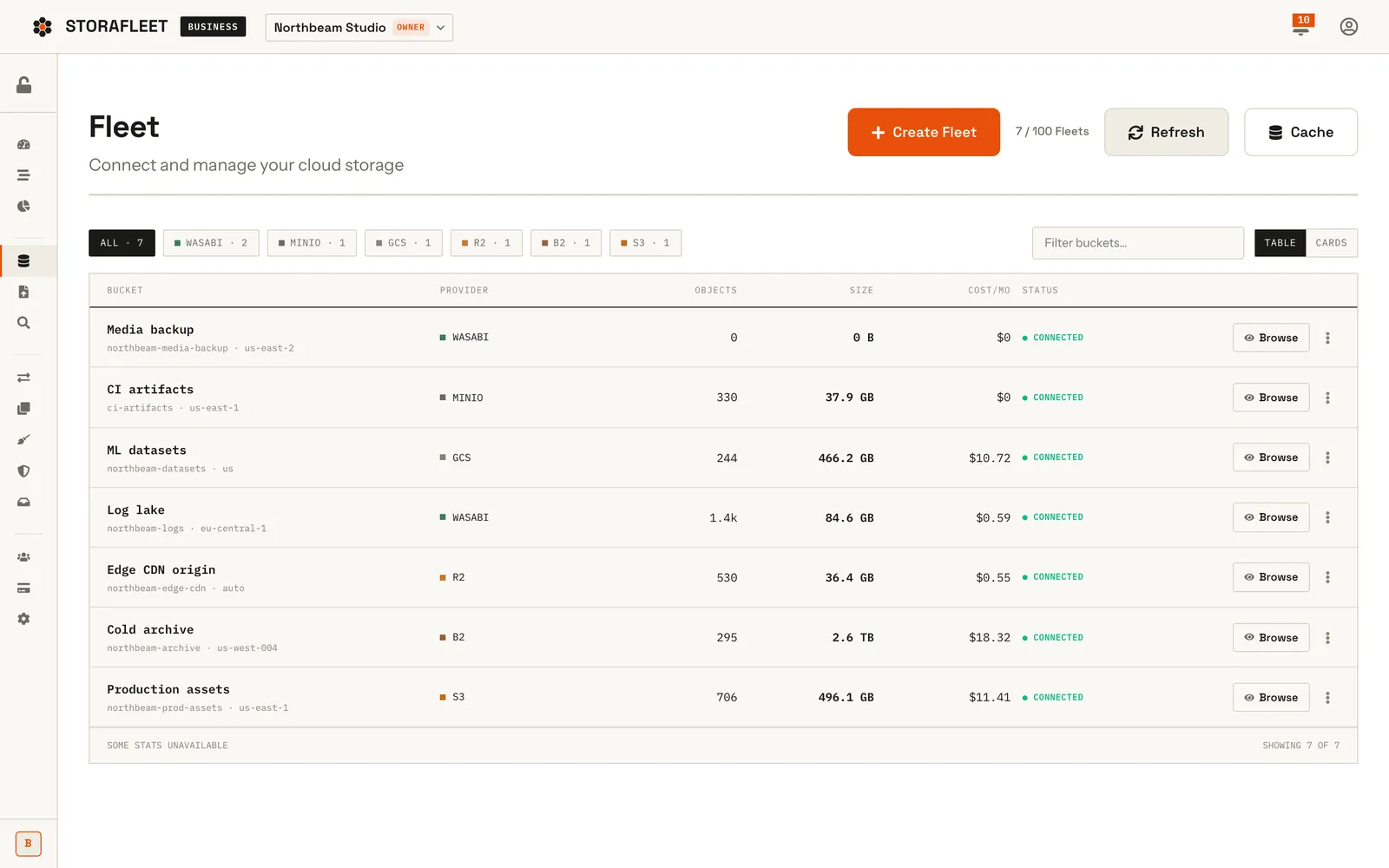
Connect buckets from AWS S3, Cloudflare R2, Backblaze B2, Wasabi, Google Cloud, Azure Blob, MinIO and other S3-compatible services, and see each one's size, object count, estimated monthly cost and status in one table.

Keyless AWS connection

A CloudFormation stack in the customer's own account creates a single-bucket IAM role that Storafleet assumes through AWS STS with a per-connection ExternalId, so no AWS keys are shared.

Migrations and scheduled sync

Copy or move data between any two connected buckets, once or on a schedule, with live progress, pause, resume and cancel. A cost estimate runs before the job starts.

Search across every cloud

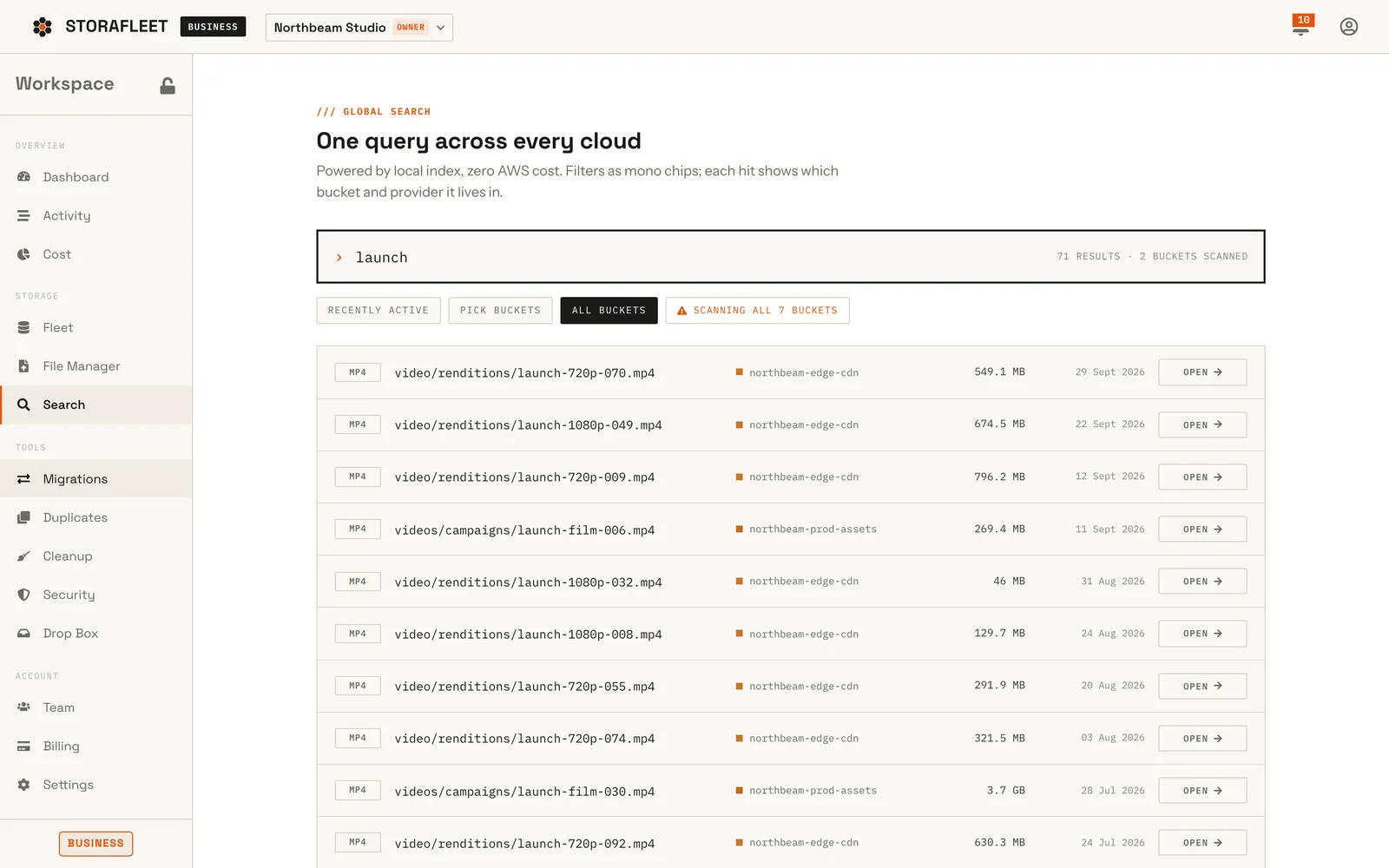
One query searches a local index of every connected bucket and shows which bucket and provider each hit lives in, without listing calls to the clouds.

Cost and clean-up tools

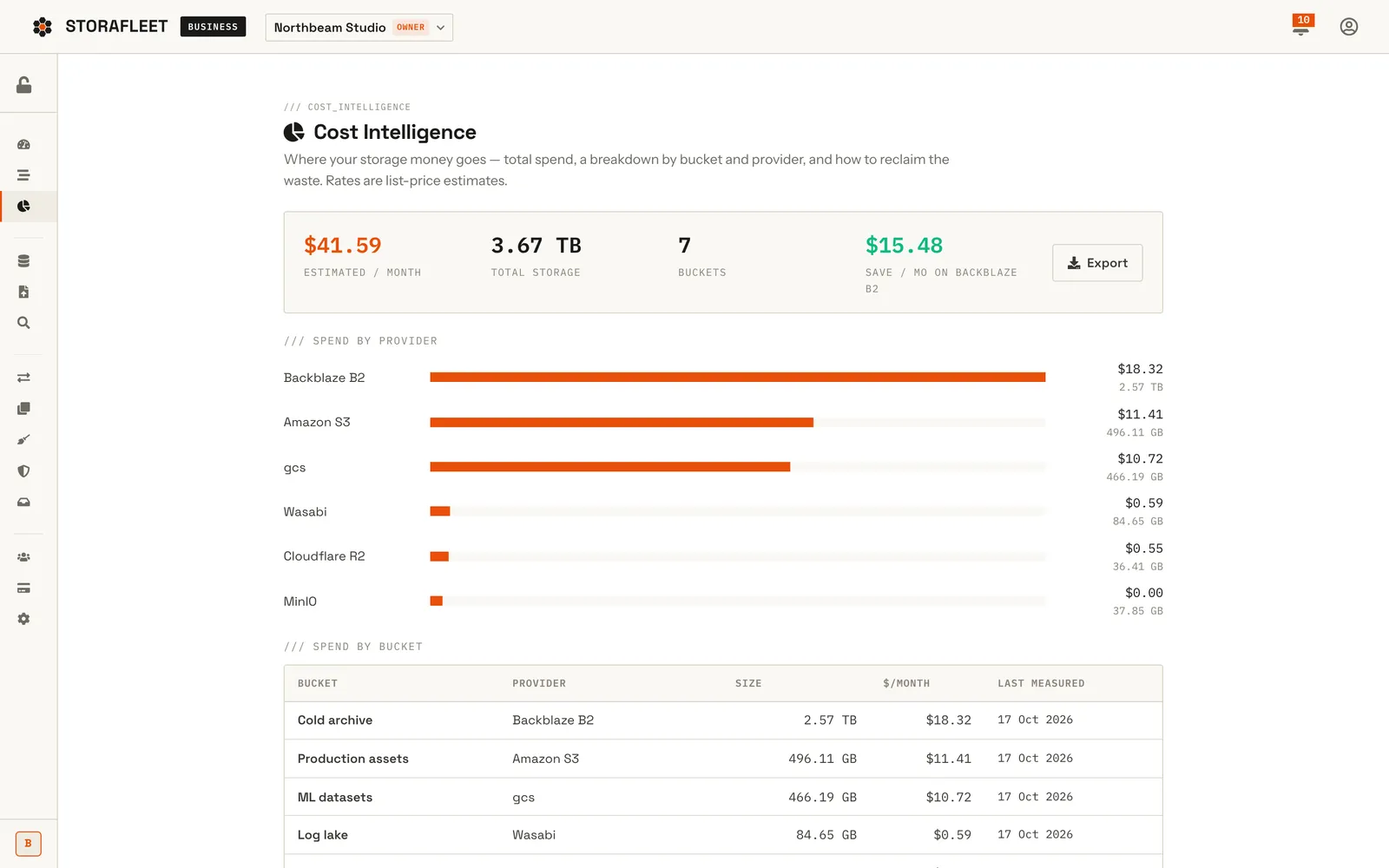
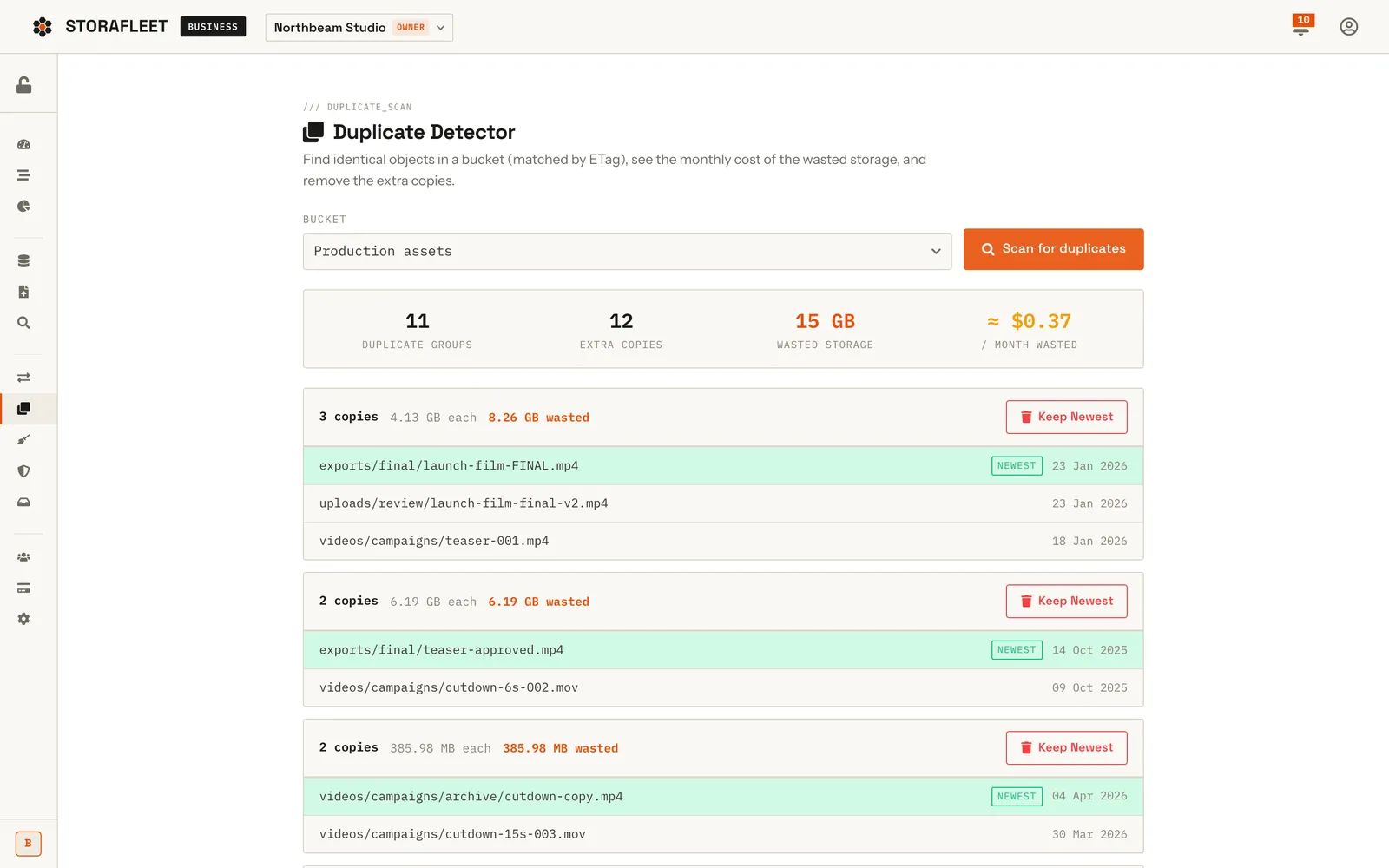
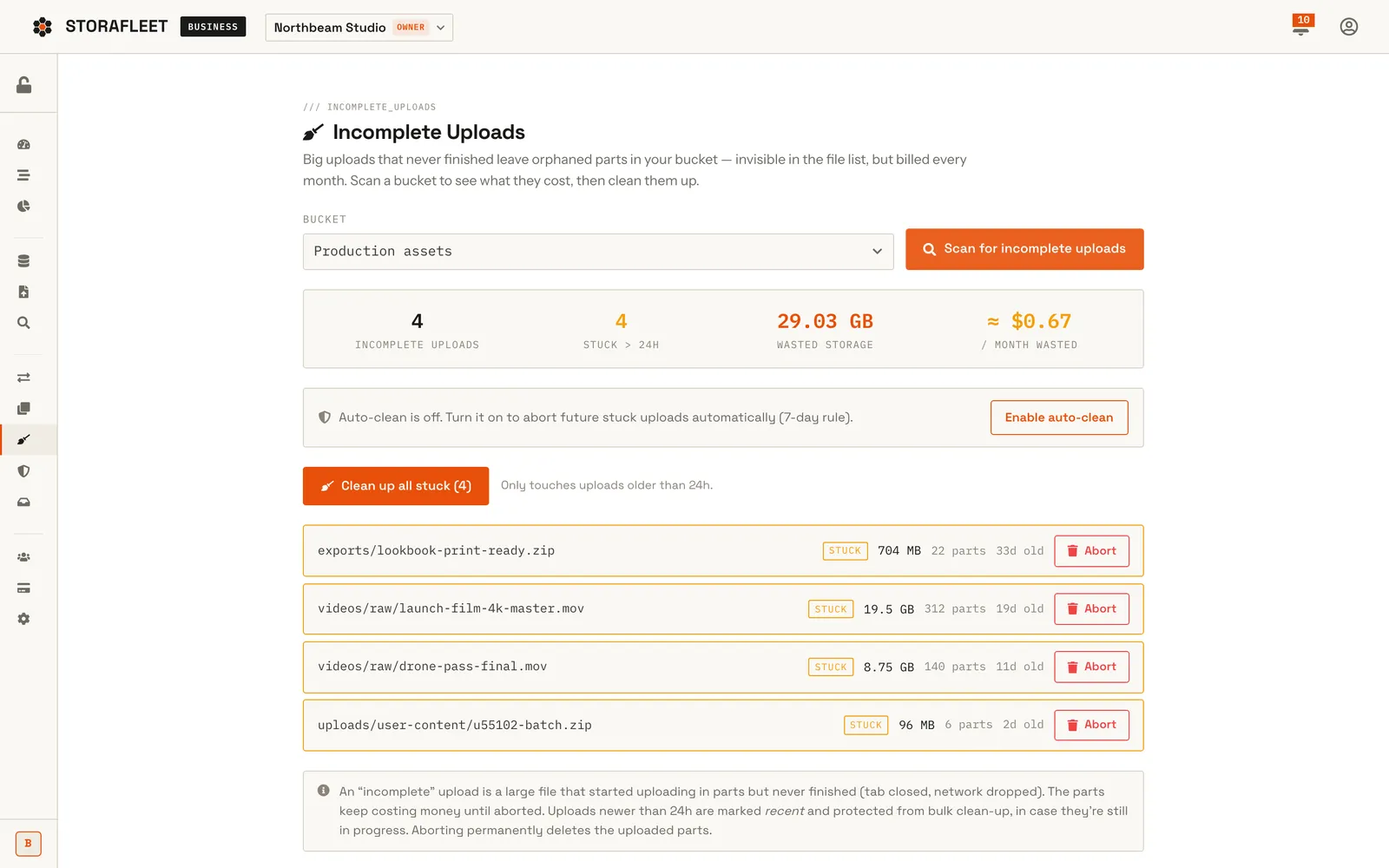
Spend by provider and by bucket from list prices, a duplicate detector that groups identical objects by ETag, and a scanner for abandoned multipart uploads that are billed but invisible in normal listings.

Compliance and exposure controls

Object Lock retention and legal holds, versioning, lifecycle and CORS settings without hand-written JSON, plus a public-exposure scan with a one-click make-private.

Share and collect links

Download links and file-request upload links served from the customer's own bucket, with optional password and expiry. Every click mints a fresh 15-minute presigned URL.

Direct browser uploads

Uploads go from the browser straight to the bucket over presigned multipart URLs (Uppy), so file bytes never pass through Storafleet's servers.

Teams and an activity log

Workspaces with owner, admin, editor and viewer roles, and an append-only activity log of uploads, deletes and renames.

Operator console

A superadmin console for plans and prices, the revenue ledger, every customer migration, Search Console data and a scheduled blog engine.

By the numbers
50+
Storage providers in the connection roster
52
Provider connection guides in the public docs
94%
API routes exercised over HTTP before launch sign-off
Screens

What Storafleet looks like

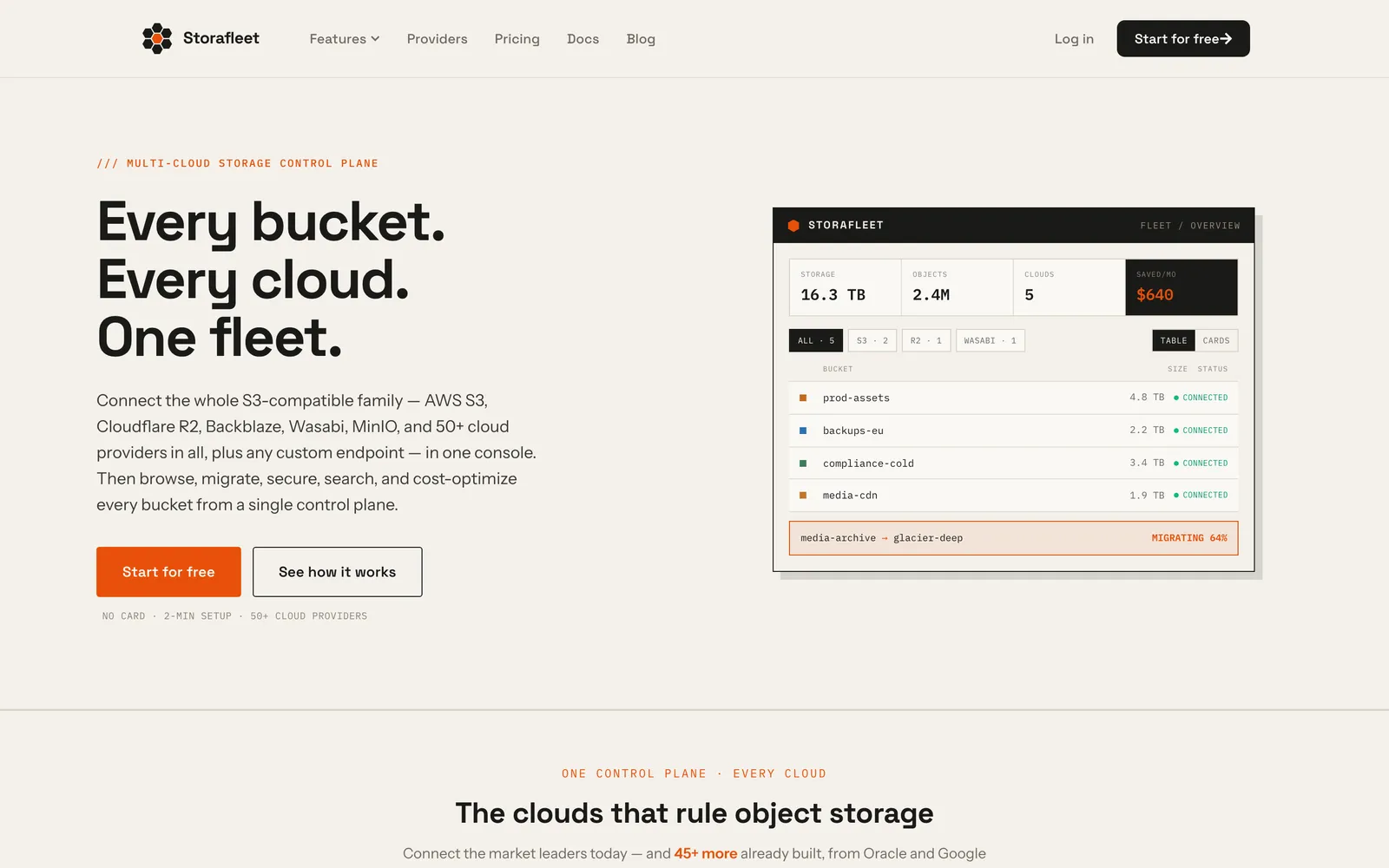
Storafleet marketing home page hero section on desktop
The public storafleet.com home page introduces Storafleet as one control plane for object storage across many cloud providers.
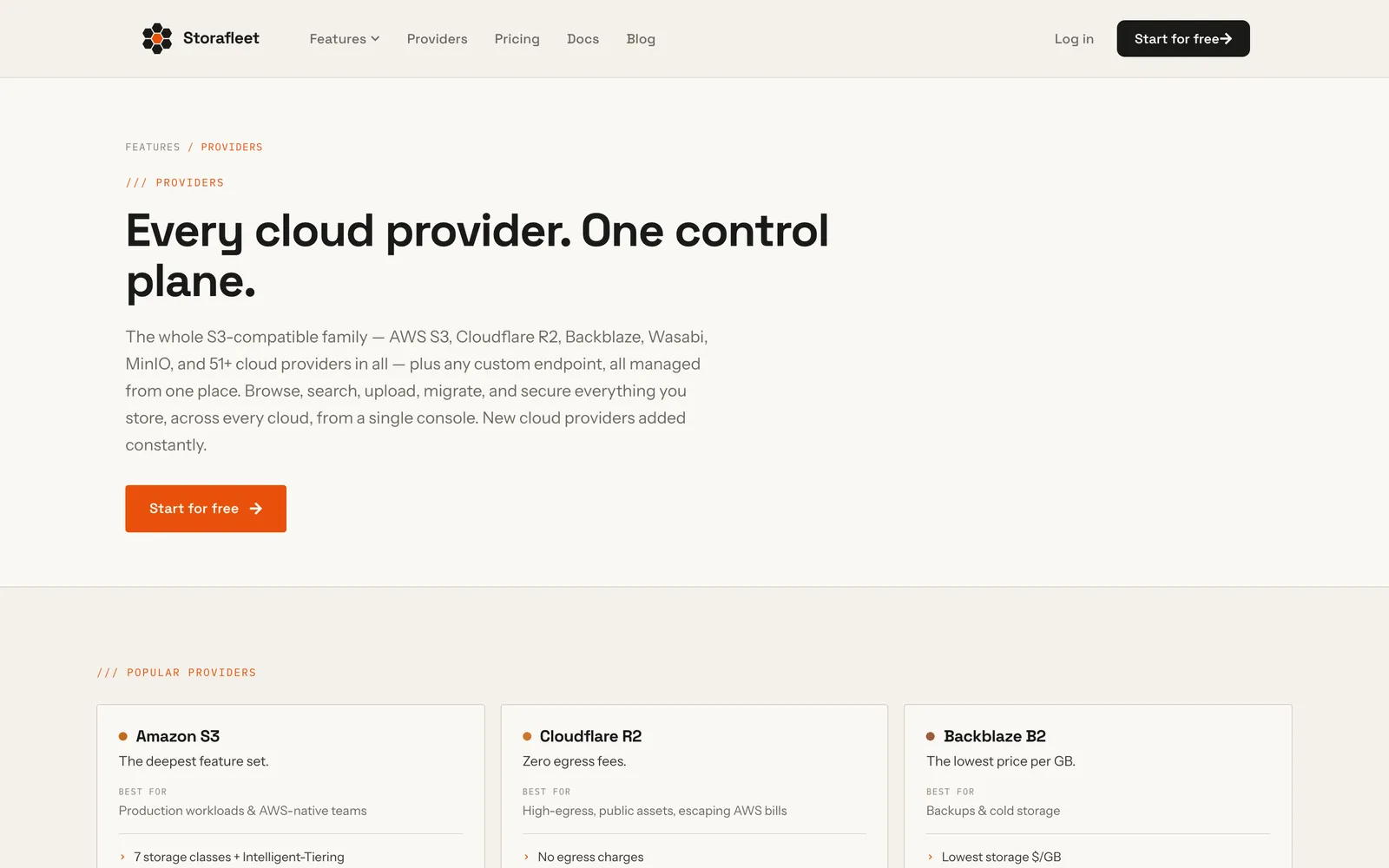
Storafleet providers page listing supported cloud storage providers
The public providers page lists the cloud and self-hosted object stores Storafleet can connect to from one workspace.
Fleet table listing buckets across multiple cloud providers with provider filter chips
Seven buckets from six providers (S3, R2, Backblaze B2, Wasabi, GCS and MinIO) listed side by side with object counts, size, estimated monthly cost and connection status.
File browser listing image files inside a campaign folder of an S3 bucket
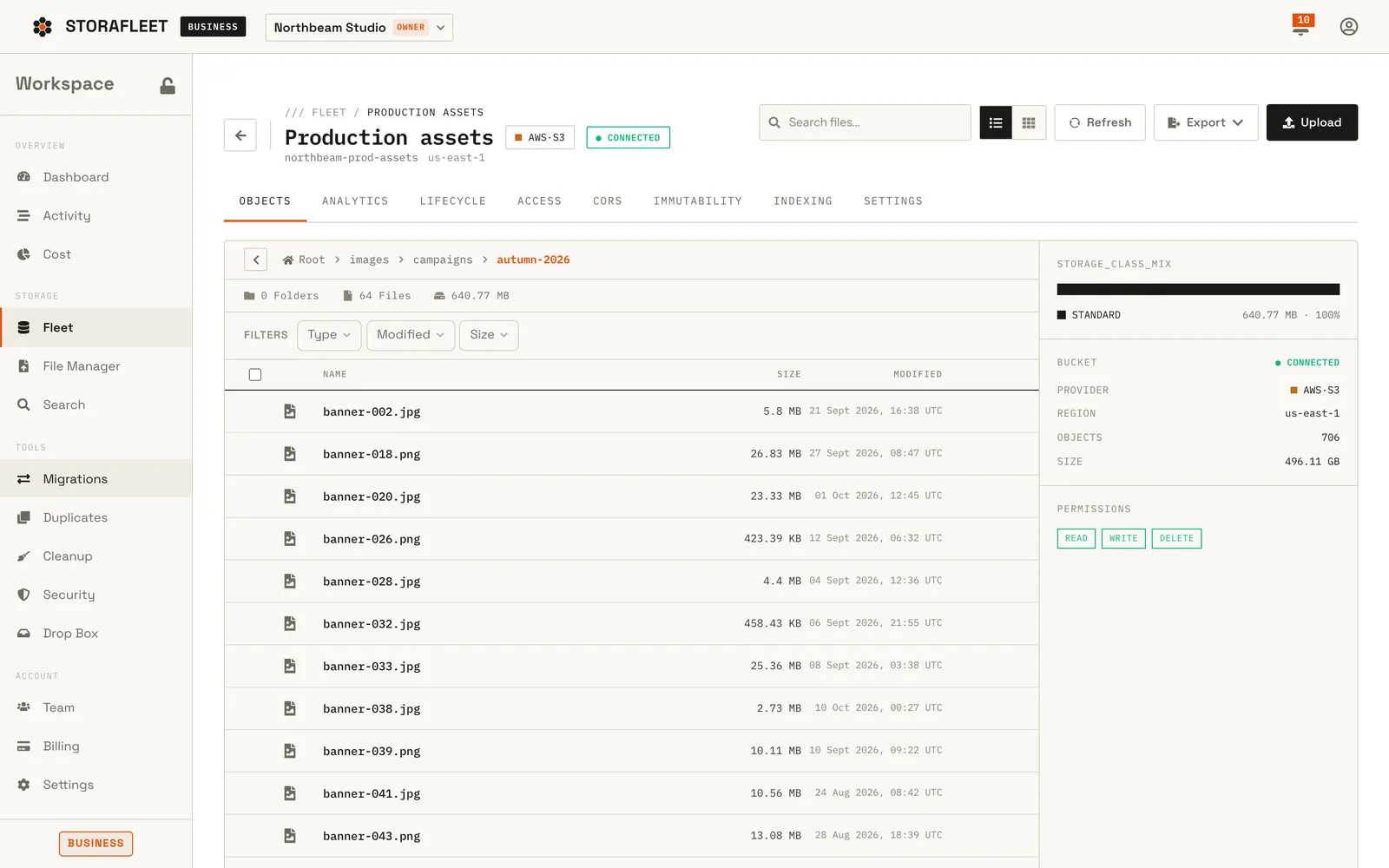
The file browser opens a bucket like a desktop folder — here a campaign folder in an S3 bucket — listing each file with size and modified date beside a storage-class mix and bucket summary panel.
Transfers page with a new-transfer composer, in-flight job cards and a job history table
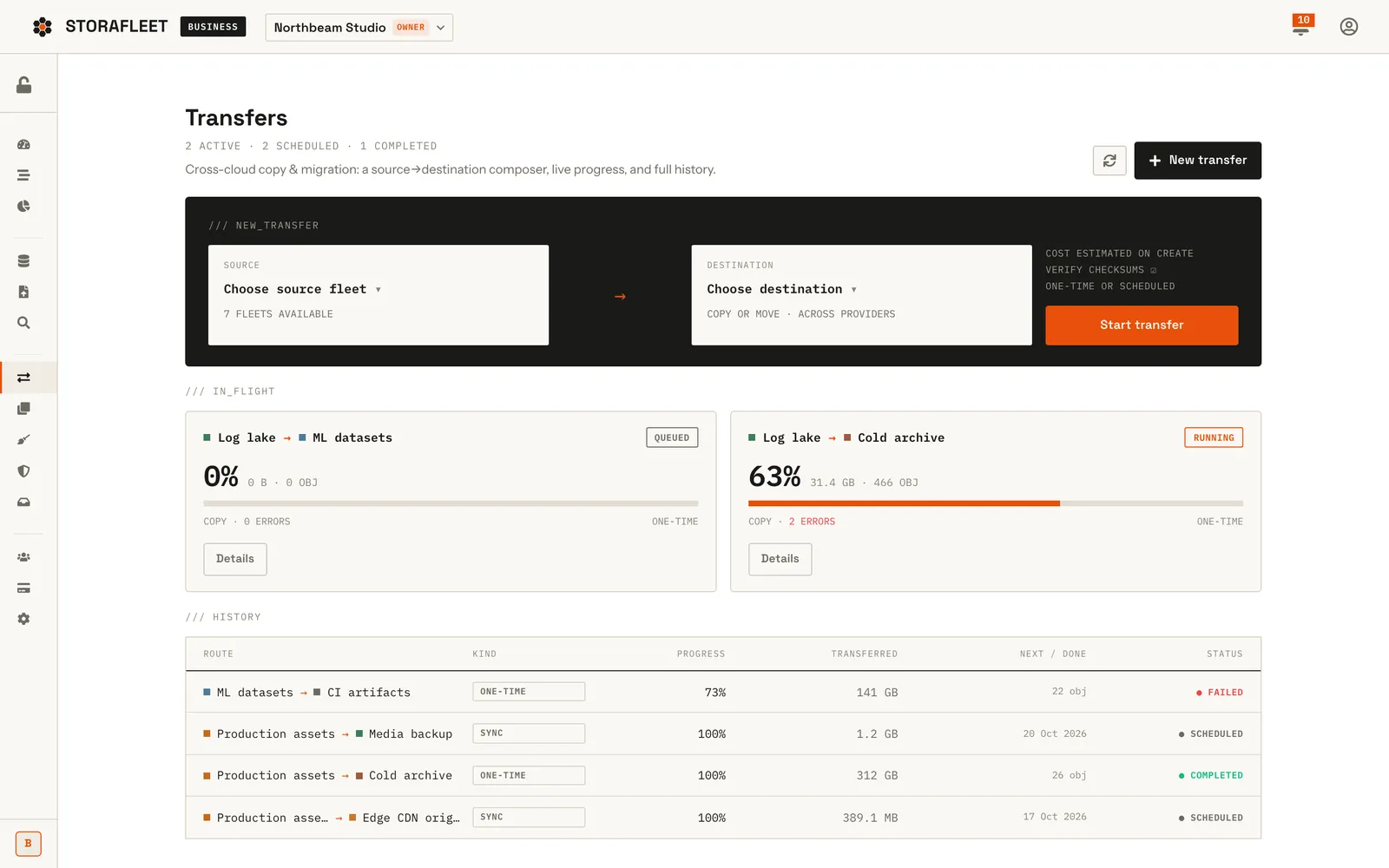
Cross-cloud transfers in one place: a source-to-destination composer, live progress for running jobs and a history of one-time moves and scheduled syncs.
Migration job detail page with progress, counters and an error list
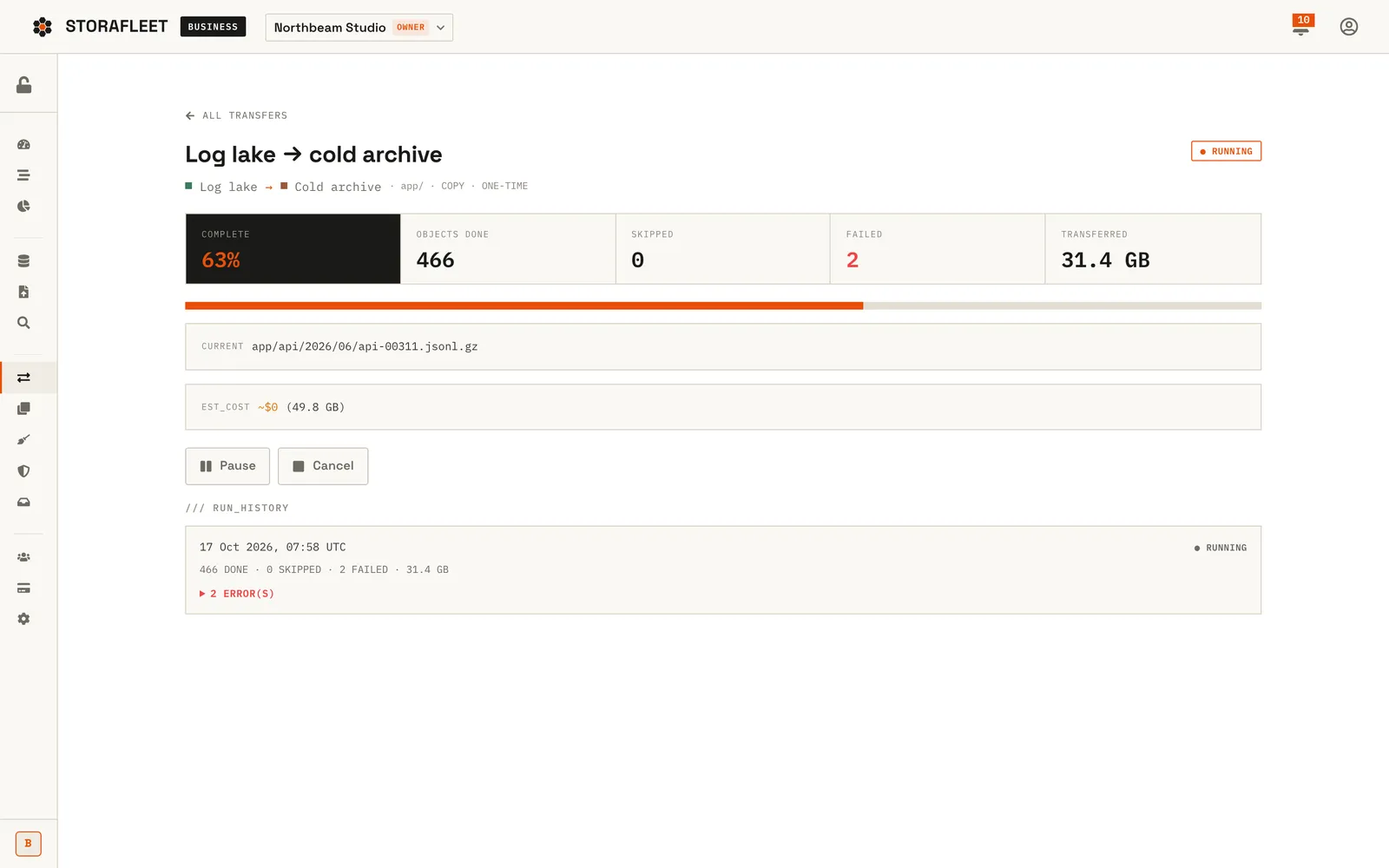
A running copy from a Wasabi log bucket to a Backblaze archive, showing percent complete, objects done, failures, bytes transferred, the current object and the run history.
Global search results for a filename across several buckets
One query searches the local index of every bucket at once; each hit shows the bucket and provider it lives in, without listing calls to the clouds.
Cost intelligence page with spend-by-provider bars and spend-by-bucket table
Estimated monthly spend broken down by provider and by bucket from list prices, with a suggested saving from moving data to a cheaper provider.
Duplicate detector results grouping identical files with wasted size and cost
Scanning a bucket finds identical objects by ETag, groups the copies and estimates the monthly cost of the wasted storage before you remove them.
Incomplete uploads scan results listing abandoned multipart uploads with age and size
Abandoned multipart uploads are invisible in normal listings but still billed; the scanner lists them with their age and size so they can be cleaned up.
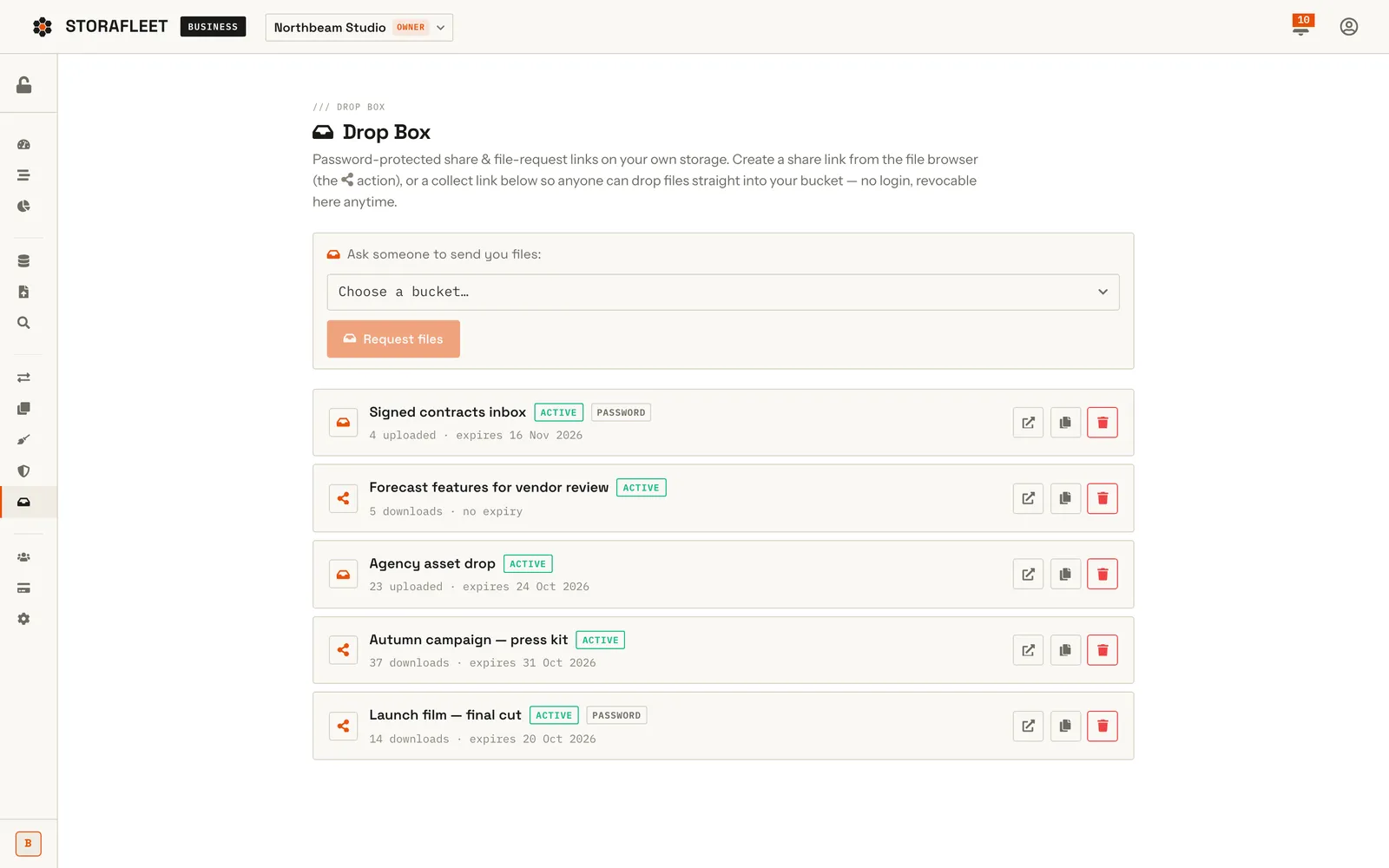
Drop Box page listing share links and file-request links with status badges
Share links and file-request links served from the customer's own buckets, with password protection, expiry and download or upload counts.
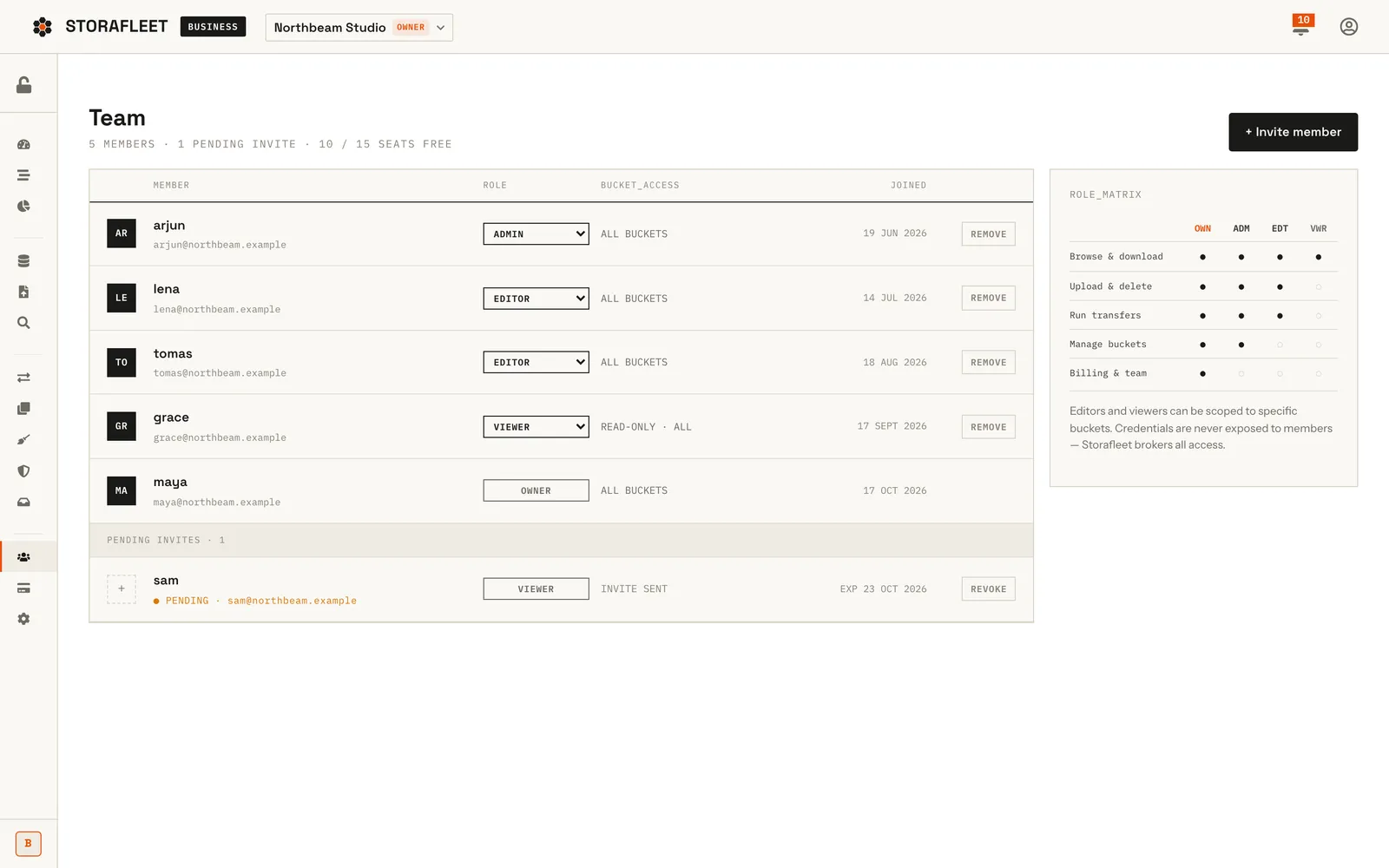
Team page with member list, role selectors and a permissions matrix
Workspace members with owner, admin, editor and viewer roles, a pending invite and a role matrix explaining what each role can do.
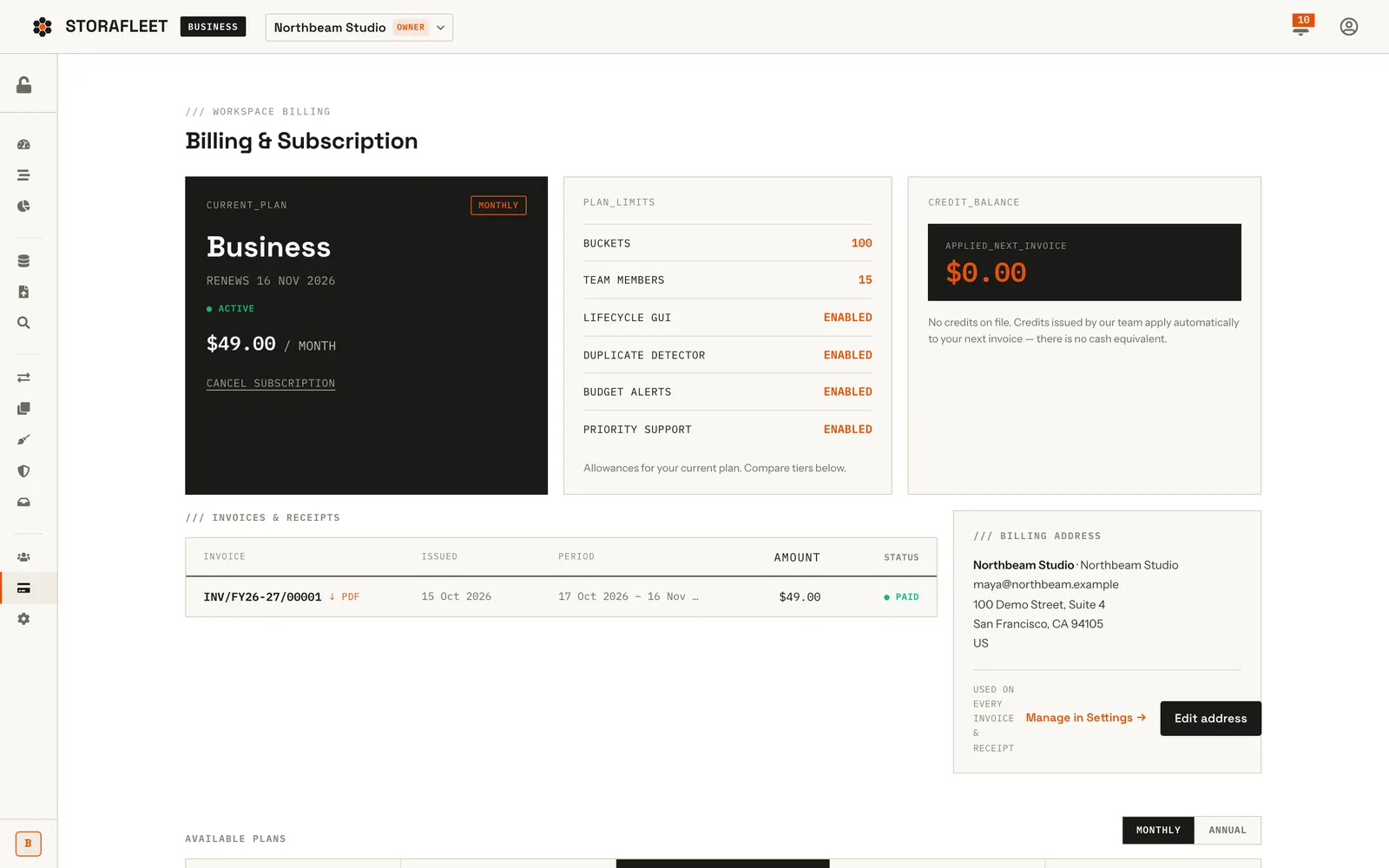
Billing page with current Business plan card, plan limits, invoice list and billing address
The billing page shows the current plan and renewal date, plan limits, credit balance, invoices with PDF receipts and the billing address.
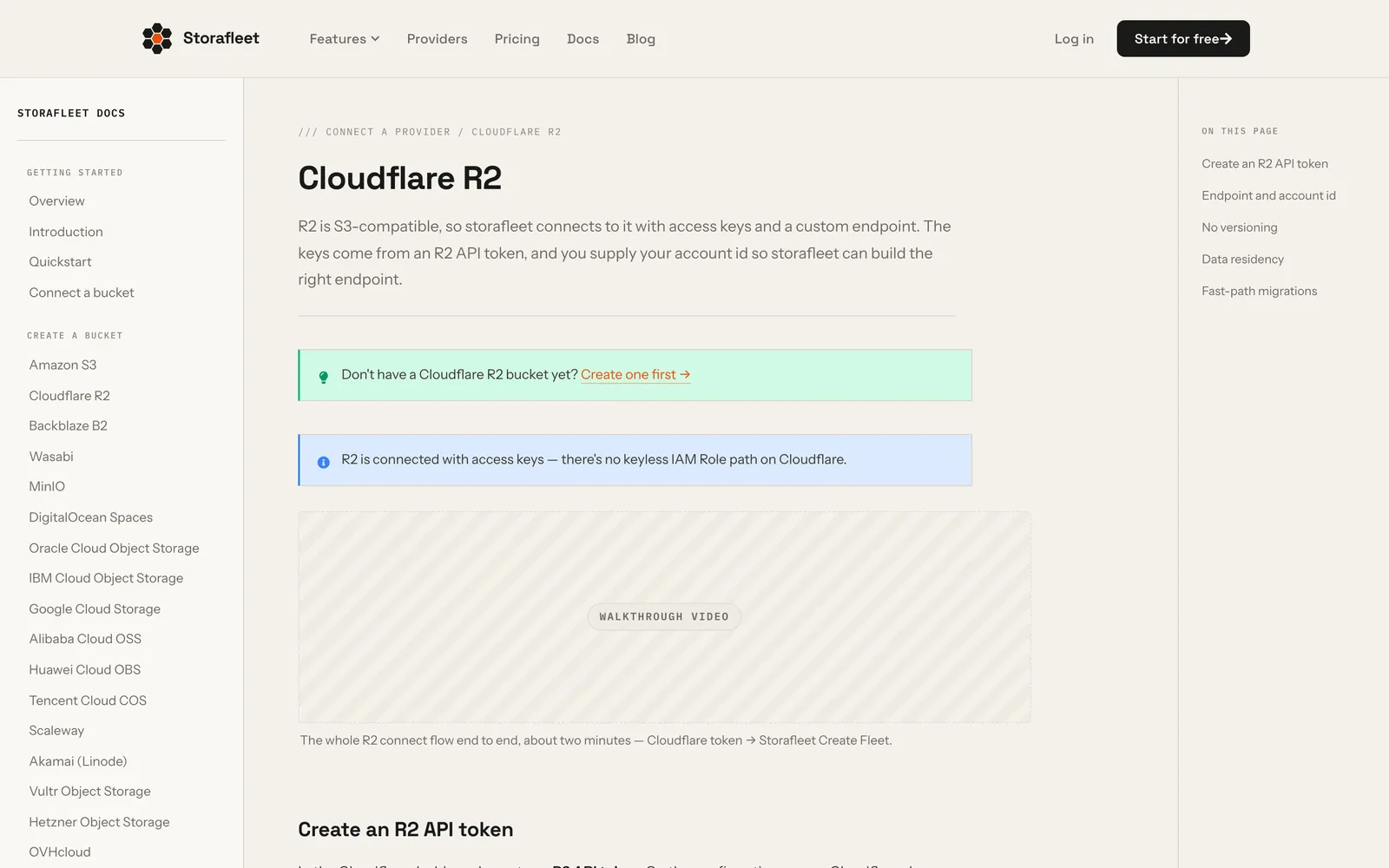
Storafleet documentation page for connecting a Cloudflare R2 bucket
The public docs include a step-by-step connection guide per provider — this one covers Cloudflare R2.
Project details
Tech stack
Next.js 15ReactRedux ToolkitNode.jsExpressMongoDBMongooseAWS SDK v3AWS STSAWS CloudFormationAzure Blob StorageGoogle Cloud StorageUppyRazorpayPDFKit
Timeline & team
2026
FAQ

Questions about this project

Can Storafleet connect to AWS S3 without access keys?

Yes. The connect wizard opens a CloudFormation stack in your own AWS account that creates an IAM role scoped to one bucket. Storafleet assumes that role through AWS STS only when a per-connection ExternalId matches, and it confirms the role cannot be assumed without that ExternalId before saving the connection.

Does Storafleet keep a copy of the files in my buckets?

No. Storafleet is bring-your-own-storage: it reads and writes your buckets directly and stores encrypted credentials or an IAM role reference, plus a search index of object keys and metadata. Browser uploads go straight to your bucket through presigned URLs.

What happens if a Storafleet migration is interrupted halfway?

It resumes. Each job holds a 90-second lease in MongoDB; if the worker stops, the lease expires, the job is re-queued, and the next run continues from the last key that copied and verified cleanly.

How does Storafleet bill customers in India and abroad?

Through Razorpay Subscriptions in the customer's own currency: INR for an Indian billing address and USD everywhere else. Every paid invoice takes the next number in a gapless GST series for that financial year, such as INV/FY26-27/00042.

More work

Other things we shipped

All projects
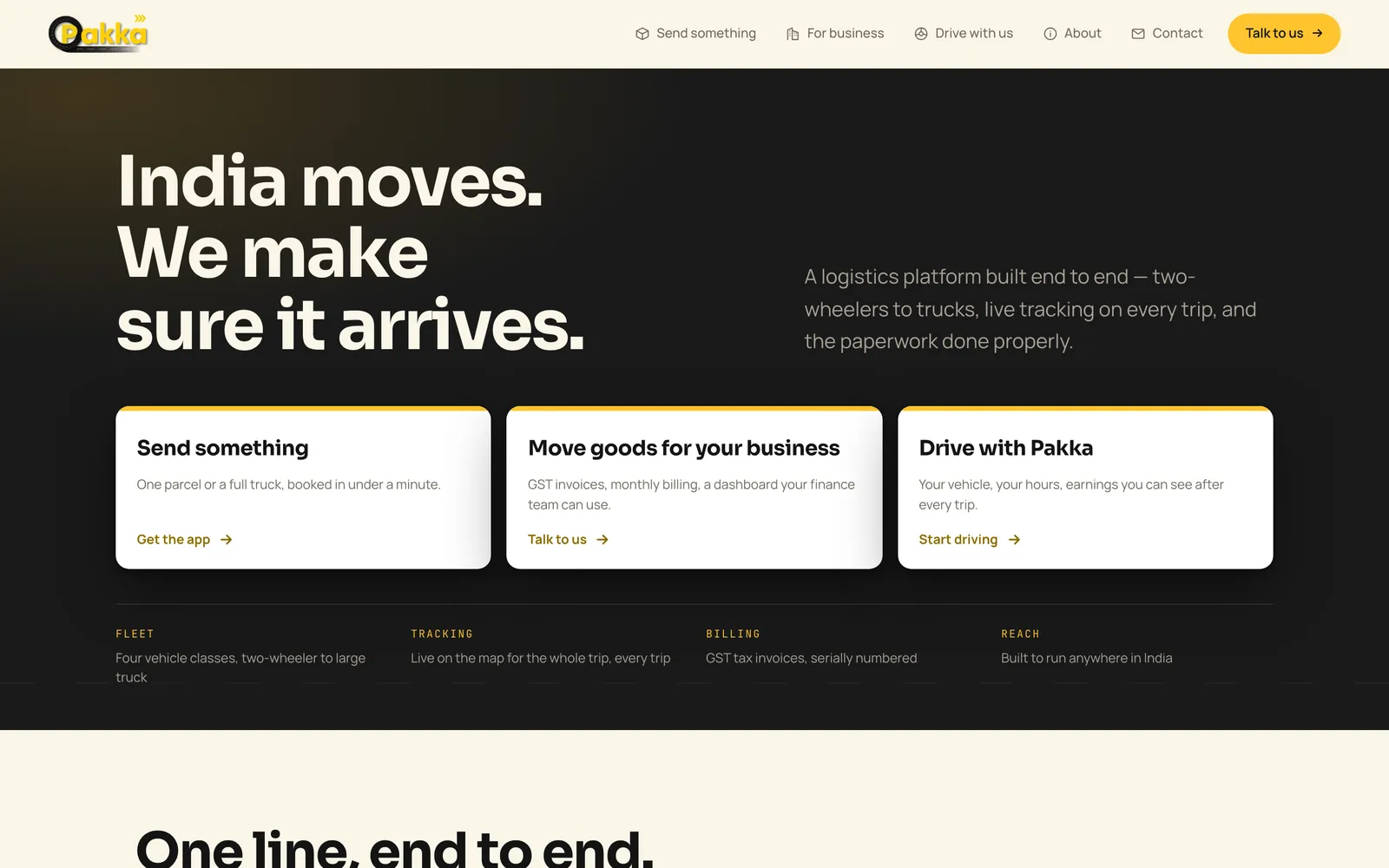
Pakka Logistics home page hero on desktopFeatured
Mobile Appfor Pakka Logistics

Pakka Logistics — Porter-Style Delivery Platform

Pakka Logistics is a Porter-style delivery platform for India. We built all of it: Android apps for customers and drivers, a business portal, an operations console and the website. The web platform is live; the Android apps are being prepared for Google Play.

React NativeTypeScriptRedux ToolkitNode.js+12
96.3%API routes exercised by a probe before launch (260 of 270)
Case study
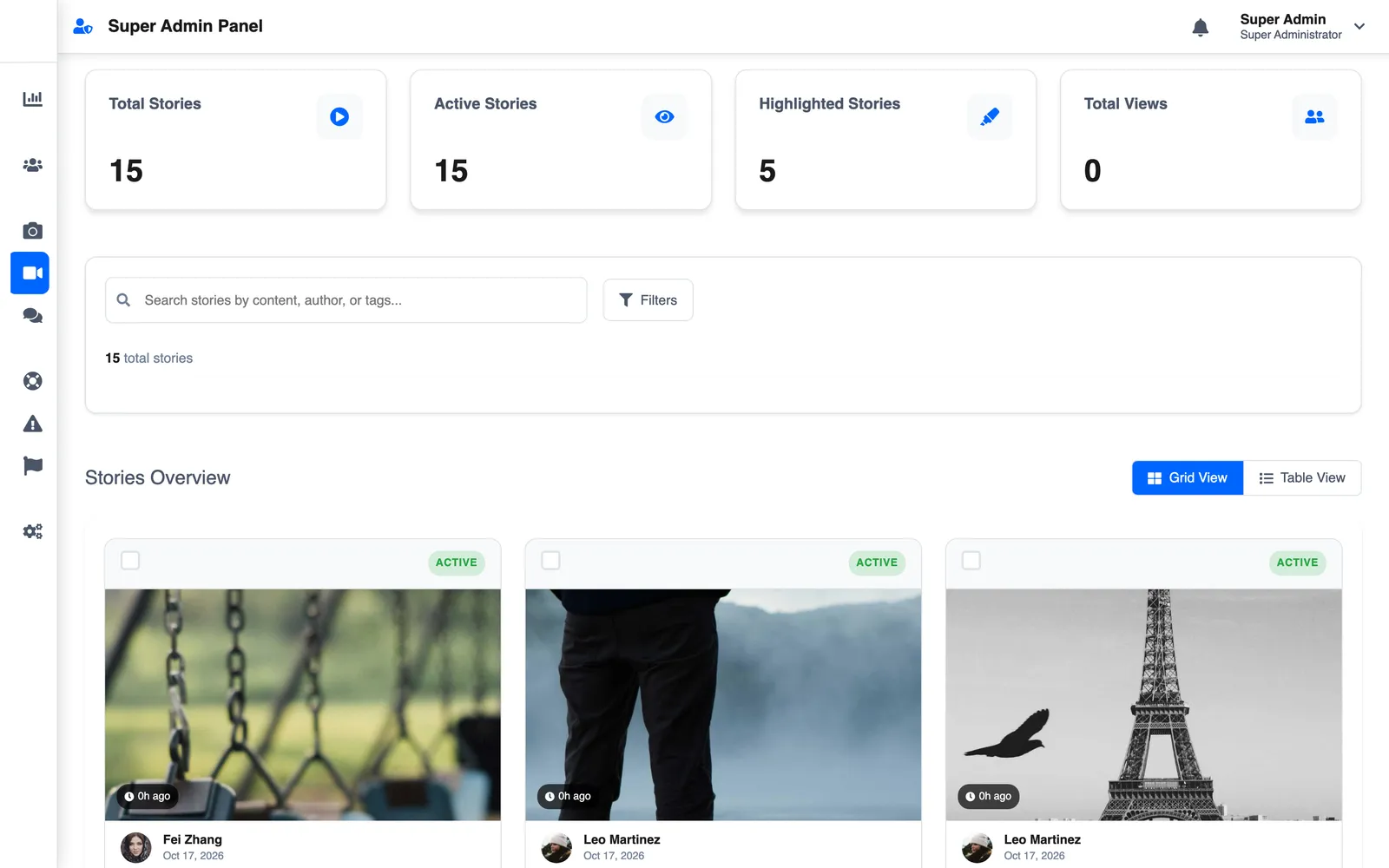
Superadmin stories grid with photo storiesFeatured
Mobile Appfor Slic Solutions Private Limited

LetSlic — Social Media App with Group Chat, Stories and Premium

LetSlic, listed on Google Play as Slic, is a social app for photo posts, 24-hour stories and real-time chat with group moderation. We built it for Slic Solutions Private Limited: the React Native app, two Node.js APIs, the superadmin console and the website, plus Premium and ads.

React NativeTypeScriptReduxNode.js+13
13Months from first commit to handover (Jun 2025 – Jul 2026)
Case study
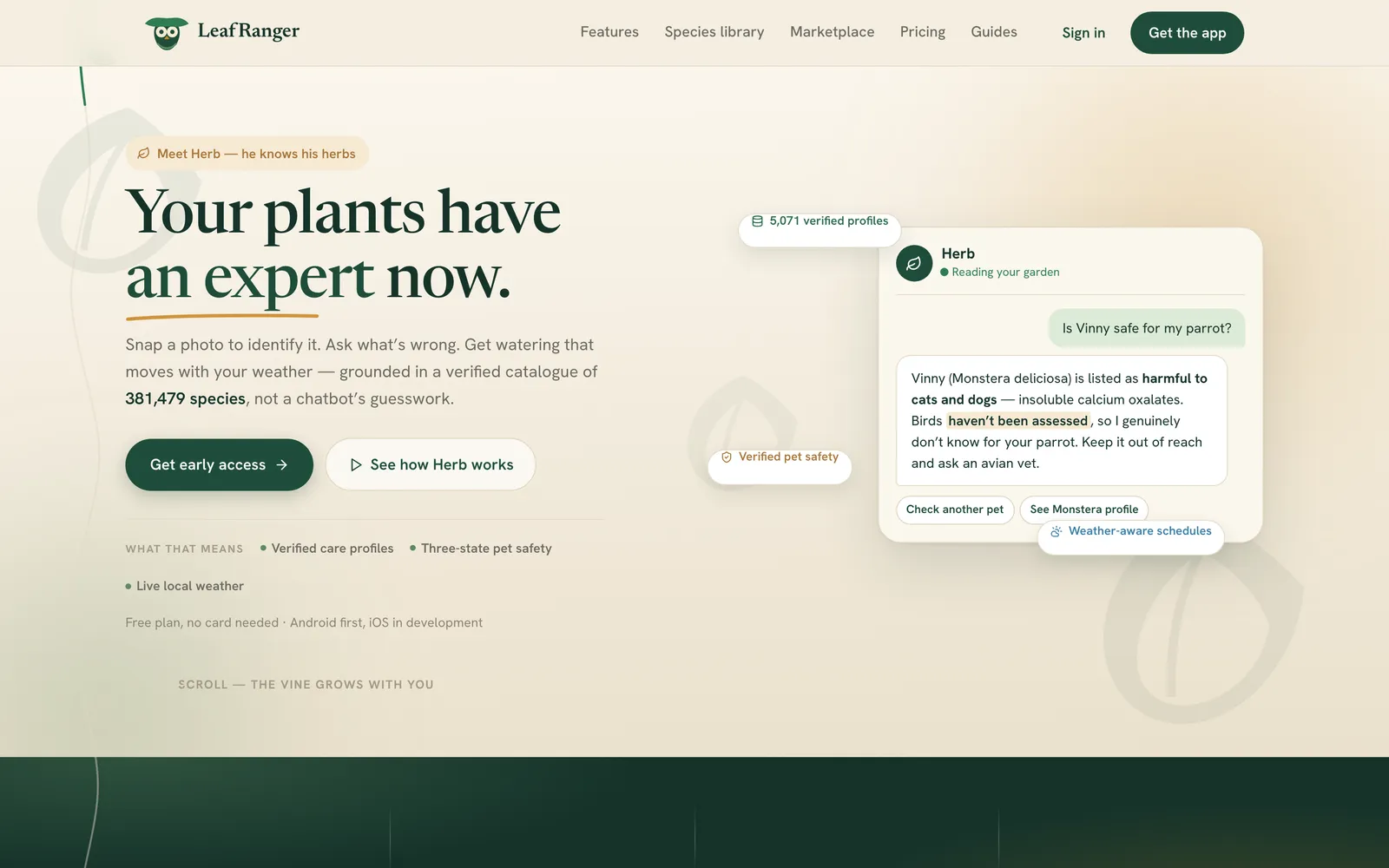
LeafRanger home page hero with headline 'Your plants have an expert now' and a Herb chat cardFeaturedLaunching
Mobile Appfor LeafRanger

LeafRanger — AI Plant Care App and Plant Marketplace

LeafRanger is CountryDevs' own AI plant-care app. We built the Android and iOS app, two Node.js backends, the admin and vendor consoles and leafranger.com: photo plant ID and diagnosis, light-mapped rooms, weather-aware watering and a multi-vendor plant shop.

React NativeTypeScriptRedux ToolkitKotlin+11
~$0.004Measured cost of one AI vision scan
Case study
Got a project?

Let's build the
next one together

Tell us what you're trying to ship. We'll come back with a scope, a timeline, and a fixed price — usually within 48 hours.

Not ready for a full build? Start with a fixed-price Discovery Sprint, or get a code audit of an app someone else built.

More on what we build from Bangalore for Indian businesses: App Development Company in Bangalore.