All projects
Mobile App
Built — launch in progress

LeafRanger — AI Plant Care App and Plant Marketplace

LeafRanger is CountryDevs' own AI plant-care app. We built the Android and iOS app, two Node.js backends, the admin and vendor consoles and leafranger.com: photo plant ID and diagnosis, light-mapped rooms, weather-aware watering and a multi-vendor plant shop.

For LeafRangerJun–Sep 2026
  • Android app
  • iOS app (in development)
  • Admin console
  • Vendor console
  • Marketing site
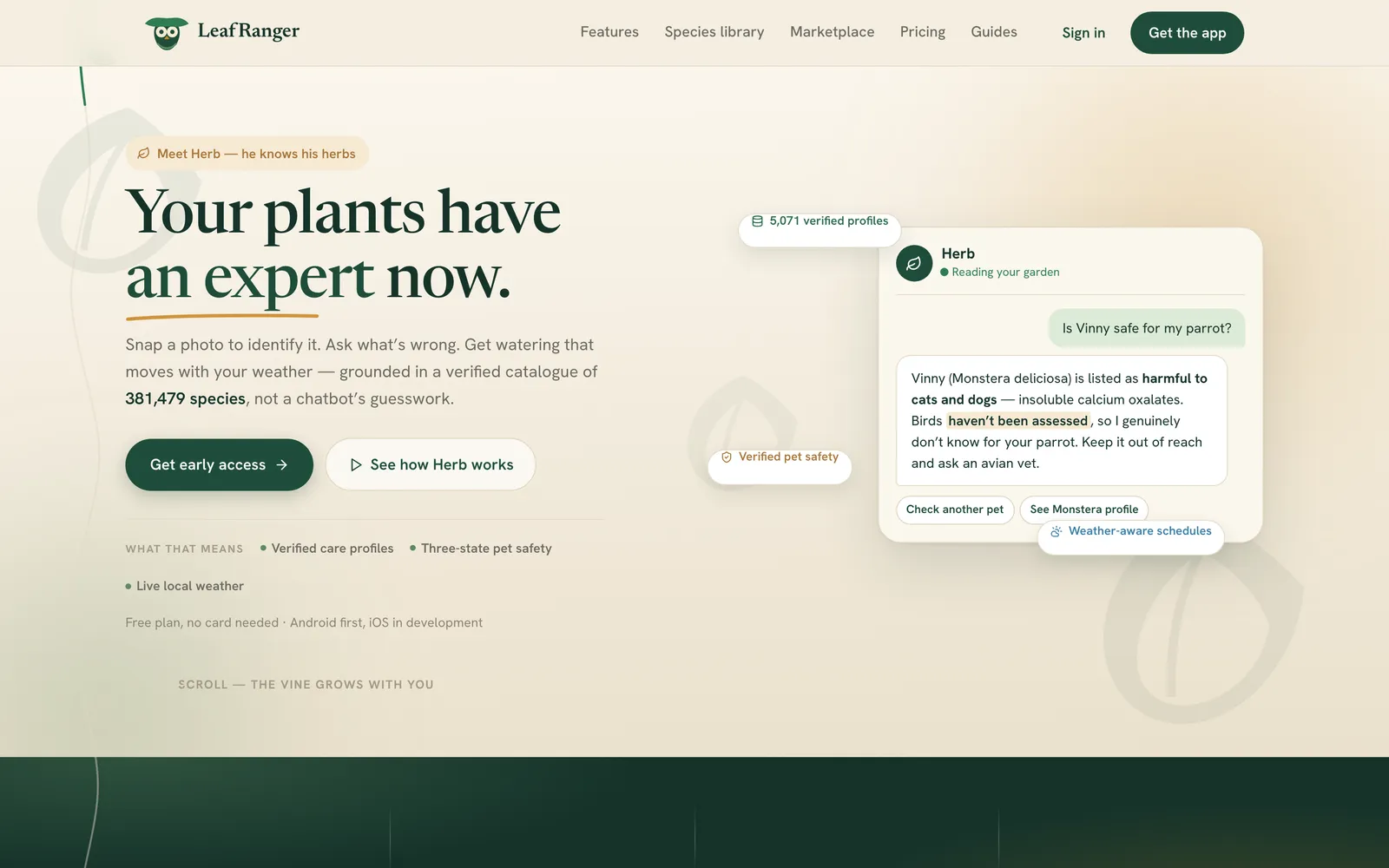
LeafRanger home page hero with headline 'Your plants have an expert now' and a Herb chat card

Overview

LeafRanger is a plant-care app we designed, built and run ourselves. You photograph a corner of your home and the app reads the light. You photograph a plant and it names it against a catalogue of 381,479 species. You photograph a sick leaf and it tells you the likely problem, how serious it is and what to do. Watering is planned for groups of plants with the same needs and moves with the local forecast, so one reminder covers a whole windowsill.

Around the care tools sit a community, realtime chat, Herb (an AI plant assistant on the paid plans) and a shop where independent nurseries sell plants matched to the light in your rooms. Sellers run their shops from a vendor console. We run the marketplace from an admin console with moderation, disputes, payouts, per-country markets and an audit trail.

The work ran from June to September 2026 across five repositories. As of October 2026, leafranger.com is live and collecting early-access sign-ups, and a signed production Android build exists. The app is not in any store yet, paid plans are not switched on, and shop checkout still runs on a payment simulator.

How does LeafRanger read the light in a room from a photo?

LeafRanger's onboarding starts with the room, not the plant. The idea from day one was environment first: if the app knows the light at each spot, it can say where a plant belongs and how fast it will drink.

The model of a home

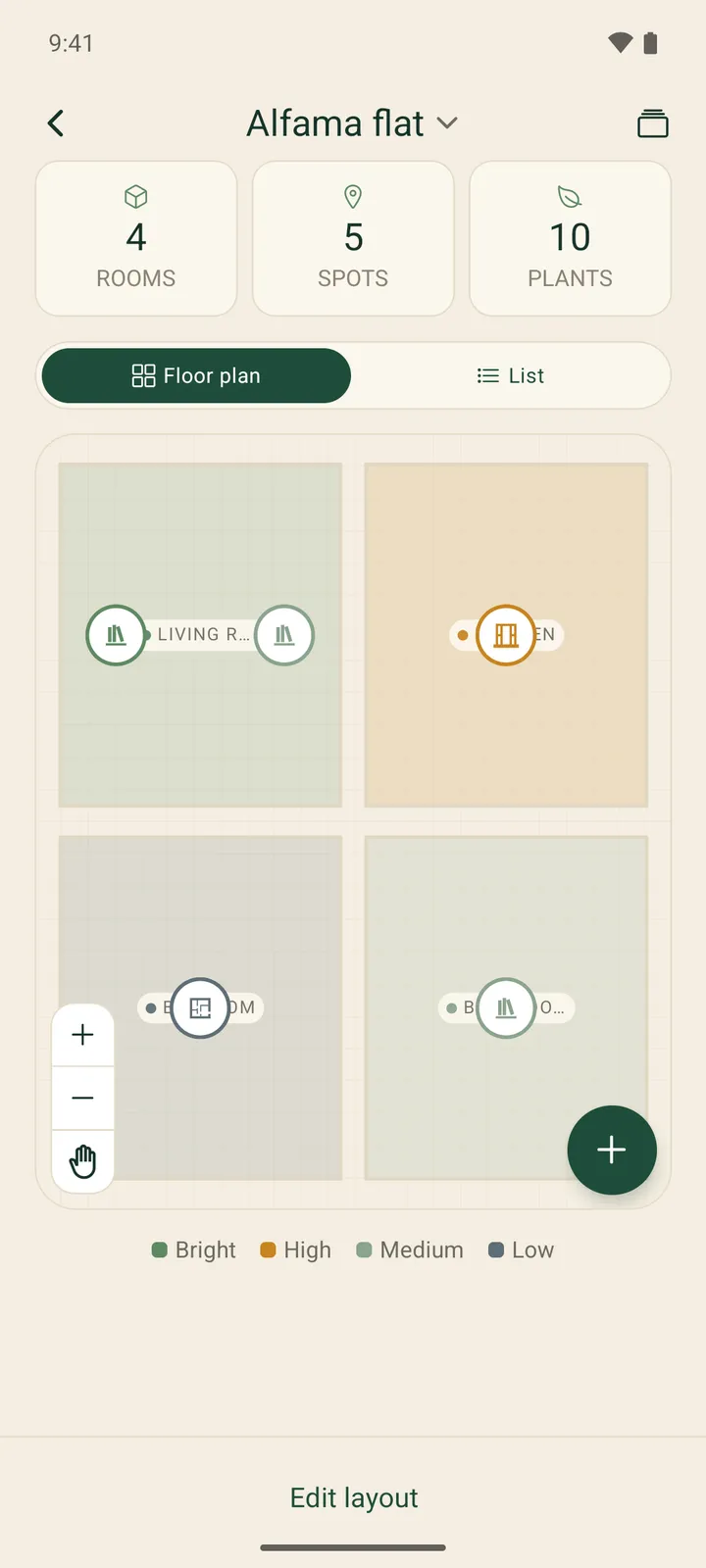
A home holds floors, rooms, spots and placements, drawn on a floor-plan canvas with draggable markers. The structure follows the home type, so on a farm each greenhouse sits at the floor level.

The light reading

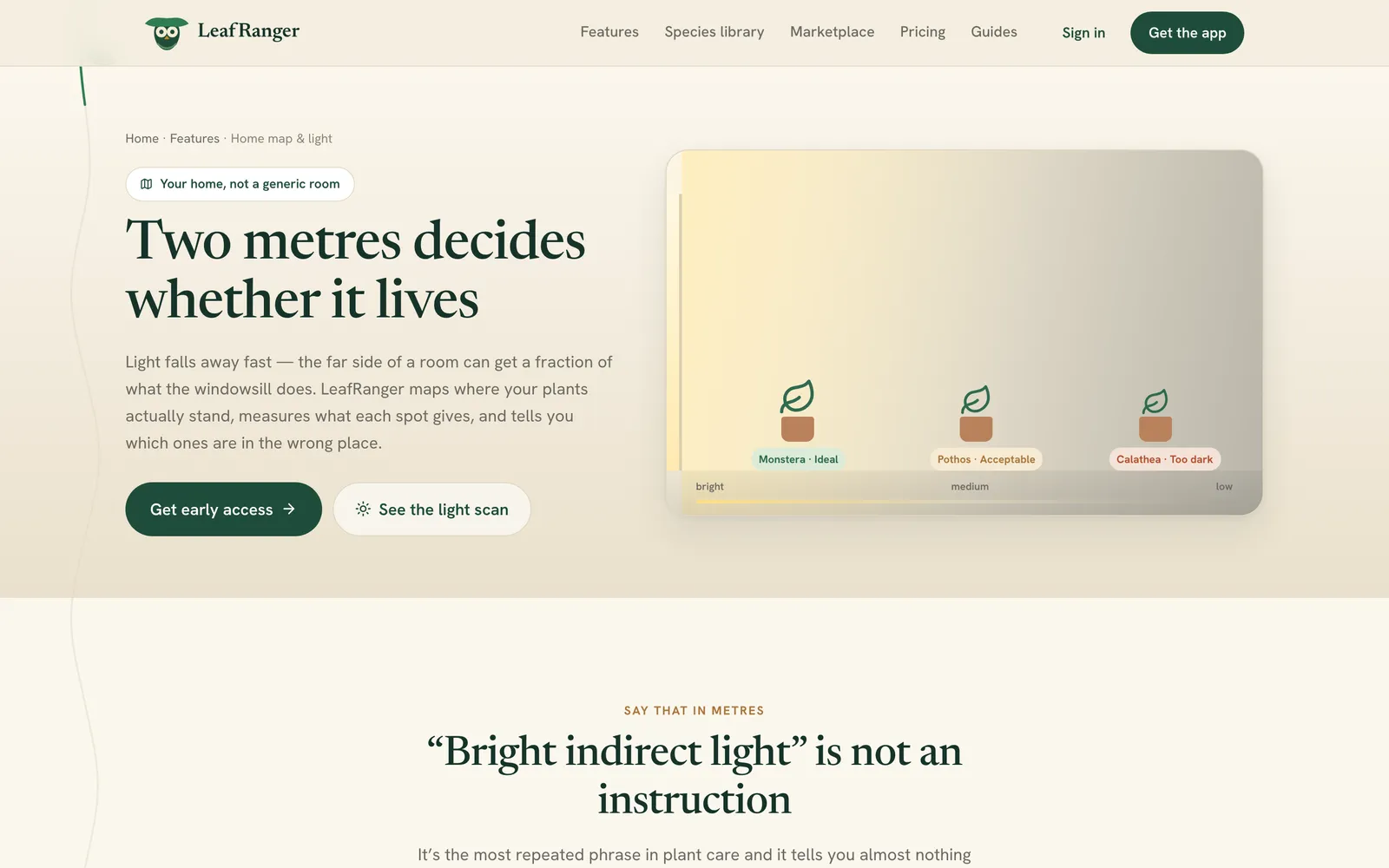
A photo of a spot goes to a vision model, which sorts the light into one of five classes, from low light to direct sun. The app then blends that with signals a photo can't carry:

  • the compass direction of the nearest window, mirrored north to south for homes below the equator;
  • the type of placement (shelf, sill, floor);
  • the local weather from Open-Meteo, so an overcast frame isn't read as a darker corner than it is.

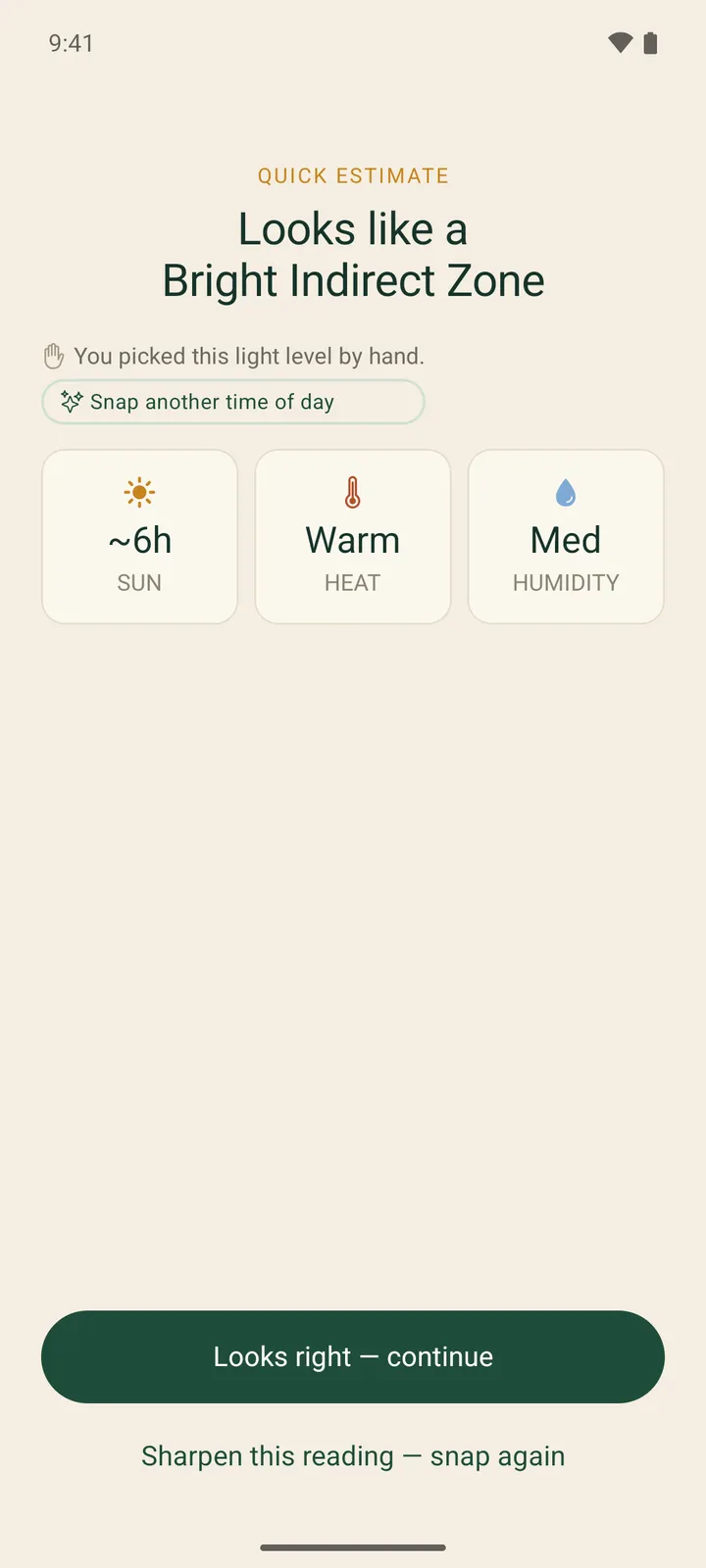
One photo gives a usable first estimate straight away. Up to six photos taken at other times of day are added to the same spot and sharpen the reading; nothing makes the user wait for a perfect set. Each reading becomes a zone, such as Bright Indirect Zone.

Scoring without AI

Placement scoring is deterministic. Each species' light and water needs are scored against the zone, so the same plant in the same spot always gets the same answer, with the reason shown. AI reads the photos; rules make the decisions.

A number we removed

Early builds showed a confidence percentage on light readings, plant IDs and diagnoses. In July 2026 an audit found that one chip appeared in 11 places with five different meanings. We removed the number and show instead what each answer is based on, what is missing and a one-tap way to improve it, with certainty carried by words like likely and one possibility.
How are AI calls metered and capped per plan?

Every scan in LeafRanger is a paid API call, so we metered AI from the start rather than after the first bill.

Two services, two kinds of call

Perception (light, plant ID, leaf diagnosis, soil) runs on a small vision model with the photo and a strict JSON reply format. Herb, the chat assistant, picks a model for each turn: a small, cheap model for greetings and simple questions, a larger one when the turn has a photo, uses diagnostic words (yellow, rot, pest), asks two or more questions, runs past 220 characters or sits deep in a long thread. If a call fails, Herb falls back to the cheaper model and then to a fixed answer, so the chat never errors out.

Telemetry on every call

The token usage from each AI response is recorded per user per day, priced in micro-dollars against a per-model table, and summed into an AI cost, last 30 days card on the admin dashboard. Background work, such as researching a species the first time someone adds it, is billed to a separate system bucket. A scan with no photo attached never reaches the model and is not counted.

What the numbers said

In July 2026 the measured cost was about $0.004 per vision scan and about $0.01 per chat turn on the larger model. That set the pricing: scans are cheap enough to be the free tier's generous hook, and chat with Herb became the paid perk.

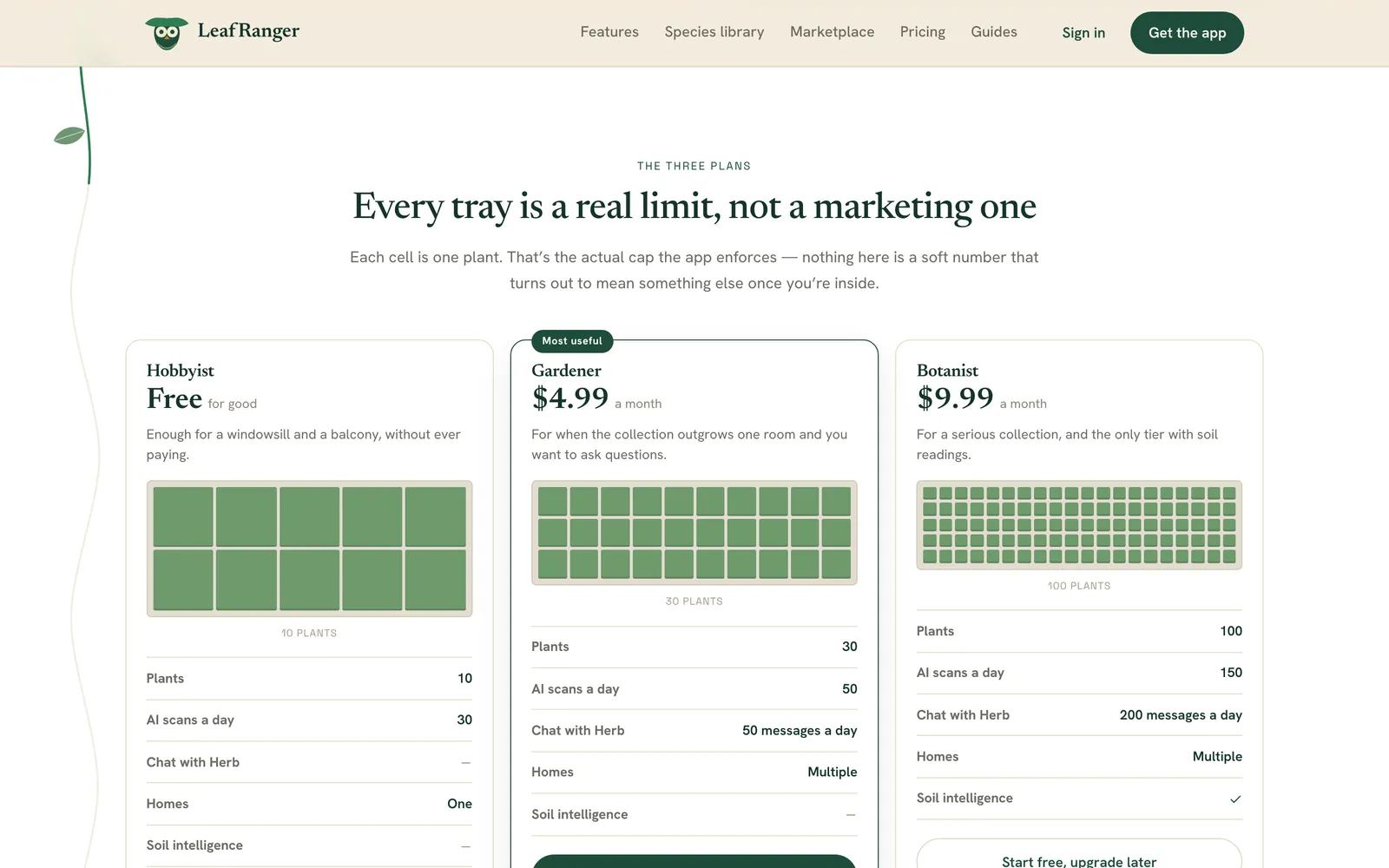
Plan Reference price AI scans a day Herb messages a day
Hobbyist Free 30 0
Gardener $4.99 a month 50 50
Botanist $9.99 a month 150 200

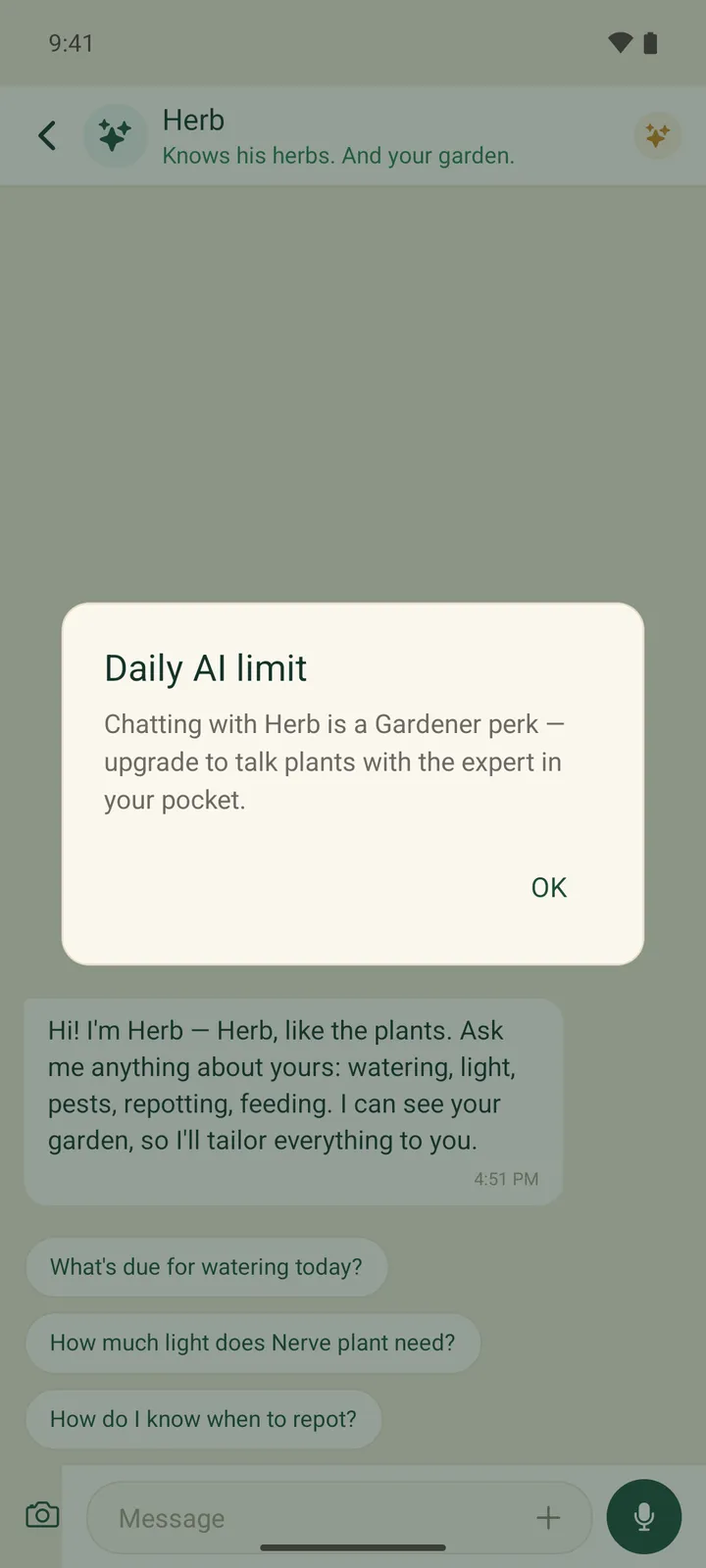
At the cap the API answers with a 429 and an upgrade message built from the same tier table, so the copy can never quote a stale number. Quotas reset at midnight UTC.

Why did the watering schedule need a rebuild in August 2026?

Watering is the promise the app lives or dies on, so it got the hardest review.

Groups, not plants

Plants with the same care profile in the same light zone are clustered into water groups, each with its own cadence and a friendly name. The user gets one reminder for the group, not one per pot, and can water, snooze or skip it in one tap.

What the review found

A sweep of 148 weather scenarios turned up four faults, and every one pushed the same way: water sooner.

  1. Weather was applied twice, once baked into each group's base interval and again as a read-time adjustment with identical conditions.
  2. Climate was part of the stored grouping key, so a hot week reshuffled people's groups.
  3. A missing weather reading defaulted to zero and read as bone-dry.
  4. Worst, none of the nine watering call sites passed a location, so every schedule had been using a fixed 31°C, 28% humidity placeholder that looks like a heat wave. For our test user's city the app said water every 3 days where the real answer was every 5.

The fix

Weather is now applied once. The location is anchored to the home rather than the phone, because plants don't travel with their owner. One resolver feeds every call site, and the forecast falls back in four steps (live reading, today's forecast, last known, unknown) with the source sent to the app, so a stale reading is shown as stale. The scenario suite now passes 195 of 195, and we proved it guards the fault by putting the bug back and watching it drop to 139.

Reminders that don't go quiet

The same review found that a group nobody watered was never reminded again. The server now works out each reminder time in the user's own time zone, respects quiet hours, and sends a push itself for people who stop opening the app.

What makes a marketplace for live plants different?

The shop lets independent nurseries sell plants, pots, soil and supplies inside the app. Four rules made it more than a product grid.

Shop by Zone

A listing can be linked to a species. When a buyer picks a spot in their home, the same placement engine that scores their own plants scores each listed species against that spot's light zone, and listings that fit are badged and filtered. Pots and soil have no species, so they are left unscored rather than scored badly.

Live plants stay in their country

Live plants need phytosanitary certificates and import permits to cross a border, and soil is banned outright in many places. Rather than manage that, delivery is domestic only: a shop delivers in one country, with optional regions, and a separate region list for live plants, because five days in transit is fine for terracotta and fatal to a fern. One deliverability service now decides for every surface that shows or sells a product, after an earlier version applied the rule call site by call site and missed three of them.

Markets open one country at a time

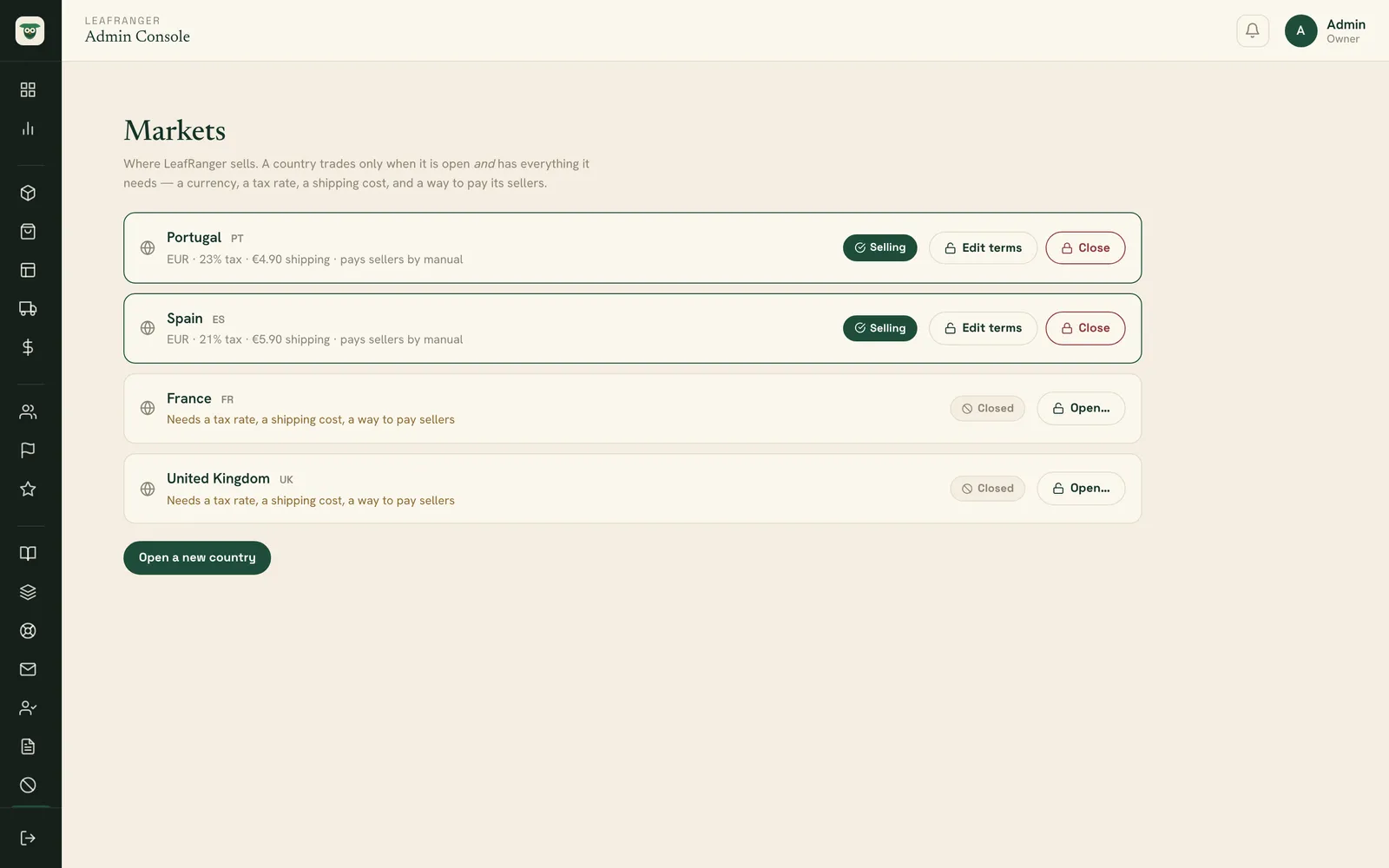
Commerce is closed by default. An owner-only admin action opens a country only once it has a currency, a VAT rate, a shipping rate and a way to pay its sellers. The trigger was concrete: we could take payment from a buyer in Portugal but had no rail to pay a Portuguese vendor.

Disputes and money

A buyer can raise a dispute from payment until 14 days after delivery. The shop answers first; if it replies, the buyer can escalate at once instead of waiting out 48 hours, so being ignored is never the faster route. Only the disputed order's payout is held. Underneath sits an append-only, double-entry ledger in integer minor units, tested across currencies with zero, two and three decimal places, and running in shadow until live money flows.

Checkout itself still runs on a payment simulator. Connecting the live gateway is the next piece of work.

How do LeafRanger subscriptions work without RevenueCat?

Subscriptions went through two designs in two weeks, and the second one has fewer moving parts.

First: RevenueCat

In early September 2026 we built subscriptions on RevenueCat, with its webhook as the only thing allowed to change a user's plan, refunds removing access straight away, and every charge posted to the ledger. It was tested end to end on the simulator.

The question that retired it

LeafRanger launches on Android first, with iOS later. Asked what RevenueCat did that we couldn't, the honest answer was: nothing Google doesn't expose directly. A cross-store layer earns its keep when both stores are live. On 10 September we replaced it:

  • On the phone: our own Kotlin TurboModule over Play Billing Library 9.1.0, behind the same one-file purchases wrapper the screens already called, so not one screen file changed.
  • On the server: a purchase is verified with the Play Developer API, the plan is granted, and only then is the purchase acknowledged. Google's real-time notifications arrive by Pub/Sub push, are checked with OIDC, de-duplicated by message ID, and always trigger a fresh fetch of the subscription rather than trusting the message. A daily job reconciles the lot.
  • Grace periods keep access, as Google recommends; a refund drops the user to the free plan at once and posts a reversal to the ledger.

What testing caught

A 67-case suite runs against a stand-in for Google's API over real HTTP. Its first run booked a $499.00 charge for a $4.99 plan, because reference prices are stored in cents; it was fixed before anything shipped. On Android, Billing Library 9.1.0 refused to start a subscriptions-only app without enableOneTimeProducts(), and the error was being swallowed. We only found it by making the device test read the module's own log lines instead of the screen.

The work was merged in September 2026. A real test purchase waits on the Play Console account, which is the next step on the store side.

The challenge

Most plant apps hand the hard part to the owner: know what the plant is, judge the light, set a schedule. Fixed advice like “water once a week” ignores the pot, the window and the weather, and a general-purpose chatbot will happily invent a precise-sounding care number it has no source for.

We wanted an app that starts from the owner's real space and only states what it can back up. That raised three harder problems. AI vision costs money on every tap, so the free plan had to stay generous without becoming an open tap. Care data had to come from a catalogue, not a model's memory. And a marketplace for live plants has rules (borders, transit time, soil bans) that a generic shop template ignores.

The solution

We built five pieces: a React Native app for Android and iOS, a Node.js and MongoDB backend for the app, a second backend for the admin and vendor consoles on the same database, a Next.js app hosting both consoles, and the leafranger.com marketing site. AI reads photos and phrases answers; plain code makes the decisions (placement scores, water groups, who can deliver where), so the same inputs always give the same answer and the reason can be shown.

The species catalogue is built on the World Flora Online backbone: 381,479 species, graded by how well each one is known, with 5,071 carrying verified care profiles. Pet toxicity is only ever imported from published records, never written by a model. Herb answers from fact cards generated from that catalogue and says so when a fact is missing. AI spend is metered on every call and capped per plan, and subscriptions run on our own Google Play Billing integration.

The impact

As of October 2026, leafranger.com is live with an early-access list, and the production API and the admin and vendor consoles are deployed. A signed production Android build has been installed and signed in against production. It is not in any app store yet: we chose to hand out test builds directly and set up the Play Console account later. A July 2026 audit counted 93 screens in the mobile app, 159 endpoints in the app API and 81 in the console API.

Some parts are built but not switched on: no paid plan can be bought until the Play Console products exist, shop checkout runs on a payment simulator, and iOS push notifications wait on an Apple developer account. There are no user or revenue numbers to report yet. What the records do show is how the build was checked: by September 2026 the project had 76 automated test suites, plus tap-through walks on an Android emulator that found bugs type checks and green API tests had missed.

Features

What we built into LeafRanger

Plant ID from a photo

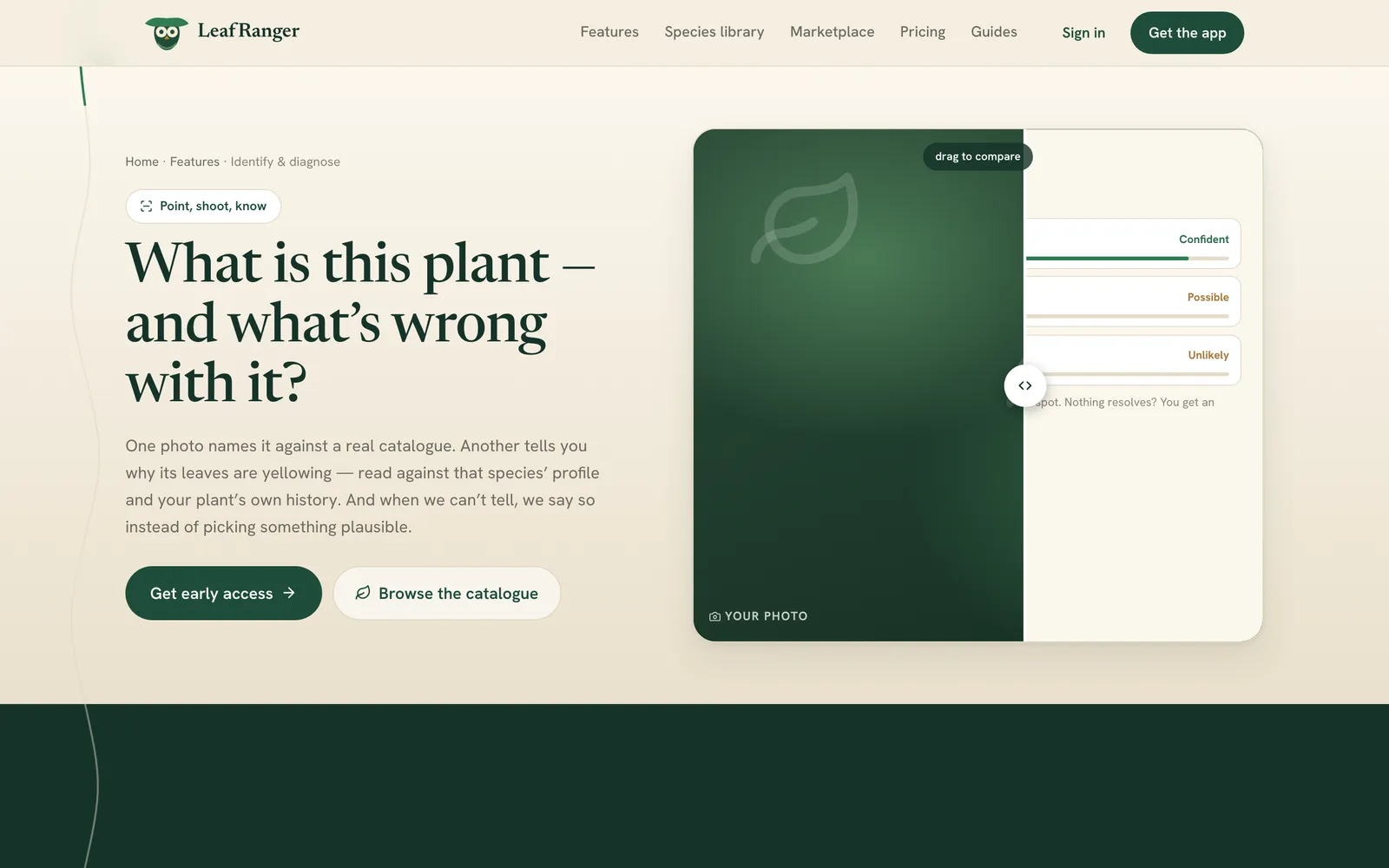
A photo is matched against the species catalogue and returns ranked alternatives. When nothing matches well, the app says so instead of picking something plausible.

Leaf diagnosis with history

A leaf photo returns the likely issue, how serious it is and what to do, read against that species' care profile and the plant's own care and diagnosis history.

Light zones from photos

Rooms and spots are drawn on a floor plan. A photo of each spot, the window's direction and the local weather produce a light zone that every plant is scored against.

Weather-aware water groups

Plants with the same needs share a group and a single reminder, timed in the user's own time zone and adjusted by the Open-Meteo forecast for the home's location.

Herb, the plant assistant

A chat assistant on the paid plans that knows the user's garden, answers from catalogue fact cards, reads photos and offers one-tap actions such as water now or start a diagnosis.

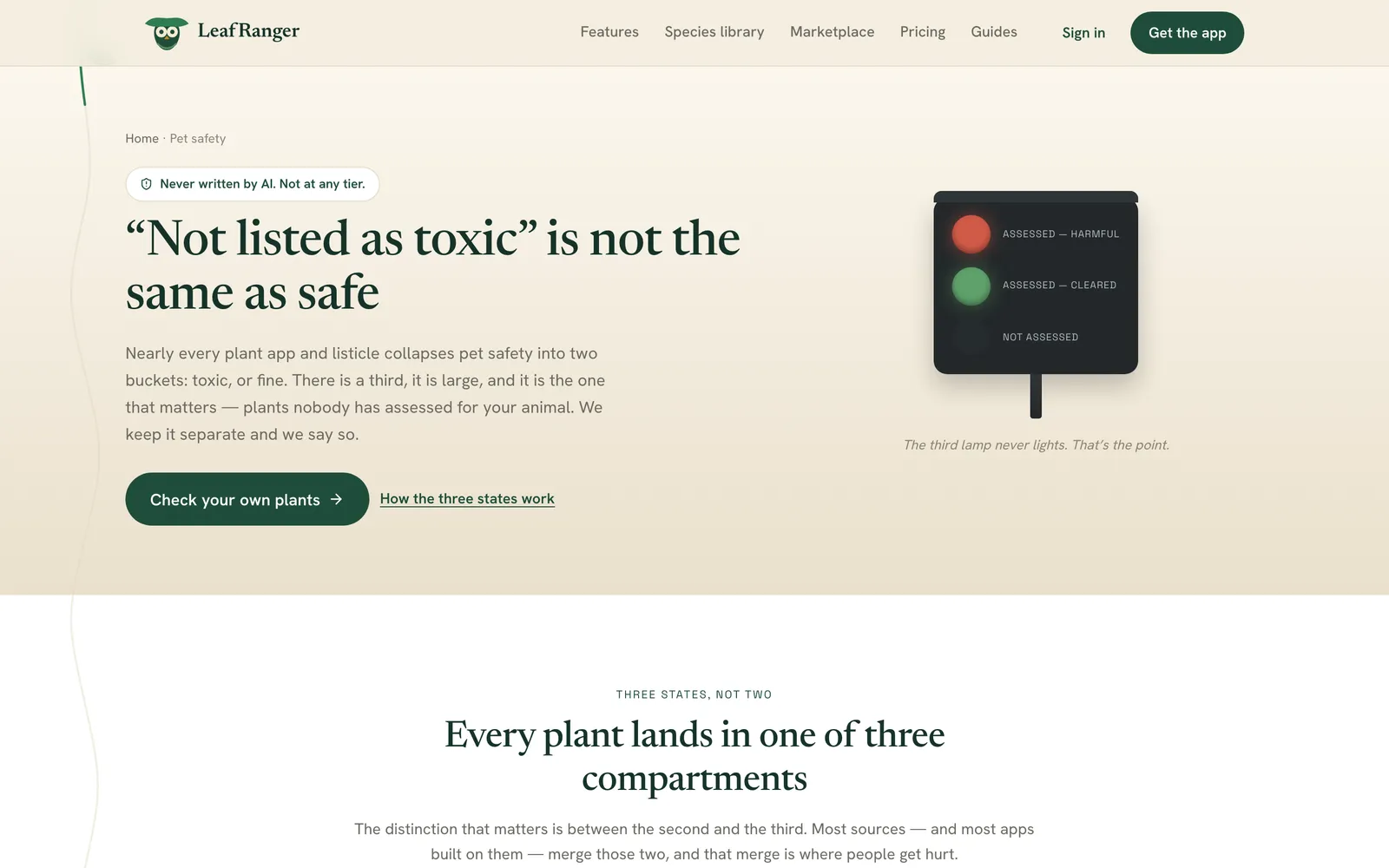
Three-state pet safety

Every toxicity line reads harmful, cleared or not assessed, imported from published records. No model ever writes it, and an unassessed animal is shown as unknown.

One history per plant

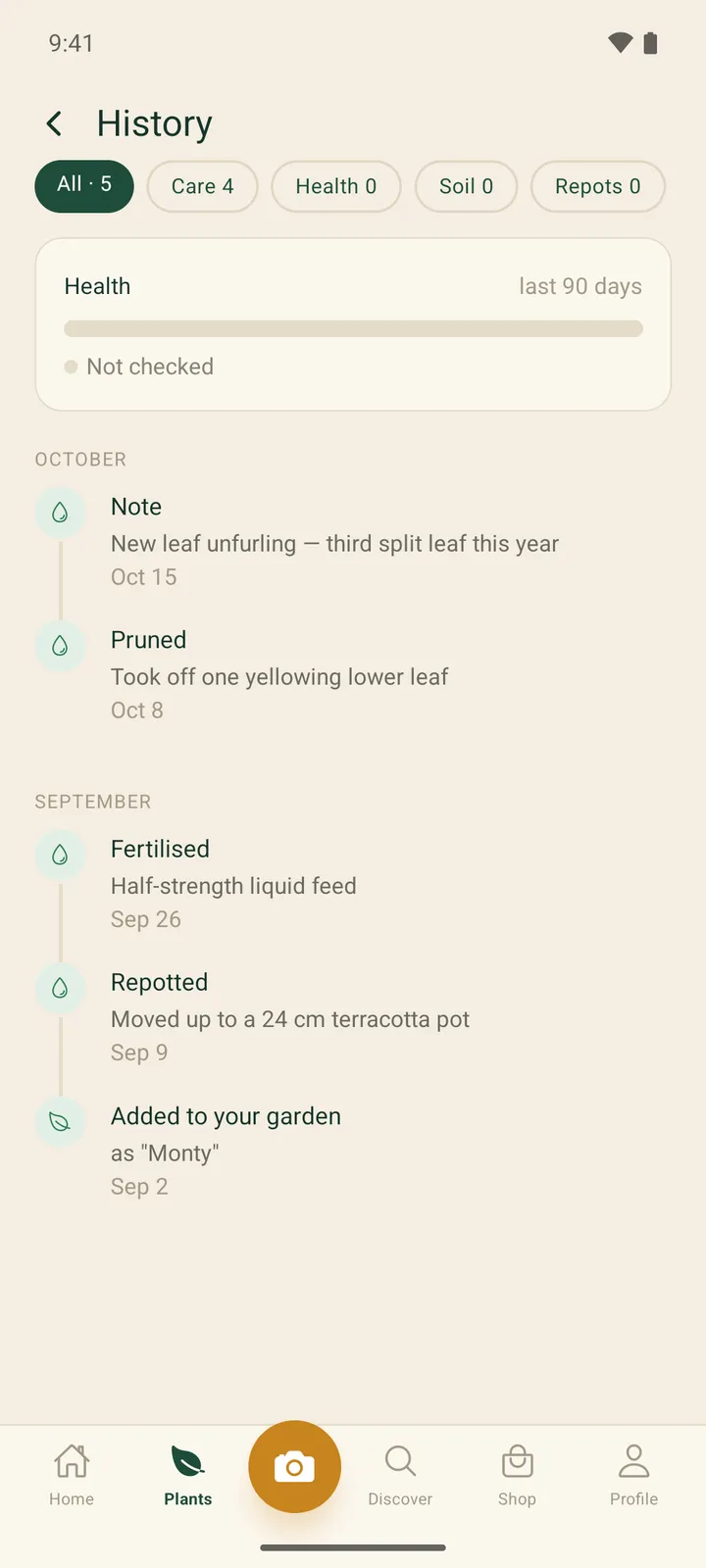
Care events, diagnoses, soil readings and repots merge into one filterable timeline, built from the records on each request so it can't drift out of step.

Shop by Zone marketplace

Independent shops sell plants, pots and supplies. Plants that fit the light at the buyer's chosen spot are badged, and checkout splits into one order per shop.

Vendor console

Shops manage their catalogue (new listings go to admin review), orders and tracking, payouts, buyer messages and a team with seats across four roles.

Admin console

Seller applications, catalogue and community moderation, disputes with full or partial refunds, per-country markets, AI cost and an audit trail. Every admin route is gated by a role permission and fails closed.

By the numbers
~$0.004
Measured cost of one AI vision scan
381,479
Plant species in the catalogue
5,071
Species with verified care profiles
93
Screens in the mobile app
Screens

What LeafRanger looks like

Plant identification feature page with a photo comparison card and confidence bands
Feature page for photo identification and diagnosis, showing a drag-to-compare photo panel with Confident, Possible and Unlikely match bands.
Home map feature page with three potted plants labelled by light suitability
Home-map feature page illustrating how plant positions in a room are rated Ideal, Acceptable or Too dark along a light gradient.
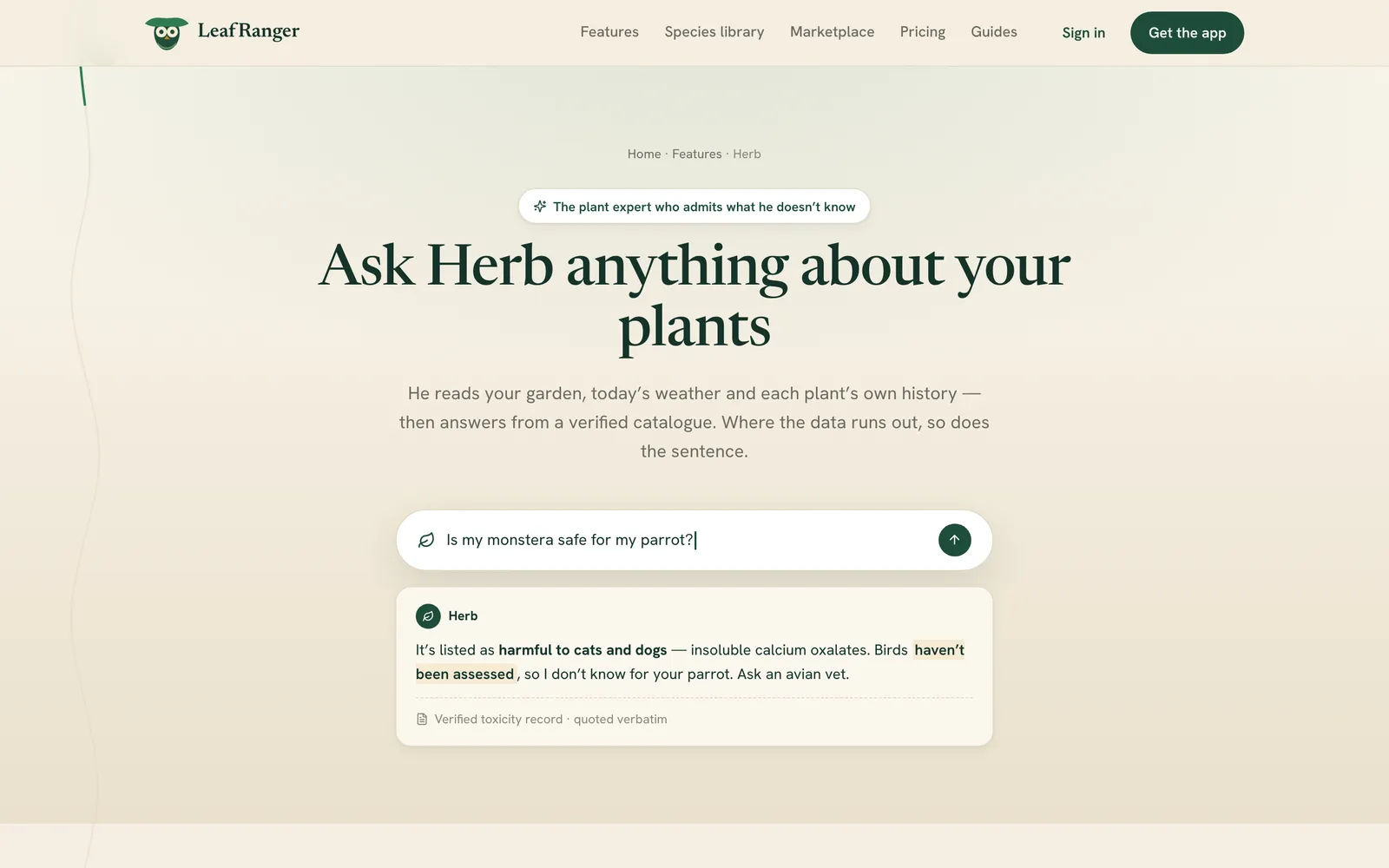
Herb AI feature page with 'Ask Herb anything about your plants' and a sample answer card
The Herb page shows a question box and an answer card that quotes a verified toxicity record and says plainly when data is missing.
Toxic plants page with a three-lamp signal for harmful, cleared and not assessed
Pet-safety page explaining the three-state model — assessed harmful, assessed cleared, and not assessed — shown as a signal lamp.
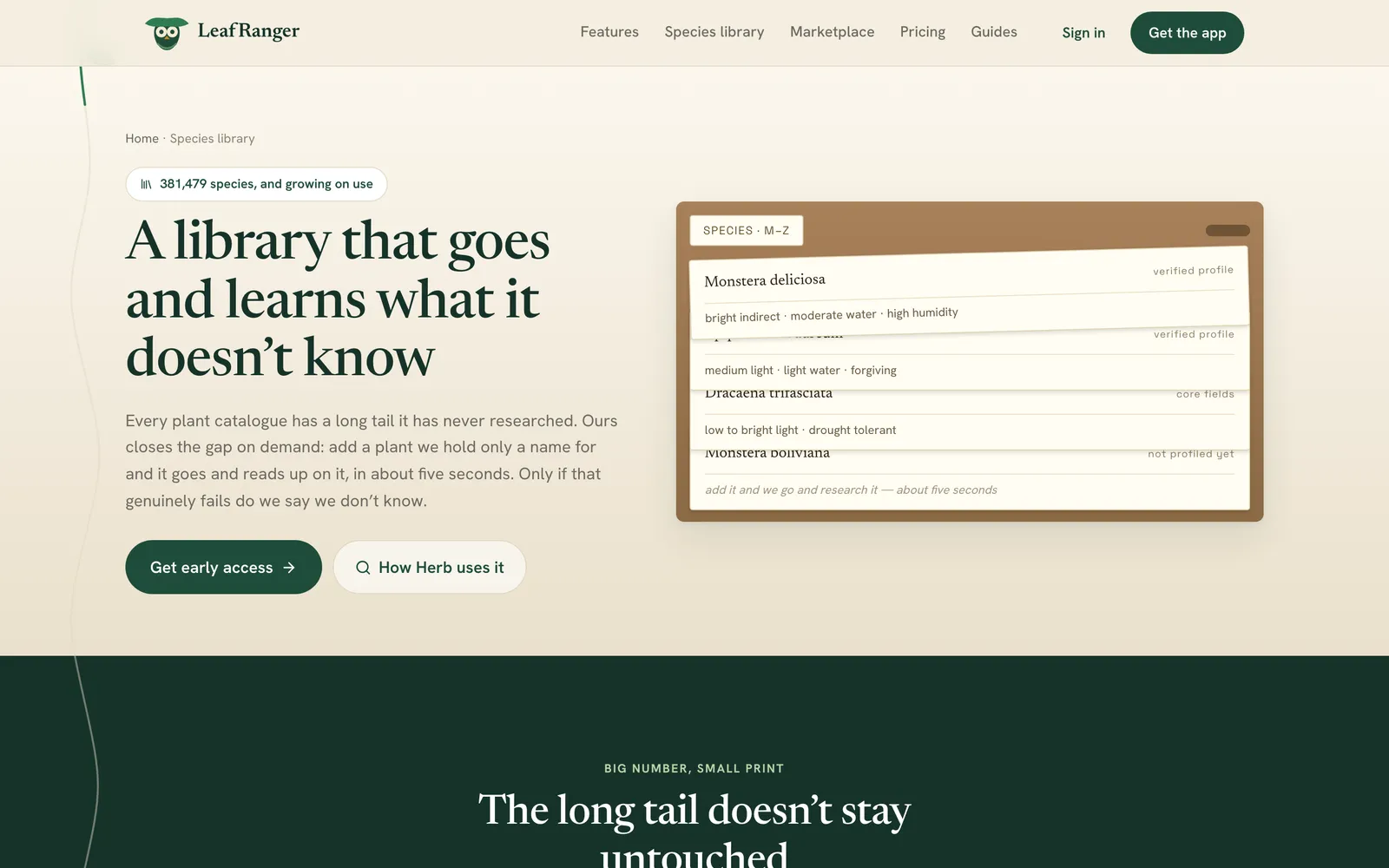
Species library page with a card drawer of plant species and profile status labels
Species library page explaining the 381,479-species catalogue, with index cards marking which species have verified profiles.
Pricing page section comparing three subscription tiers
Pricing section comparing the Hobbyist, Gardener and Botanist tiers by their plant, scan and Herb chat limits.
Vendor catalog table with products, stock and zone fit
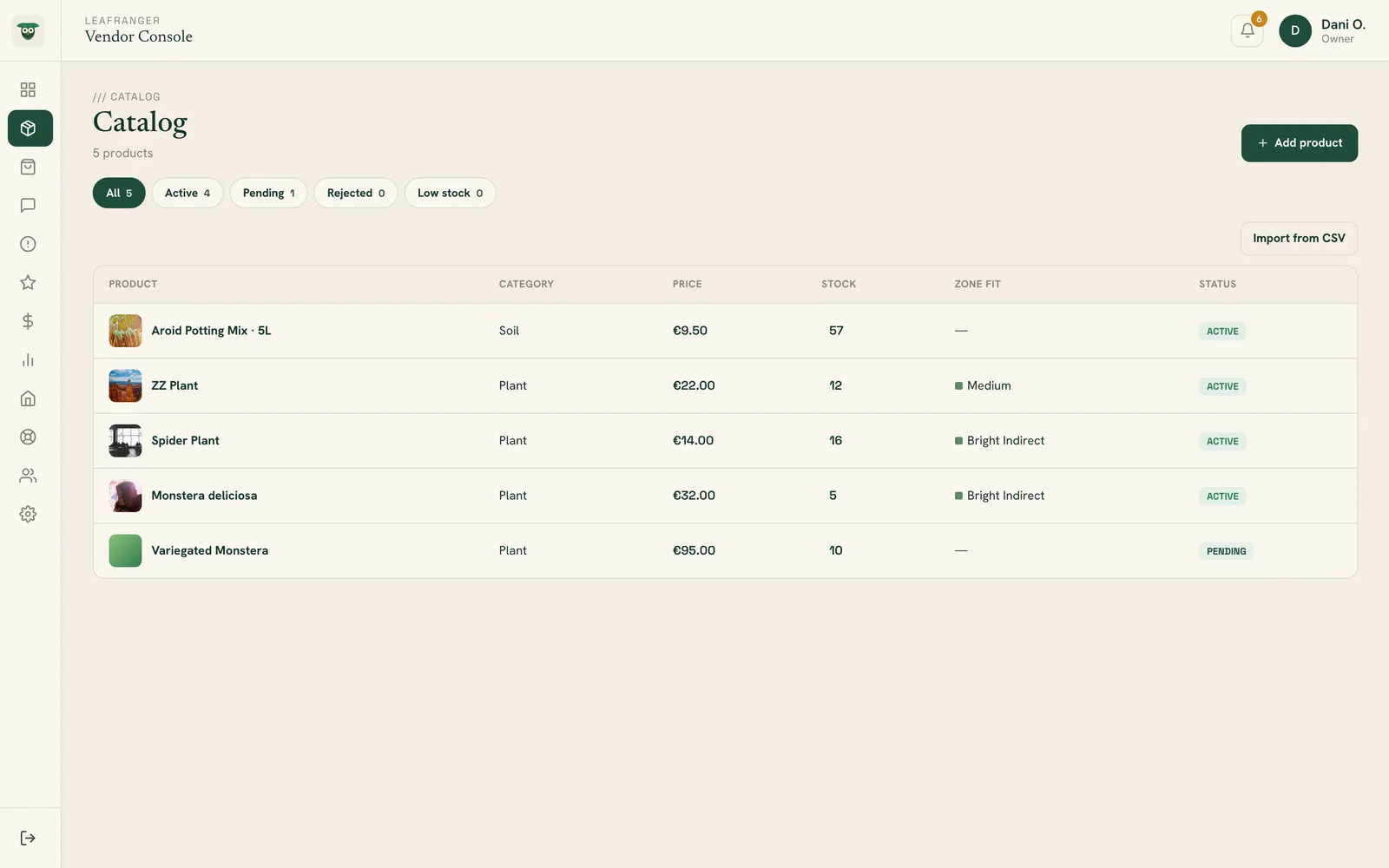
The shop's product catalog with category, price, stock, the light zone each plant fits and moderation status; new listings go to admin review before they appear in the app.
Vendor order detail drawer for a seeded shipped order
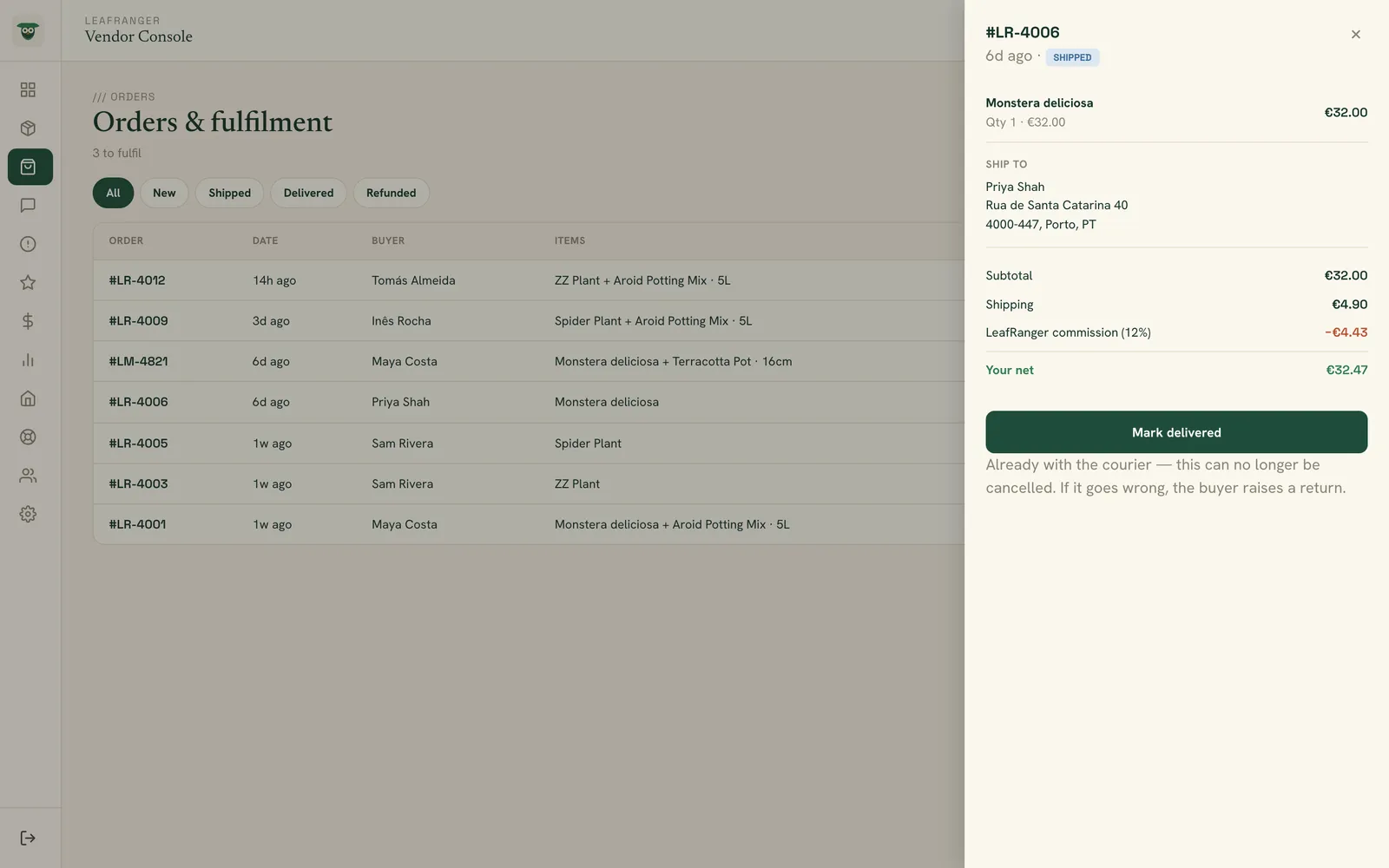
A shipped order opened from the orders list: items, delivery address, subtotal and shipping, LeafRanger's 12% commission and the vendor's net, with the next fulfilment step.
Markets page listing countries with selling or closed status
Countries the marketplace sells in: a market opens only once it has a currency, tax rate, shipping cost and payout rail; here Portugal and Spain are open and France and the UK are closed.
Dispute resolution page for a seeded order
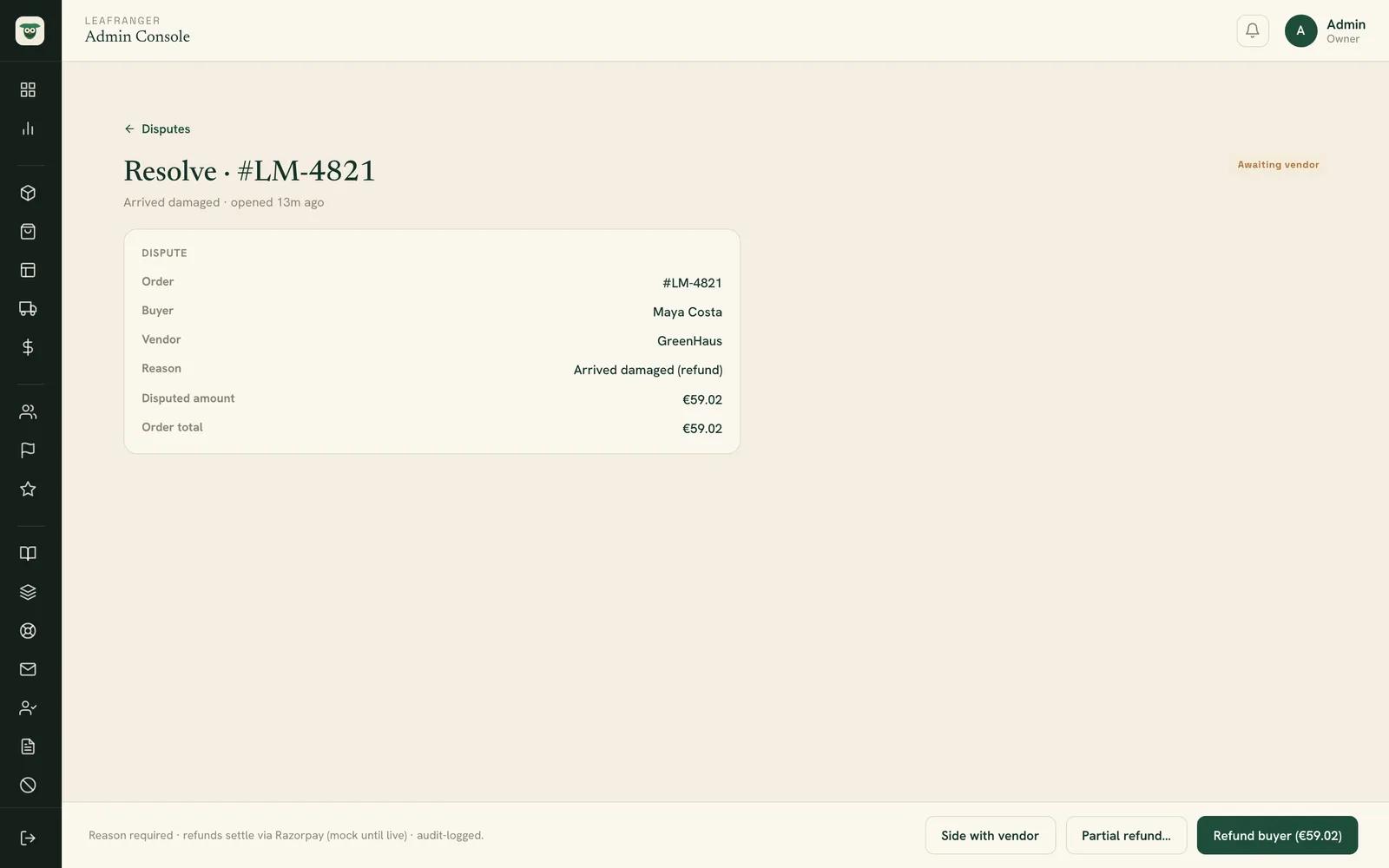
Resolving a buyer dispute: the order, buyer, vendor, reason and disputed amount, with options to side with the vendor, issue a partial refund or refund the buyer in full.
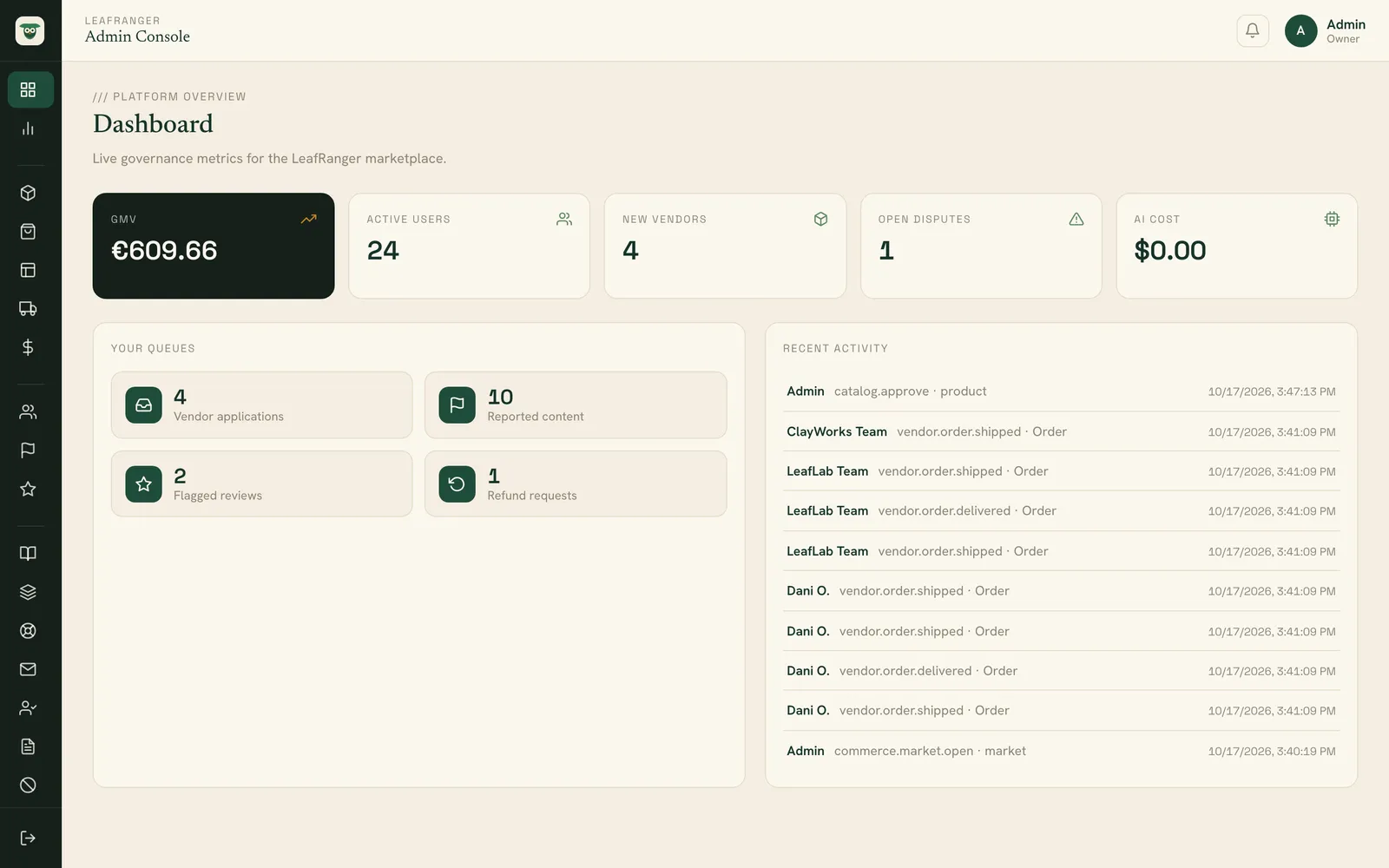
Admin console dashboard with KPI cards, queues and recent activity
Governance dashboard with GMV, active users, new vendors, open disputes and AI cost, the admin's work queues and a feed of recent admin and vendor activity.
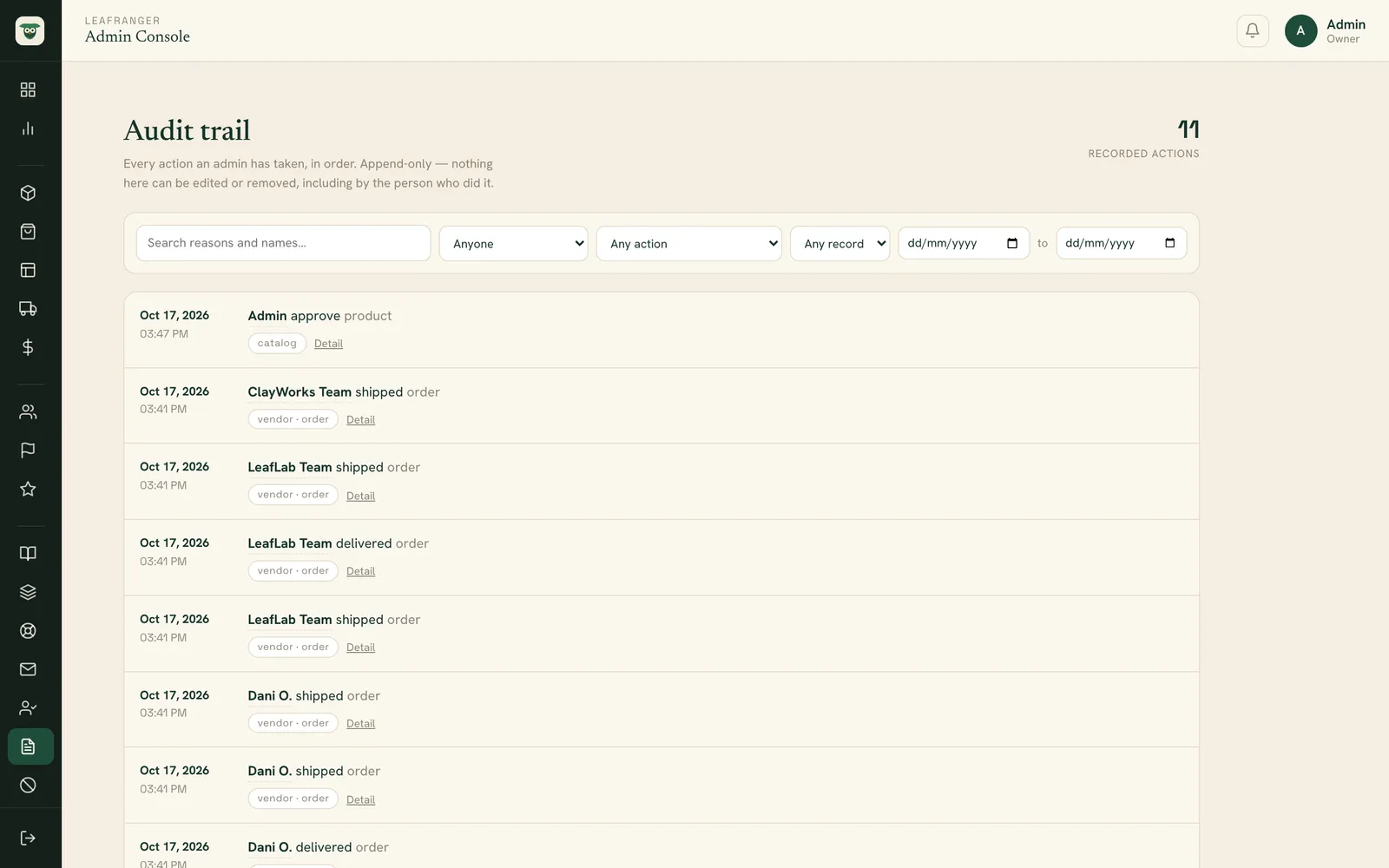
Audit trail table of recorded admin actions
Append-only audit trail of admin actions — who did what to which record and when — searchable and filterable by person, action, record type and date.
App screens

Inside the mobile app

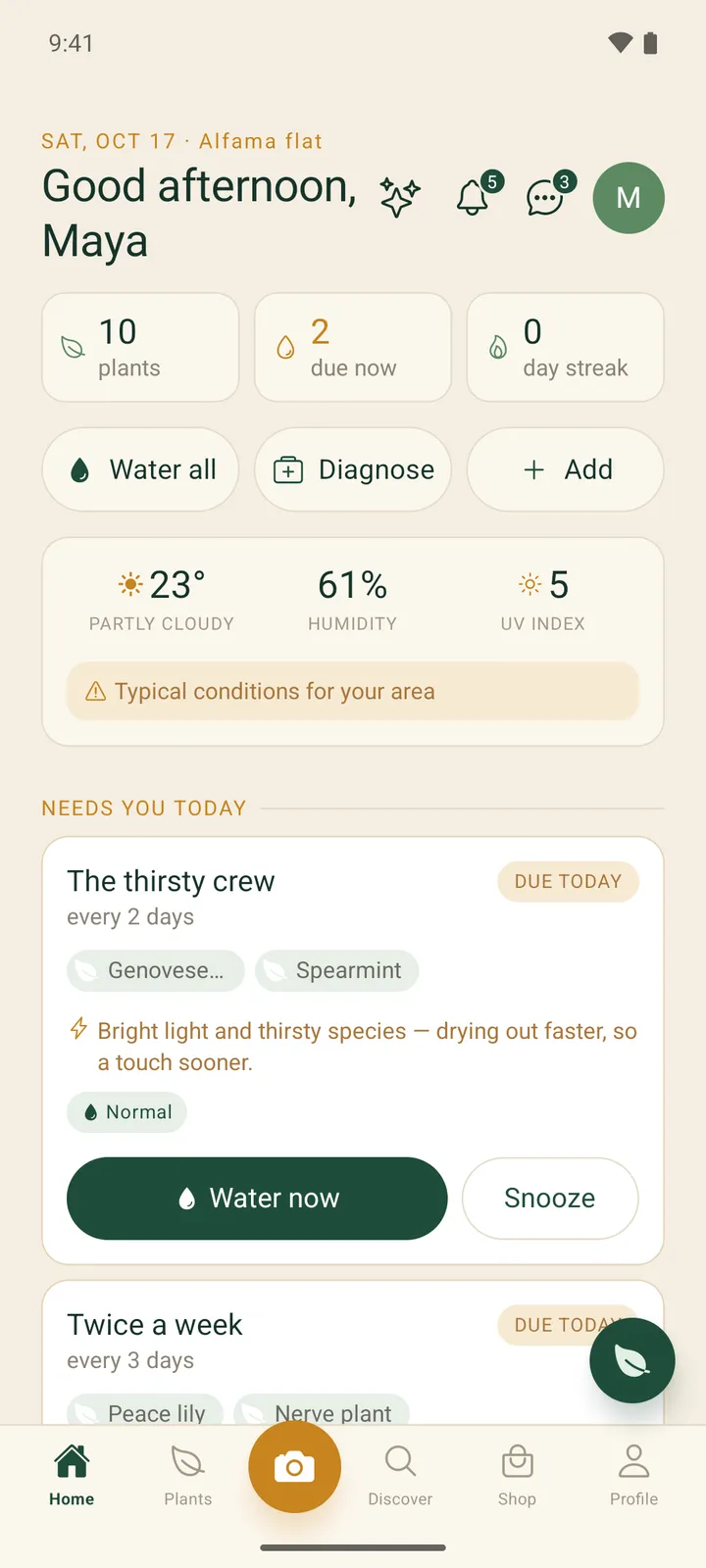
LeafRanger Today screen with plant, due-now and streak counters, a weather card for the home, and a due-today watering group card with Water now and Snooze buttons
The Today screen groups plants with the same needs into one reminder, shows a weather card for the home's city and explains why a group is due sooner.
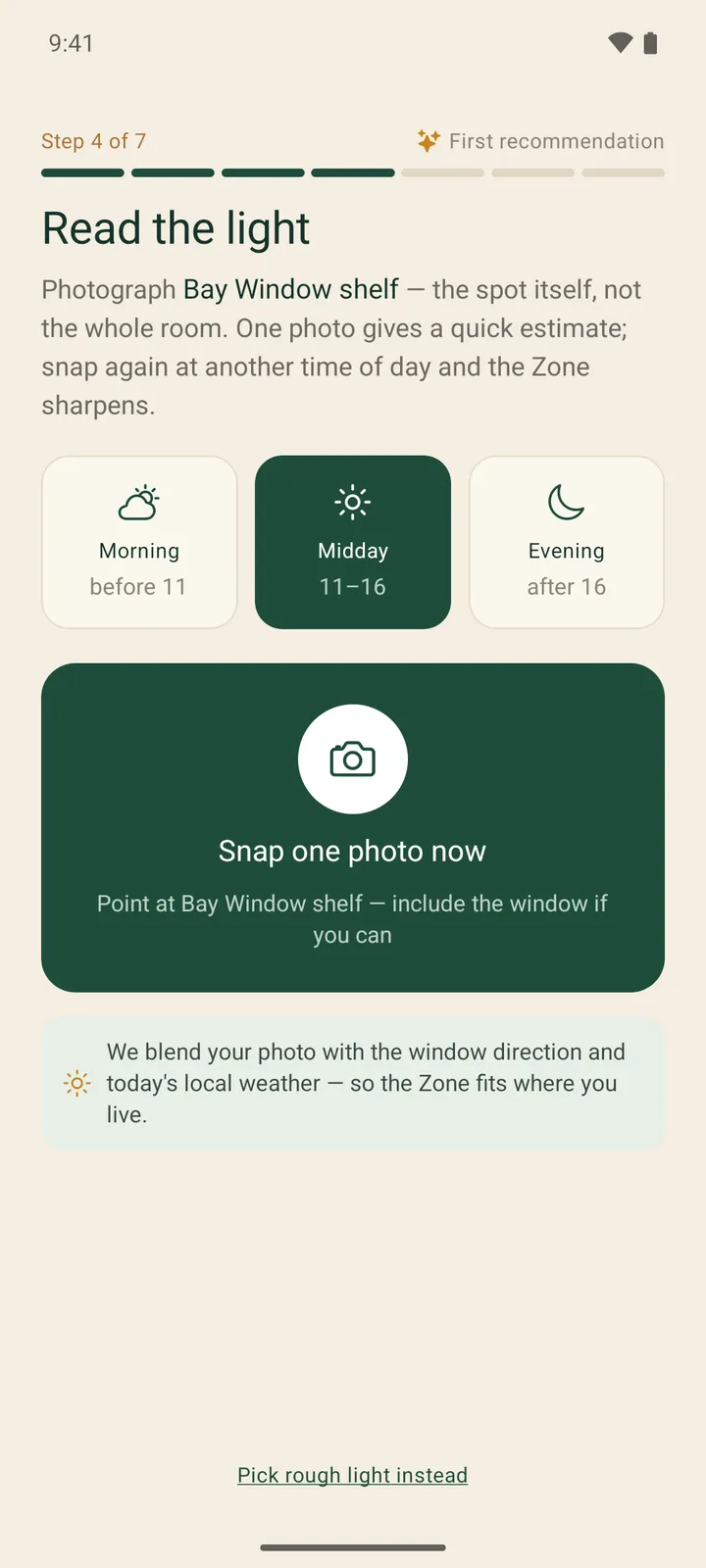
LeafRanger Android onboarding step titled Read the light, with Morning, Midday and Evening options and a Snap one photo now card for the Bay Window shelf
Step 4 of onboarding asks for a photo of one spot at a chosen time of day, so the app can turn it into a light Zone instead of asking the owner to judge the light.
Quick estimate screen reading Looks like a Bright Indirect Zone, with tiles for about 6h sun, Warm heat and Med humidity
The quick estimate for the spot: a Bright Indirect Zone with about six hours of sun, warm heat and medium humidity, plus an offer to sharpen it with another photo later.
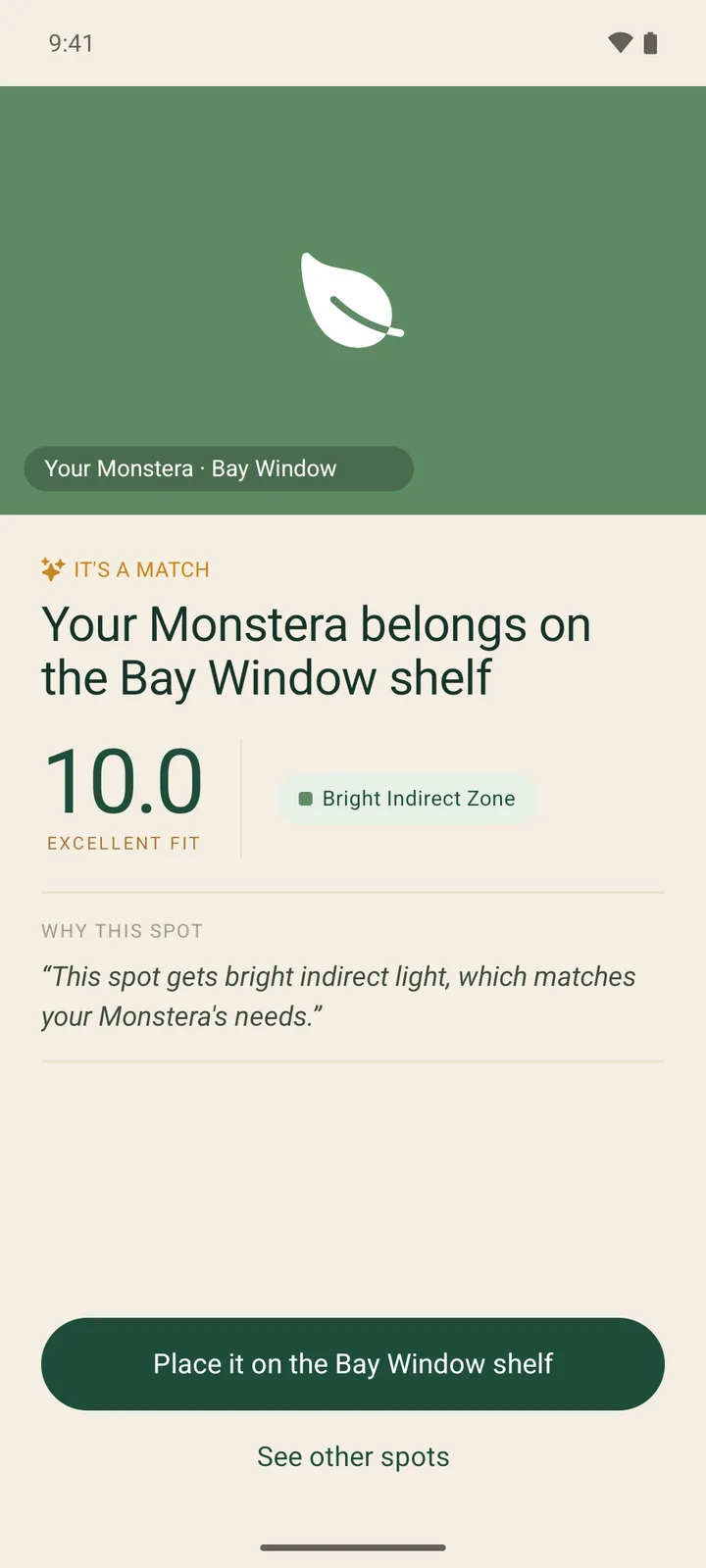
Match screen saying Your Monstera belongs on the Bay Window shelf, with a 10.0 excellent-fit score, a Bright Indirect Zone tag and a Why this spot explanation
The first plant added during onboarding is scored against the spot's Zone and the app explains in one line why the spot suits it.
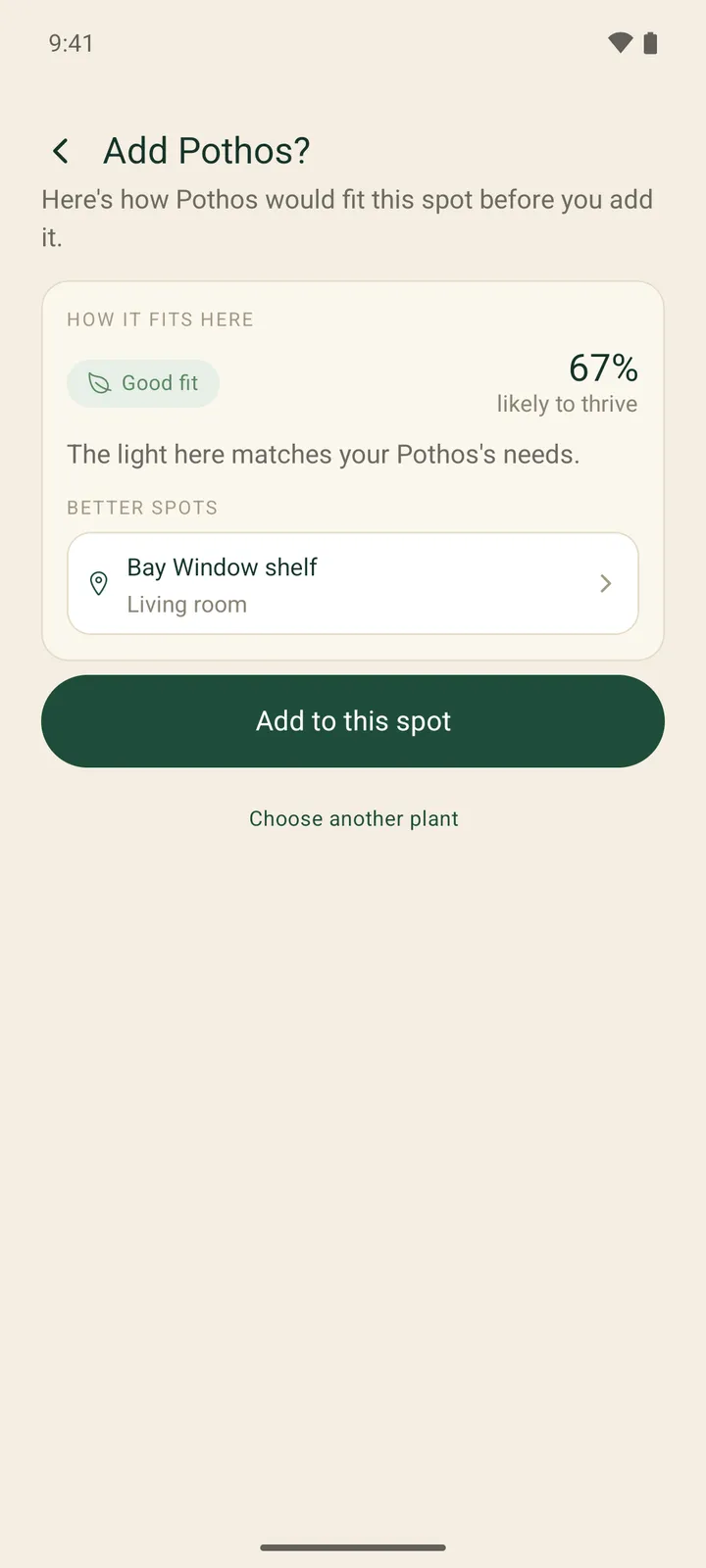
Add Pothos screen showing a Good fit badge, 67 percent likely to thrive, the reason, a Better spots suggestion and an Add to this spot button
Before a plant is added to a spot the app previews how well it fits there and suggests a better spot in the same home.
Floor-plan view of the Alfama flat with four rooms, spot pins coloured by light level and a legend for Bright, High, Medium and Low
The home map draws rooms on a floor plan with a pin for each spot, coloured by its light Zone, alongside room, spot and plant counts.
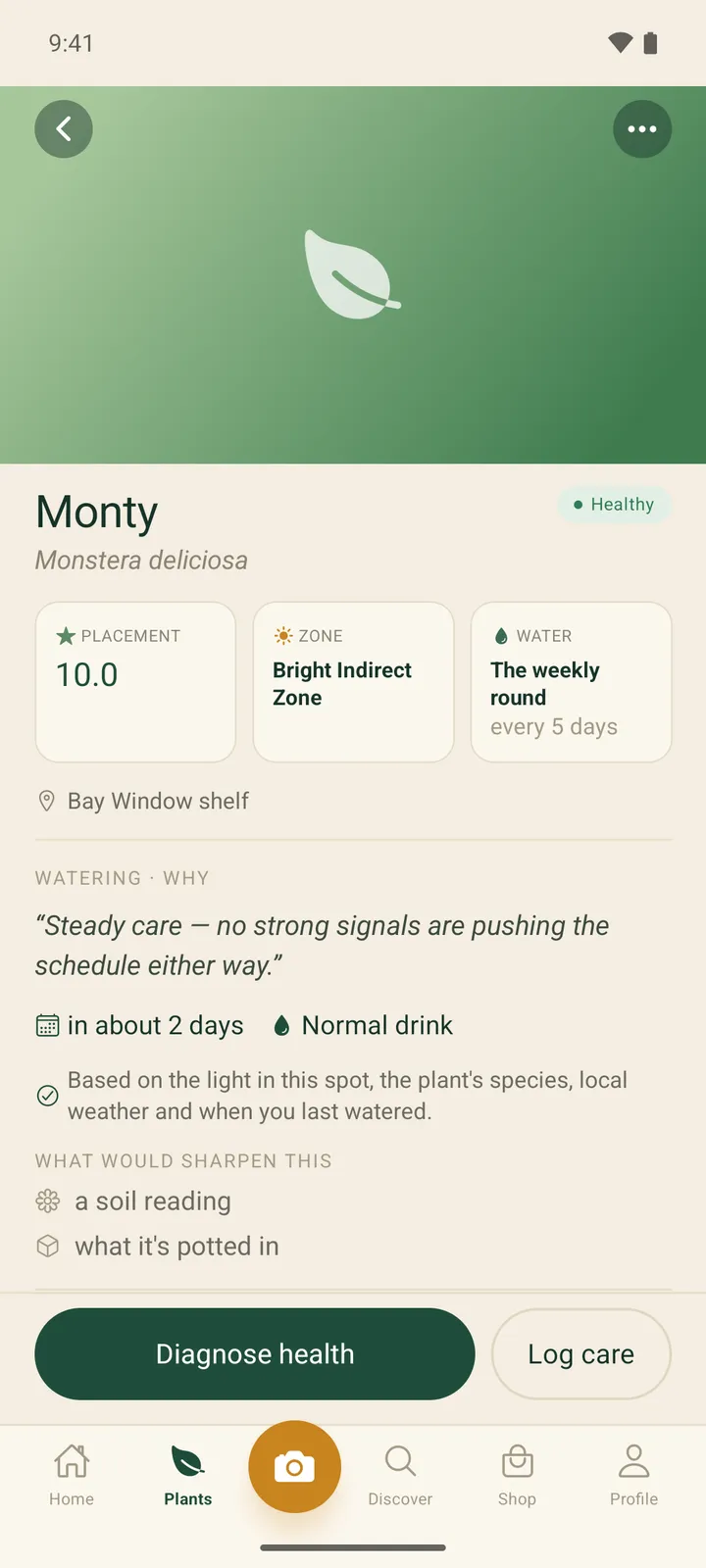
Plant detail for a Monstera named Monty with placement 10.0, Bright Indirect Zone and The weekly round water group cards, and a Watering why section
Each plant shows its placement score, Zone and watering group, with a plain-language reason for the current schedule and what would make it more accurate.
History screen with All, Care, Health, Soil and Repots filters and a dated timeline of note, pruned, fertilised, repotted and added events
One filterable history per plant, merging care notes, feeding, pruning and repotting with a health strip, built from the plant's own records.
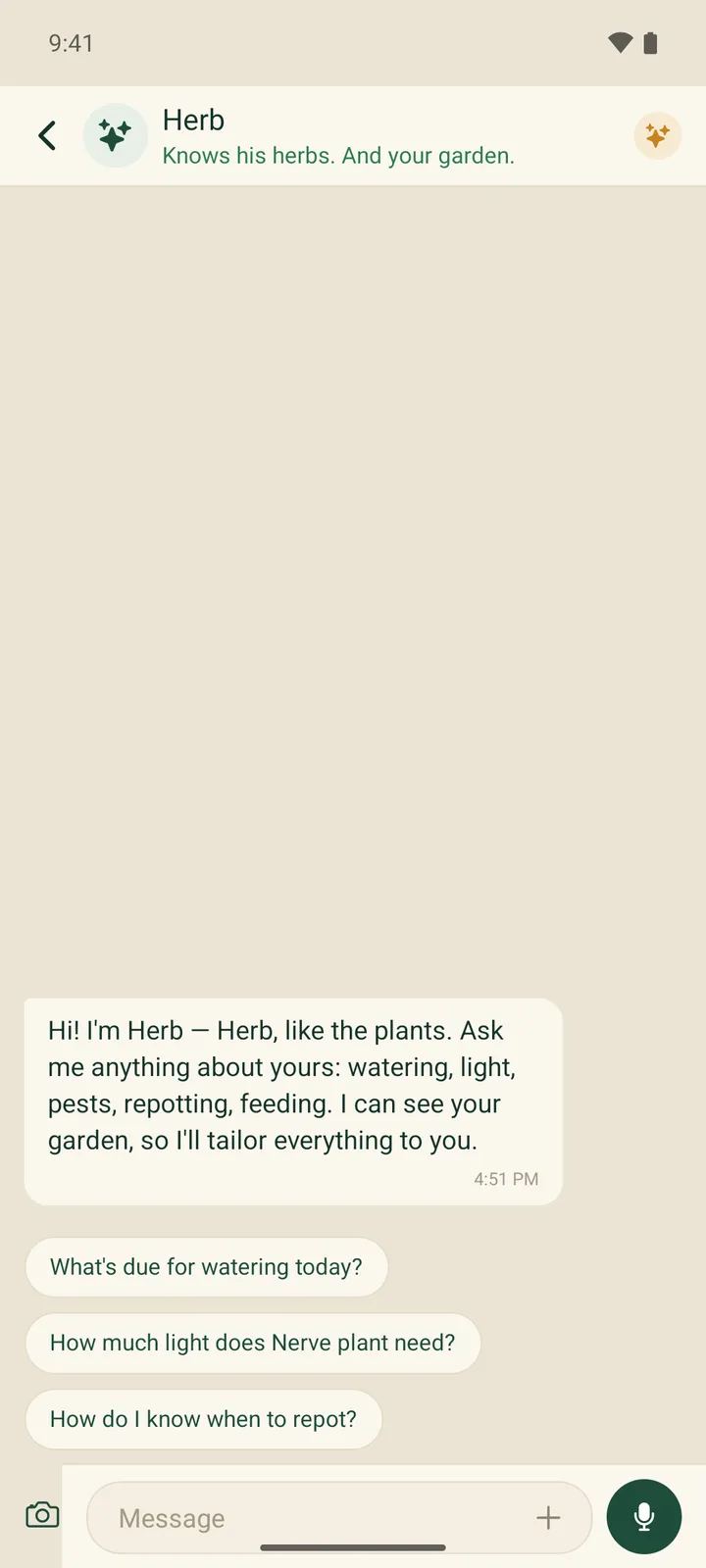
Herb chat screen with a greeting message and three suggested prompts about watering today, light for a Nerve plant and repotting
Herb, the plant assistant, opens with suggested questions drawn from the user's own garden, such as how much light their Nerve plant needs.
Herb chat screen behind a Daily AI limit dialog saying chatting with Herb is a Gardener perk, with an OK button
On the free Hobbyist plan the backend's per-plan AI meter refuses a Herb chat message with a 429 before anything is stored, and the app shows the tier-based upgrade message it returns.
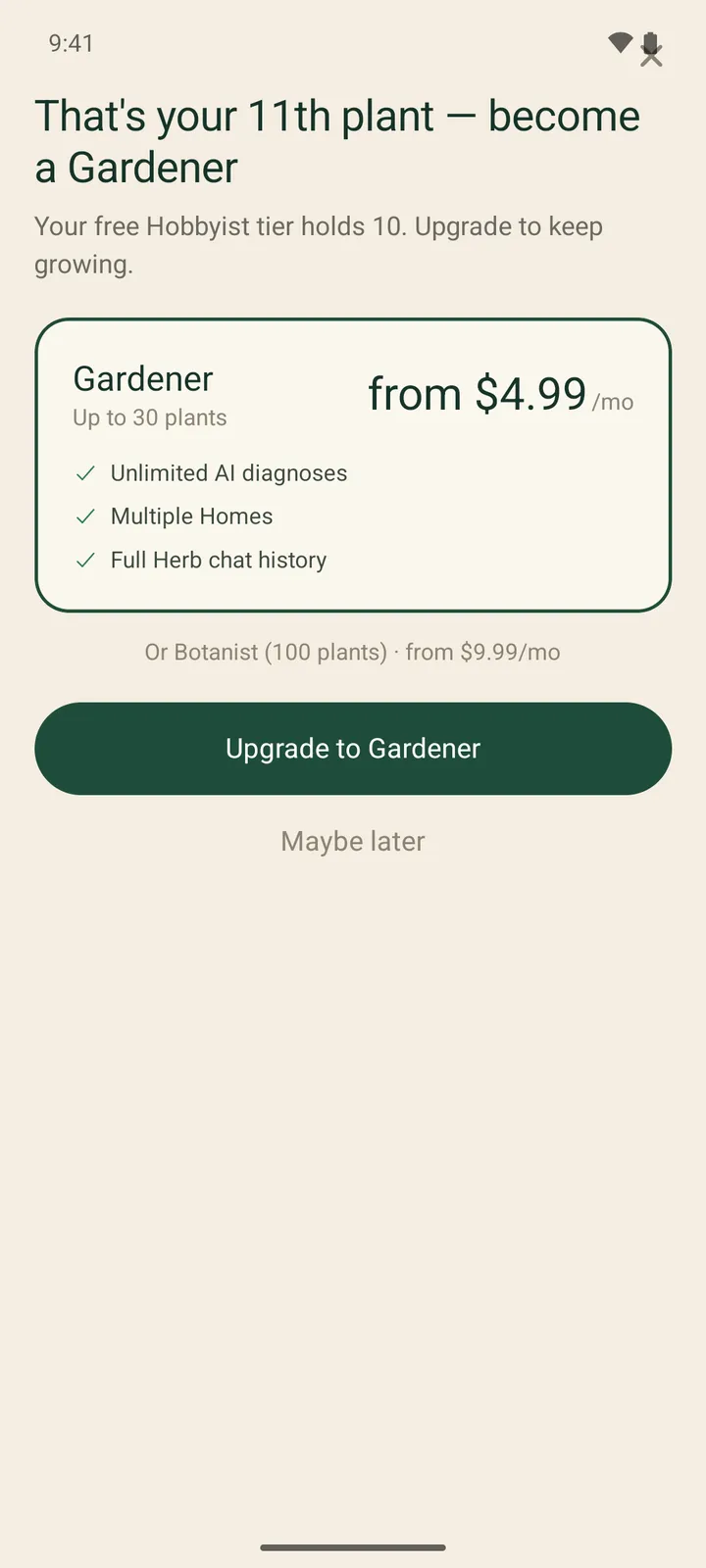
Upgrade screen titled That's your 11th plant, become a Gardener, with the Gardener plan card, a Botanist alternative and a Maybe later link
Adding an 11th plant on the free plan is refused by the server and the app shows the upgrade screen with the next tier's plant allowance.
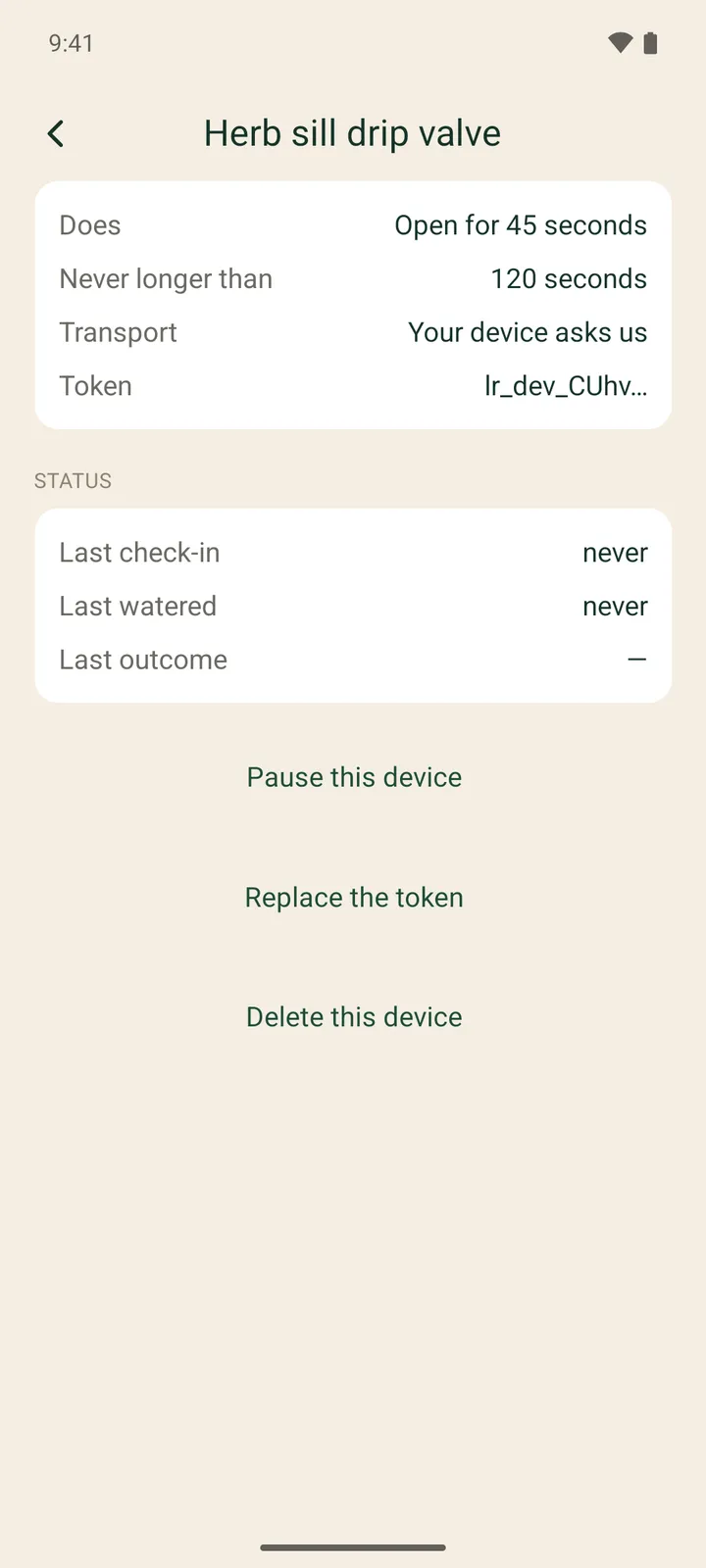
Automation device screen for Herb sill drip valve showing Open for 45 seconds, never longer than 120 seconds, transport, a truncated token, status rows and pause, replace-token and delete buttons
On the Botanist plan a watering group can trigger the owner's own hardware; each device has a server-enforced maximum run time and only a short token prefix is ever shown.
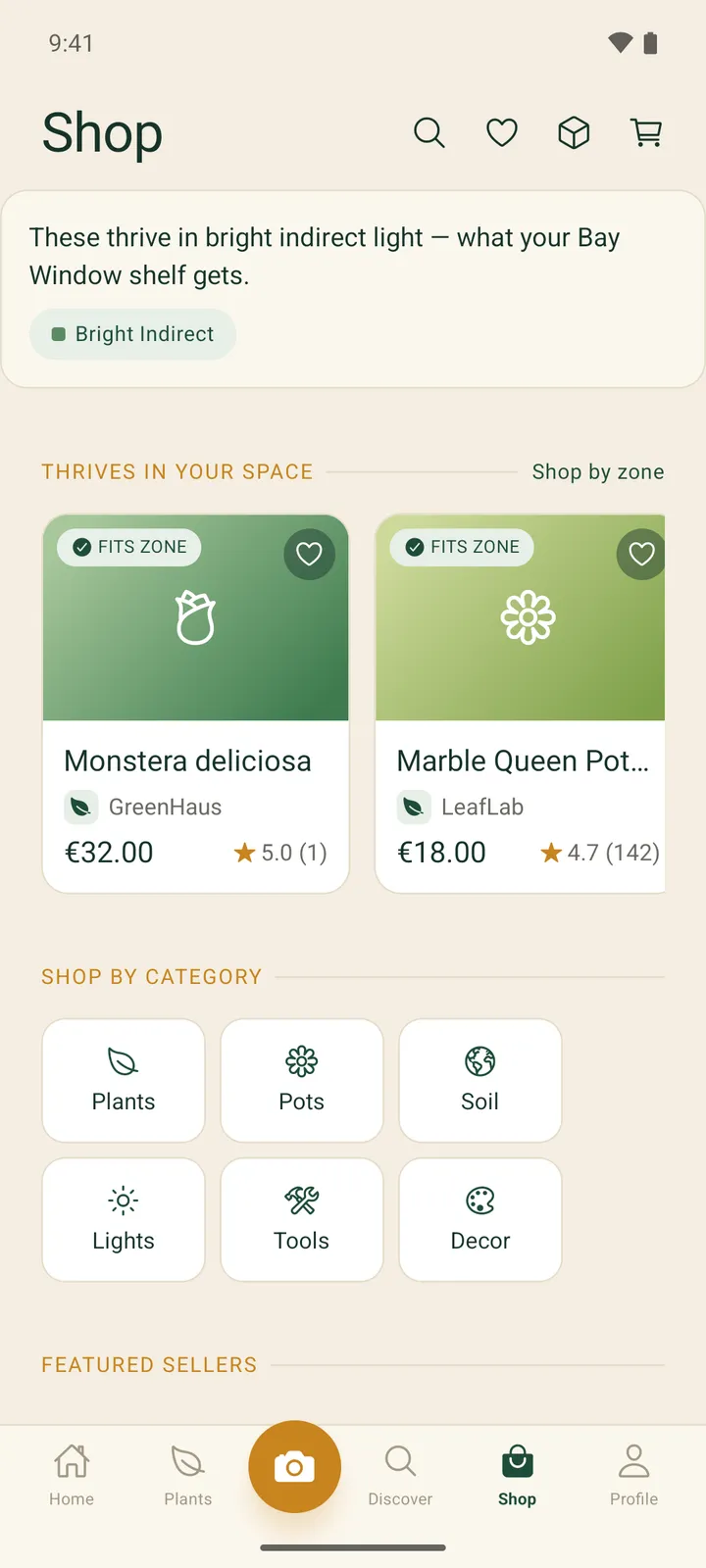
Shop screen with a Bright Indirect banner for the Bay Window shelf, Fits zone product cards from two shops, and category tiles
The shop leads with products that fit the light at the user's chosen spot and badges each one that fits the Zone, before the usual category browsing.
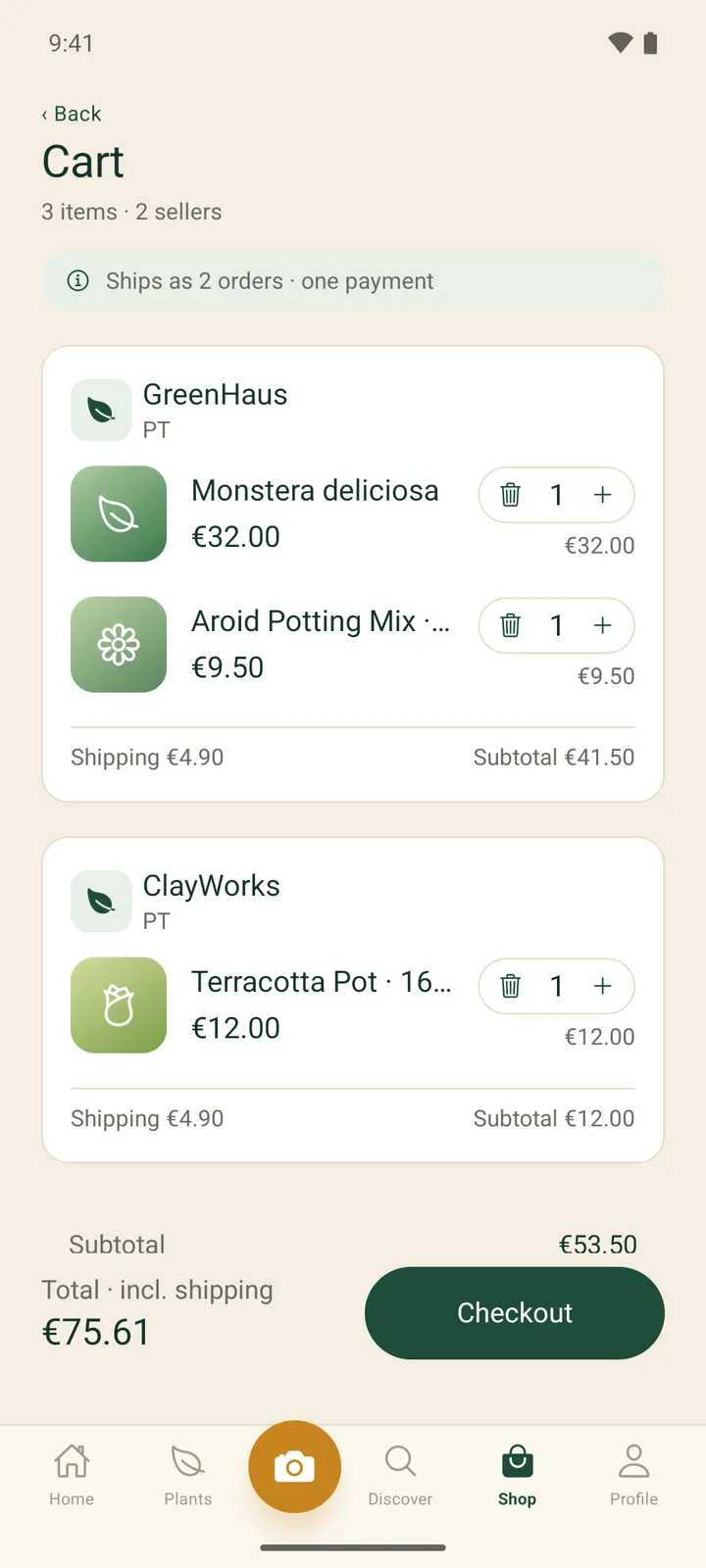
Cart screen with 3 items from 2 sellers, grouped into GreenHaus and ClayWorks sections with per-shop shipping and subtotals, and a total with a Checkout button
A single cart holding items from two independent shops, split into one shipment per shop with its own shipping, and paid in one checkout.
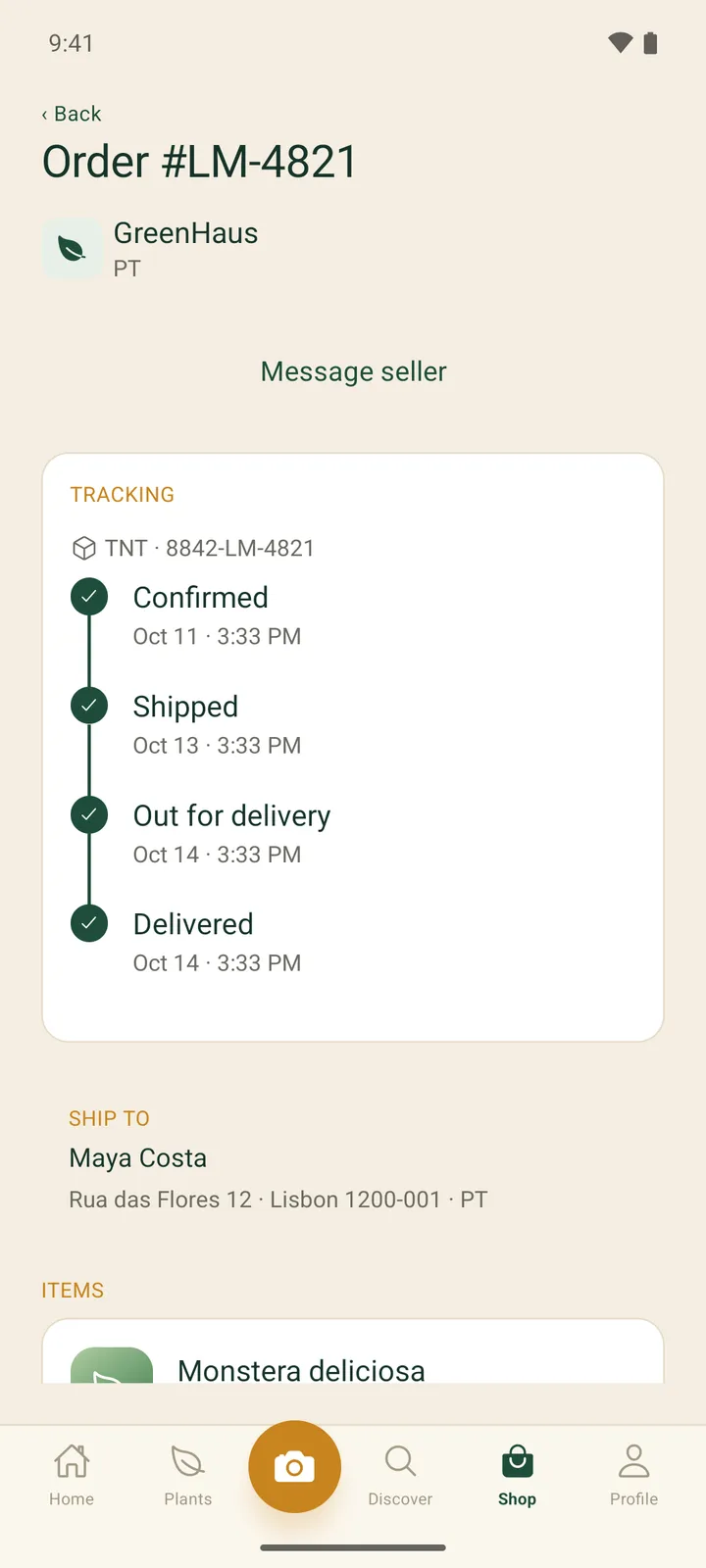
Order detail screen with a Message seller link, a tracking timeline from Confirmed to Delivered, and a ship-to block
An order from one shop with its carrier reference and a confirmed, shipped, out-for-delivery and delivered timeline, plus a link to message the seller.
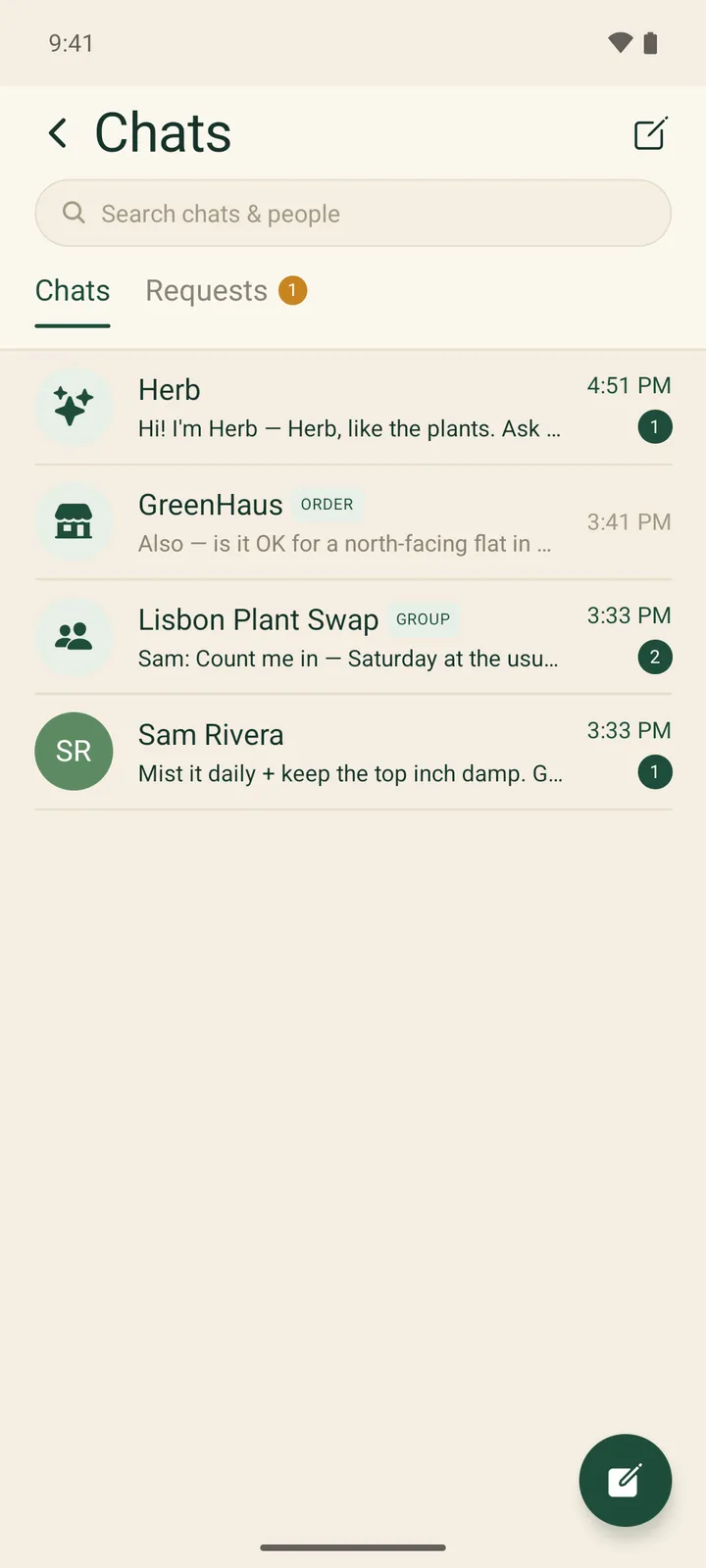
Chats inbox listing Herb, GreenHaus tagged Order, Lisbon Plant Swap tagged Group and a direct chat with Sam Rivera, with unread badges
One inbox for the AI assistant, a shop's order thread, a group chat and a direct message, with unread counts and a separate requests tab.
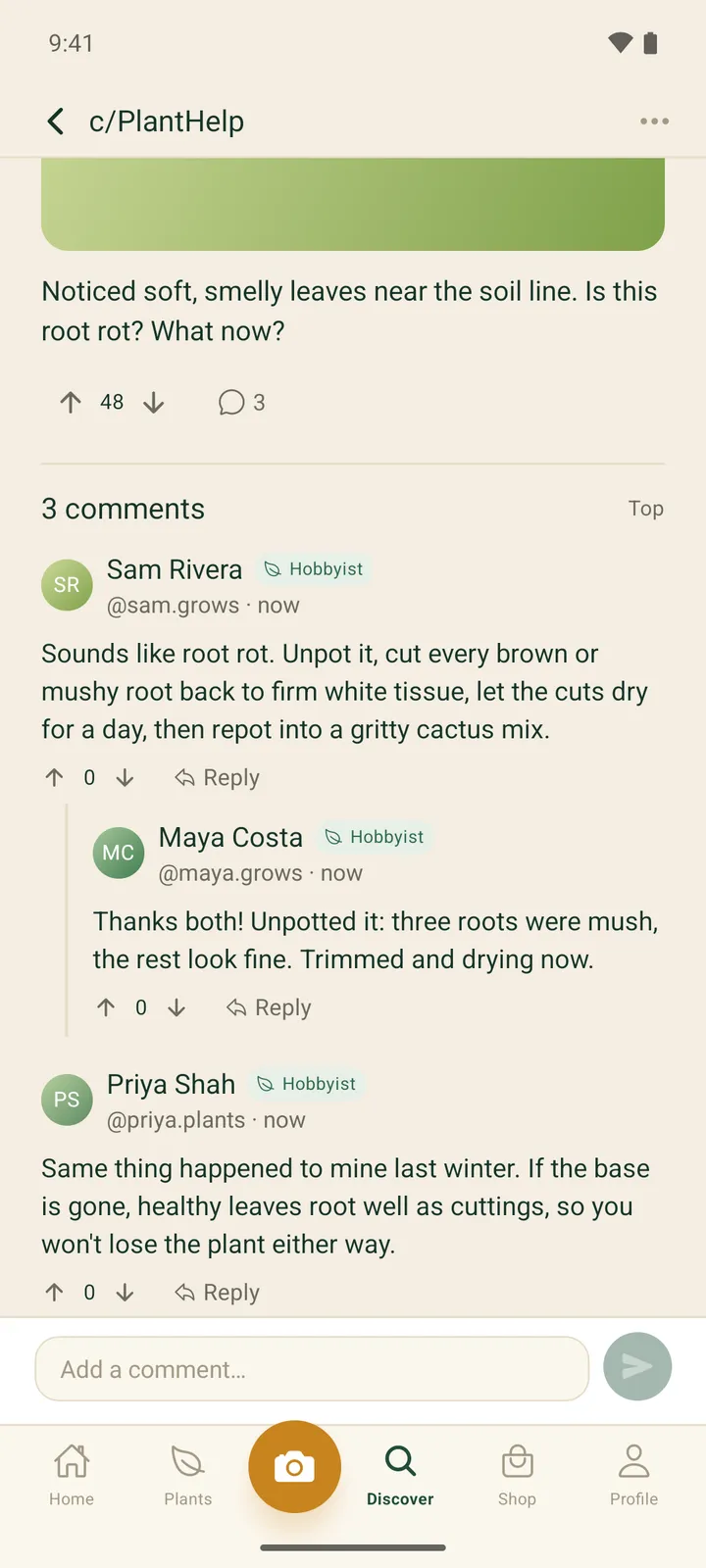
Post detail in c/PlantHelp with vote and comment counts and three comments, including a nested reply from the original poster
A community question with threaded replies from other growers, voting on posts and comments, and grower-level badges next to each name.
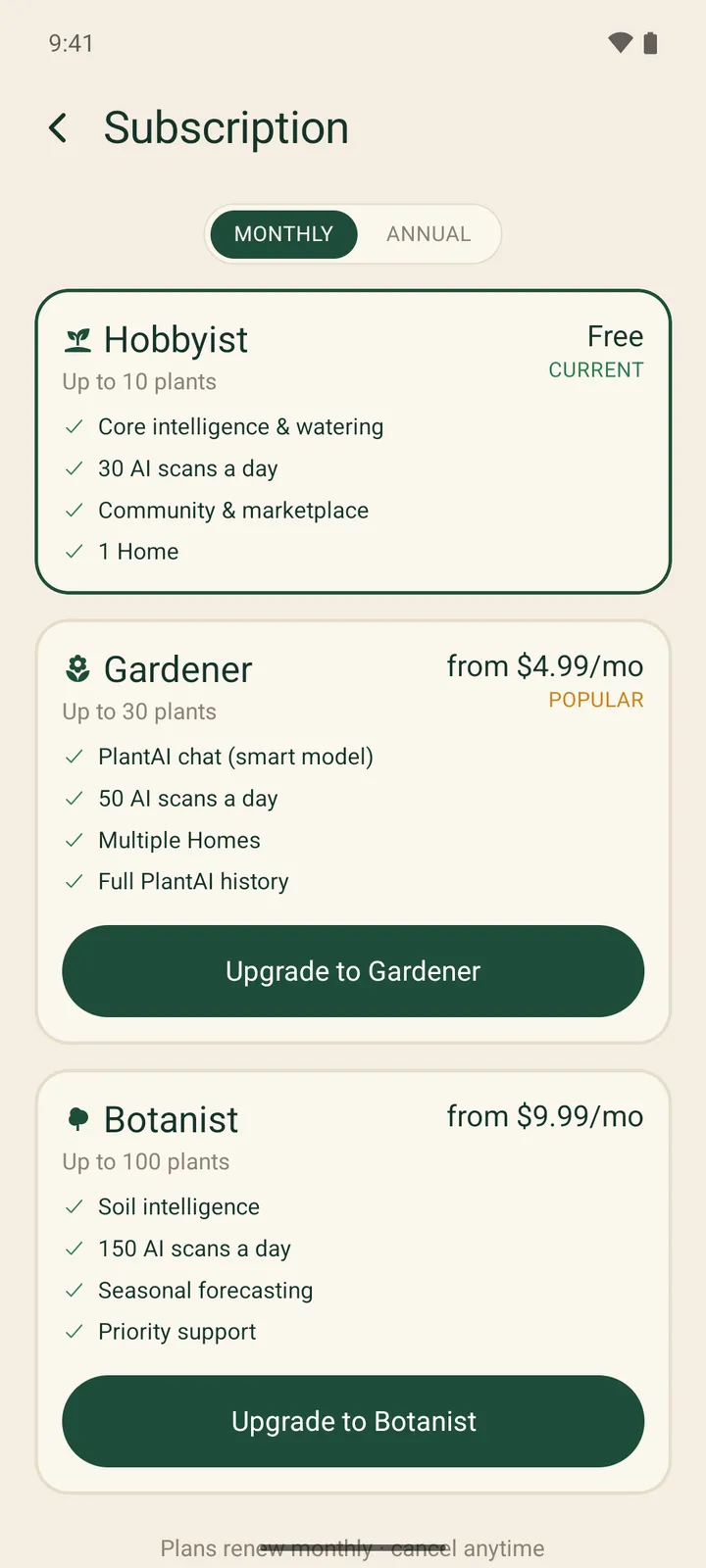
Subscription screen with Monthly and Annual toggle and Hobbyist (current, free), Gardener and Botanist plan cards listing features
The plan screen lists what each tier includes, including its plant allowance and daily AI scan limit; with the store switched off, paid prices are shown as reference prices.
Project details
Tech stack
React NativeTypeScriptRedux ToolkitKotlinGoogle Play Billing LibraryNode.jsExpressMongoDBRedisSocket.IOAI vision and chat APIsOpen-MeteoFirebase Cloud MessagingAWS S3Next.js
Timeline & team
Jun–Sep 2026
FAQ

Questions about this project

How much does one AI plant scan cost to run in LeafRanger?

About $0.004 per vision scan, measured from the app's own token telemetry in July 2026. Every call records its tokens and a cost in micro-dollars against a per-model price table, and the admin dashboard shows real AI spend for the last 30 days.

Can an app work out how much light a spot gets from one photo?

In LeafRanger one photo gives a usable first estimate: a vision model classifies the light, and the app blends that with the window's compass direction and the local weather. Photos taken later at other times of day are added to the same spot and sharpen the reading rather than replacing it.

Why did LeafRanger replace RevenueCat with its own Google Play Billing code?

LeafRanger launches on Android first, and a cross-store layer like RevenueCat saves the most work when both app stores are live. In September 2026 we wrote a Kotlin module over Play Billing Library 9.1.0 and moved purchase verification, Google's real-time notifications and a daily reconciliation onto our own backend.

How does Shop by Zone decide which plants to show a buyer?

Each plant listing can be linked to a species, and the same placement engine that scores plants in the buyer's home scores that species against the light zone of the spot they pick. Listings that fit are badged and filtered, and pots or soil without a species are left unscored.

More work

Other things we shipped

All projects
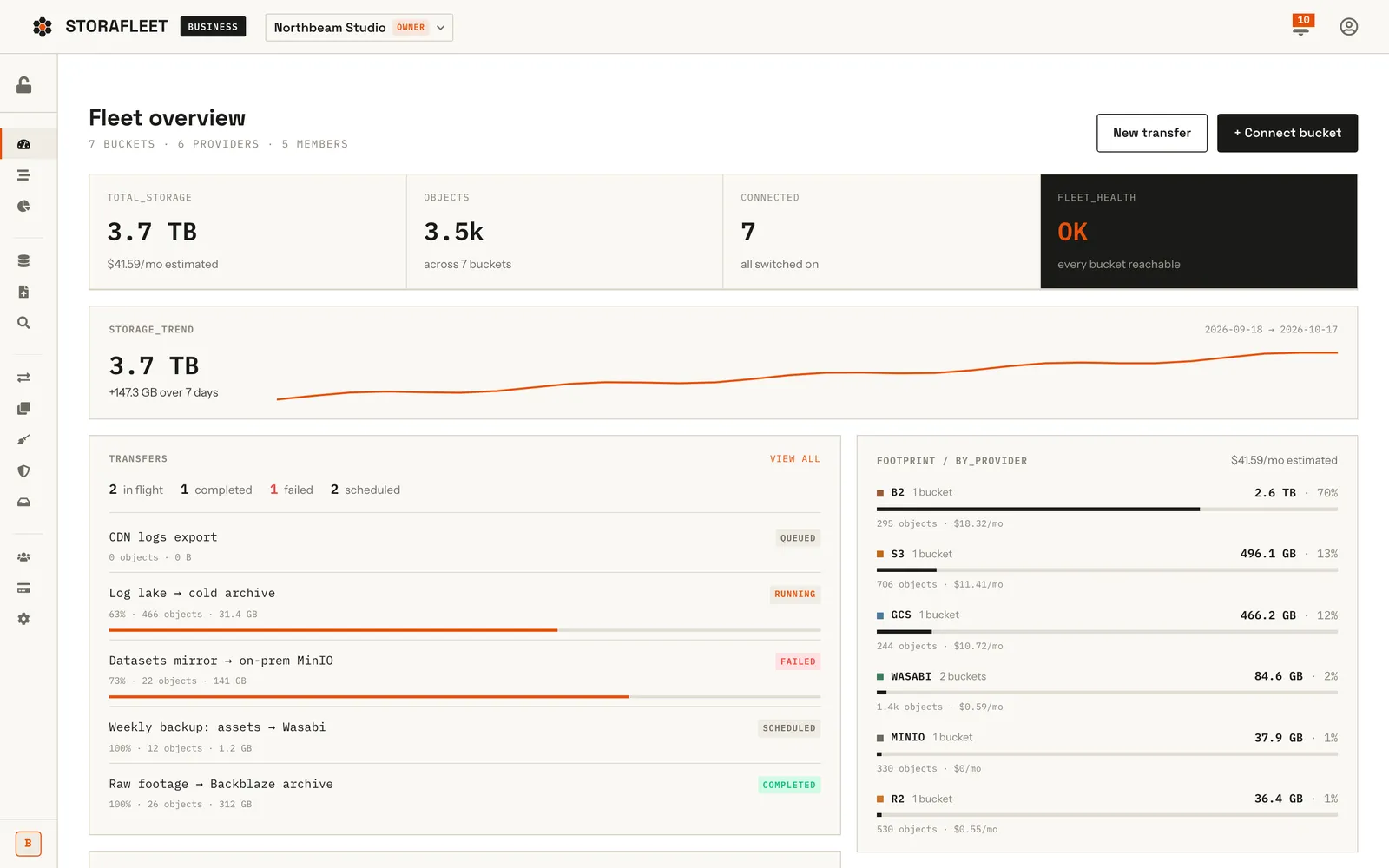
Storafleet fleet overview with storage totals, trend line, transfers list and per-provider footprint barsFeatured
Saasfor Storafleet

Storafleet — Multi-Cloud Storage Control Plane

Storafleet is CountryDevs' own SaaS control plane for object storage. Teams connect buckets they already own on 50+ providers, including AWS S3, Cloudflare R2, Backblaze B2, Wasabi and MinIO, then browse, migrate, search, secure and cost-check them from one console.

Next.js 15ReactRedux ToolkitNode.js+11
50+Storage providers in the connection roster
Case study
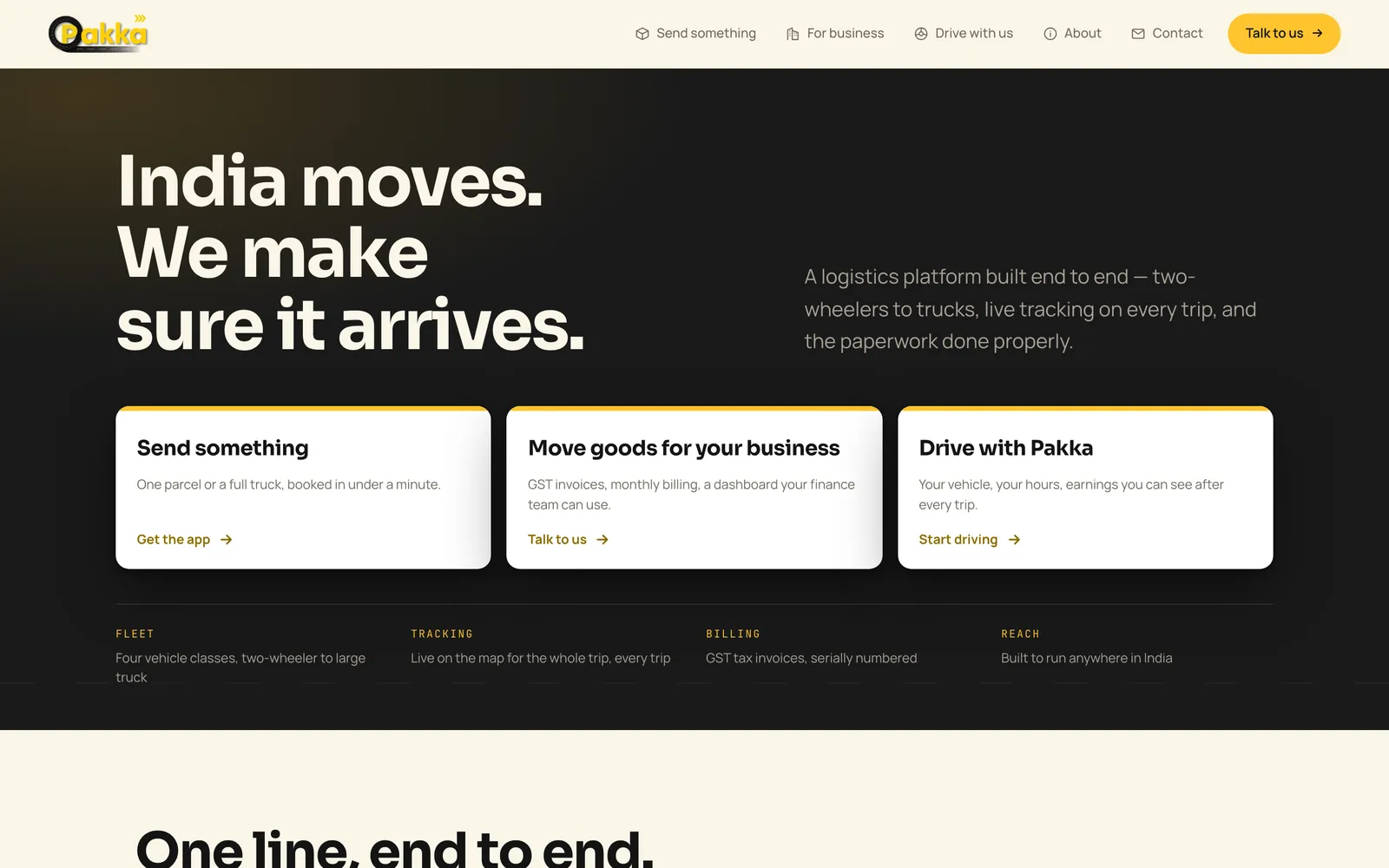
Pakka Logistics home page hero on desktopFeatured
Mobile Appfor Pakka Logistics

Pakka Logistics — Porter-Style Delivery Platform

Pakka Logistics is a Porter-style delivery platform for India. We built all of it: Android apps for customers and drivers, a business portal, an operations console and the website. The web platform is live; the Android apps are being prepared for Google Play.

React NativeTypeScriptRedux ToolkitNode.js+12
96.3%API routes exercised by a probe before launch (260 of 270)
Case study
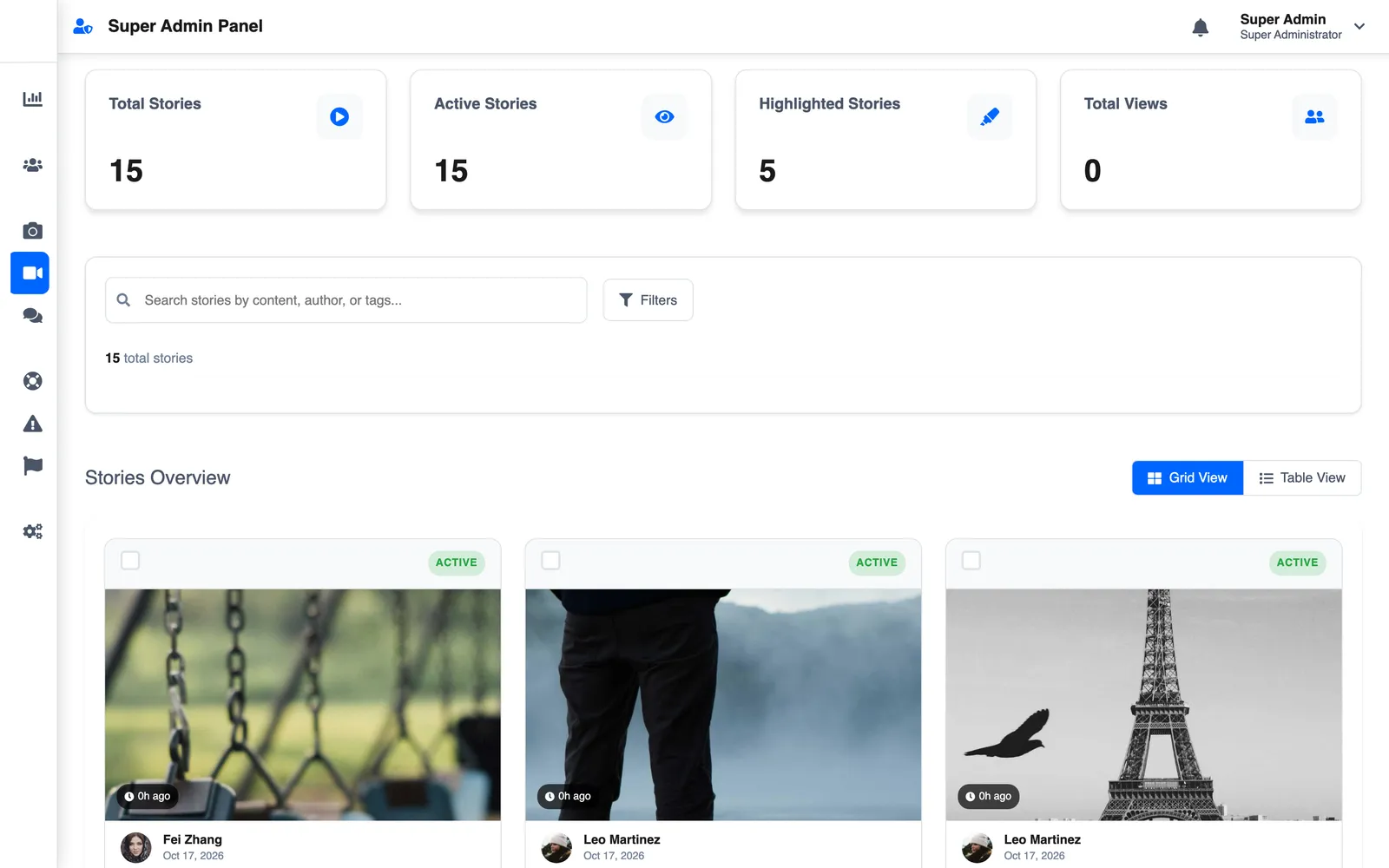
Superadmin stories grid with photo storiesFeatured
Mobile Appfor Slic Solutions Private Limited

LetSlic — Social Media App with Group Chat, Stories and Premium

LetSlic, listed on Google Play as Slic, is a social app for photo posts, 24-hour stories and real-time chat with group moderation. We built it for Slic Solutions Private Limited: the React Native app, two Node.js APIs, the superadmin console and the website, plus Premium and ads.

React NativeTypeScriptReduxNode.js+13
13Months from first commit to handover (Jun 2025 – Jul 2026)
Case study
Got a project?

Let's build the
next one together

Tell us what you're trying to ship. We'll come back with a scope, a timeline, and a fixed price — usually within 48 hours.

Not ready for a full build? Start with a fixed-price Discovery Sprint, or get a code audit of an app someone else built.