All projects
Enterprise
Clickable prototype

Vyoma — Aviation Academy ERP Prototype for BrandCrew

Vyoma is the working name of an academy management platform we proposed to BrandCrew, an aviation career institute in Bangalore. We specified 135 screens across 17 roles and turned them into a clickable React prototype on mock data. Nothing has been built for production.

For BrandCrew
  • Web ERP console (prototype)
  • Public website (prototype)
  • Student app (prototype)
  • Parent app (prototype)
  • Staff app (prototype)
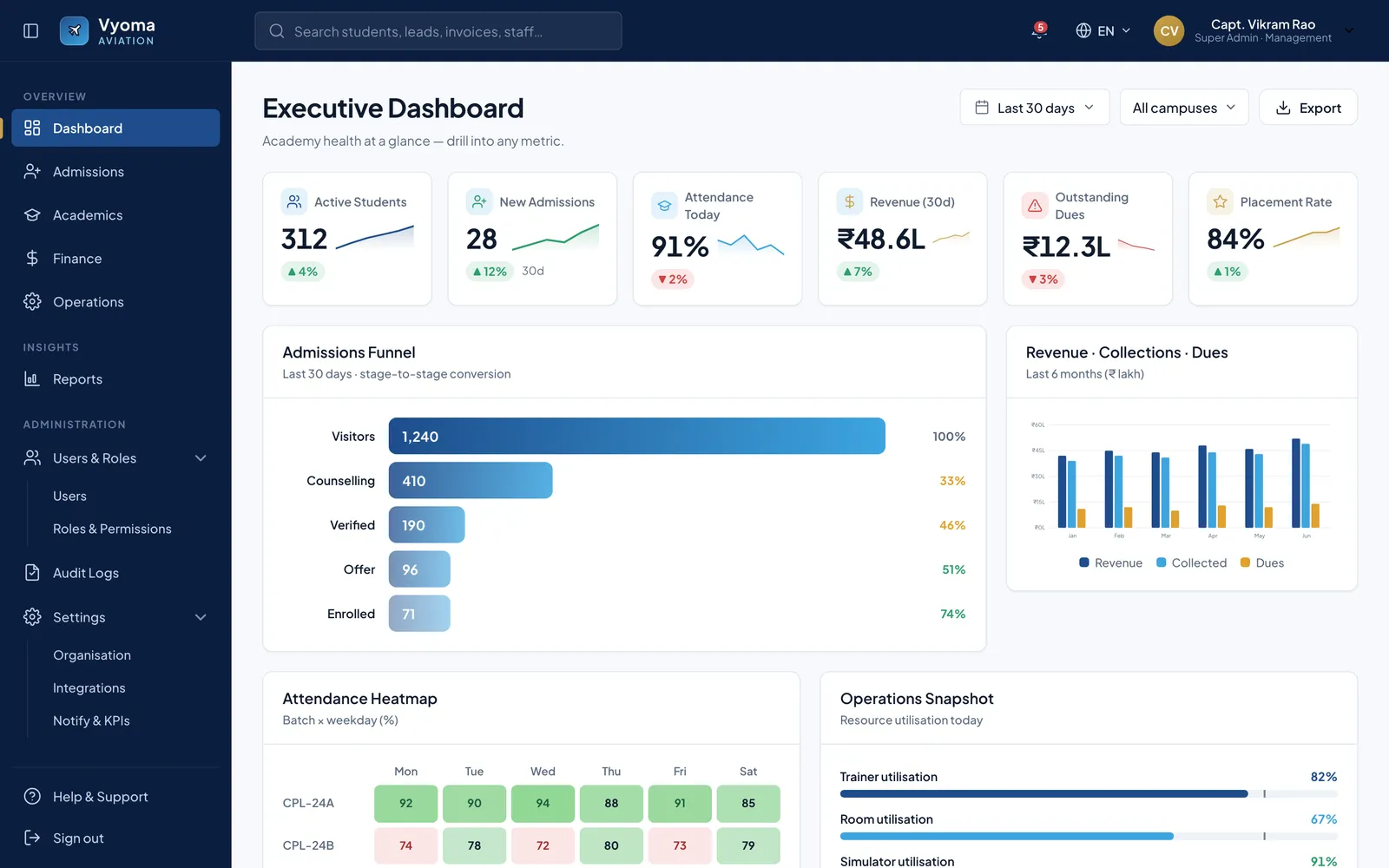
Executive dashboard with six KPI cards with sparklines, an admissions funnel bar chart, a revenue/collections/dues column chart and an attendance heatmap.

Overview

BrandCrew runs an aviation career institute in Bangalore. Its founders agreed a scope with us for one platform covering the whole institute: a public website, a role-based ERP console for staff and leadership, and mobile apps for students, parents and staff, organised into nine modules that run from the first enquiry to the alumni network.

We wrote the screen specification first. It covers 135 screens across 17 roles plus a shared shell, and every screen file sets out the layout, components, sample content, responsive behaviour and states. All of it sits on one design brief, one token sheet and one shared component kit. Then we turned the specification into a clickable prototype: a launcher that opens each role's panel, from the super-admin dashboard to the librarian's issue desk and the parent app's progress tab.

This is a proposal-stage prototype. Every name, figure and lead in it is mock data written into the prototype. There is no backend or database, and nothing has been deployed. It exists so the academy's own team can click through their working day before anything is built.

The challenge

An aviation academy runs on many hands. Counsellors and telecallers work enquiries through to enrolment. Trainers and examiners run ground school, tests and results. Finance tracks fee plans and instalments, and HR, the library, inventory and placements each keep their own records. The proposal set out to replace spreadsheets, paper registers and chat groups with one student record that every module reads from and writes to.

The harder problem at proposal stage was making 17 roles concrete. A list of modules does not tell a counsellor what her morning looks like, or show a parent what they will see. The client needed to judge the whole system, screen by screen, before any production work was priced or started.
The solution

We specified before we drew. Each of the 135 screens has a stable ID — a two-letter role prefix and a number, such as FN-03 for the third finance screen — that is meant to carry from wireframe to build. A single design brief fixes the frames (a 1440-wide console, a 390-wide phone), the grid, the type and a restrained palette: navy for chrome, sky blue for actions, and one gold accent used sparingly. The brief also sets WCAG AA contrast, 44 px touch targets and room for Hindi and Kannada text.

The prototype is a static React 18 app. Each role has its own entry page, all drawing on one shared component and chart library, so the console, the public site and the three phone apps look like one product. The public site includes the conversion tools from the brief: a five-step eligibility check and a fee and financing estimator. The production build in the proposal is Next.js and Node.js, hosted in India; that part has not started.

The impact

What exists today is the full screen specification, the design brief, tokens and component kit, and a prototype with a launcher and 17 role panels that runs in a browser. It is shown to the client as a walk-through, not used by anyone for real work.

The proposal also describes an AI and predictive-analytics layer — a counselling assistant, at-risk prediction and revenue forecasting. In the prototype these appear only as screen designs on mock data; none of it has been built.

Features

What we built into Vyoma

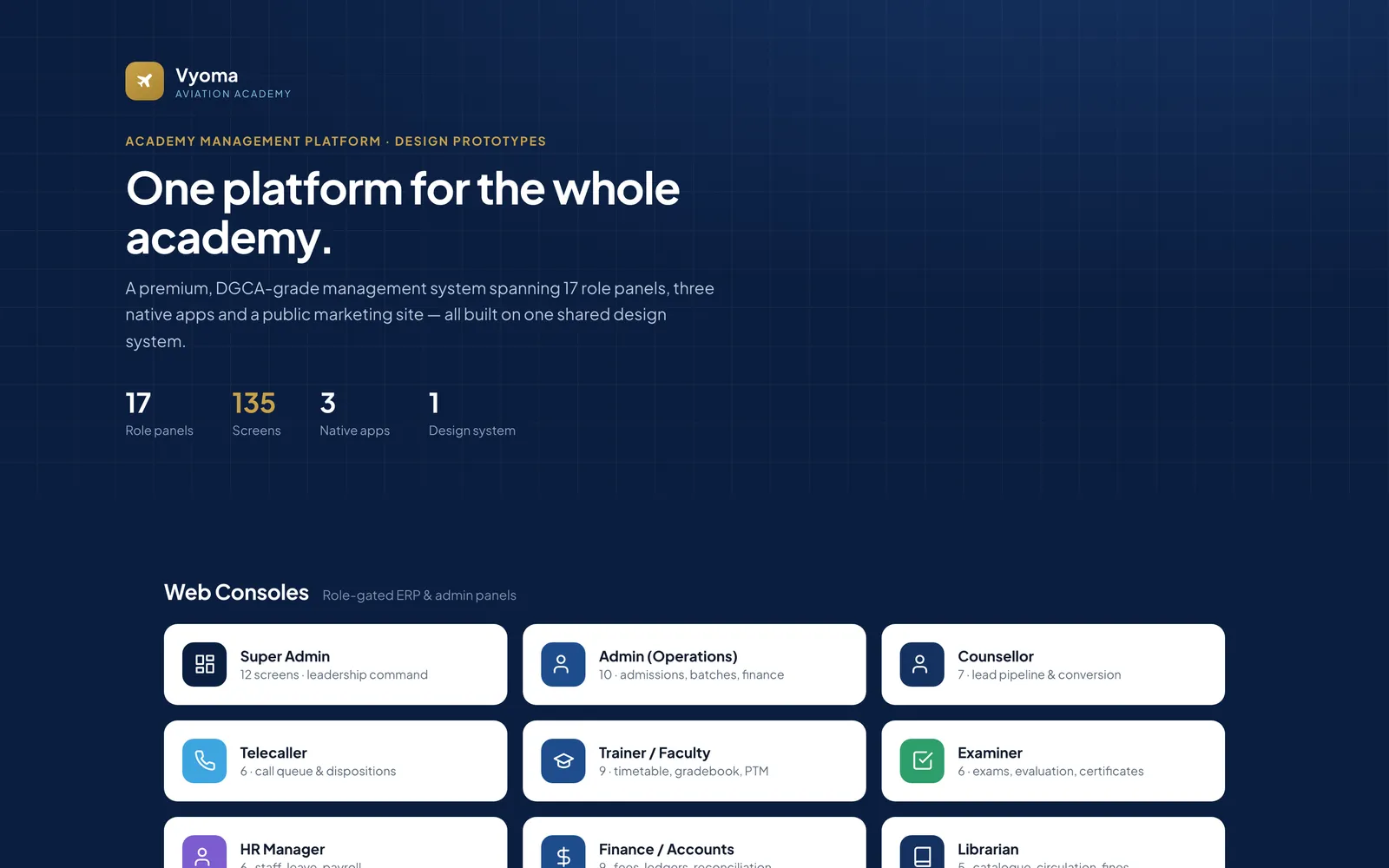
One launcher for 17 roles

The prototype opens on a launcher that indexes every role panel — 13 web consoles, the public website and the student, parent and staff apps — on one shared design system.

Executive dashboard

Leadership sees active students, admissions, attendance, revenue, dues and placements, with the admissions funnel, revenue against collections and an attendance heatmap.

Admissions from call to offer

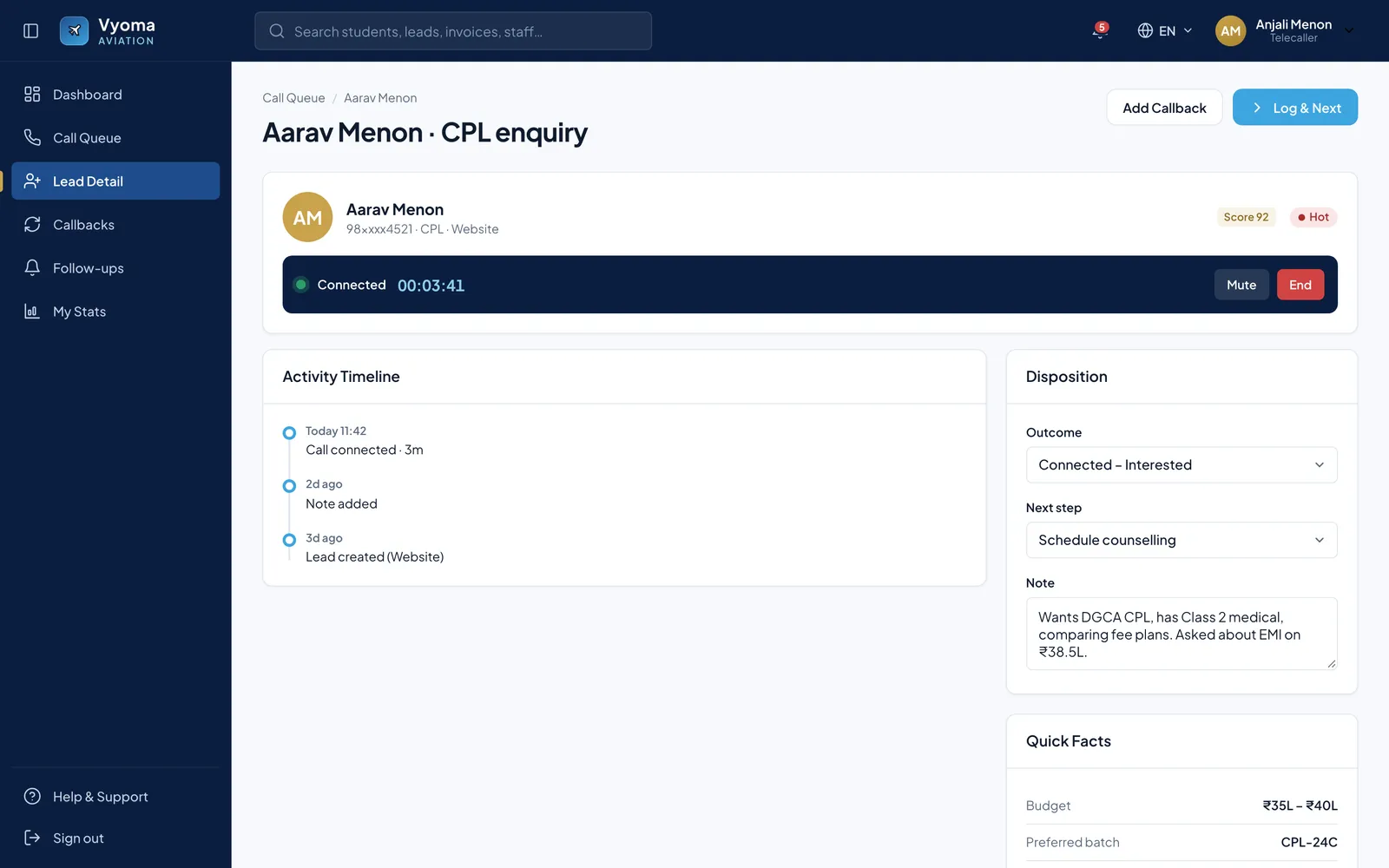
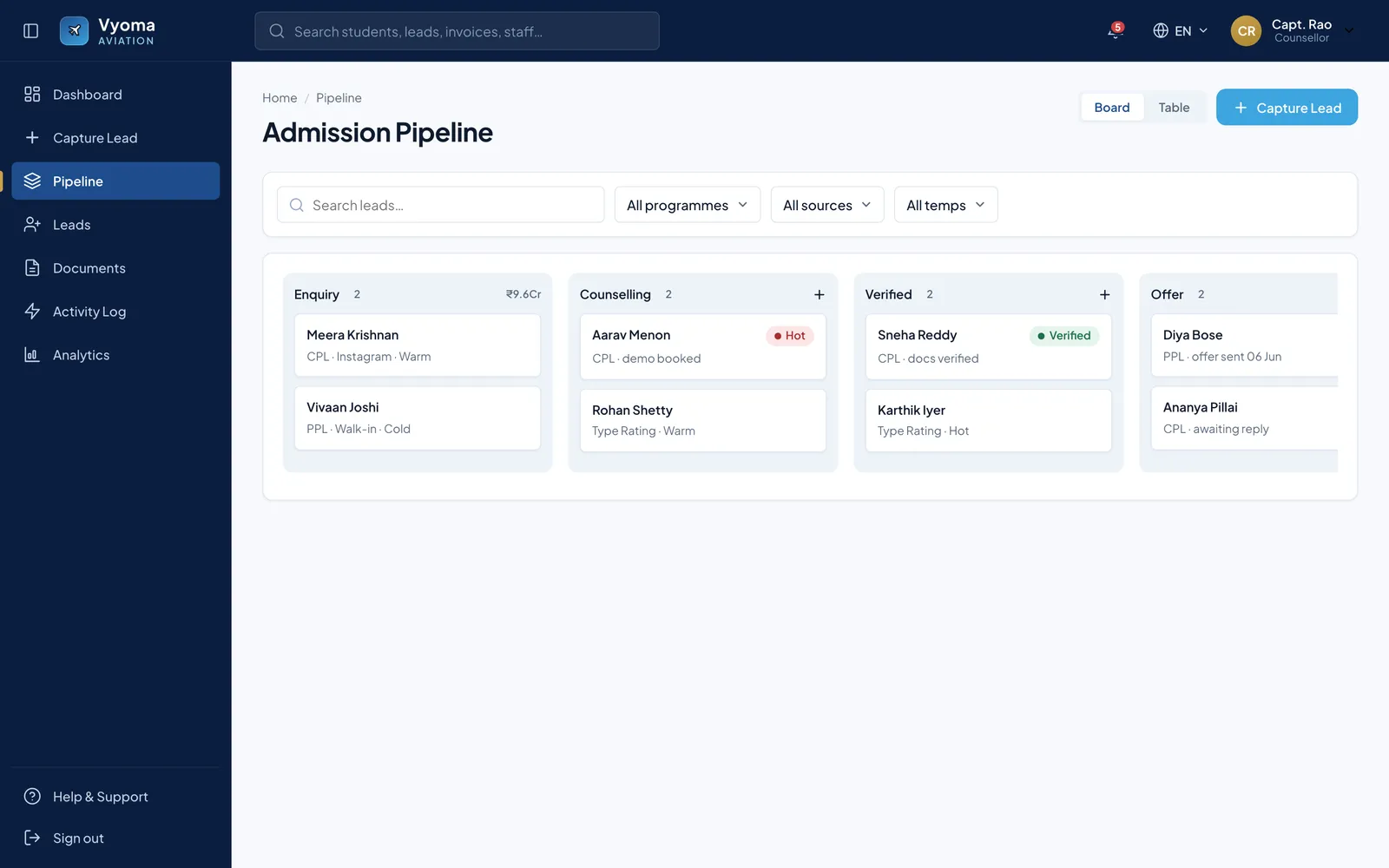
Telecallers work a lead screen with a live call timer and a disposition form; counsellors move applicants across a kanban from enquiry through counselling and verification to offer.

Academics and assessments

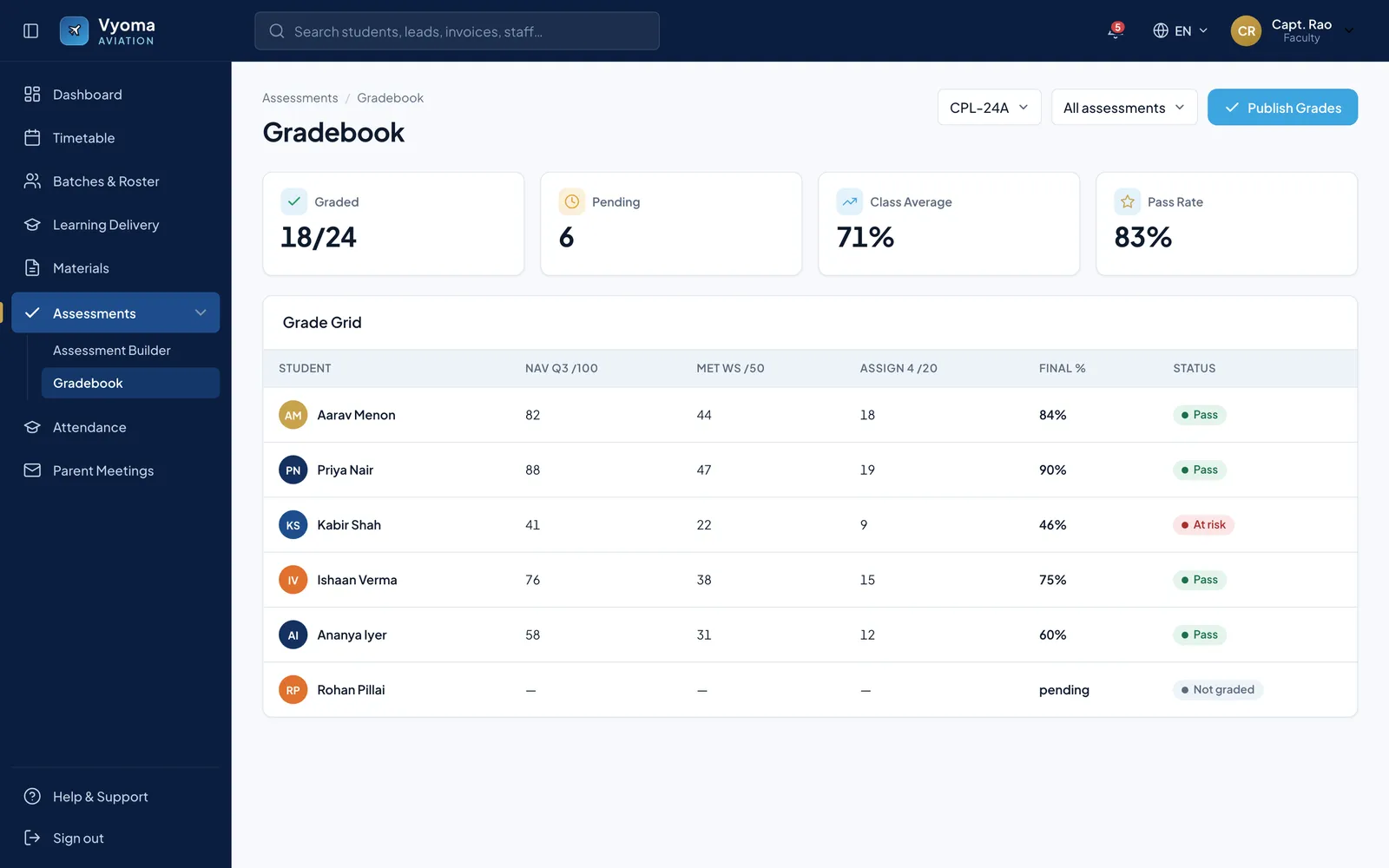
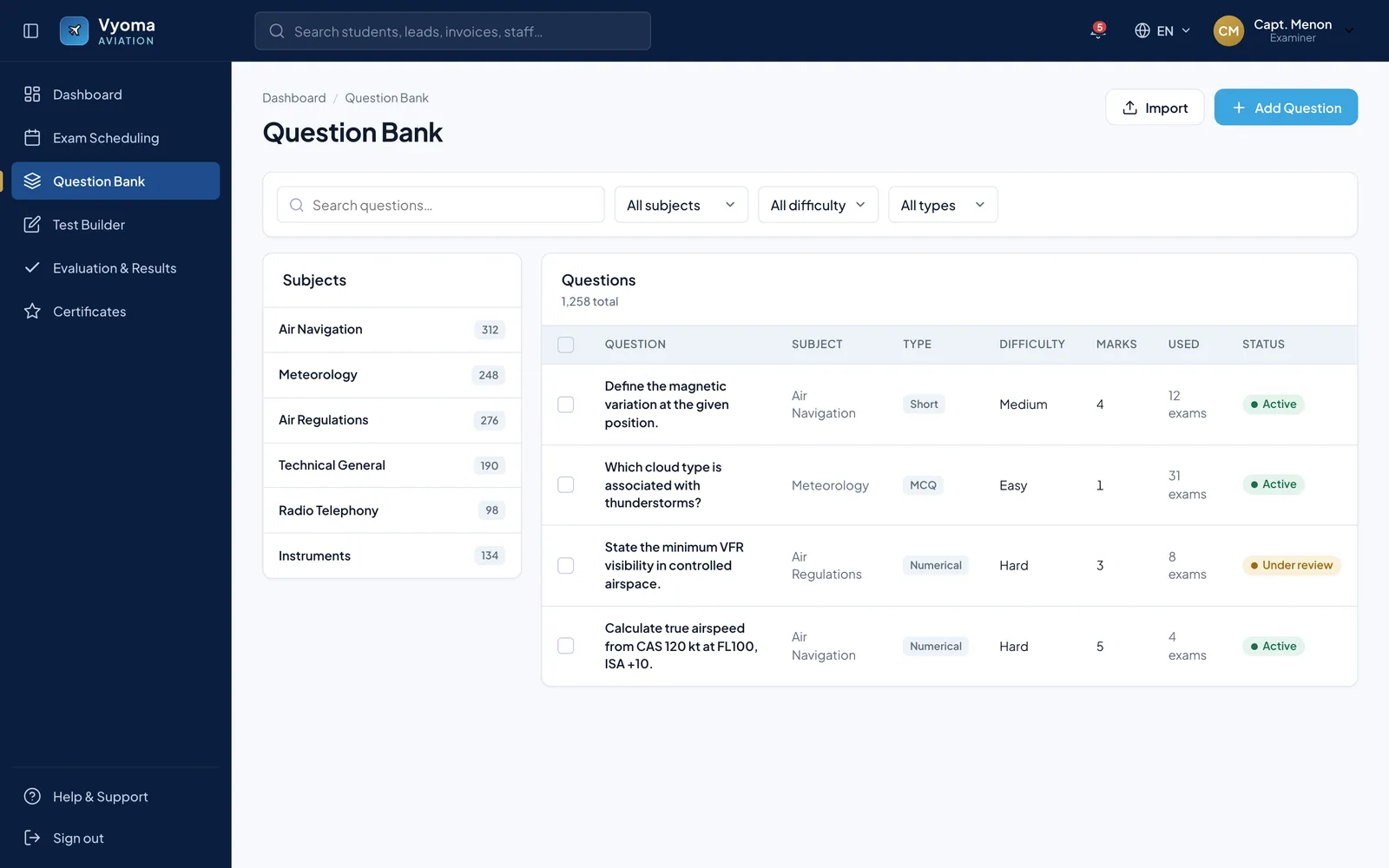
The trainer's gradebook shows class average and pass rate and flags at-risk cadets before grades are published. The examiner's question bank is organised by DGCA subject, with difficulty, marks and review status.

Fees and collections

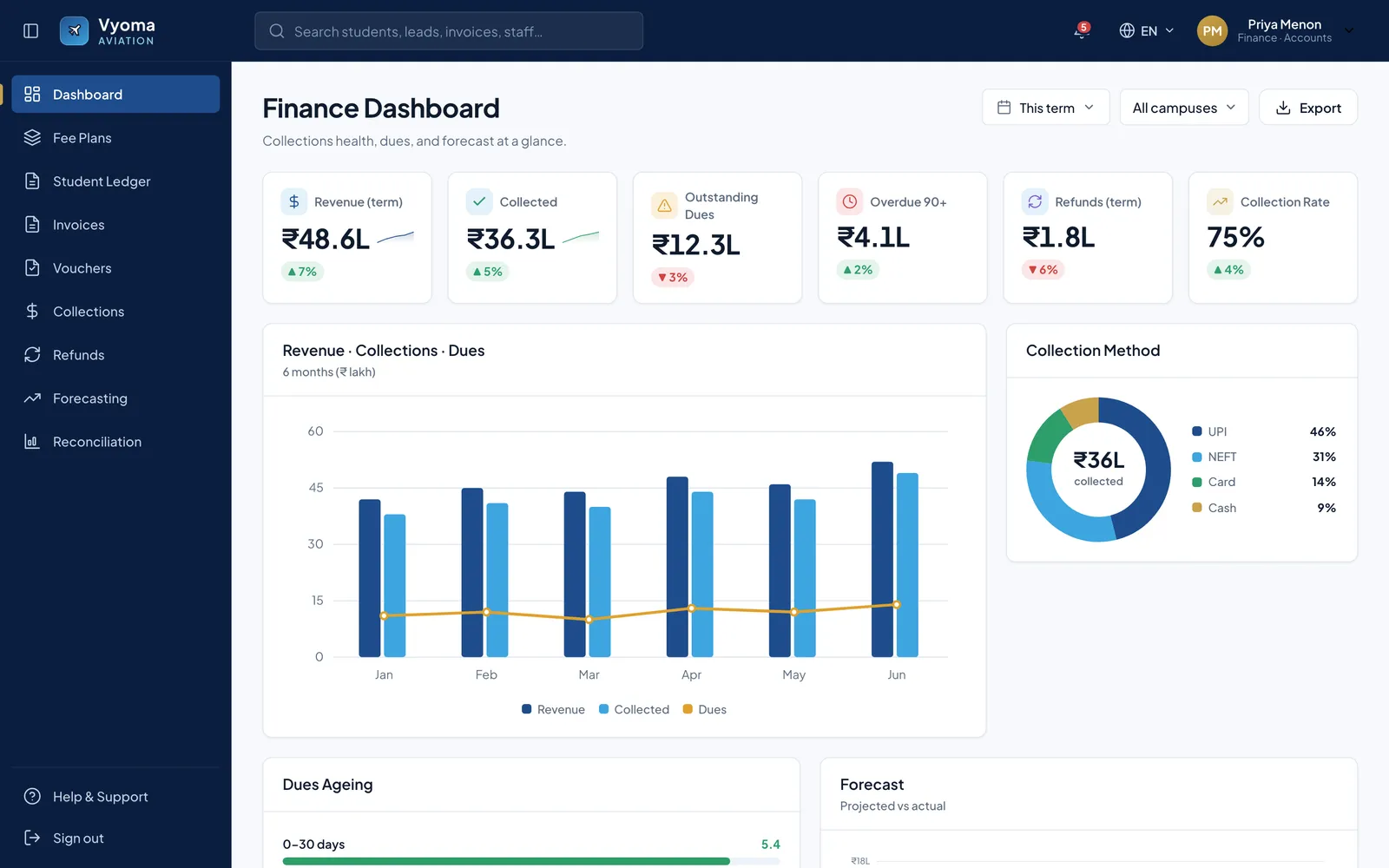
The finance console tracks revenue, collected and outstanding dues, 90-day overdue amounts, refunds and the payment-method mix across a term.

Library, HR and placements

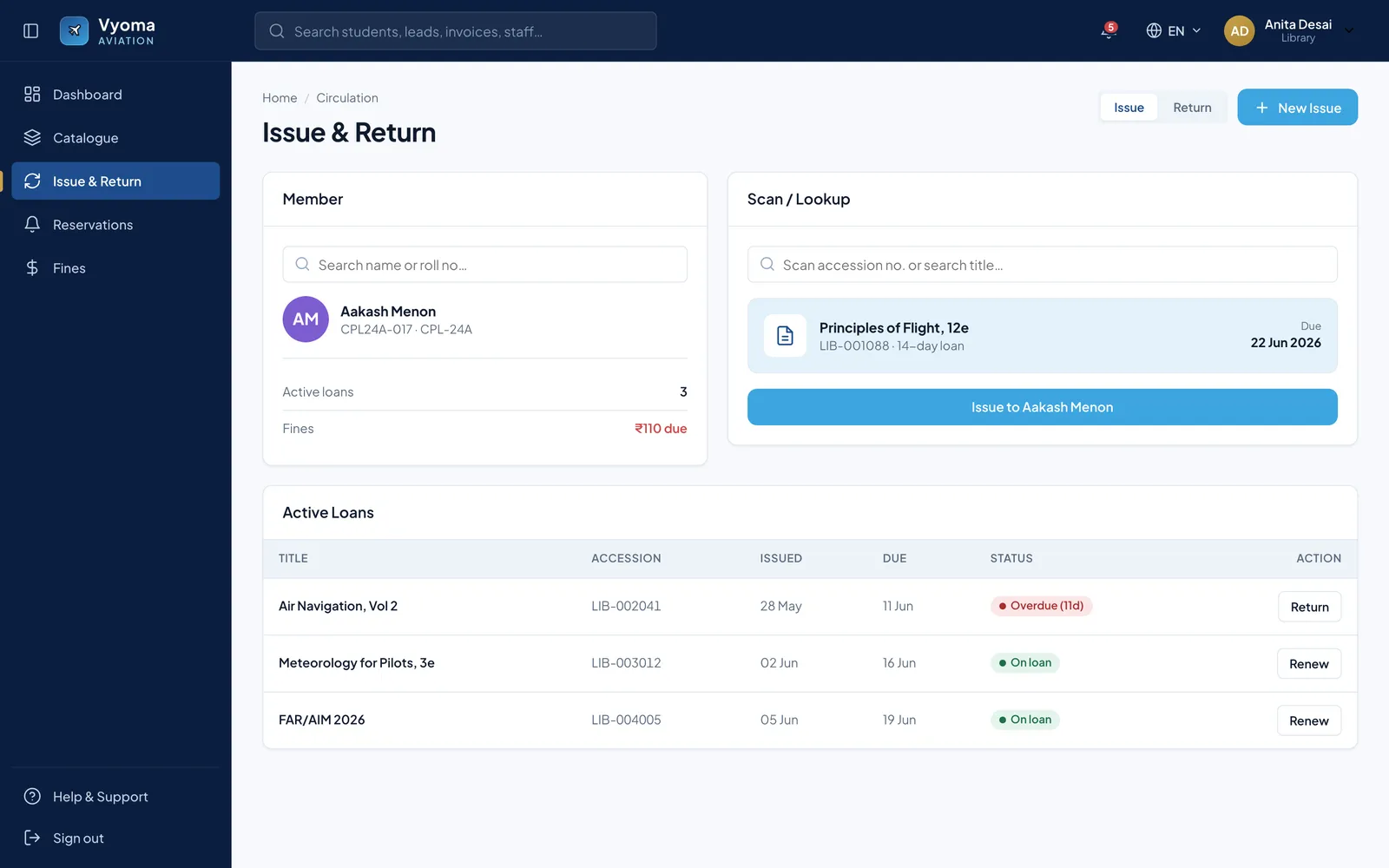
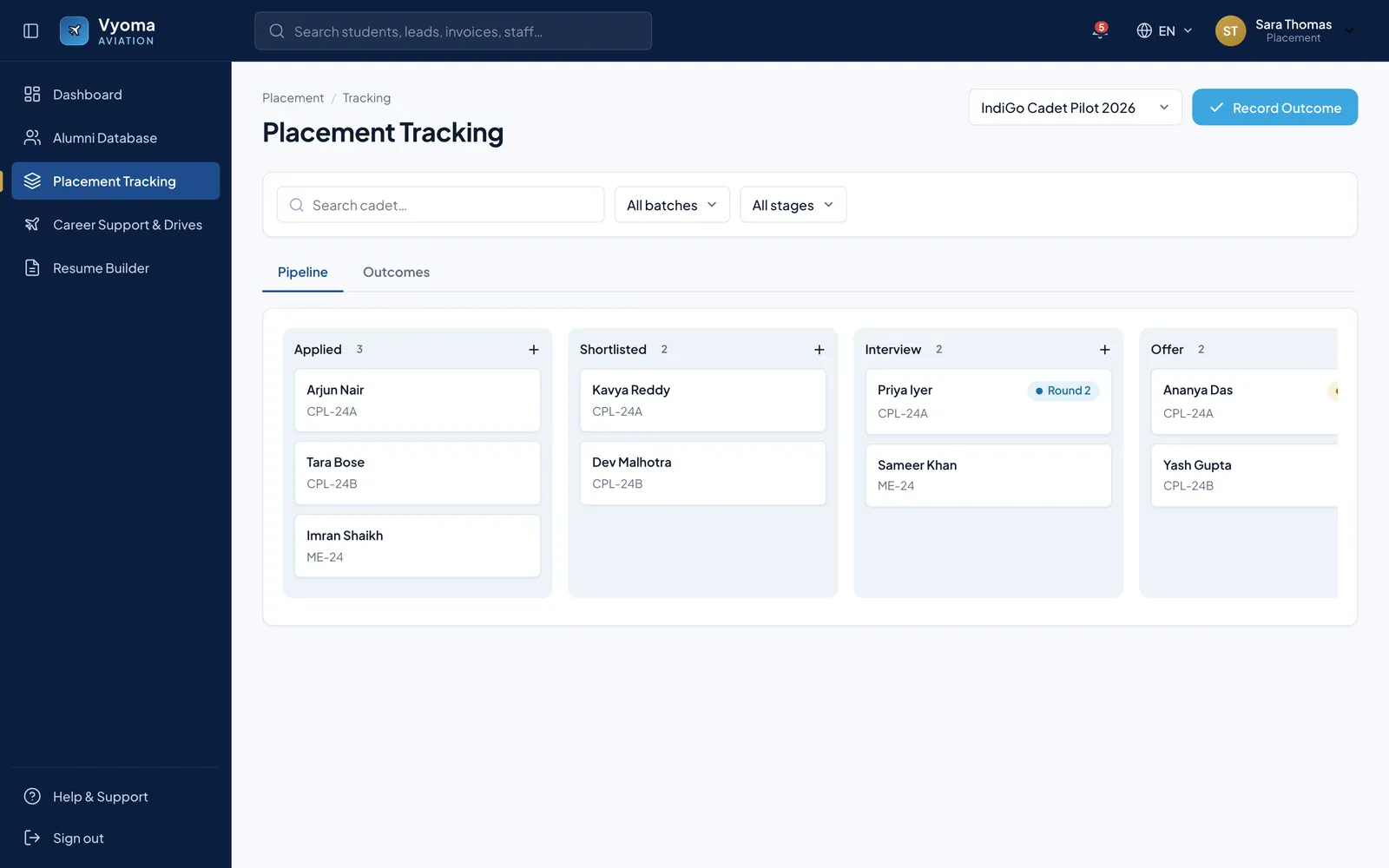
Library issue and return with due dates and overdue flags, an HR view of attendance and leave approvals, and a placement board that moves cadets from applied to offer.

Public-site conversion tools

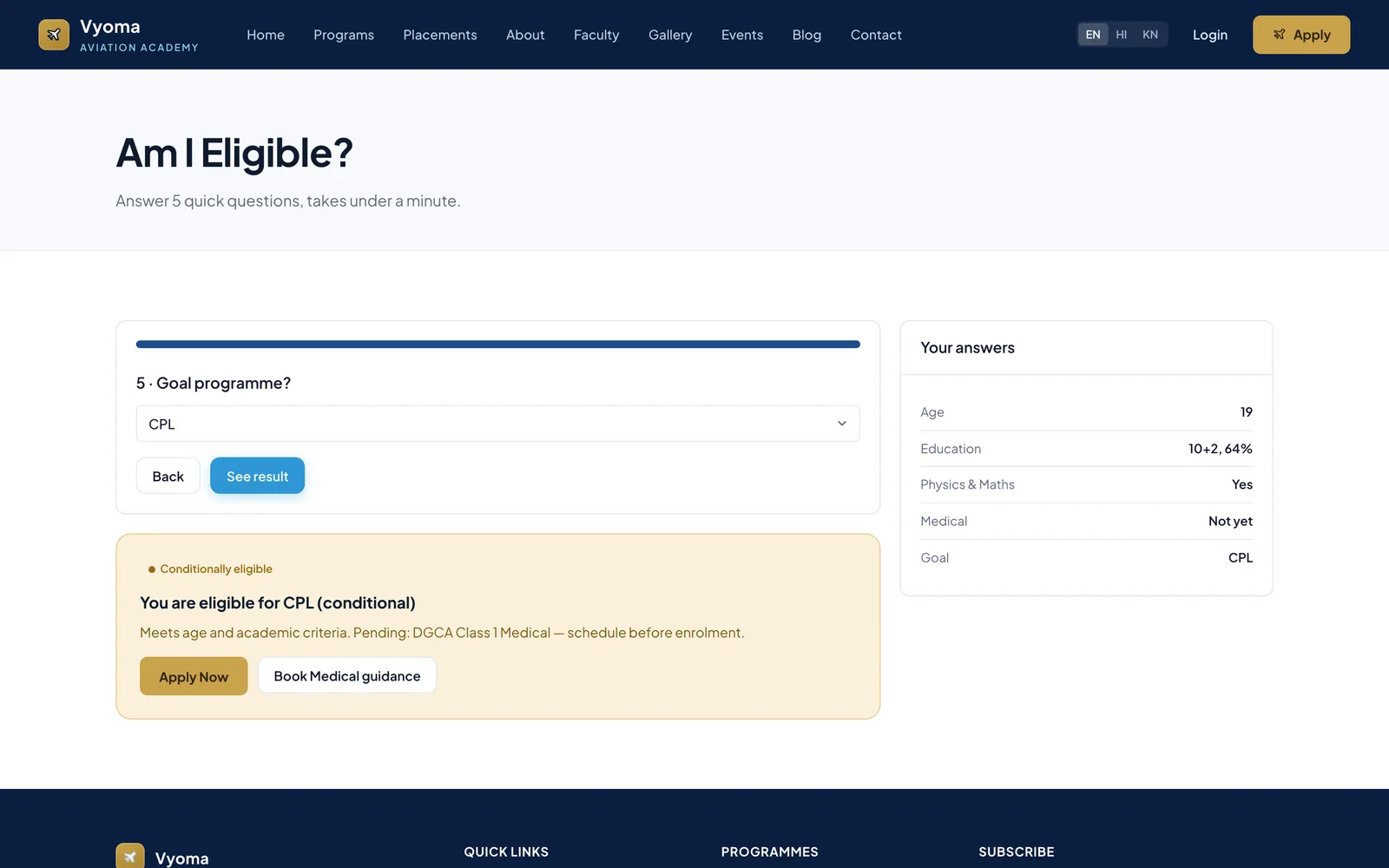
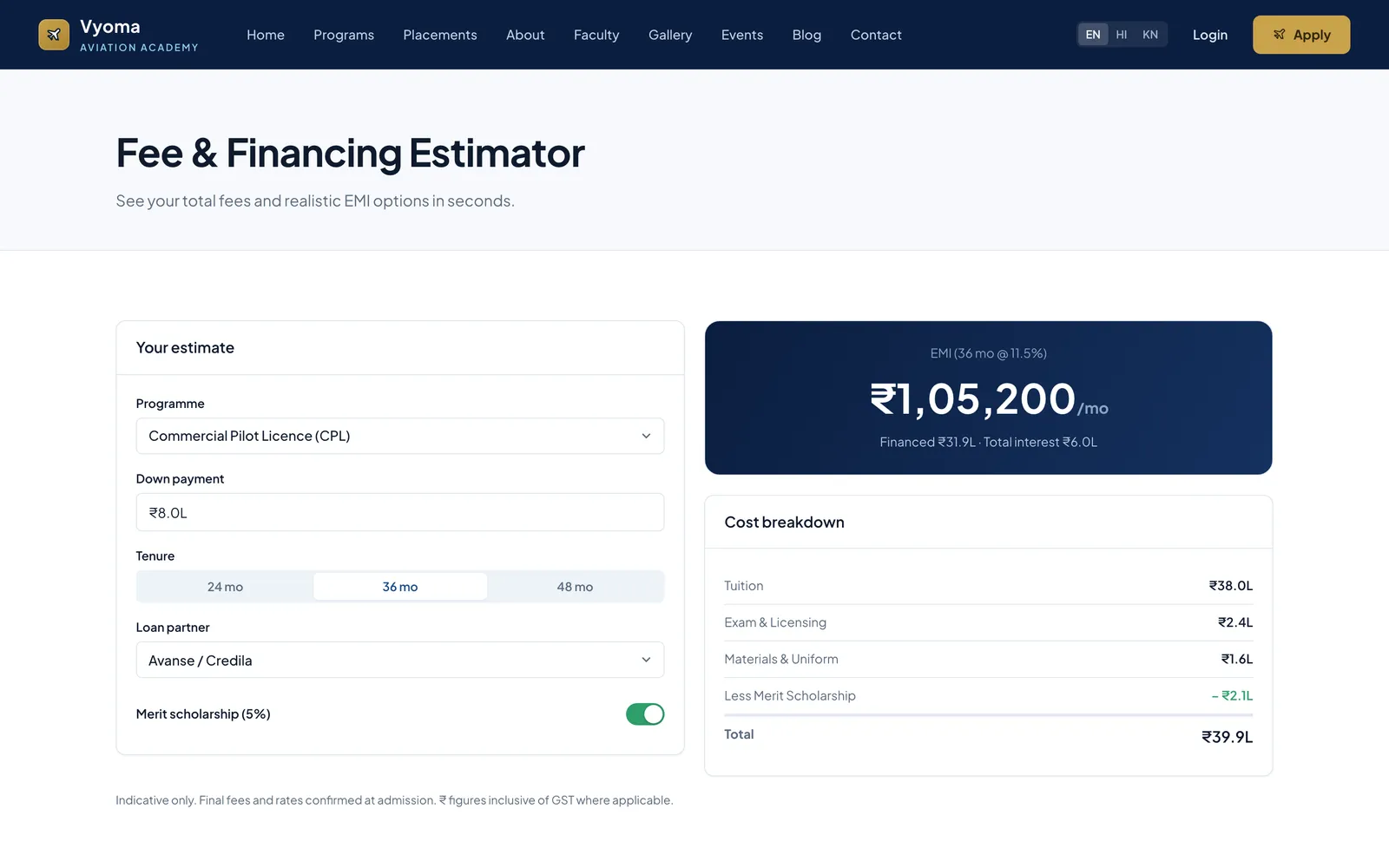
A five-step eligibility check that returns a conditional verdict and what is pending, such as the DGCA Class 1 medical, and a fee estimator that shows a monthly EMI and full cost breakdown.

Student and parent apps

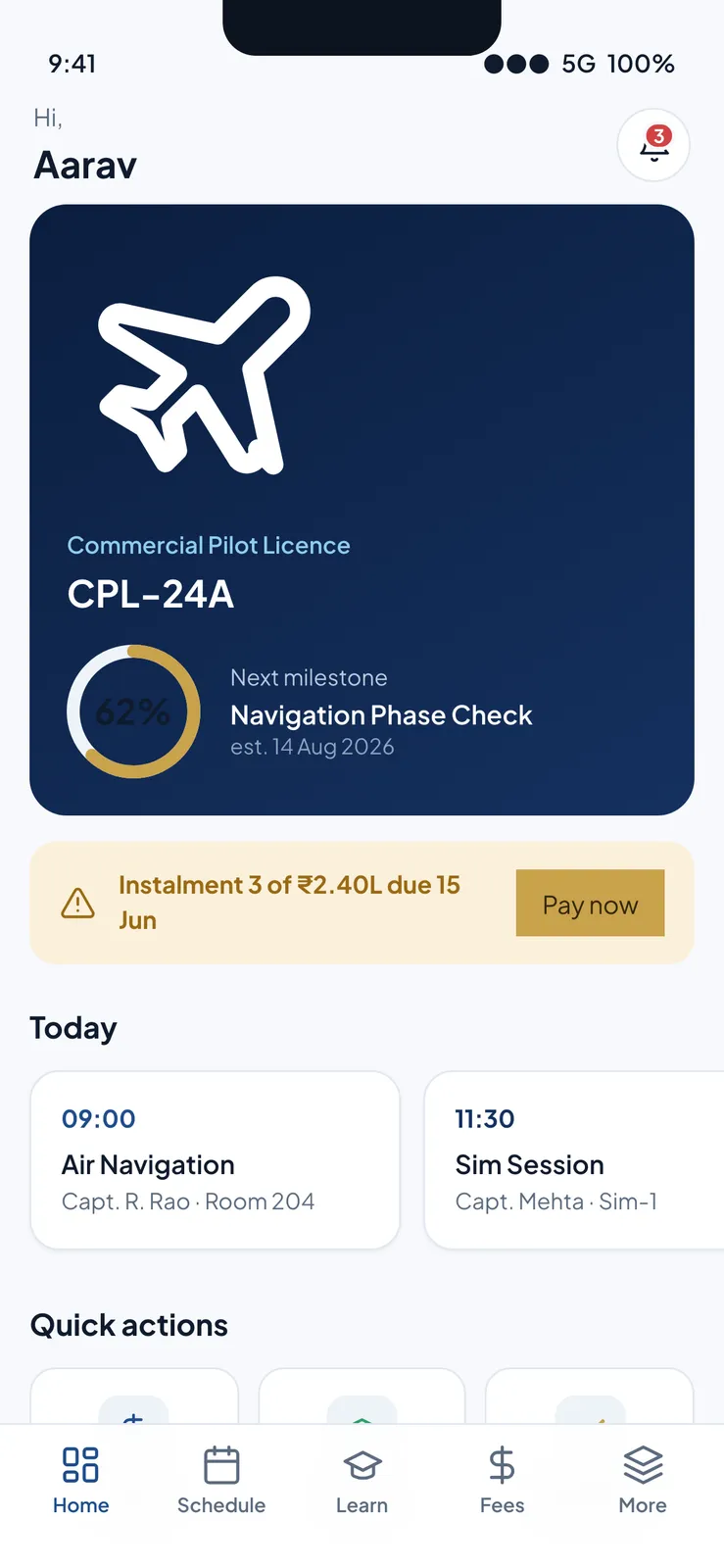
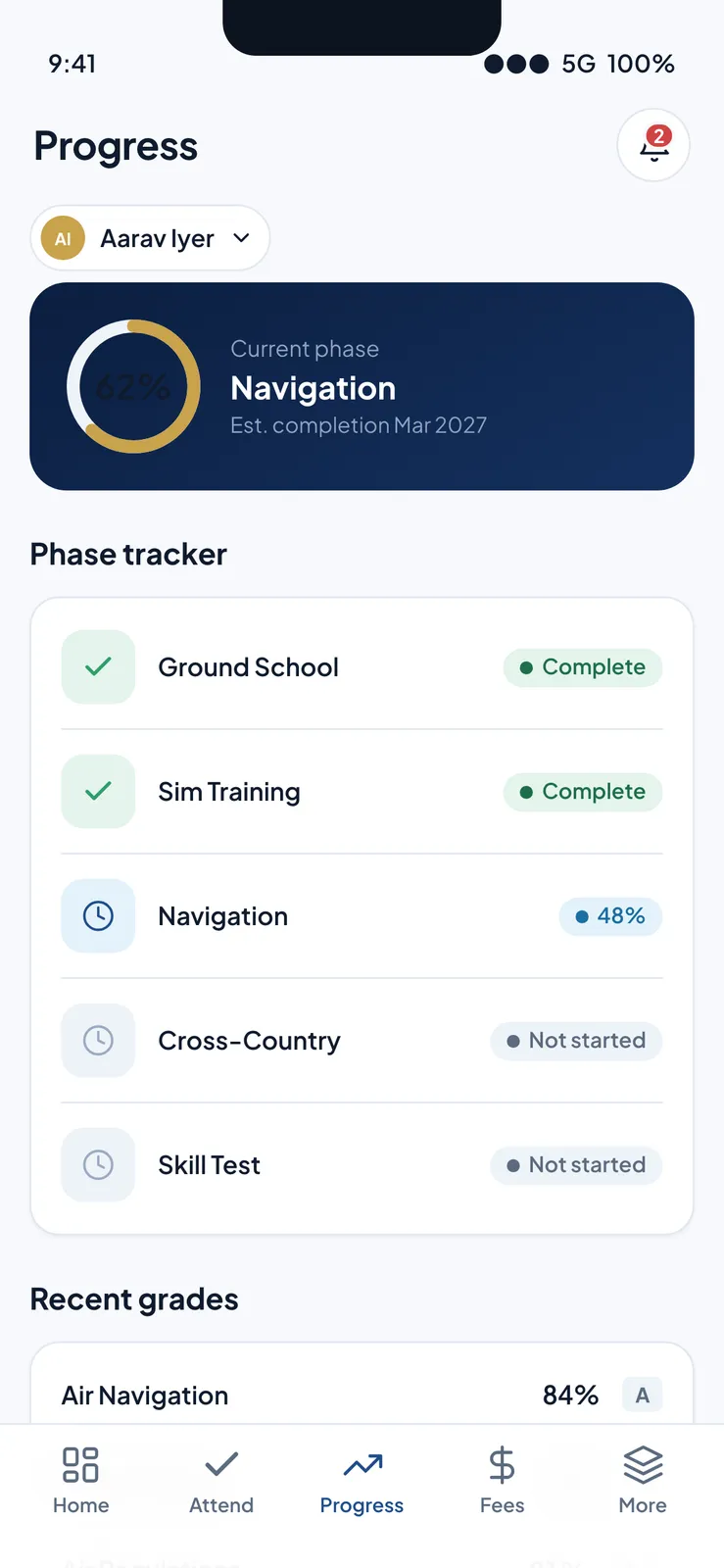
The cadet's phone home shows programme progress, the next fee instalment and today's classes and sim sessions; the parent app tracks each phase from ground school to skill test.

Screen IDs that carry to build

Every screen file has a stable ID, a route, its components, sample content and its loading, empty and error states, so the specification can become tickets without renaming.

By the numbers
135
Screens specified, each with layout, sample content and states
17
Role panels in the clickable prototype
9
Functional modules in the agreed scope
Screens

What Vyoma looks like

Dark navy launcher page with the Vyoma Aviation Academy brand, a platform stat bar and a grid of role-console cards.
The prototype launcher that indexes the whole platform: 17 role panels, three native apps and the public site, all on one shared design system.
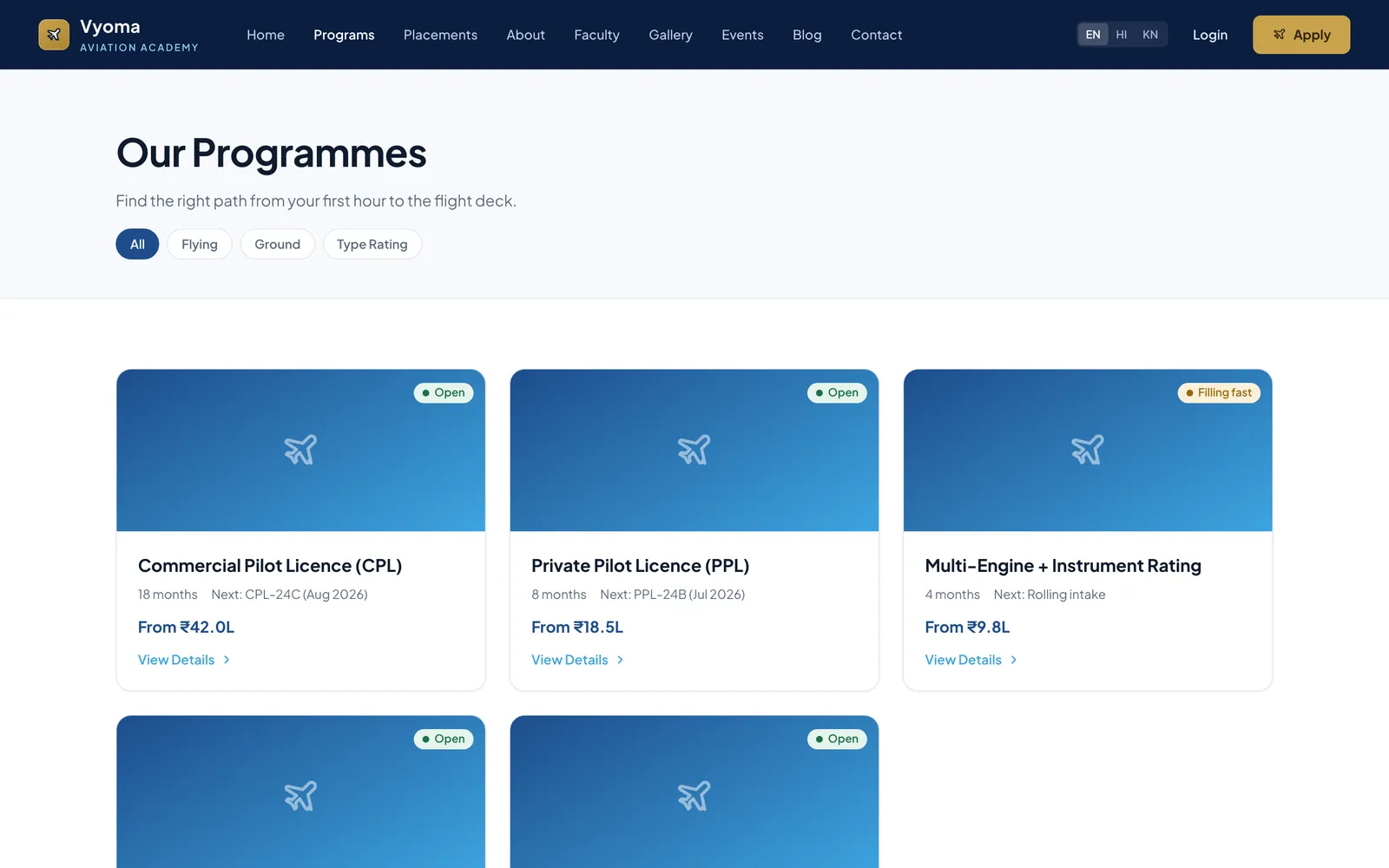
Public website 'Our Programmes' page with filter chips and programme cards showing duration, next intake and starting price.
The public marketing site's programme catalogue (CPL, PPL, multi-engine and instrument rating), filterable by flying, ground and type rating, with intake and starting fee.
'Am I Eligible?' page with a completed progress bar, a conditionally-eligible result card with Apply Now, and a summary of the answers.
The five-question eligibility checker at its result step: it gives a conditional CPL verdict, explains what is pending (the DGCA Class 1 medical) and routes to apply or book guidance.
Fee and financing estimator with an input form on the left, a large EMI figure and a cost breakdown table on the right.
The fee and financing estimator: choose programme, down payment, tenure, loan partner and scholarship to see the monthly EMI and a full cost breakdown.
Lead detail page with a connected-call bar, an activity timeline, a disposition form and a quick-facts panel.
A telecaller's lead screen mid-call: lead score and temperature, a live call timer, the activity timeline and a disposition form for outcome, next step and notes.
Admission pipeline kanban with Enquiry, Counselling, Verified and Offer columns holding lead cards with Hot and Verified tags.
The counsellor's kanban pipeline from enquiry through counselling, verification and offer, with programme, source and lead temperature on each card.
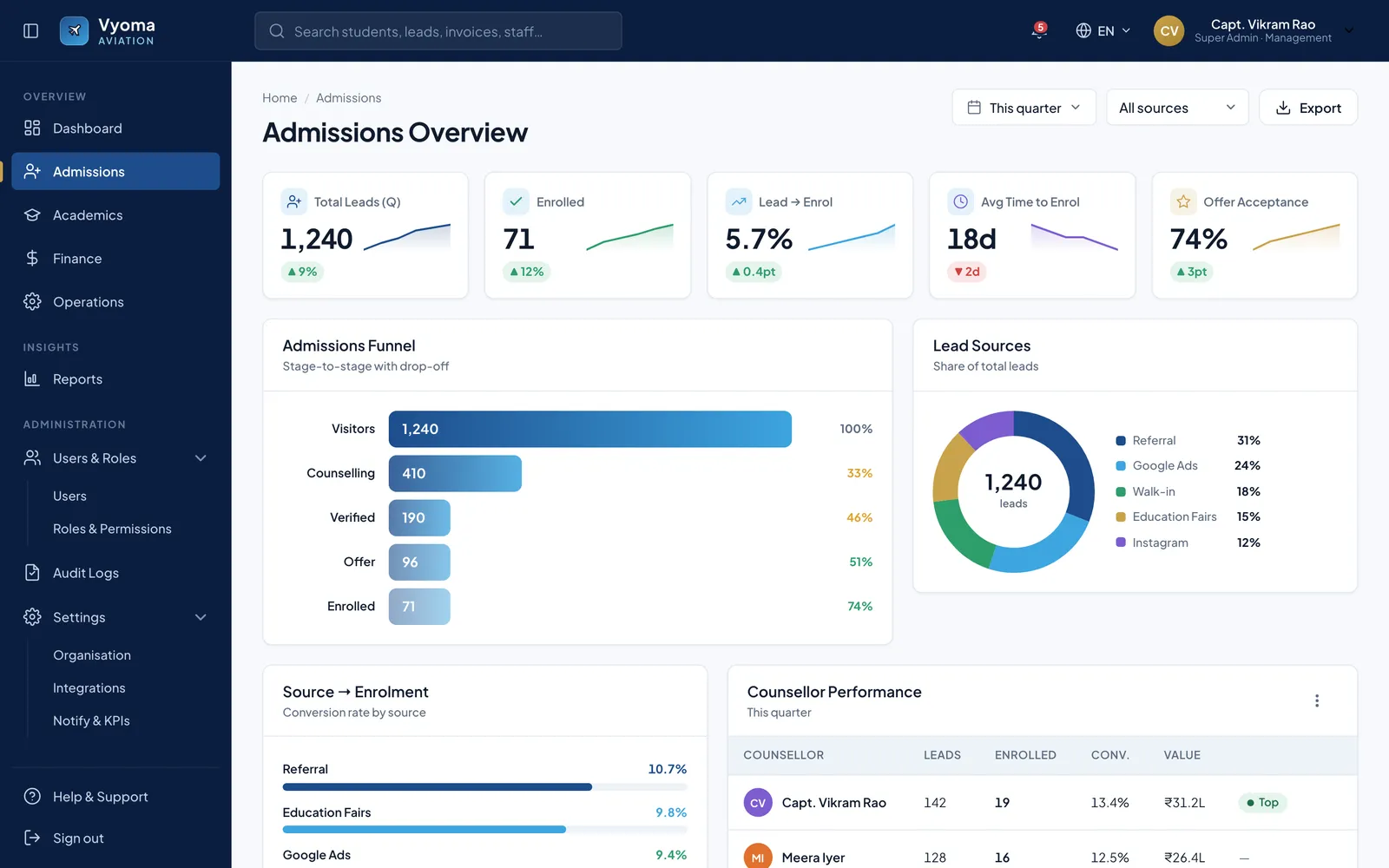
Admissions overview with KPI cards, a horizontal funnel chart, a lead-sources donut and a counsellor performance table.
Admissions analytics for the quarter: lead-to-enrolment conversion, time to enrol, offer acceptance, a stage-by-stage funnel with drop-off, lead-source mix and counsellor performance.
Gradebook with four stat cards and a grade grid of cadets with assessment scores, final percentage and Pass / At risk / Not graded status.
The faculty gradebook for a batch: graded and pending counts, class average and pass rate, and a grade grid that flags at-risk cadets before grades are published.
Question bank with a subjects list and counts on the left and a questions table with type, difficulty, marks, usage and status.
The examiner's question bank organised by DGCA subject, with question type, difficulty, marks, reuse count and review status.
Finance dashboard with six KPI cards, a revenue and collections column chart with a dues line, and a collection-method donut.
Collections health for the term: revenue, collected, outstanding and 90-day overdue dues, refunds and collection rate, plus monthly revenue versus collections and the payment-method mix.
Issue and return screen with a member card, a scan/lookup panel with a book ready to issue, and an active-loans table.
Library circulation: look up a cadet, scan a title to issue it with its due date, and manage active loans with overdue flags, returns and renewals.
Placement tracking kanban with Applied, Shortlisted, Interview and Offer columns of cadet cards with batch codes.
Placement tracking for a hiring drive, moving cadets from applied to shortlisted, interview and offer on a kanban board.
App screens

Inside the mobile app

Student mobile app home with a dark programme progress card, an instalment-due banner and horizontally scrolling class cards above a tab bar.
The cadet's mobile home: programme progress and next milestone, a fee instalment due with pay-now, today's classes and sim sessions, and quick actions.
Parent mobile app progress screen with a current-phase card, a five-step phase tracker with Complete / percentage / Not started pills, and a recent-grades list above a tab bar.
The parent app's progress tab: the cadet's current phase and estimated completion, a phase tracker from ground school to skill test, and recent grades.
Project details
Tech stack
React 18 (prototype)Babel standaloneCSS design tokensNext.js (proposed)Node.js (proposed)
FAQ

Questions about this project

Which roles does the Vyoma aviation academy prototype cover?

Seventeen: super admin, admin, counsellor, telecaller, trainer, examiner, HR, finance, librarian, inventory, placement, marketing and alumni consoles, the public website, and student, parent and staff phone apps.

How were the 135 Vyoma screens specified before prototyping?

Each screen has its own file with a stable ID, route, layout on a 12-column grid, the components it uses, sample content to render verbatim, and its states. One design brief, token sheet and component kit sit above all of them.

Is the Vyoma academy ERP in use at BrandCrew?

No. It is a proposal-stage prototype that runs in a browser on mock data, with no backend or database. It lets the academy's team click through each role before any production build is agreed.

More work

Other things we shipped

All projects
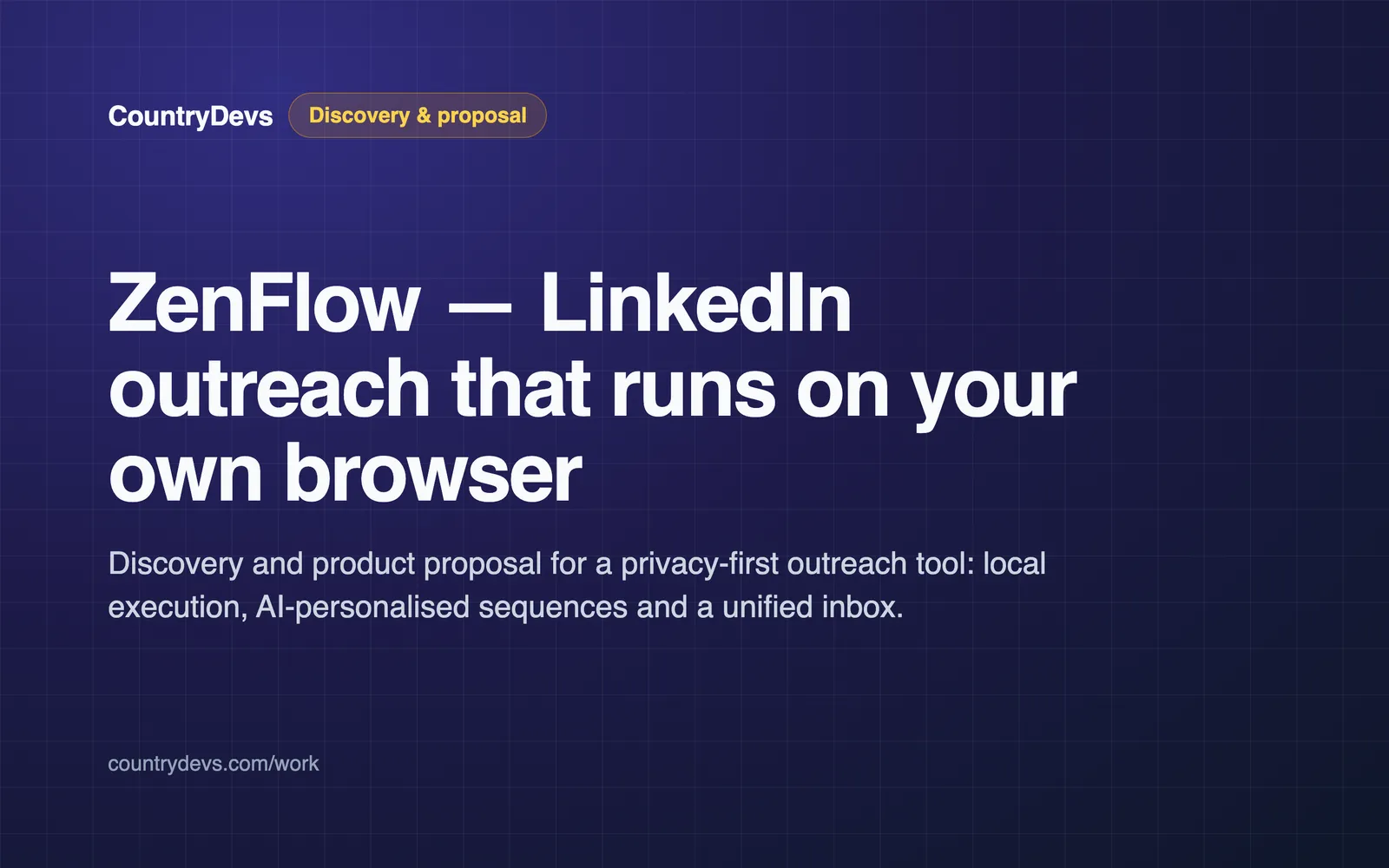
ZenFlow — LinkedIn outreach that runs on your own browser — Discovery & proposal by CountryDevsDiscovery
Saasfor ZenFlow

ZenFlow — Discovery for a Privacy-First LinkedIn Outreach Desktop App

ZenFlow is a privacy-first LinkedIn outreach desktop app we scoped for a prospect. We researched the category, compared local and cloud architectures, and wrote a full proposal around a local-first design. This was discovery only — nothing has been built.

Electron (proposed)Puppeteer / Playwright (proposed)SQLite (proposed)Node.js (proposed)+4
22Scoping questions put to the prospect before quoting
Case study
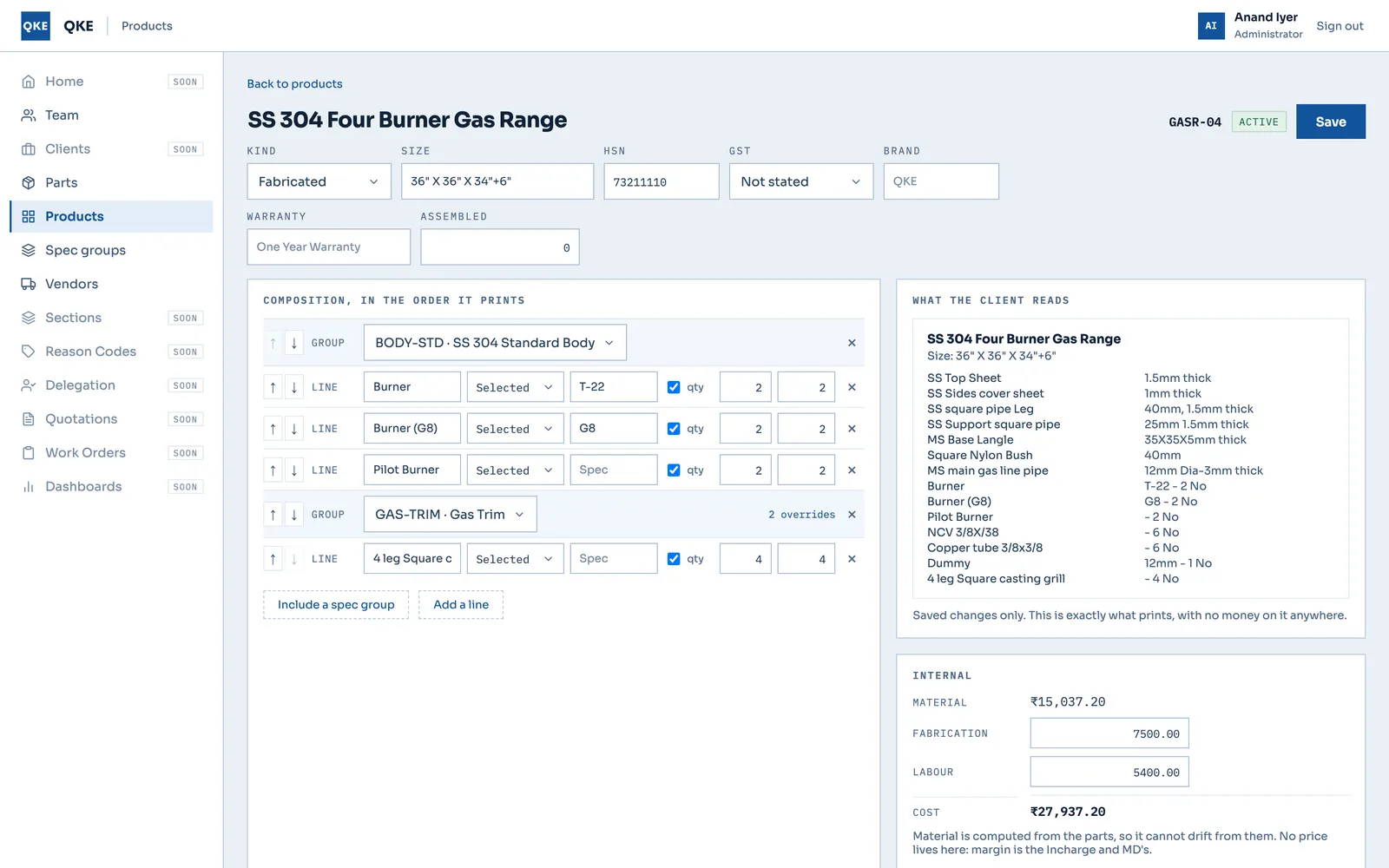
Product editor for a four-burner gas range with composition rows, a client-facing spec preview and an internal cost panel.Prototype
Enterprisefor Quality Kitchen Equipments (QKE)

QKE — Quotation-to-Production System for a Commercial-Kitchen Fabricator

QKE fabricates commercial-kitchen equipment in Chennai. We are building its quotation-to-production system: the master-data slices of the real Next.js and Express app are built, and the full nine-role workflow, from quotation to stores, runs as an HTML prototype.

Next.js 15React 18Redux ToolkitExpress+4
9Real-app slices shipped and verified (auth to product kinds)
Case study
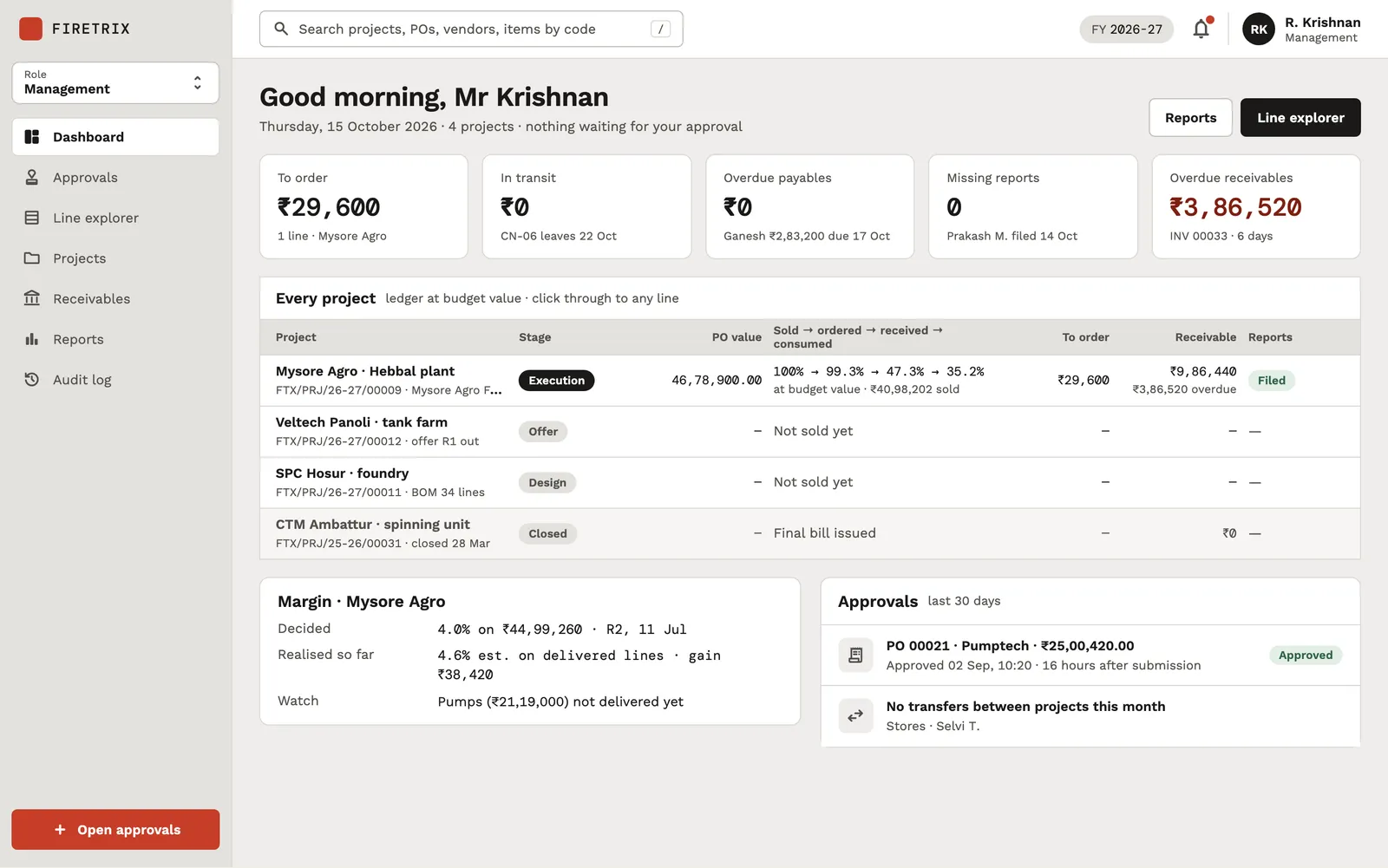
Management dashboard with five KPI cards, an 'Every project' table with stages and ledger percentages, a margin card and an approvals list.Prototype
Enterprisefor Firetrix

Firetrix — Project-to-Close-Out ERP for a Fire-Protection Contractor

Firetrix is a Chennai fire-protection contractor. We mapped its work from enquiry to close-out and designed one system for it: a 32-document product and engineering plan, 12 design boards and 9 clickable role prototypes. It is a prototype — no application code has been written yet.

HTML & CSS design boardsInteractive HTML prototypesDesign tokensNext.js (planned)+3
12Design boards delivered (8 role boards + documents, mails, direction, components)
Case study
Got a project?

Let's build the
next one together

Tell us what you're trying to ship. We'll come back with a scope, a timeline, and a fixed price — usually within 48 hours.

Not ready for a full build? Start with a fixed-price Discovery Sprint, or get a code audit of an app someone else built.