All projects
Enterprise
Clickable prototype

Firetrix — Project-to-Close-Out ERP for a Fire-Protection Contractor

Firetrix is a Chennai fire-protection contractor. We mapped its work from enquiry to close-out and designed one system for it: a 32-document product and engineering plan, 12 design boards and 9 clickable role prototypes. It is a prototype — no application code has been written yet.

For FiretrixJul–Oct 2026
  • Internal web app (designed)
  • Site-engineer phone portal (designed)
  • A4 documents (designed)
  • Outbound mails (designed)
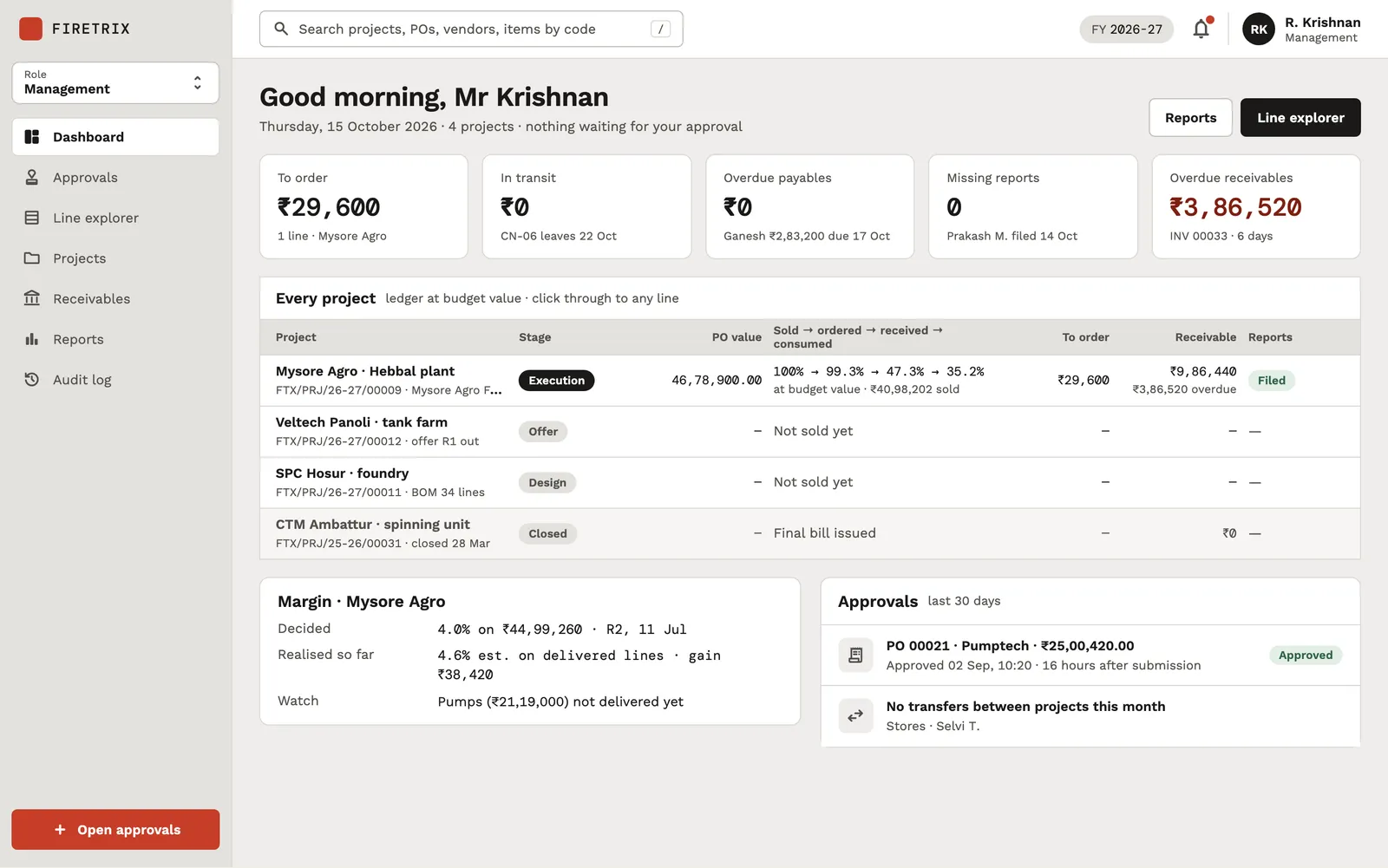
Management dashboard with five KPI cards, an 'Every project' table with stages and ledger percentages, a margin card and an approvals list.

Overview

Firetrix is a fire-protection contractor based in Chennai. A project runs from a client enquiry through design and costing, a priced offer and the client's purchase order, then buying from suppliers, deliveries to stores and site, installation, and a joint measurement before the final bill. Each step belongs to a different team, and the status of a project tends to live with the one person handling it.

We were asked to design one system for the whole loop. We started with an operational flow and a storyboard of the sequence of operations. Then we wrote a full product and engineering plan: ten roles, the flows between them, field-level data models, the API surface, document numbering, security and a verification plan. From that plan we produced 12 design boards — one for each of the eight internal roles, plus documents, mails, a direction board and a component sheet — and nine clickable prototypes, one per internal role and one with every role together.

This is a prototype. There is no application code, no database and nobody using it for live work. The screens run on invented seed data. What exists is a specification precise enough to build from, and boards the client can click through role by role.

How the per-line ledger and the document numbering are designed

The core record in the plan is a Line: one item from the master, placed in one project. A supplier PO, a consignment, a site receipt, a daily report and a measurement are all events that happen to lines.

The ledger

Column Moves when
Sold the client's PO or an amendment PO is captured
Ordered a supplier PO is sent or amended
Dispatched a consignment leaves a vendor
Received the site engineer confirms it at the gate
Consumed a daily report is filed
Invoiced a client invoice is issued
Measured the joint measurement sheet is signed

None of these is stored by hand. One function, ledger.recompute(line), derives them from events and caches the result for the dashboards. The balances people ask about — to order, in transit, on site, to invoice — are computed on screen and never saved. Quantities are integer thousandths of the item's unit and rates are integer paise, so a line's value is always computed.

The model expects numbers that do not add up neatly: one line bought on two POs at two rates, a short receipt, a local purchase topping up consumption, a measured length longer than what was sold. Each is an event with a date, a person and a document.

Financial-year numbering and GST

Every outbound document is numbered FTX/<KIND>/<FY>/<NNNNN> from a sequence per kind per financial year (1 April to 31 March, Asia/Kolkata). A document takes the year of the moment it is sent, not drafted, and the number is taken atomically inside the send step, so a draft never holds one. A gap is acceptable; a duplicate never is. Offers and POs revise with an -R<n> suffix, and the as-sent PDF is kept with its hash.

GST is one module: the two parties' states decide CGST plus SGST or IGST per line, in paise, with the round-off as its own line. Legal e-invoicing stays outside: the invoice is exported and the IRN and QR are typed back in.
The challenge

A fire-protection job touches marketing, design, procurement, finance, stores, the site engineer and management, plus the client and a long list of suppliers and transporters. Quantities are the hard part. One pipe line on a project can be bought from two vendors at two rates, arrive short at the gate, go to stores before it reaches site, and measure longer at the end than the quantity sold. Without one record per line, only the person handling a project can say what is bought, delivered or still to invoice.

Money and paperwork add to it. The margin has to stay with management. Every enquiry, offer, purchase order and invoice that leaves the office needs a financial-year number and correct GST. And the site engineer works from a phone, often with poor signal.

The solution

We built the plan around one idea: the project line is the subject, and its quantities are derived from recorded events, never typed. One enquiry engine serves both design (asking suppliers for rates to cost a project) and procurement (asking for rates to buy). Every role gets its own dashboard and its own board, and the same line shows the same numbers on each — minus what that role may not see. Procurement, finance and stores never see the margin or the offer rates.

The specification gives every screen a stable ID — about 77 web-app screens, 11 site-portal screens, 10 A4 documents and 7 mails — so boards, routes, templates and tests share one vocabulary. The planned build is a Next.js web app with a phone-first site portal on one Express and MongoDB backend, with pdfkit documents and mail sent by the system. The boards and prototypes themselves are static HTML the client can open in a browser.

The impact

What exists today: the operational flow and storyboard from July 2026, and, from October 2026, a 32-document product and engineering plan, 12 design boards and nine interactive prototypes. The prototypes run in a browser on invented seed data. Nothing has been deployed, and the figures on the screens are not Firetrix's.

The plan's next step is scaffolding the real application from these boards. Some inputs are still awaited from the client, including its real item and vendor masters and its letterhead details, so placeholder data stands in for them for now.

Features

What we built into Firetrix

A quantity ledger on every line

Each project line carries sold, ordered, dispatched, in-stores, received, consumed, invoiced and measured quantities. One function derives them from recorded events, so a balance is never typed by hand.

One enquiry engine, two modes

Design sends enquiries to cost a project; procurement sends them to buy. Same items, vendors, quotation revisions and comparison screen, with the buying mode showing design's budget rate alongside.

Vendor quote comparison

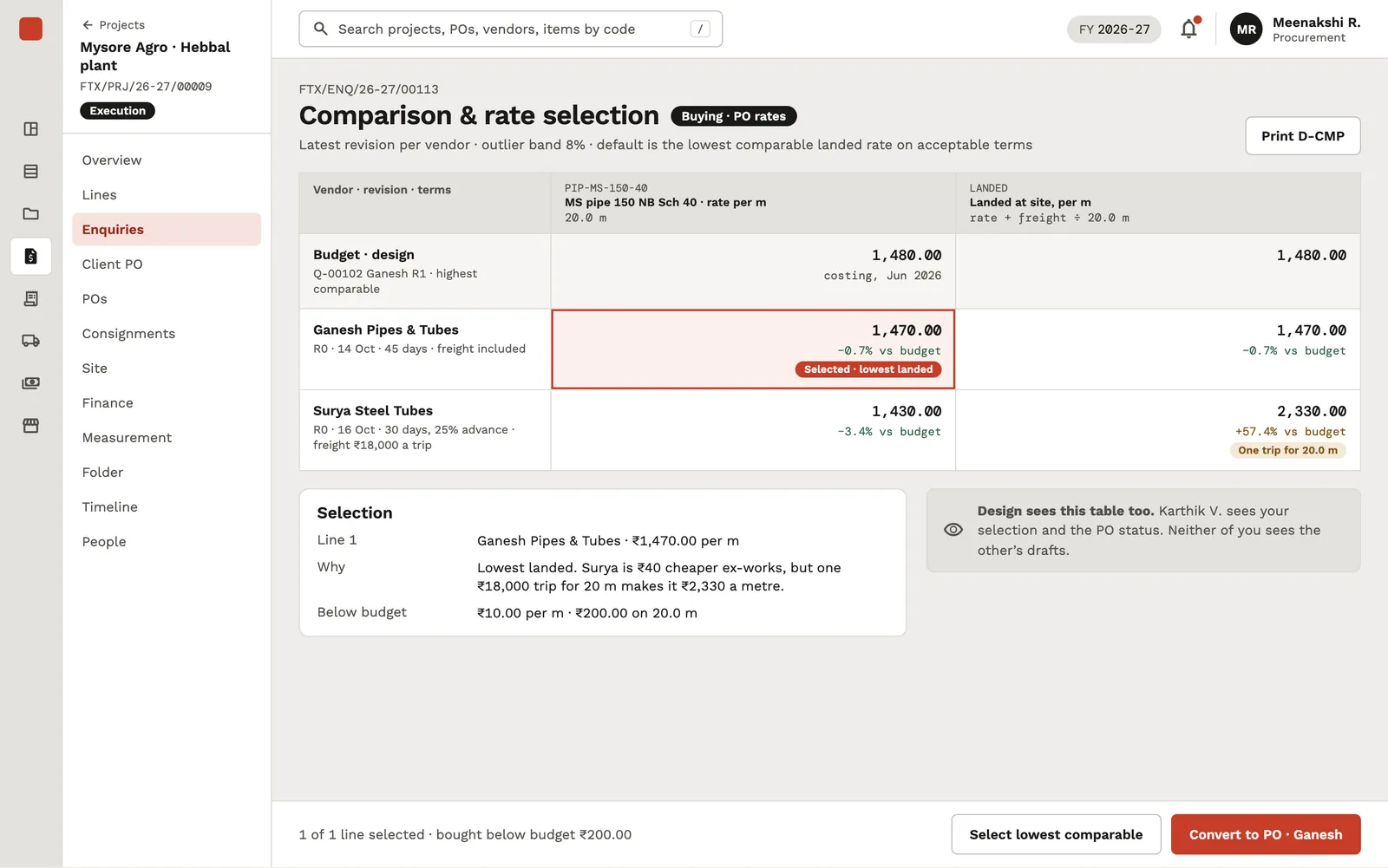
One row per line and one column per vendor's latest quotation revision, with design's budget rate, the min and max, and outlier flags, so every quote shows its gap from budget.

Costing that carries the fittings

Non-billable items such as elbows and gaskets roll into their parent line's loaded rate. Management applies the margin to produce the offer; the client never sees the children or the margin.

A dashboard per role

Marketing, design, procurement, finance, stores, management and admin each open on their own dashboard. A screen shared by several roles comes in a variant for each, so the margin only appears where it is allowed.

A phone portal for the site

The site engineer gets a one-project link and a six-digit password, confirms deliveries line by line against the invoice, uploads the client-signed copy and files a daily report. Every form keeps a local draft if the signal drops.

A stores register that matches the projects

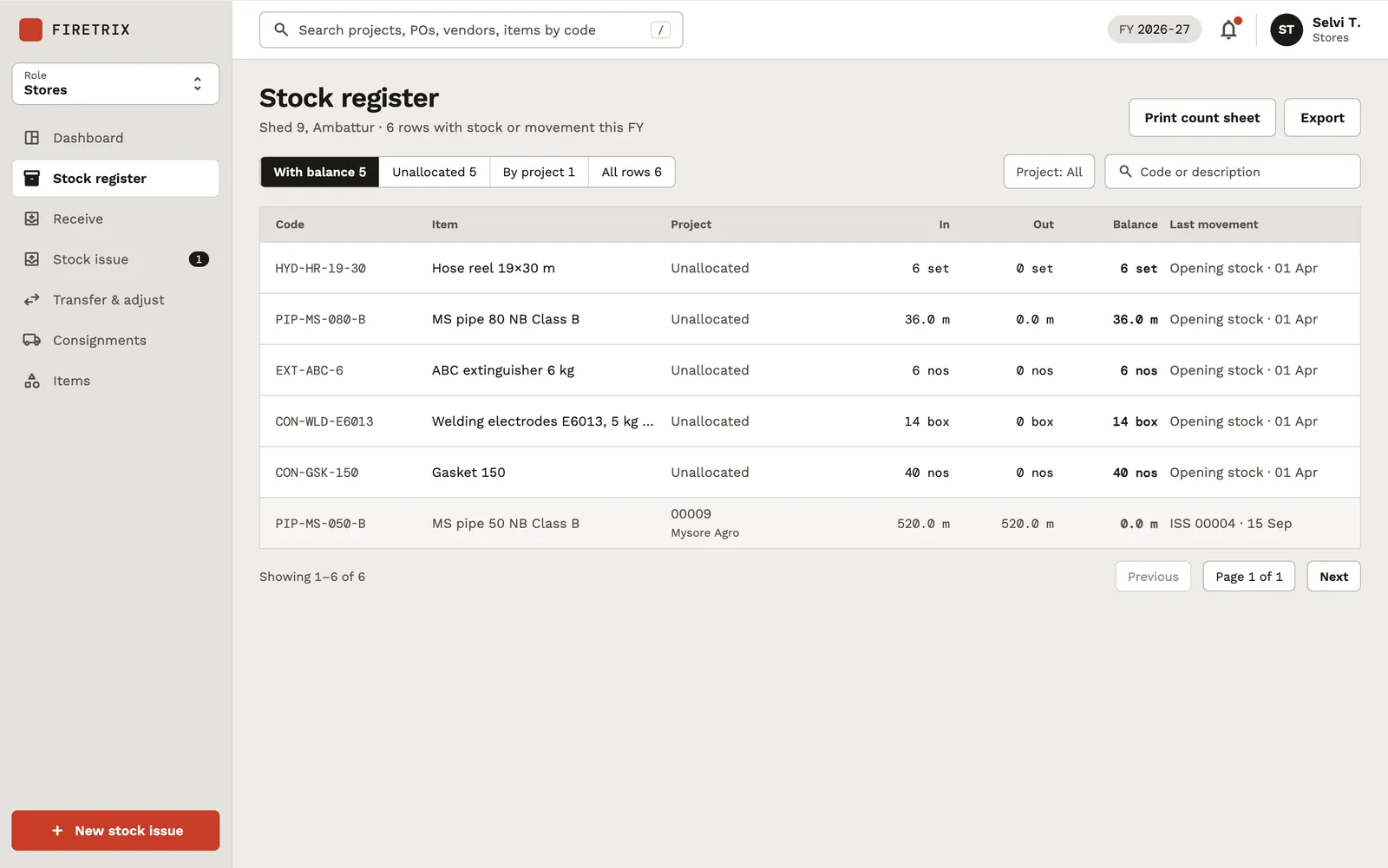
Receipts in and issues out per item, split between unallocated stock and stock held for a project, so stores and the project ledger agree.

Numbered, kept documents

Enquiries, offers, purchase orders, invoices and measurement sheets are numbered per kind per financial year at the moment they are sent, kept exactly as sent, and revised with a suffix.

Joint measurement and the final bill

The measured quantity per billable line, signed by both sides, sets the final bill: measured minus already invoiced, at the client's PO rate, with a credit note when the difference is negative.

By the numbers
12
Design boards delivered (8 role boards + documents, mails, direction, components)
9
Interactive prototypes (one per internal role + all roles)
≈77
Web-app screens specified with stable IDs
32
Product and engineering plan documents
Screens

What Firetrix looks like

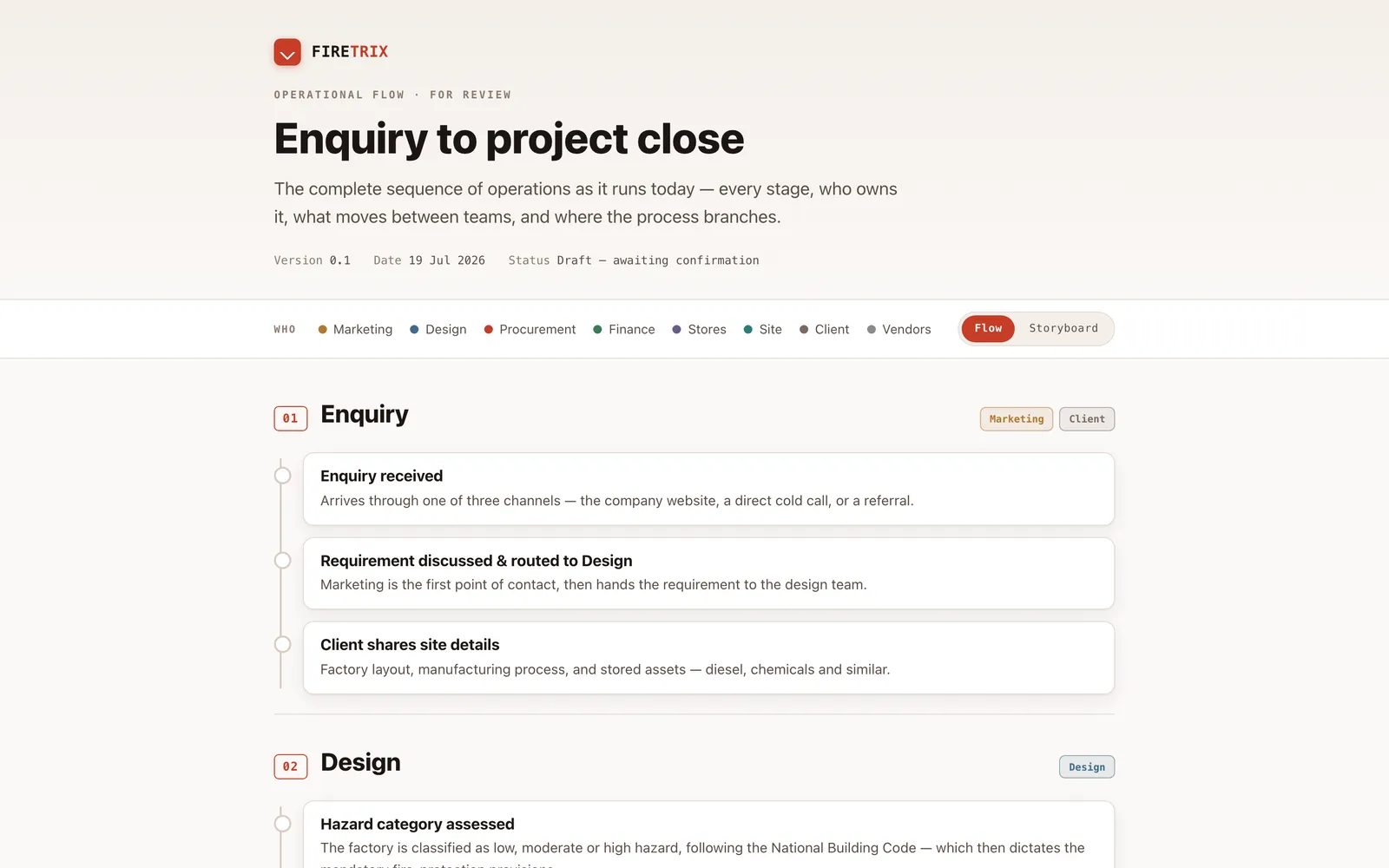
Firetrix operational flow page titled 'Enquiry to project close' with a team legend and the first Enquiry and Design stages as a vertical timeline.
The discovery deliverable that mapped the contractor's whole sequence of operations, stage by stage, with the owning team for each step colour-coded.
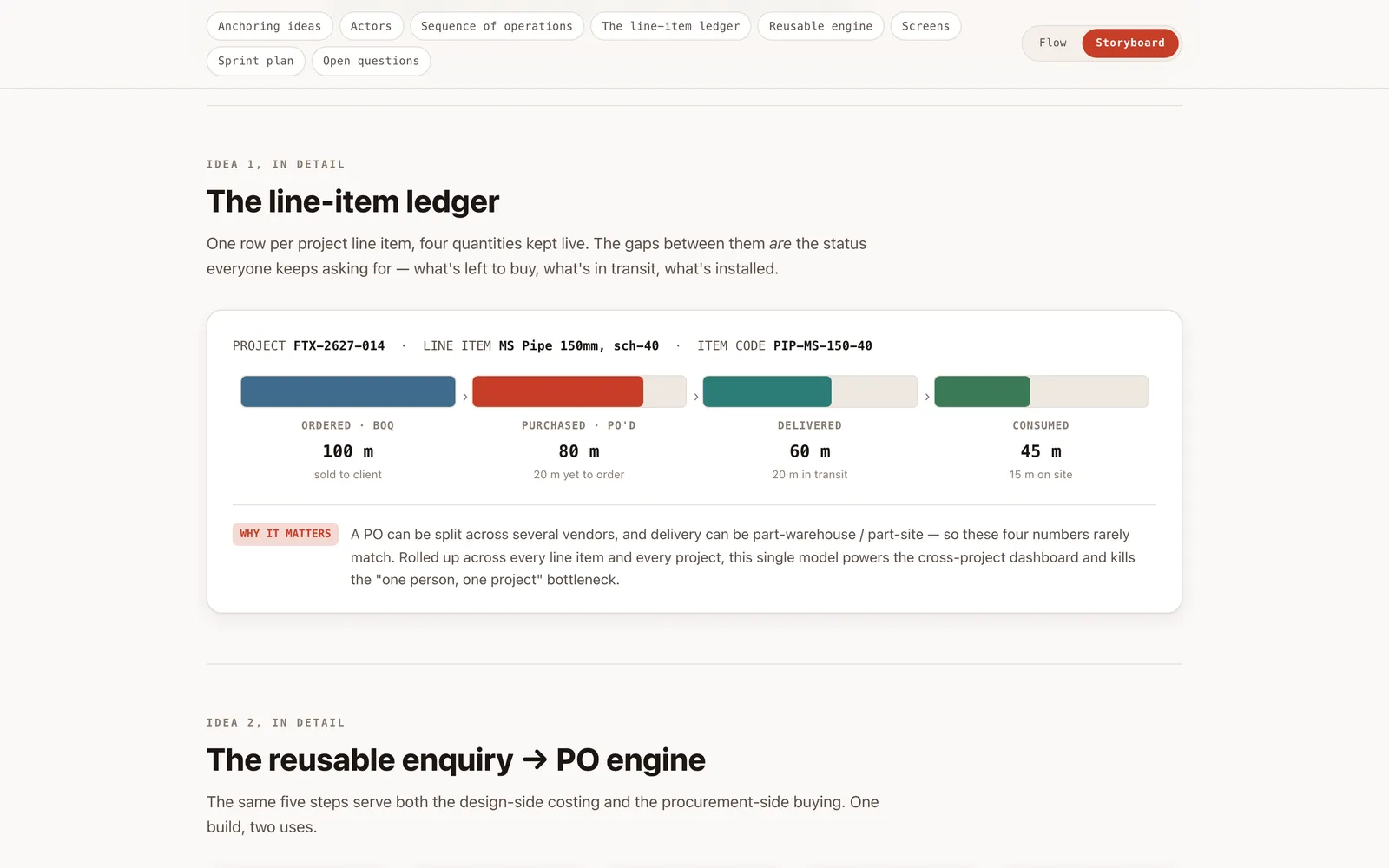
Storyboard section 'The line-item ledger' showing four coloured bars for ordered 100 m, purchased 80 m, delivered 60 m and consumed 45 m of one pipe line item.
The storyboard's core idea: every project line item carries four live quantities (ordered by the client, purchased, delivered, consumed), so the gaps between them are the status.
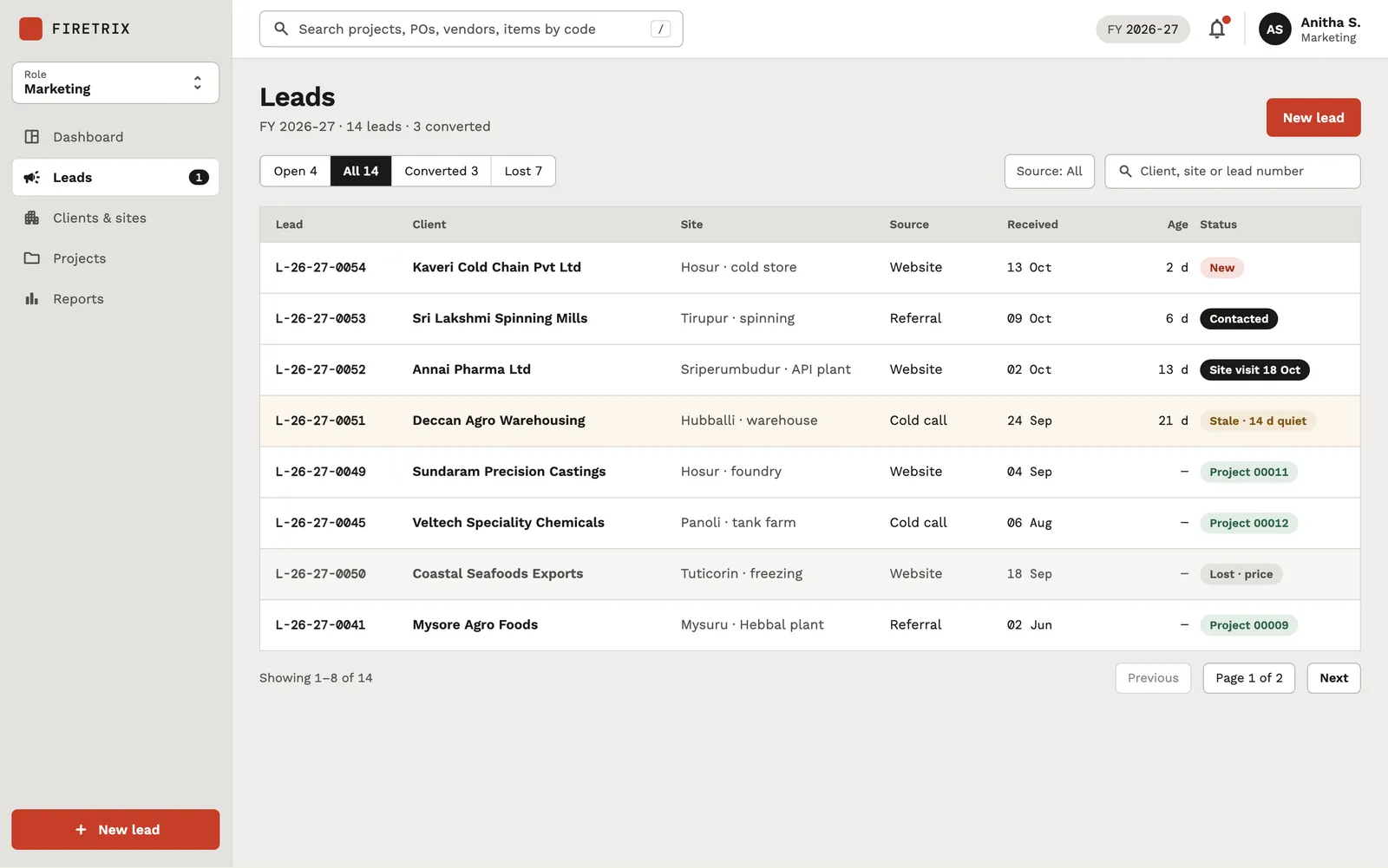
Leads table listing lead numbers, client names, sites, sources, received dates, age and coloured status pills.
Marketing's lead register with source, age and status chips (new, contacted, site visit, stale, converted to project, lost), filtered by tabs with global counts.
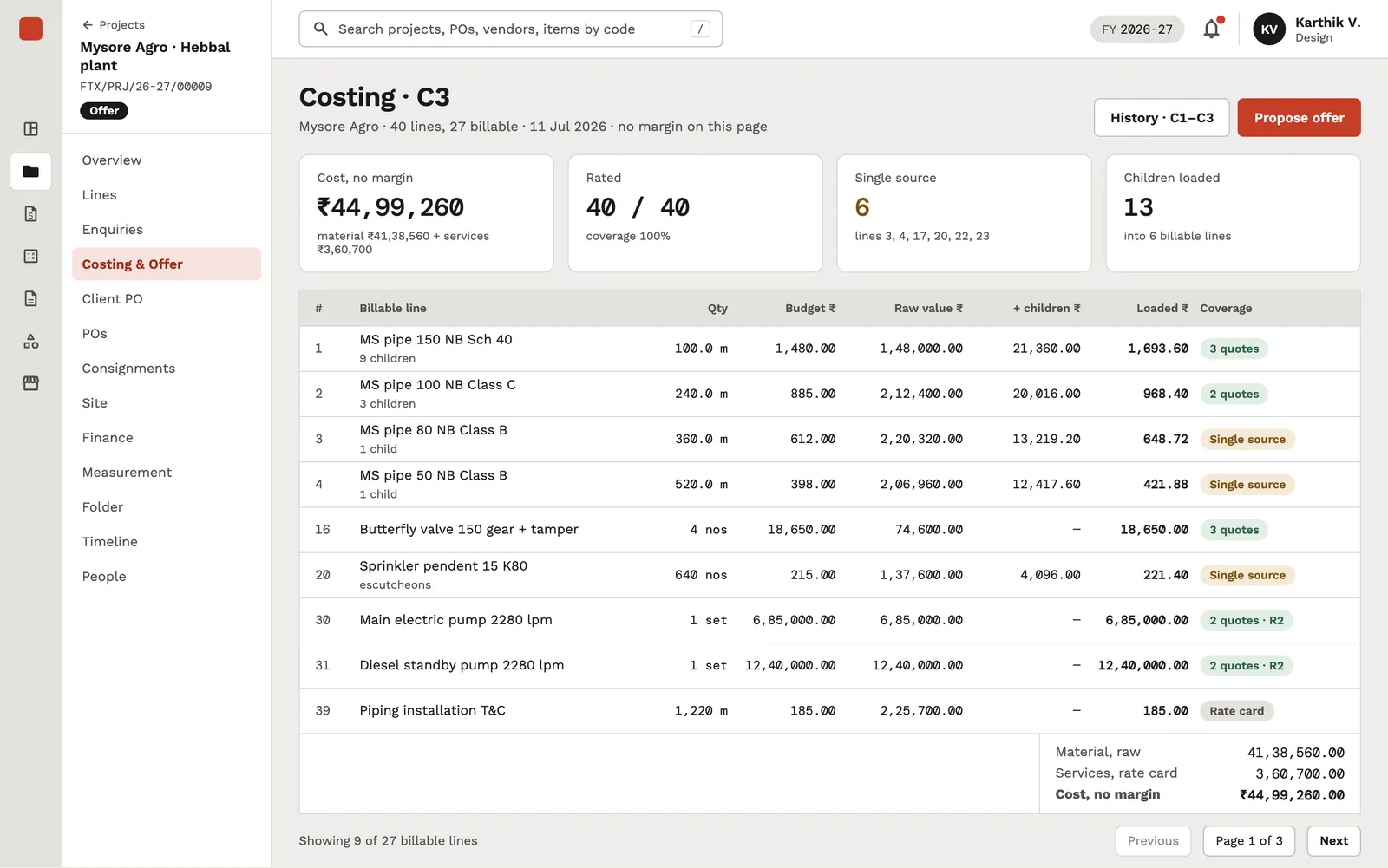
Costing C3 screen with cost, rated-lines, single-source and children-loaded cards above a table of billable pipe, valve, sprinkler and pump lines.
The design team's costing of a project BOM: budget rate per billable line, child fittings rolled into a loaded rate, and how many vendor quotes back each line.
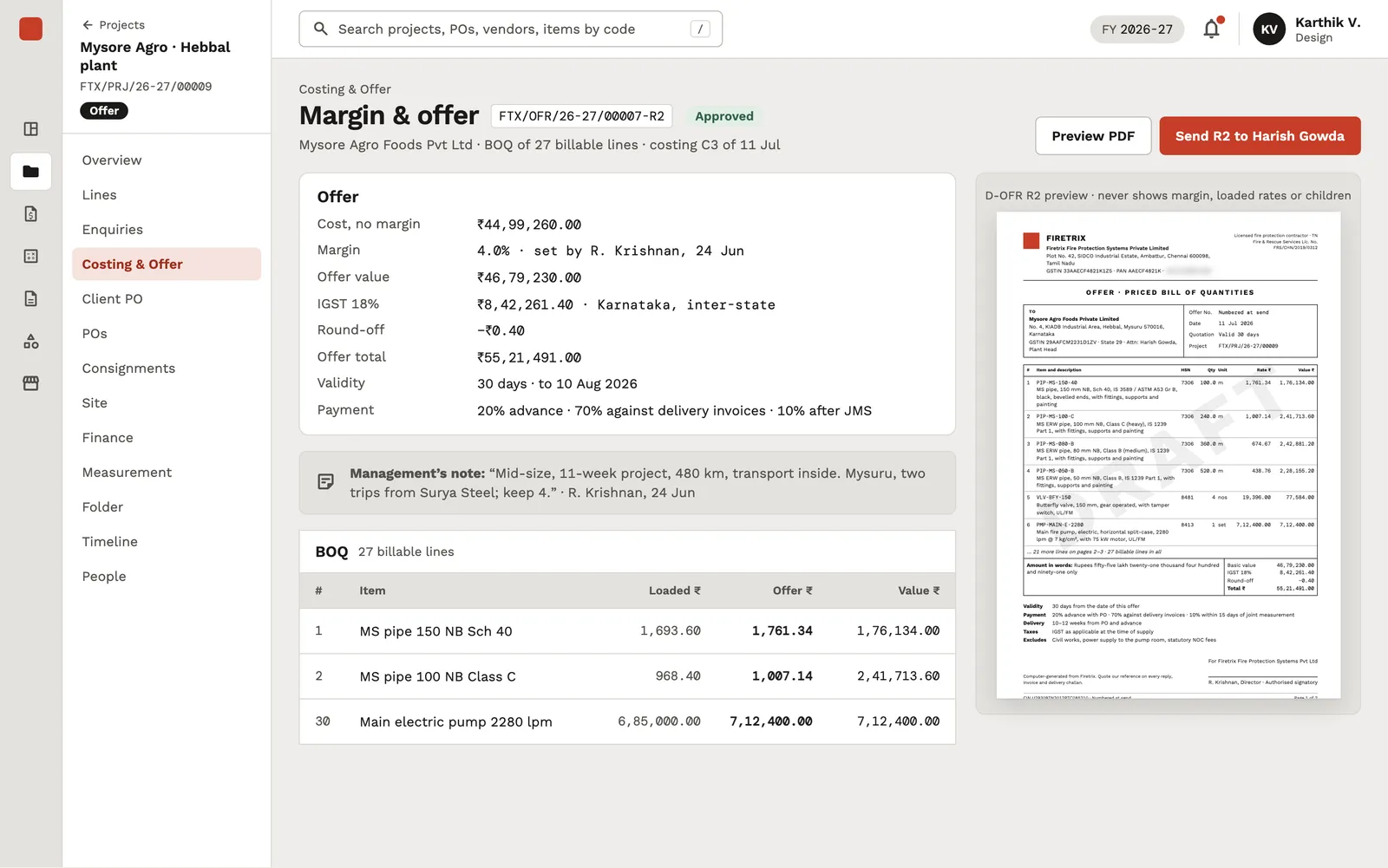
Margin and offer screen with an offer summary, a management note, a BOQ excerpt and a thumbnail of the offer PDF marked DRAFT.
Applying the approved margin to the costing to produce the priced offer, with tax, validity and payment terms, and a live preview of the A4 offer the client receives.
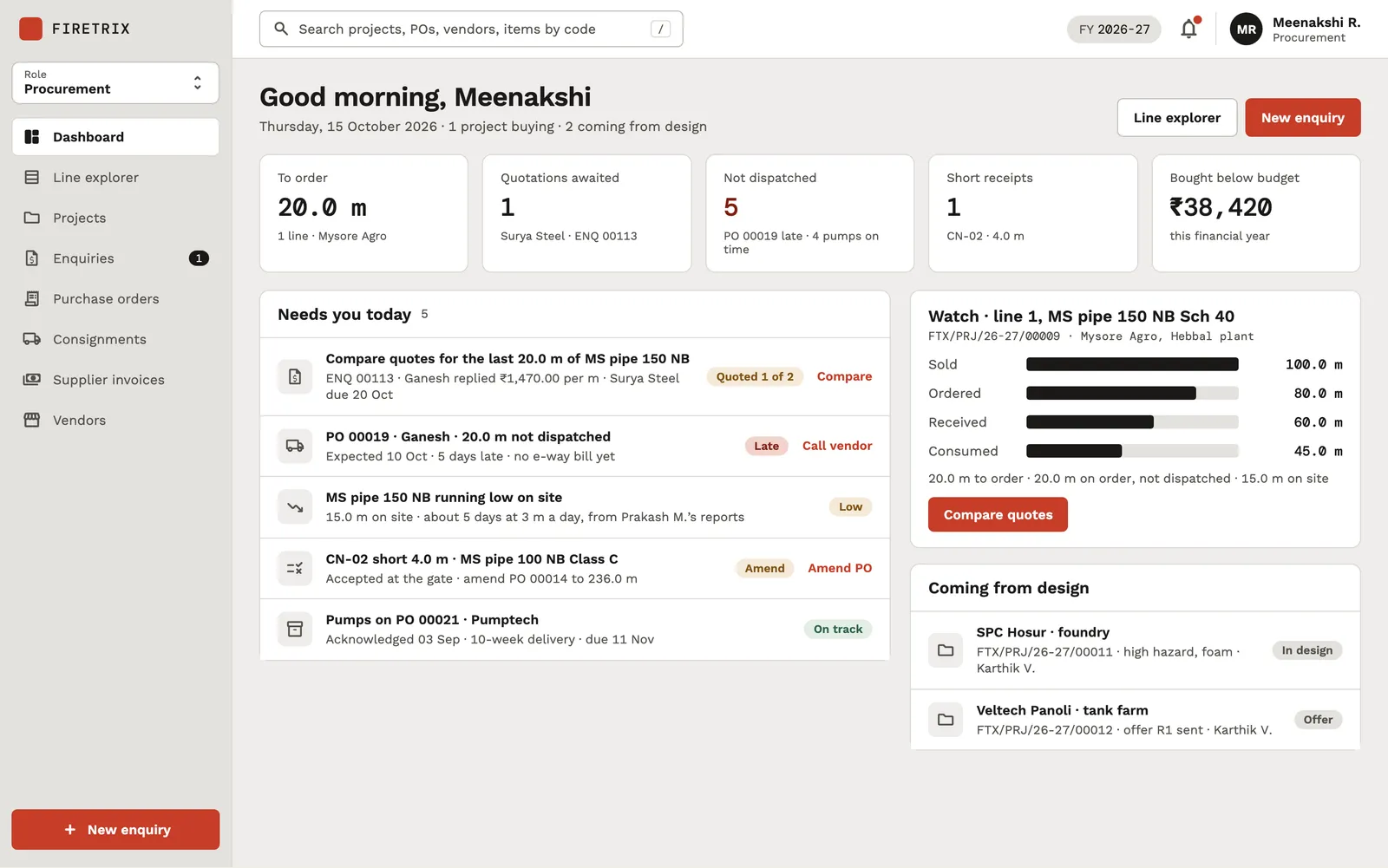
Procurement dashboard with five KPI cards, a 'Needs you today' list of tasks and a ledger panel for one pipe line.
Procurement's day: lines still to order, quotations awaited, late dispatches, short receipts and savings against budget, with a 'needs you today' queue and a watched line's ledger.
Comparison and rate selection table with budget, two vendor rows, rate and landed-rate columns, the selected cell highlighted, and a selection summary below.
The vendor comparison matrix: each supplier's latest revision against design's budget rate, with freight folded into a landed rate so the lowest real cost is selected, not the lowest headline price.
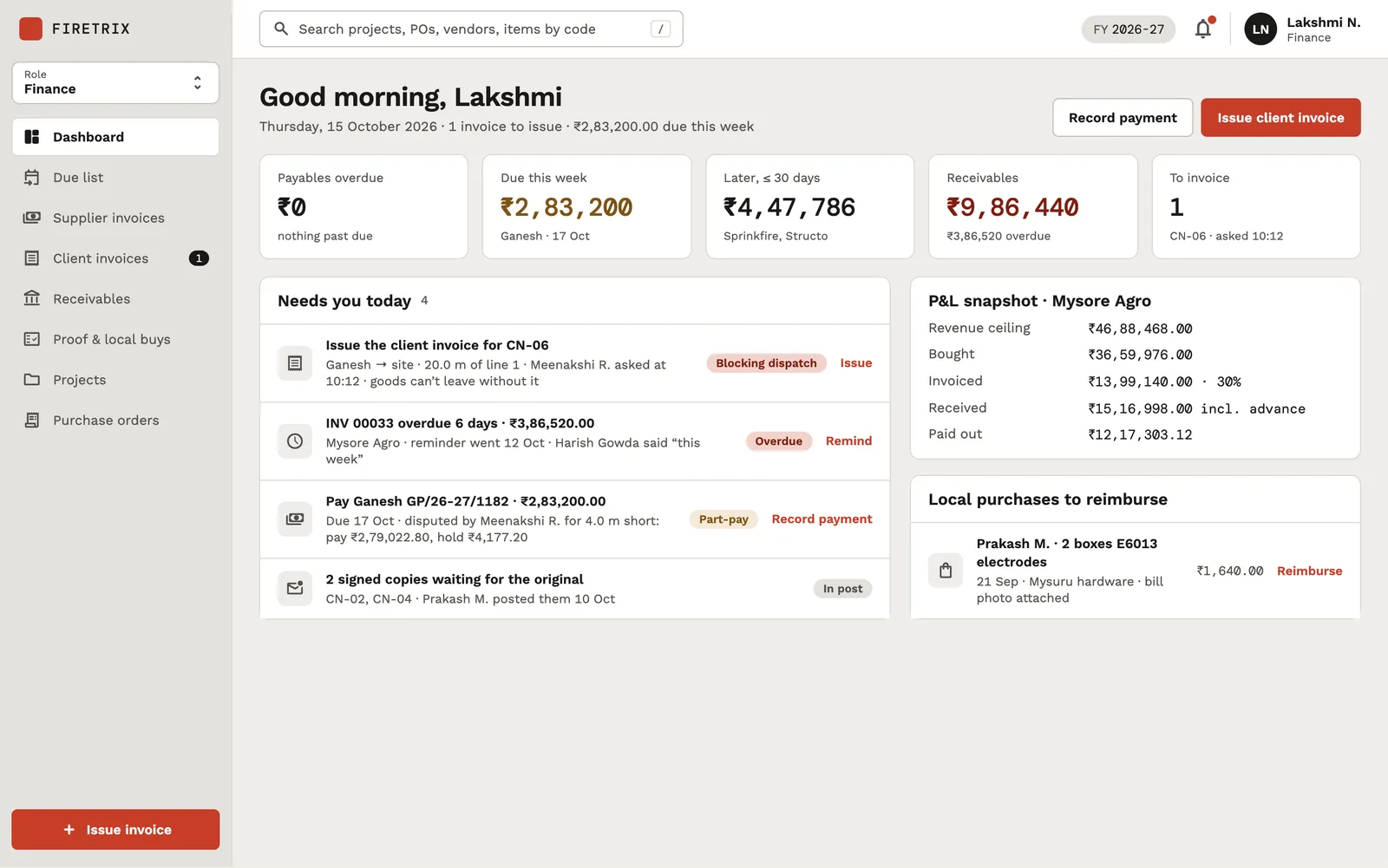
Finance dashboard with KPI cards, a 'Needs you today' list, a P&L snapshot card and a local-purchases card.
Finance's view of payables due, receivables overdue and invoices to raise, plus a per-project P&L snapshot and site local purchases waiting to be reimbursed.
Stock register table with item codes, descriptions, project allocation, in, out, balance and last movement columns.
The warehouse stock register showing in, out and balance per item code, split by unallocated stock and stock tied to a project.
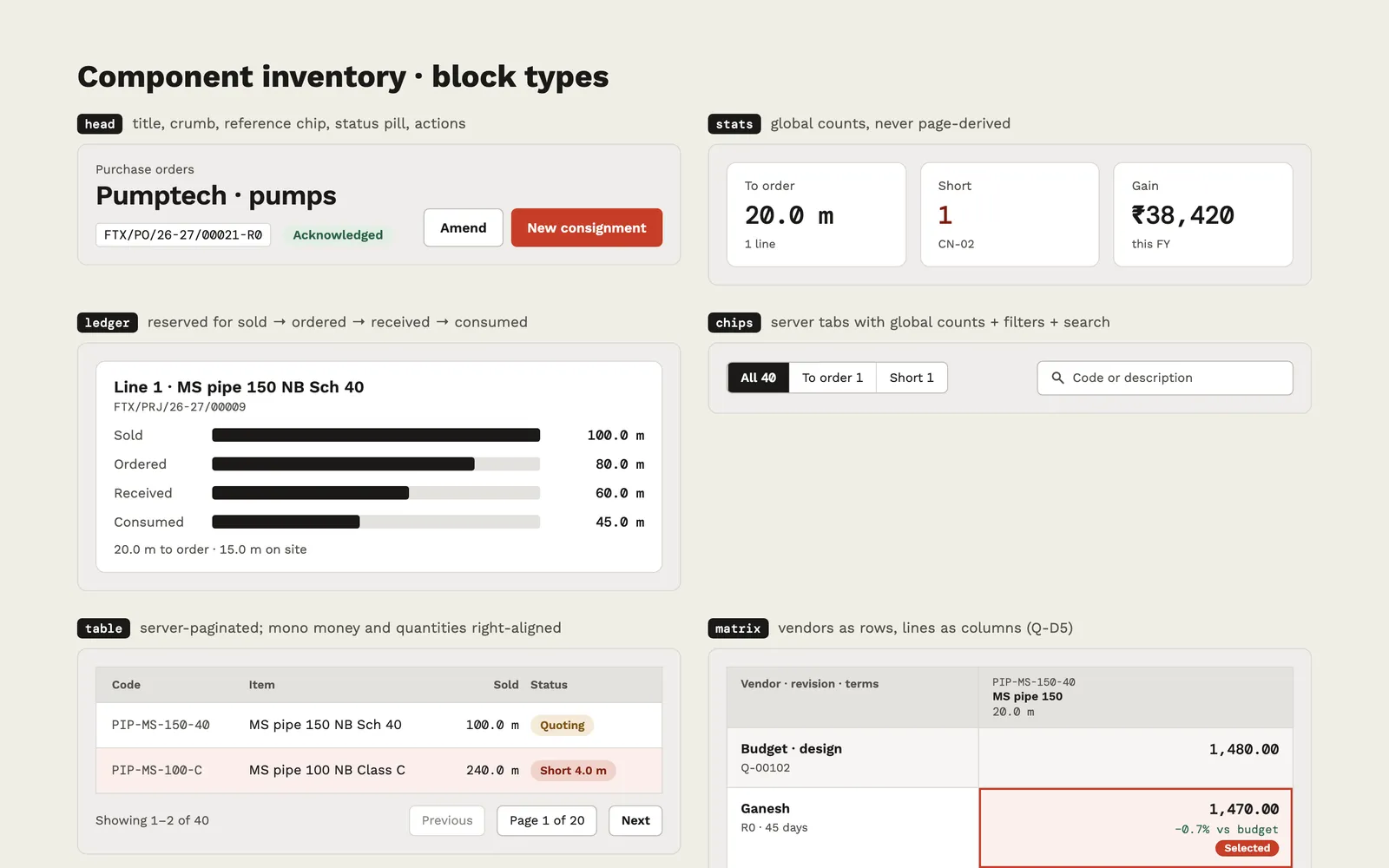
Component inventory board showing a page head block, stat cards, a four-bar ledger block, filter chips, a paginated table and a vendor comparison matrix.
The token sheet's component inventory: the shared block types (page head, stat cards, the ledger, filter chips, tables, the vendor matrix) that every role board is rendered from.
App screens

Inside the mobile app

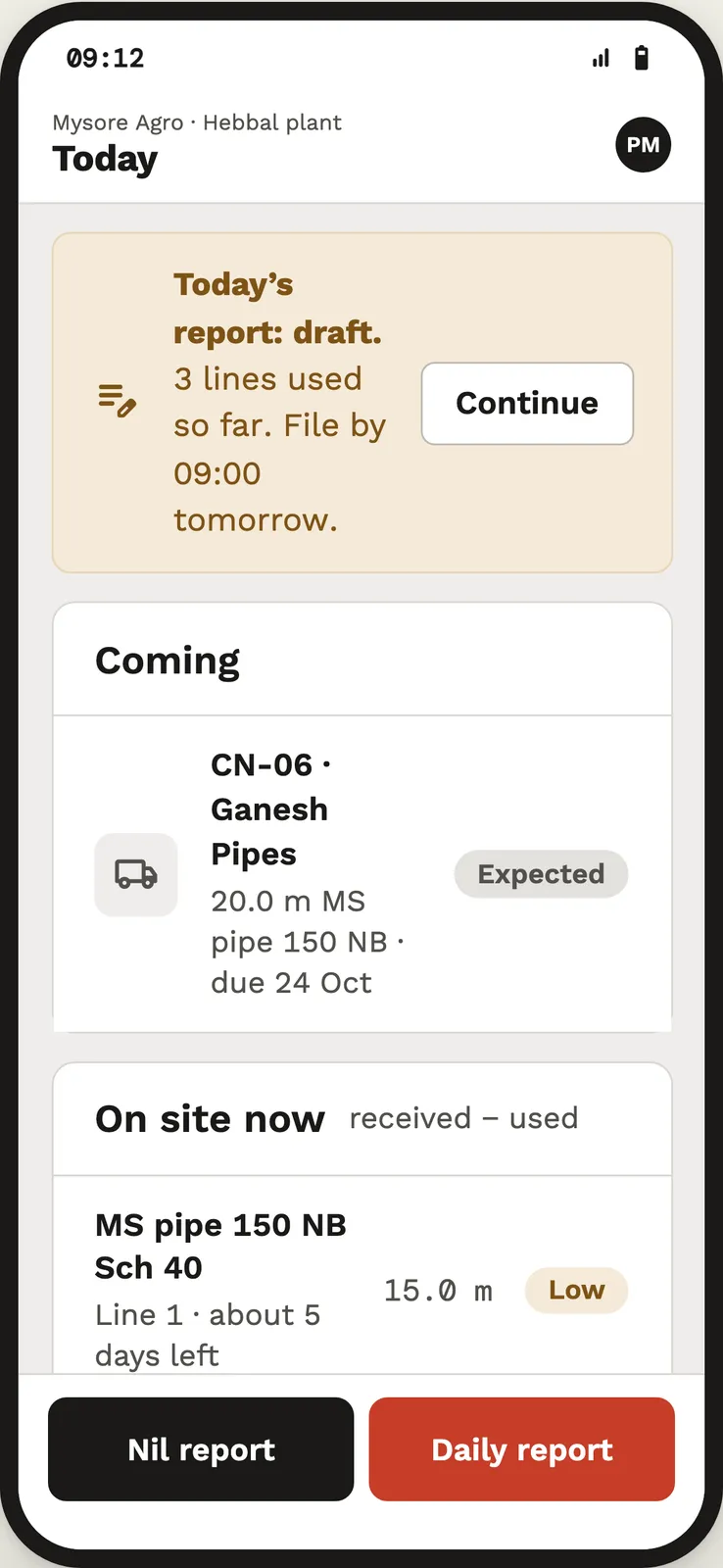
Phone screen titled Today with a draft-report banner, a 'Coming' consignment card, an 'On site now' list and Nil report / Daily report buttons.
The site engineer's phone portal: a reminder to file the daily report, the consignment expected at the gate and the material on site now, with one-tap nil or daily report.
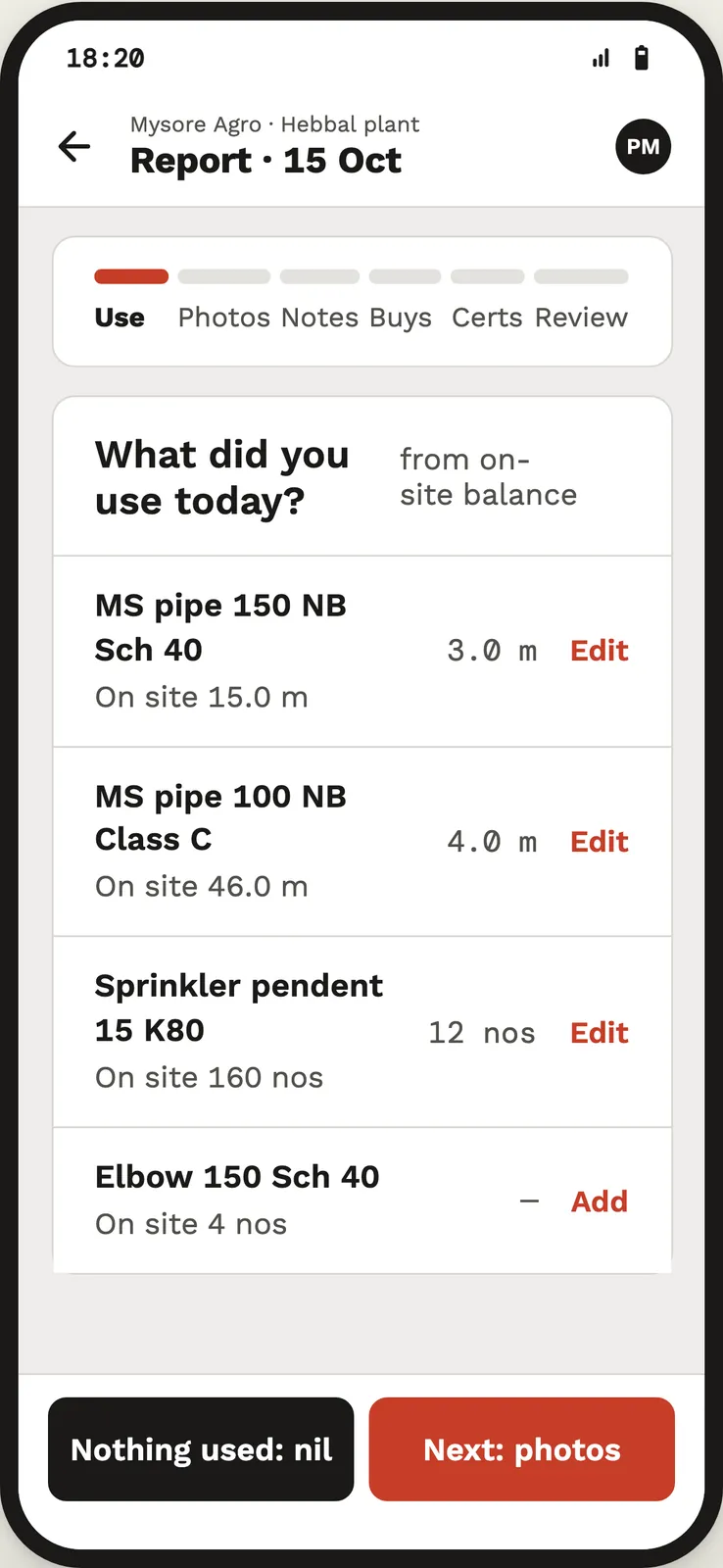
Phone screen 'Report · 15 Oct' with a six-step progress bar and a list of pipe and sprinkler lines with quantities used and Edit links.
Step one of the six-step daily report: material used today, entered against the on-site balance so consumption flows straight into the project ledger.
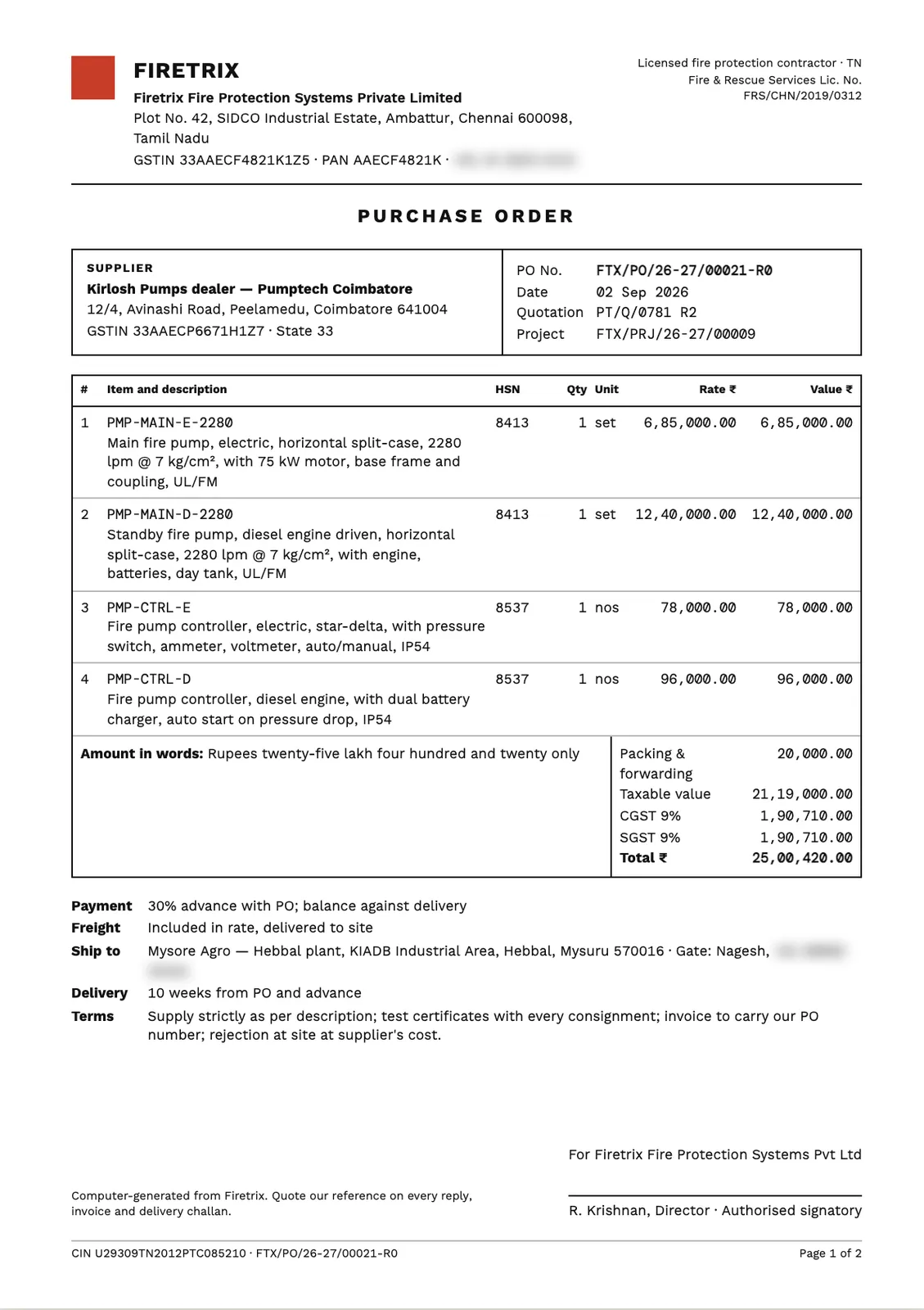
A4 purchase order with Firetrix letterhead, supplier and PO reference blocks, four pump line items, totals with CGST and SGST, and payment and delivery terms.
One of the generated A4 documents: a numbered supplier purchase order on the shared letterhead, with HSN codes, GST split, amount in words and terms (phone numbers blurred).
Project details
Tech stack
HTML & CSS design boardsInteractive HTML prototypesDesign tokensNext.js (planned)Express (planned)MongoDB (planned)pdfkit (planned)
Timeline & team
Jul–Oct 2026
FAQ

Questions about this project

How does the Firetrix design track material on each project line?

Every line carries sold, ordered, dispatched, received, consumed, invoiced and measured quantities, derived by one function from recorded events such as supplier POs, consignments, site receipts and daily reports. The balances — to order, in transit, on site, to invoice — are computed on screen and never typed.

How are GST and document numbers handled in the Firetrix plan?

Each document kind has its own sequence per Indian financial year (April to March, IST), and the number is taken at send time so drafts never hold one. GST is split into CGST plus SGST or IGST by comparing the two parties' states; e-invoice IRNs are typed back in after an Excel or Tally export.

How does a site engineer report progress in Firetrix?

Through a phone portal opened by a one-project link and a six-digit password. The engineer confirms each delivery line by line, uploads the client-signed invoice copy and files a daily report of material used, photos and local purchases; forms keep a local draft if the connection drops.

More work

Other things we shipped

All projects
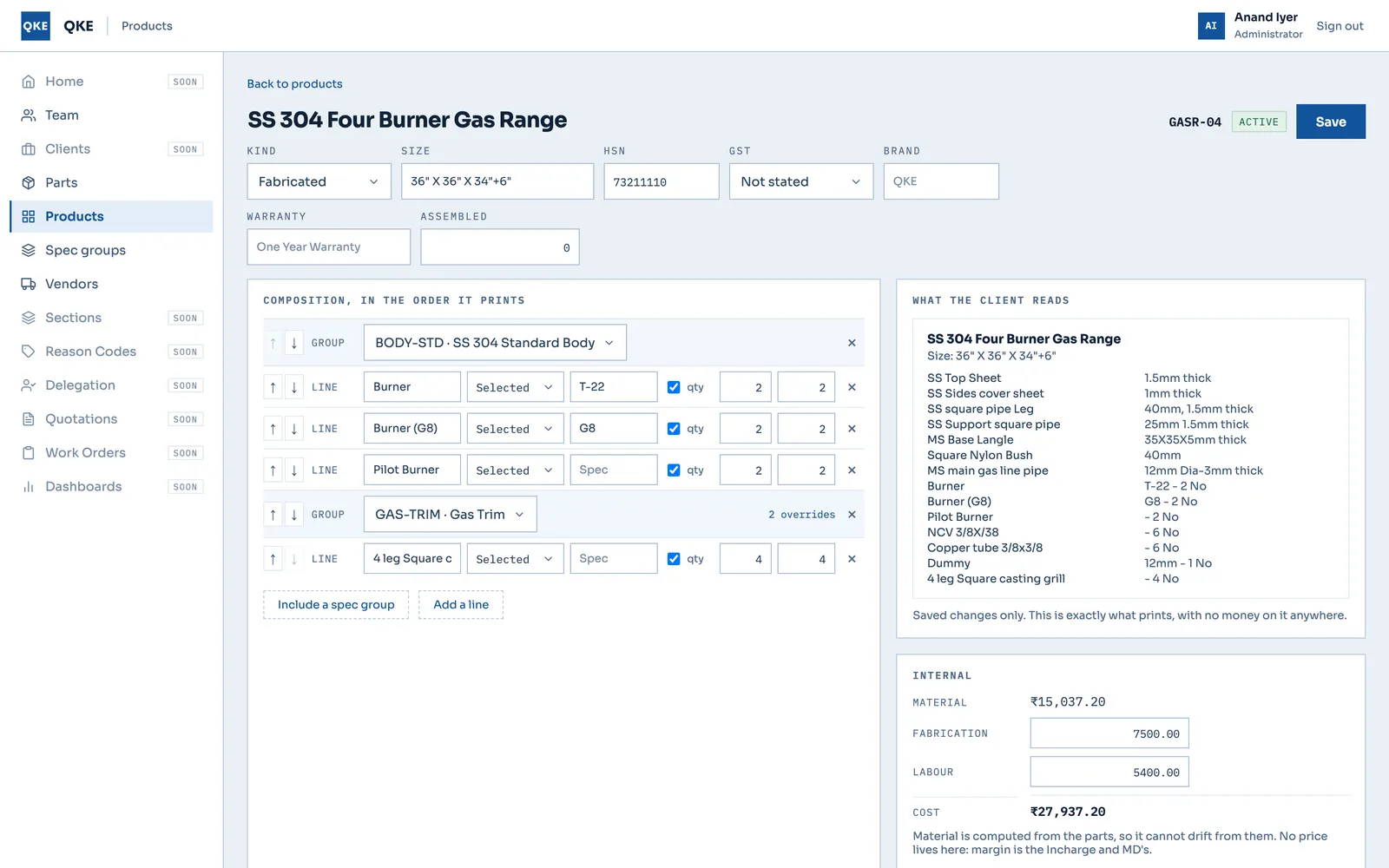
Product editor for a four-burner gas range with composition rows, a client-facing spec preview and an internal cost panel.Prototype
Enterprisefor Quality Kitchen Equipments (QKE)

QKE — Quotation-to-Production System for a Commercial-Kitchen Fabricator

QKE fabricates commercial-kitchen equipment in Chennai. We are building its quotation-to-production system: the master-data slices of the real Next.js and Express app are built, and the full nine-role workflow, from quotation to stores, runs as an HTML prototype.

Next.js 15React 18Redux ToolkitExpress+4
9Real-app slices shipped and verified (auth to product kinds)
Case study
Replacing a customs broker's legacy ERP — Discovery & proposal by CountryDevsDiscovery
Enterprisefor A customs broker and freight forwarder

Customs Broker ERP Replacement — Discovery and Phase-1 Architecture

Discovery for replacing the legacy ERP of a customs broker and freight forwarder in India. We mapped what the business actually uses and proposed a phase-1 system built on one job model for customs, air and sea, with milestone templates, GST e-invoicing and Tally export. Nothing has been built.

React + TypeScript (recommended)Node.js / NestJS (recommended)PostgreSQL (recommended)BullMQ (recommended)+3
6Regulatory milestone flows mapped (air, sea, customs; import and export)
Case study
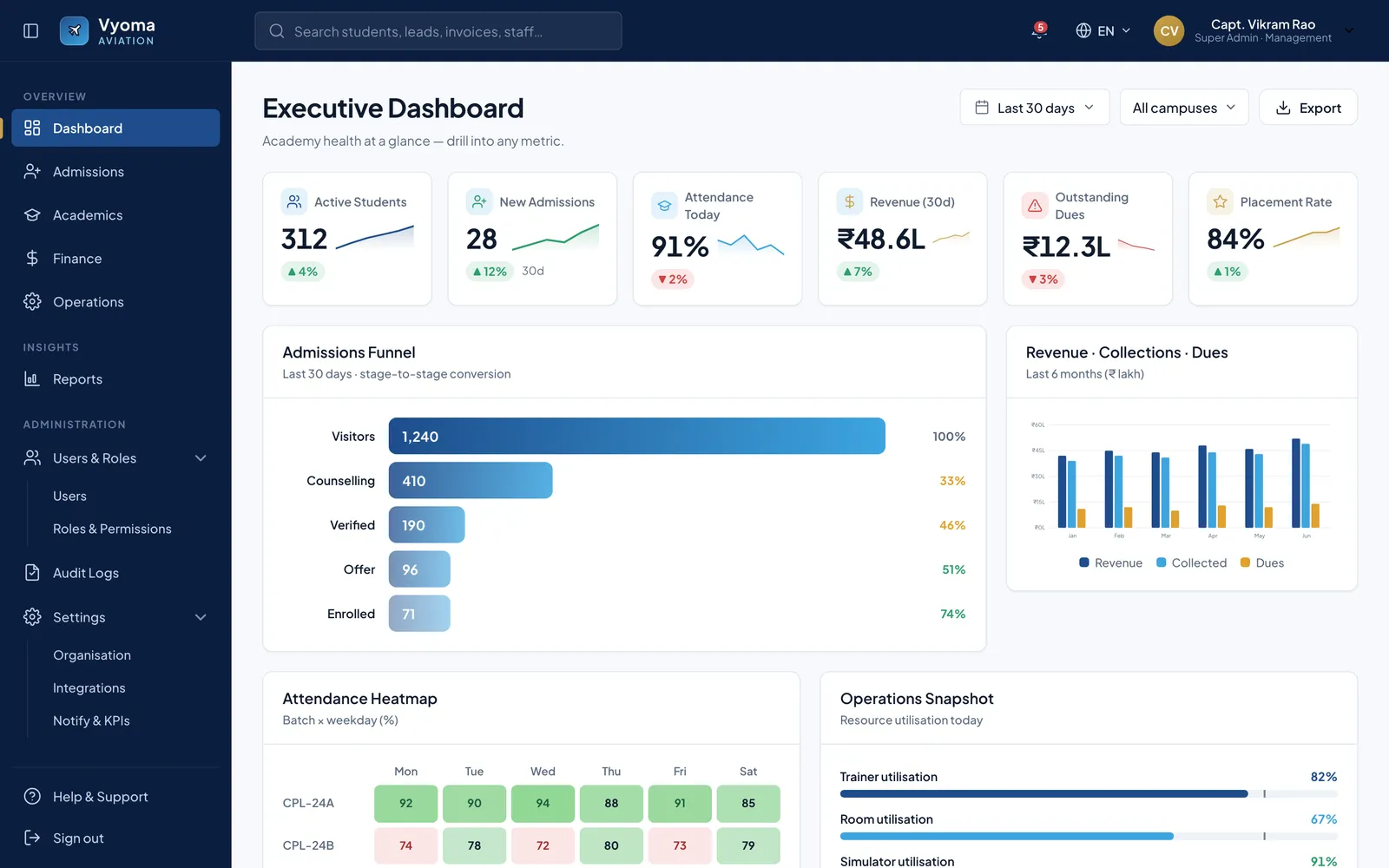
Executive dashboard with six KPI cards with sparklines, an admissions funnel bar chart, a revenue/collections/dues column chart and an attendance heatmap.Prototype
Enterprisefor BrandCrew

Vyoma — Aviation Academy ERP Prototype for BrandCrew

Vyoma is the working name of an academy management platform we proposed to BrandCrew, an aviation career institute in Bangalore. We specified 135 screens across 17 roles and turned them into a clickable React prototype on mock data. Nothing has been built for production.

React 18 (prototype)Babel standaloneCSS design tokensNext.js (proposed)+1
135Screens specified, each with layout, sample content and states
Case study
Got a project?

Let's build the
next one together

Tell us what you're trying to ship. We'll come back with a scope, a timeline, and a fixed price — usually within 48 hours.

Not ready for a full build? Start with a fixed-price Discovery Sprint, or get a code audit of an app someone else built.